China Visa Check

China Visa Check
Description
Writing about travel to China, selling tours, or welcoming students and guests? Put the answer to the question your readers ask first right next to your content: do I need a visa for China?
Your visitors choose their passport and see the answer at once: visa-free for up to 30 days, 240-hour visa-free transit, Hainan visa-free entry, or a visa needed, with the date the rules were last checked.
- Always up to date. The checker is run by China Visa Check, which checks the rules against official Chinese sources every day. When China changes the rules, your page follows on its own. No plugin update needed.
- 194 passports, 10 languages: English, Simplified and Traditional Chinese, Korean, Japanese, Russian, Spanish, German, French and Arabic. It follows your site’s language unless you choose another.
- Fits your page: light, dark or matching the visitor’s device; it sets its own height, so there is no scroll bar.
- Free, no account, no ads, no cookies.
Three ways to add it:
- Block: add the “China Visa Check” block to any post or page and choose the language, the passport shown first and the colours in the sidebar.
- Widget: add “China Visa Check” to a sidebar or footer under Appearance > Widgets.
- Shortcode:
[china_visa_check], with optional settings:[china_visa_check passport="jp" lang="ja" theme="light"].
China Visa Check is an independent guide, not a government service. Rules can change without notice; travellers should confirm with a Chinese embassy or consulate before they travel.
External services
This plugin shows a checker served by China Visa Check (chinavisacheck.com), the service that keeps the visa rules up to date. Nothing works without it.
- What it is used for: showing the visa checker in an iframe on the pages where you place the block, widget or shortcode.
- What is sent, and when: when a visitor views such a page, their browser loads the checker from https://chinavisacheck.com (as with any embedded content, this includes their IP address and browser details). The checker records the host name of the website it is shown on, to count where it is used. It sets no cookies and stores no personal data. The plugin itself sends nothing from your server.
- Terms of use and privacy: https://chinavisacheck.com/china-visa/about (sections “Free to use” and “Privacy”).
Installation
- Install the plugin from Plugins > Add New (search for “China Visa Check”), or upload the folder
china-visa-checkto/wp-content/plugins/. - Activate it.
- Add the “China Visa Check” block to a post or page, the widget to a sidebar, or the shortcode
[china_visa_check]anywhere shortcodes work.
Screenshots
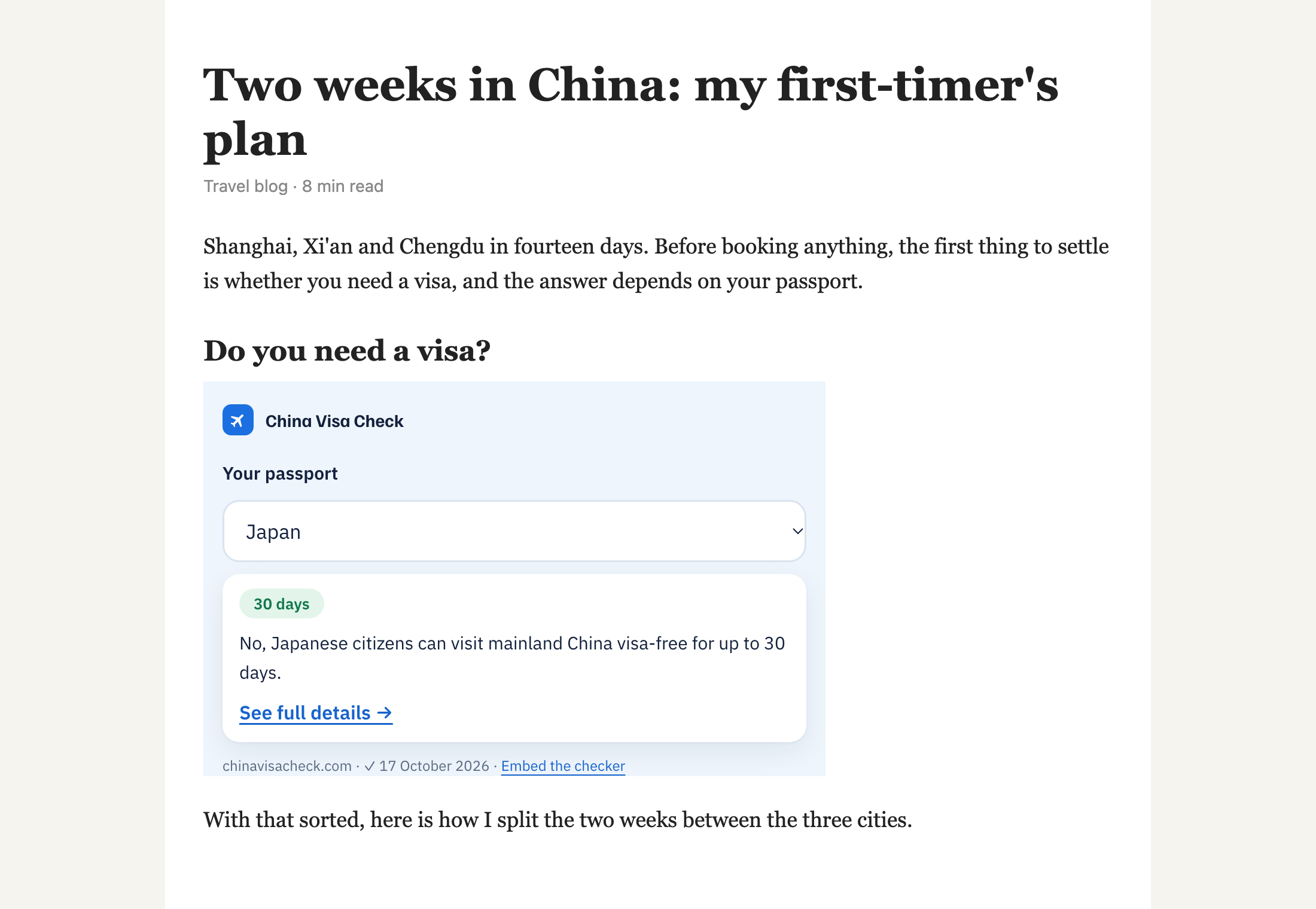
The checker in a blog post: the visitor picks a passport and sees the answer and the date it was checked.
Faq
Yes, for any website, commercial or not. There is no account, no paid version and no ads.
Set “Passport shown first” in the block or widget, or add passport="xx" to the shortcode with the two-letter country code (for example passport="gb" for the United Kingdom). Without it, the checker guesses from the visitor’s browser language, and they can change it.
English, 简体中文 (zh), 繁體中文 (tc), 한국어 (ko), 日本語 (ja), Русский (ru), Español (es), Deutsch (de), Français (fr) and العربية (ar). By default the checker uses your site’s language when it is one of these, and English otherwise. Choose another in the block or widget, or with lang="ja" in the shortcode.
The rules live on chinavisacheck.com, where they are compared with the official lists of China’s National Immigration Administration and Ministry of Foreign Affairs every day. Each answer shows the date of the last check, and every passport has its own page with links to the official sources.
Only if you want to: tick “Show a China Visa Check link under it” in the block or widget, or add credit="yes" to the shortcode. Nothing is added to your pages unless you choose it.
The checker loads only when it scrolls into view (lazy loading) and adds one short script to pages that show it.
Reviews
Changelog
1.0.0
- First release: block, classic widget and shortcode.