CIDRAM

CIDRAM
Description
CIDRAM (Classless Inter-Domain Routing Access Manager) is a PHP script designed to protect websites by blocking requests originating from IP addresses regarded as being sources of undesirable traffic, including (but not limited to) traffic from non-human access endpoints, cloud services, spambots, scrapers, etc. It does this by calculating the possible CIDRs of the IP addresses supplied from inbound requests and then attempting to match these possible CIDRs against its signature files (these signature files contain lists of CIDRs of IP addresses regarded as being sources of undesirable traffic); If matches are found, the requests are blocked.
Requirements
- PHP >= 7.2.0
- PCRE
Updating
Note: CIDRAM does not interact in any way with your database, and stores its own configuration settings, customisations, and related materials as flatfiles within its own directory. If you’ve not changed any of the default configuration settings and if you’re not using any customisations for this plugin, updating normally via the plugins dashboard, without need for any additional steps, should be sufficient and shouldn’t cause any problems. However, if you’ve modified the configuration settings for CIDRAM, or if you’ve made any customisations, I would recommend making backups of all of these prior to updating, due to that updating will overwrite all settings and customisations (after updating, you can then restore your customisations from your backups). Alternatively, if you update via the CIDRAM front-end updates page, all settings and customisations should be preserved.
Installation
Installing via the plugins dashboard.
- Before you begin, ensure that you’re logged in as an administrator with the necessary permissions to install, update and edit plugins (after activating the plugin but before modifying the plugin configuration file, do not log out from this account).
- From the plugins dashboard, click the “Add New Plugin” button. From the page that appears, type “CIDRAM” into the “Search Plugins” text field, and press enter. A button to install CIDRAM should appear, and CIDRAM should automatically install when you click on that button.
- Before activating the plugin, it is advisable to understand the various configuration directives available to the plugin, what they do, and how to change them. Go to
https://cidram.github.io/, scroll the page until you reach the “Documentation” subheading; Choose your language, and read through “Section 5: Configuration Options”; The information presented relates to the configuration directives available to the plugin. - Please read through the “Frequently Asked Questions” before activating!
- From the plugins dashboard, click the “Activate” button located directly below where you see “CIDRAM”.
Installing manually.
Please refer to the installation instructions provided by the documentation available at https://cidram.github.io/.
Screenshots
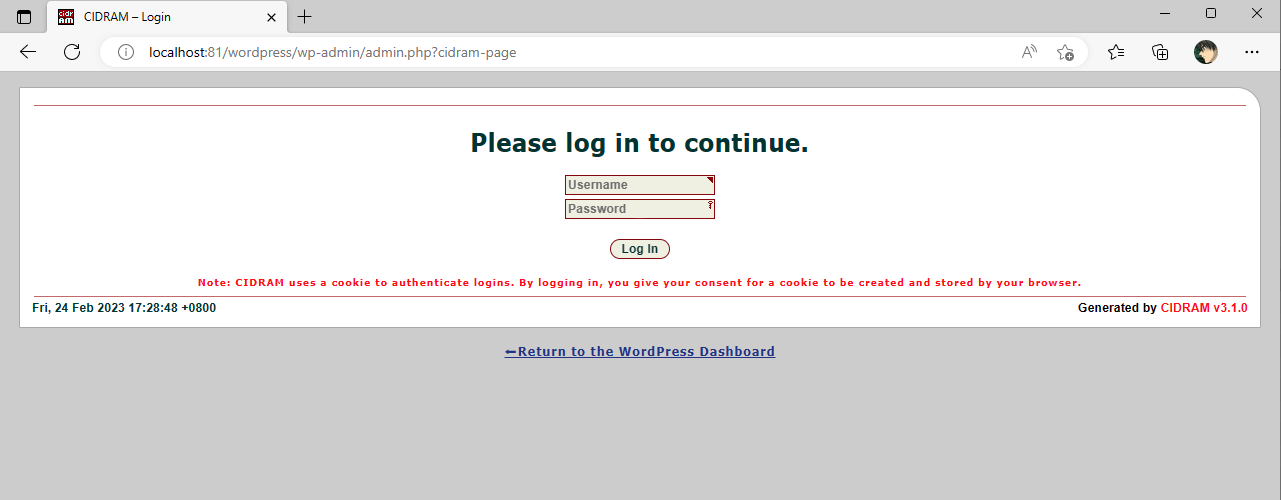
Screenshot of the CIDRAM Front-End homepage.
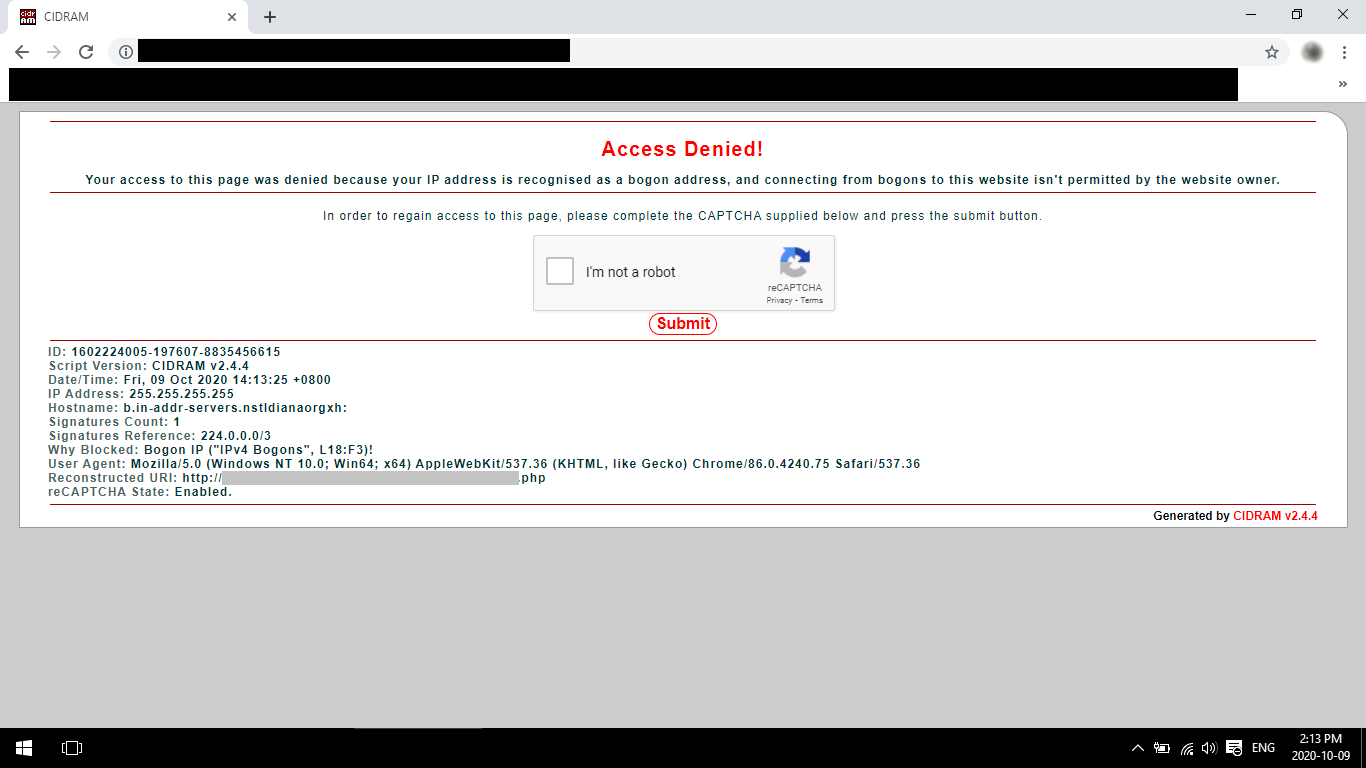
Screenshot of the CIDRAM "Access Denied" page.
Faq
Please refer to https://github.com/CIDRAM/Docs/blob/master/readme.en.md#user-content-SECTION8
Reviews
The Bees Knees - Massively Underrated!
By 
I could write an in-depth review, pointing out why CIDRAM is the most underrated WP security plugin, ever. However, I'll simply say this...
I've been using WP since V2.6 (circa 2008). Over the years, I've tried all manner of security plugins, as well as other scripts. ZBBlock which CIDRAM is loosely based upon, I found was the best of the best. Hackers, Script Kiddies, Bad Bots, scrappers and other nefarious evil doers, don't stand a chance again CIDRAM.
Best of all, no database calls...
Take my advice, if you want to protect your WP site as best as you can (nothing is 100% safe), and you want to avoid bloat, install CIDRAM, I doubt many, if any, will regret that decision.
Cheers
Excellent Plugin
By 
Having been a longtime user of ZB Block I was well aware of CIDRAM which was integrated with it. I needed something relatively simpler than ZBB (I.E. a GUI) to use for few fellow admins. CIDRAM fits that bill. That said, CIDRAM is not for the novice admin. Read the excellent documentation thoroughly before installing.
cidram issue
By 
Hi does this system/plugin still work, it did not work manually installed when calling the class. Also its not opening in wp settings or seem to do anything after installing as a plugin so where are the controls an logs located, after reading github for answers an as a developer myself am still lost to its real usage, so i decided to ask direct before i remove it an try something else where.
EXCELLENT Security Plugin, but lacking support...
By 
Great Plugin!
By 
A Must Use for Every Site
By 
Amazing plugin. I had serious problems to "scans" and I tried even paid plugins.
By 
Probably the best spam/bot blocker out there
By 
Question and thanks
By 
Great Plugin
By 
Changelog
Please refer to https://github.com/CIDRAM/CIDRAM/blob/v4/Changelog.md.