Cloud Storage Manager for Fluent Forms – Google Drive, Dropbox, OneDrive, S3 Uploads
Cloud Storage Manager for Fluent Forms – Google Drive, Dropbox, OneDrive, S3 Uploads
Description
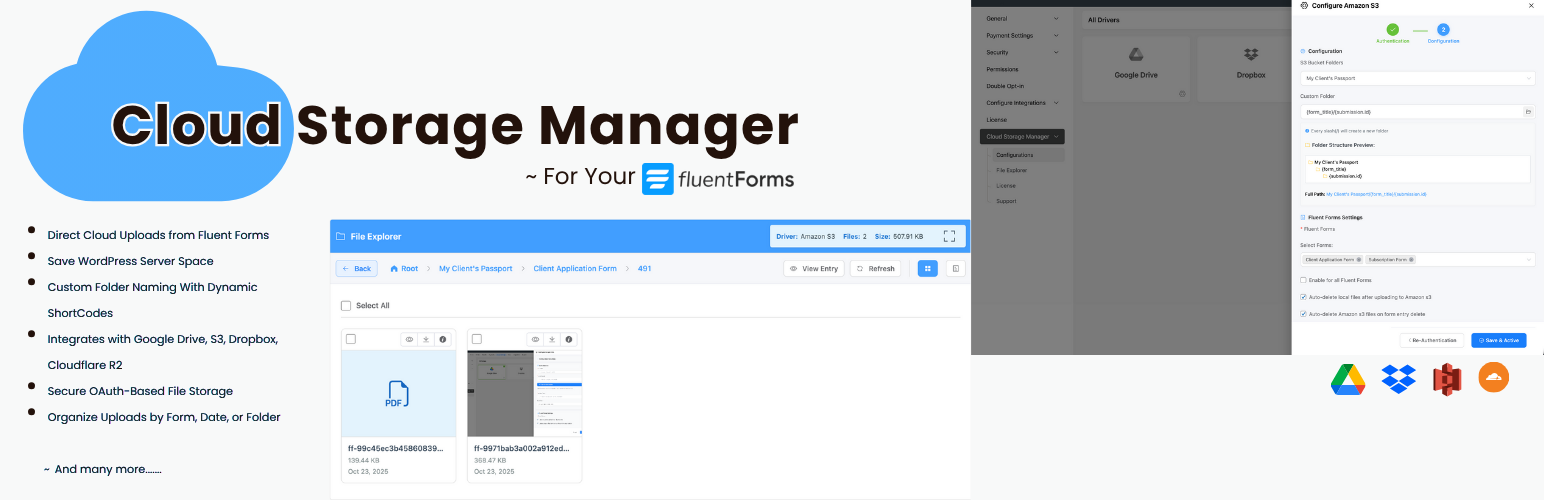
Cloud Storage Manager for Fluent Forms lets you automatically upload files submitted through Fluent Forms to external cloud storage services such as Google Drive, Dropbox, Microsoft OneDrive, Amazon S3, and Cloudflare R2.
If your website collects documents, images, PDFs, resumes, or other attachments via Fluent Forms, storing them on your WordPress server can quickly consume disk space and impact performance. This plugin offloads file uploads to cloud storage, helping you reduce server storage usage, improve site performance, and keep your files organized in secure cloud folders.
The plugin works with your existing file and image upload fields—no changes to your forms are required. Files are uploaded in the background, so users experience fast form submissions while uploads are securely stored in the cloud.
Who should use this plugin?
This plugin is ideal for:
• Agencies collecting client documents
• HR teams collecting resumes and attachments
• Schools collecting student submissions
• Membership sites receiving user uploads
• SaaS onboarding forms
• Any site using Fluent Forms to collect files
Key Features
- Automatically upload Fluent Forms file submissions to cloud storage
- Reduce WordPress server disk usage
- Works with existing file and image fields
- Background uploads for faster form submissions
- Secure OAuth authentication
- Cloud file links supported in email notifications and attachments
- Built-in file explorer (Pro)
- Analytics and usage insights (Pro)
Free Features (Google Drive & Dropbox)
- Upload Fluent Forms files to Google Drive
- Upload Fluent Forms files to Dropbox
- Choose a parent folder for uploads
- Background file uploads
- Email notifications and attachments
- OAuth-based secure authentication
Pro Features (OneDrive, Amazon S3 & Cloudflare R2)
- Direct upload module for large files
- Microsoft OneDrive integration
- Amazon S3 integration
- Cloudflare R2 integration
- Custom folder paths per form
- Conditional folder structure using form inputs
- PDF uploads for specific forms without file or image fields
- File naming customization using SmartCode
- File naming conventions (Encrypted, Original and Custom)
- File visibility control (Public & Private)
- Upload filed styling customization
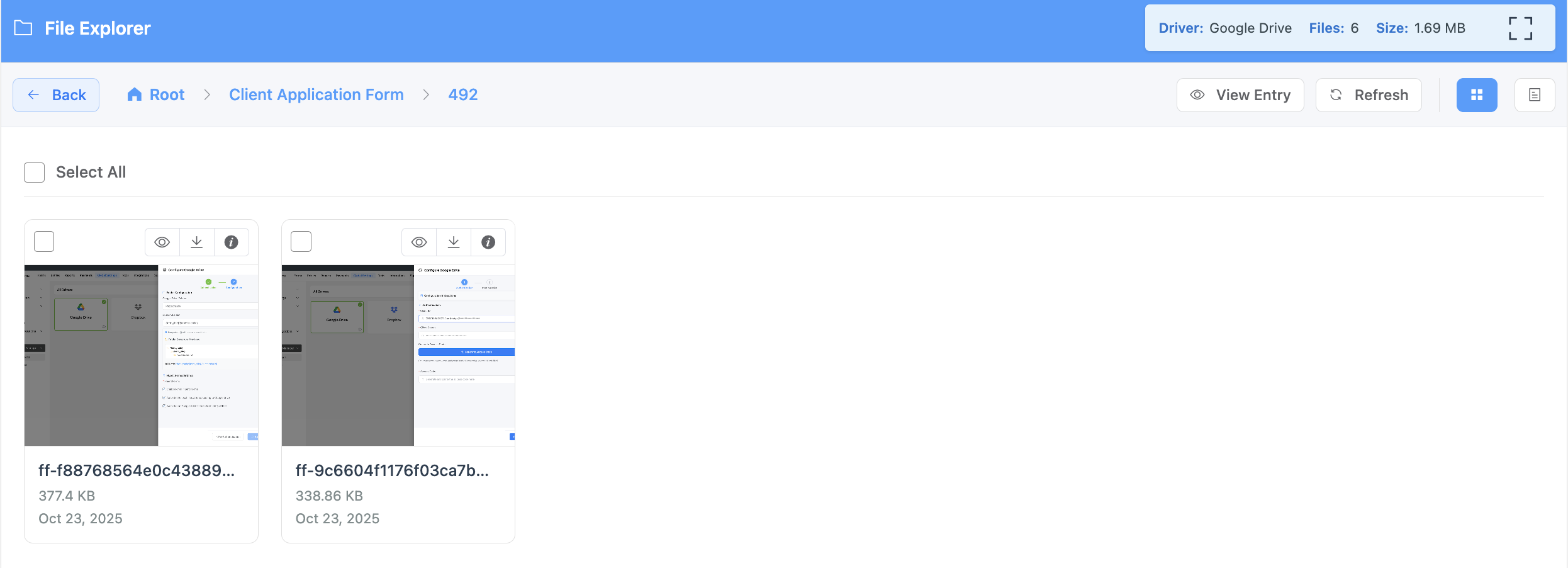
- File explorer to manage uploaded files
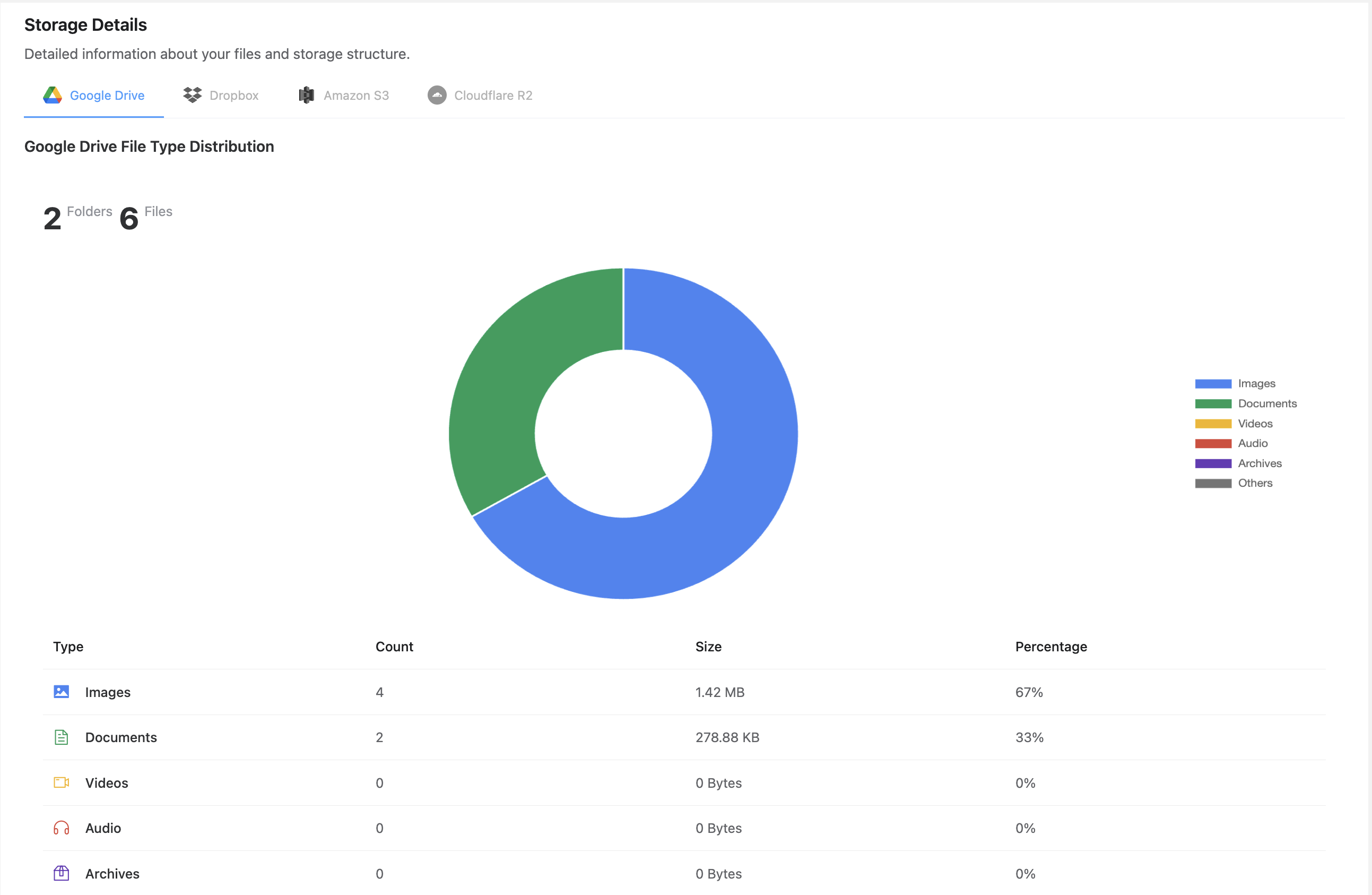
- Storage usage analytics
- File visibility control
- Priority support
Upload Fluent Forms Files to Google Drive
Automatically store file uploads in Google Drive folders.
Upload Fluent Forms Files to Dropbox
Send file uploads to Dropbox for easy sharing and collaboration.
Upload Fluent Forms Files to Microsoft OneDrive
Store uploads in OneDrive for Microsoft-based workflows.
Upload Fluent Forms Files to Amazon S3
Use Amazon S3 for scalable and secure file storage.
Upload Fluent Forms Files to Cloudflare R2
Store uploads in Cloudflare R2 for global access with zero egress fees.
External Services
This plugin integrates with third-party cloud storage services:
Google Drive
Used for storing uploaded files.
Data sent: Files and file metadata.
Terms: https://cloud.google.com/terms
Privacy: https://policies.google.com/privacy
Dropbox
Used for storing uploaded files.
Data sent: Files and file metadata.
Terms: https://www.dropbox.com/terms
Privacy: https://www.dropbox.com/privacy
Installation
- Upload the plugin folder to
/wp-content/plugins/cloud-storage-manager, or install via the WordPress Plugins screen. - Activate the plugin from the “Plugins” menu.
- Go to Fluent Forms Cloud Storage Manager.
- Connect your cloud storage provider.
- Select a default folder for uploads.
Setting Up Google Drive
- Create a Google Cloud project and enable the Google Drive API.
- Generate OAuth credentials.
- Enter the Client ID and Client Secret in plugin settings.
- Connect your Google account.
- Choose a destination folder.
Setting Up Dropbox
- Create a Dropbox app from the Dropbox Developer Console.
- Copy the App Key and App Secret.
- Enter credentials in plugin settings.
- Authorize Dropbox.
- Choose a destination folder.
Screenshots
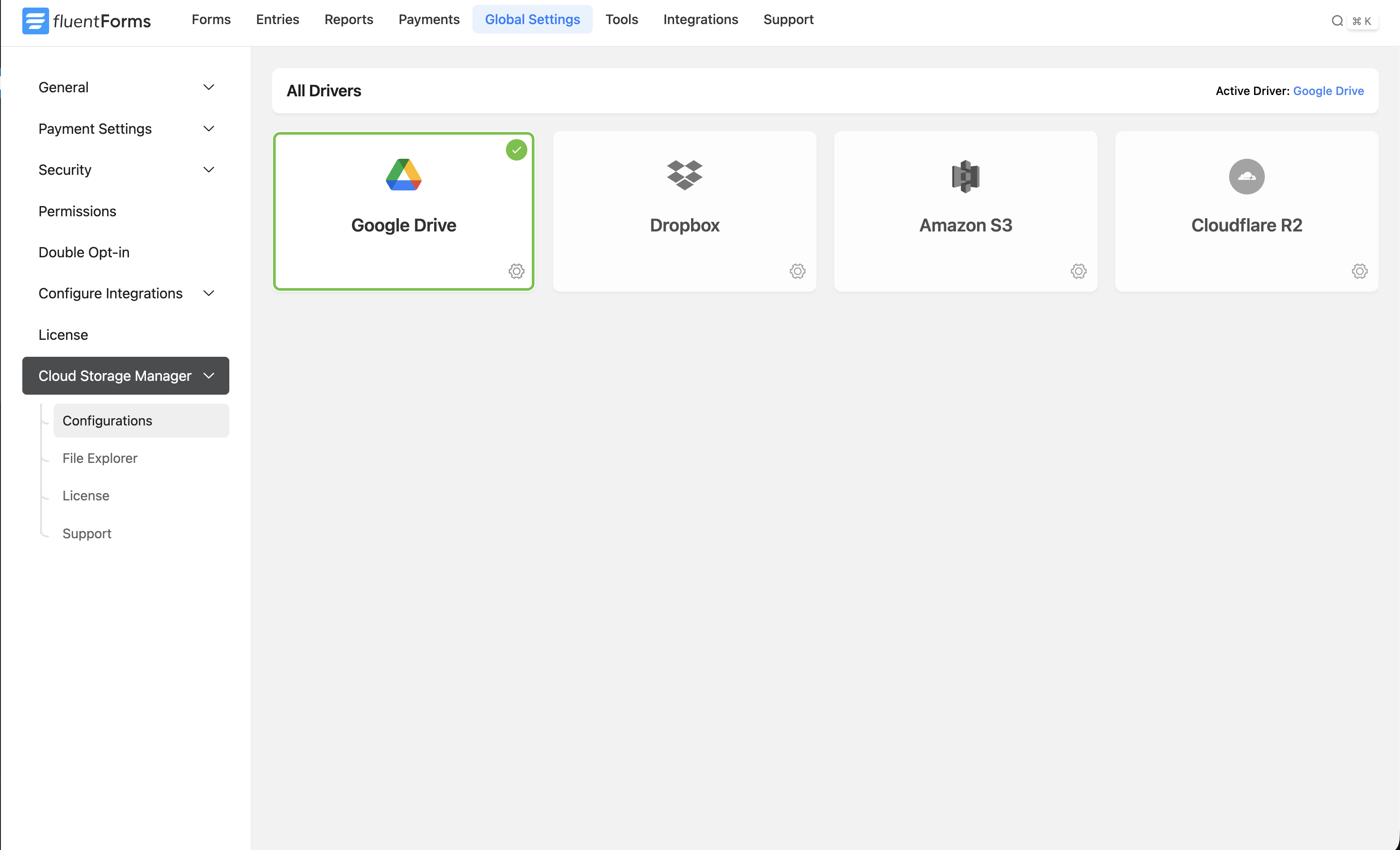
Cloud Storage Manager settings
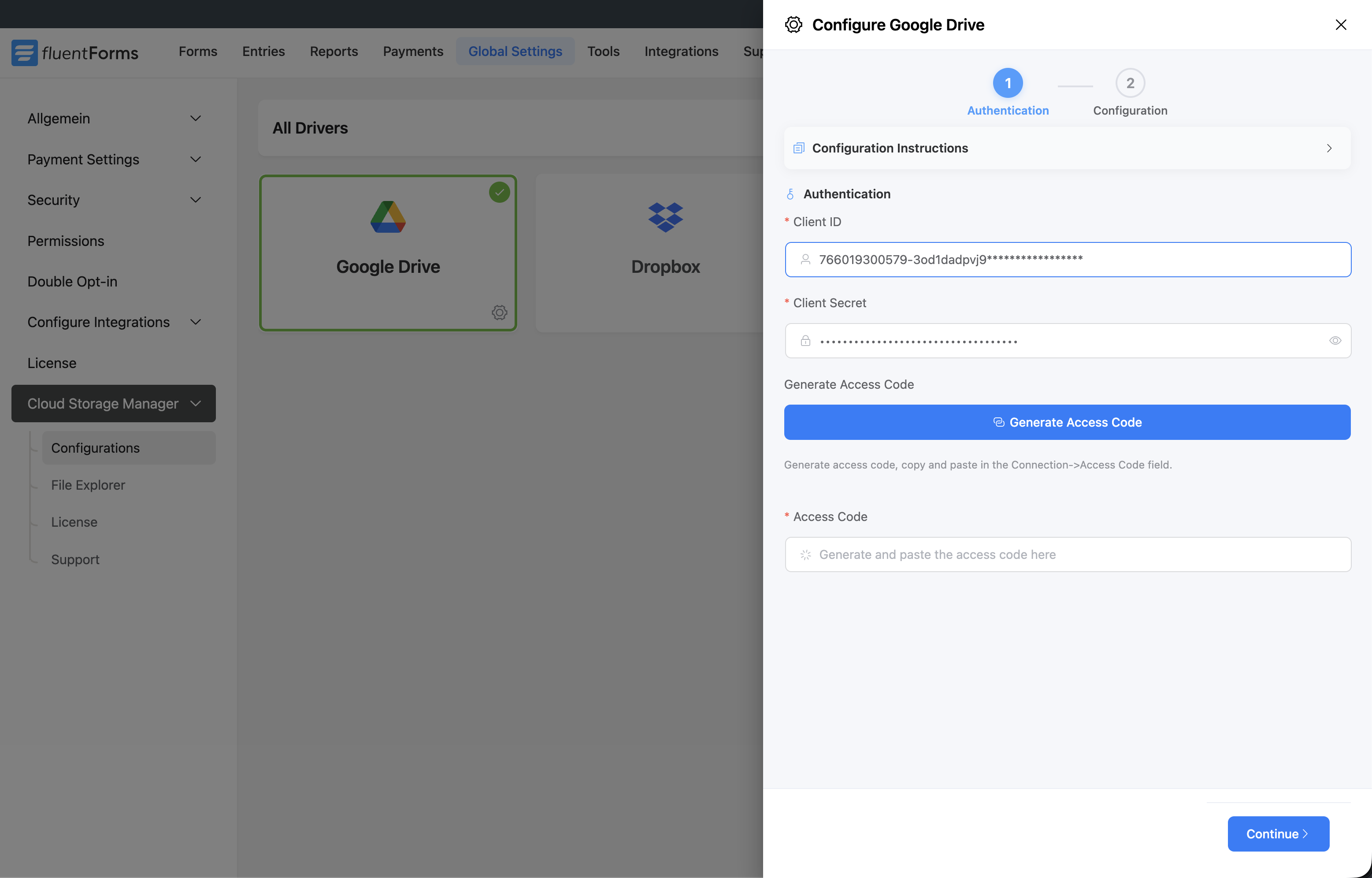
Cloud driver authentication
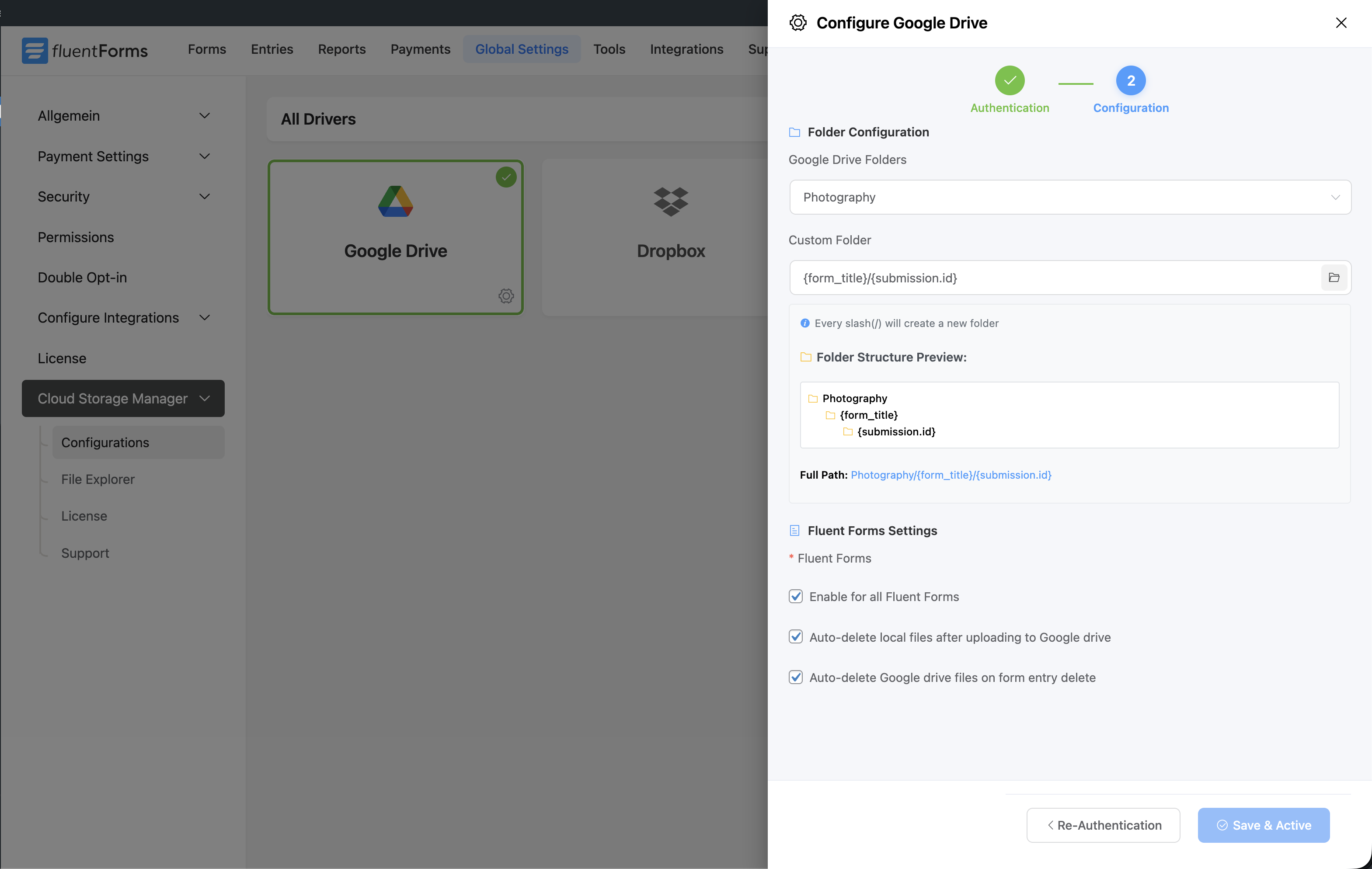
Folder selection
File explorer
Storage analytics
Faq
Cloud Storage Manager works with Fluent Forms. File upload fields require Fluent Forms Pro.
Google Drive and Dropbox are included in the free version.
By default, files remain on your server. You can enable automatic deletion after successful cloud upload.
Yes. The Pro version allows custom and conditional folder structures.
Currently, one cloud storage provider can be configured globally.
Files remain on your server, and the auto-retry feature continues attempting uploads until successful. If the connected driver’s access token or API connection becomes invalid/expired during upload, the admin receives an immediate email notification with relevant information. Admins can then attempt manual file upload from the Fluent Forms entry details page
Visit https://fluentwiz.com/cloud-storage-manager to upgrade to Pro.
Reviews
Super helpful!
By 
very quick and helpful support. The tool itself is excellent, too!
Improve Your Fluent Forms -> Cloud Storage Workflow
By 
Excellent plugin that works as intended. I did purchase the Pro version so that new directories could be created in the assigned Dropbox folder. It works like a charm!
Support was awesome to get a working fix in place very quickly for a particular use case where the file upload UI needed to be blurred when a limit was placed on the file field. Works like a charm! Definitely recommend for your FluentForms -> Cloud Storage workflows!
Easy to use. Great customer service.
By 
This was easy to setup. I had a minor issue and contacted support and they responded quickly and solved my issue.
Great plugin, great support!
By 
Great plugin and even better support.
Everything works smoothly and does exactly what I need. The support team is responsive, helpful, and very professional. They really care about improving the product.
Highly recommended!
Works Great!
By 
This plugin was so needed for having control and organization of form uploads. It takes a moment to set things up, but it is rock solid once it is up and running. And in a sea of bad customer support these guys are actually there to help if you have questions or challenges along the way. It is clear that their support team cares about what they are offering to their customers. Thanks guys!
Highly recommended: Cloud Storage for Fluent Forms.
By 
The plugin works very well and is easy to use!
One suggested improvement would be to allow the use of existing form field values to automatically create folders. For example, using the company name or client email address from a registration form that has already been filled in. This would make file organization a little bit more advanced and efficient.
Upload file via url
By 
Hi, thanks for this great plugin!I have a question: Is it possible to upload a file to the object storage server using a direct URL?In other words, upload the file from server to server instead of from my local computer.More specifically, if I provide a file URL, can the plugin fetch that file, upload it to my object storage server, and then give me the direct link?
Changelog
1.2.6
- Added: Additional translation strings
- Improved: Connection setup flow, the “Connection Active” notice now links directly to the Configuration step
- Improved: Credentials security on internal API calls
- Improved: Smarter access token handling, with fewer calls to the provider
- Improved: Credential handling and storage security
- Fixed: Broken preview for large Google Drive images
- Fixed: Incorrect sharing setting applied on Google Drive direct uploads
- Fixed: Minor bug fixes and performance improvements
1.2.5
- Improved: Faster uploads via the standard upload mechanism
- Improved: More reliable background upload handling — uploads no longer stall when WP-Cron is disabled or delayed
- Improved: Automatic token refresh, uploads no longer fail on expired connections
- Fixed: Security hardening at the API level
- Fixed: Minor bug fixes and performance improvements
1.2.0
- New: Faster file uploads with a new upload engine
- Added: Failure notification emails can now be sent to multiple recipients
- Improved: Dropbox access token regeneration after expiry in edge cases
- Improved: Dropbox and Google drive upload retry mechanism
- Fixed: Minor bug fixes and performance improvements
1.1.5
- Added: Special character support in filenames for Google Drive and Dropbox uploads
- Fixed: Shortcode parser failing in user registration feed
- Fixed: Minor bug fixes and performance improvements
1.1.4
- Improved: Dropbox and Google Drive re-try module for failed uploads
- Fixed: Minor bug fixes and performance improvements
1.1.3
- New: File upload status badges in Fluent Forms entry list and detail view
- Improved: Upload retry mechanism for Google Drive and Dropbox
- Fixed: Minor bug fixes and performance improvements
1.1.2
- Fixed: PHP sanitaztion issue fixes
1.1.1
- New: Per-form toggle to disable Cloud Storage Manager’s default upload field styling — falls back to Fluent Forms/theme design
- New: Upload Field Designer — customize colors, borders, buttons, and file item styling per form with live preview supporting light and dark modes
- New: File upload failure email notifications for WordPress admin
- New: {filename.} smart code renders the original uploaded filename in confirmations, emails, and parser fields. Available in the editor’s smart code picker under Cloud Storage Manager
- Improved: Auto-retry module for failed file uploads
- Fixed: Minor bugs fixes
1.0.16
- New: Added support for FluentForms Signature field files (alongside existing file and image field support)
- New: Added retry uploads button for failed uploads on FluentForm submission view
- Improved: Enhanced local file deletion mechanism for better reliability
- Fixed: Notification and Integration pause/resume issue
- Fixed: Minor bug fixes and improvements
1.0.15
- Fixed: Fluent Forms Framework v2 compatibility issues fixes
- Fixed: Minor bug fixes
1.0.14
- Improved: Updated with Fluent Forms framework v2 standard
- Improved: Google and Dropbox token generation security
- Improved: Improves overall plugin security and stability
- Fixed: Minor bug fixes
1.0.13
- Fixed: Fluent Forms integrations not triggering correctly for cloud uploads
- Fixed: Minor bug fixes
1.0.12
- Added: Cloud-uploaded files are now compatible with all Fluent Forms integrations
- Improved: Optimized file upload speed
- Fixed: Minor bug fixes
1.0.11
- Fixed: Email notification not sending after file upload issue
- Fixed: Email attachment breaking issue
1.0.10
- Fixed: Condition sub folder creation issue
- Fixed: ShortCode parsing issue
1.0.9
- Fixed: Minor bugs
- Improved: UI and stability
1.0.8
- New: Cloud file URLs in email notifications
- New: Email attachment support
- Improved: Upload performance
1.0.7
- New: File naming options
- New: File visibility control
- Fixed: Security improvements
1.0.6
- Fixed: FluentBoards attachment issues
1.0.5
- New: Per-form parent folder selection
- New: Auto-delete local files after upload
- New: FluentCRM file link support