CM Table Of Contents – Clear navigation for better content discovery
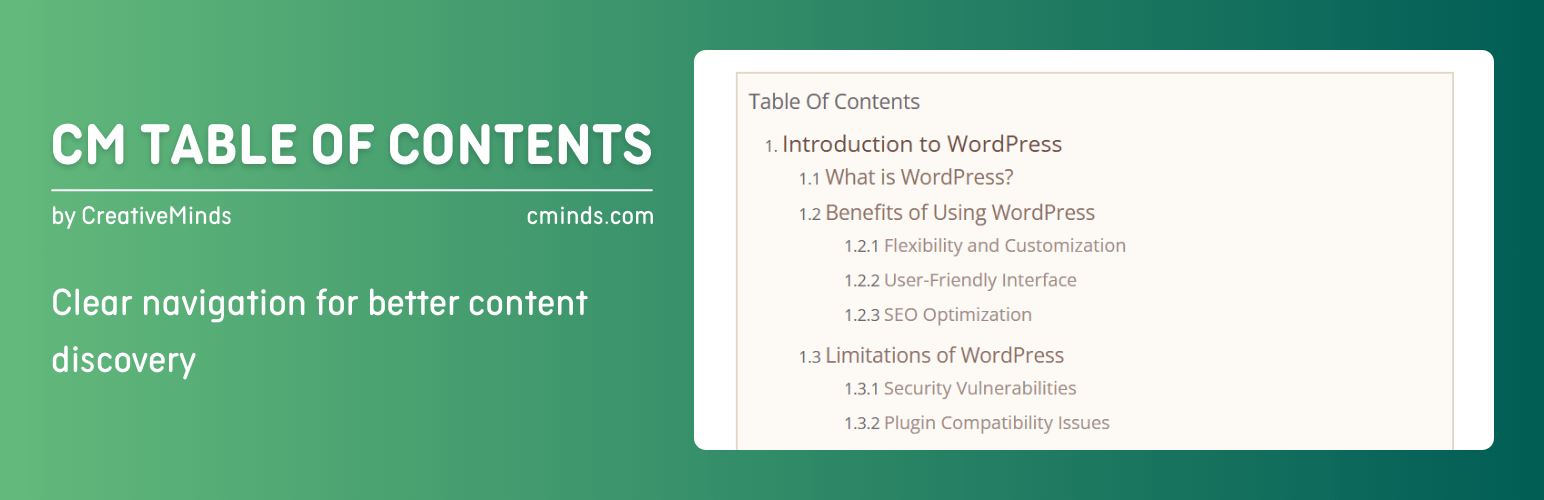
CM Table Of Contents – Clear navigation for better content discovery
Description
Premium Plugin Page | Video | Demo | User Guide
Create a table of contents and help users easily navigate your WordPress site content. Define the table of contents sections using headers and css classes.
⭐ We’re excited to present the renewed version of CM Table of Contents! Now featuring a Setup Wizard for effortless setup and new tools, including customizable “Back to Top” buttons, list type selection, and enhanced styling options. Upgrade your content navigation experience today!
This WordPress plugin enables users to generate a customizable table of contents that can be added to any page or post.
You can define the table of contents using div/span tags or CSS classes, in addition to h tags.
TOC Plugin Premium Editions
The TOC Plugin Premium edition includes even more powerful features, such as: floating toc side widget, collapse and expand toc support, multiple TOC per post/page and much more.
TOC Plugin Introduction Video (Pro Version)
Using the TOC Plugin
- Automatic Table of Contents – Automatically creates a context specific table or index of contents (TOC) on any post or page or custom post type.
- Customize your Table of Contents – Easily customize your navigation table based on specific tags and CSS classes. You can also display the TOC in one or two columns.
- Style the TOC – Style the table according to the users’ needs or branding.
- Order your Content – Use the WordPress table of contents plugin to create order within your pages & posts, including blog posts and articles.
- On Page Navigation Tool – Makes it easy for your users to navigate between different sections of your content. Use a floating DIV which comes with the TOC once users scroll the page.
- Support Child Pages (premium only) – Navigate to your child pages from the parent page.
- Next Page Support (premium only) – Table of contents help readers in long paginated posts, by pointing to the exact location in the pages/post.
- Shortcode – The plugin was designed to be as seamless as possible and does not require you to insert a shortcode. However, using the shortcode allows you to fully control the position of the table of contents within your page.
Basic Features
- Define TOC by tag, class and id.
- Change Table of Contents title.
- Basic TOC styling.
- Easily style the navigation table color and font size.
- Insert TOC in any specific location on a post or a page using a shortcode.
- Choose the type of the list elements of the Table of Contents.
- Add “Back to the Top” Button/Arrow.
- Customize the style of the “Back to the Top” Button/Arrow.
- Includes a user-friendly Setup Wizard for quick and easy plugin configuration.
How to Use the WordPress Table of Contents Plugin
- Automatically add the navigation table to any page or post.
- Customize your table of contents based on specific tags and classes.
- Style the table for user needs or design.
Pro Version Features
Pro Version Detailed Features List | Demo Site
- Collapse TOC on page upload.
- Automatically create TOC for all site pages.
- Define TOC using unique tags on each post or page.
- Insert multiple TOC in any specific locations within a post or a page using a shortcode.
- Define specific tags for each page or post.
- Change the appearance of TOC: font size, color, weight and style.
- Support Custom Post Type.
- Define show and hide the table behavior.
- Support allowing the table of contents to navigate to child pages of the parent page.
- TOC can also be displayed using a sidebar widget.
- In long paginated posts, TOC has a next page support to point to the exact location in the pages and posts.
- Add TOC to any page or post.
- Support Hierarchical / Multi-Level Table.
- Support displaying multiple TOC per post/page.
- Enable/Disable TOC for certain posts/pages.
- Support wrapping the text left or right.
- Support displaying TOC in one or two columns.
- Support displaying a floating TOC div once user scrolls the page.
Follow Us
Blog | Twitter | LinkedIn | YouTube | Pinterest | Facebook
Suggested Plugins by CreativeMinds
List of all WordPress Plugins by CreativeMinds
- CM Tooltip Glossary – Easily creates a Glossary, Encyclopaedia or Dictionary of your website’s terms and shows them as a tooltip in posts and pages when hovering. With many more powerful features.
- CM Answers Plugin – A fully-featured WordPress Questions & Answers Plugin that allows you to build multiple discussion forum systems Just like StackOverflow, Yahoo Answers and Quora, Now with MicroPayments and Anonymous posting support.
- CM OnBoarding – Superb Guidance tool which improves the online experience and the user satisfaction.
Installation
- Upload the plugin folder to the
/wp-content/plugins/directory. - Activate the plugin through the ‘Plugins’ menu in WordPress.
- Configure the table of contents behaviour and appearance in the plugin settings.
- Start editing post or page where you want to display TOC.
- Find the metabox “CM Table of Contents” and check the option “Enable Table of Contents on this post/page”.
- Save the settings.
Screenshots

General Settings

Table of Contents Settings

Metabox - Enabling TOC for Specific Post or Page

Front-end Example

Setup Wizard

Setup Wizard - Example
Reviews
Aweful customer service
By 
Discards images?
By 
Simple & Effective!
By 
Highly limited in free
By 
Works great - responsive developers
By 
Impossibile eliminare il plugin
By 
The ONLY table of contents plugin that recognizes pagination
By 
The best table of content WordPress Plugin. Extremely highly custmizable. The only one that recognizes pagination.
Also, the technical support team is very efficient and knowlegable.
After researching for months, CM table of contents plugin was the solution.
I highly recommend it to anyone who has complicated post structure or long posts and wants a perfect table of contents plugin.
Great Service and Quality Plugin
By 
I was looking for a table of contents plugin that was smart enough to accommodate a variety of knowledge base style posts and this one fit the bill. There were a few technical glitches in the first try but the support team was exceptionally responsive and listened and acted very quickly to my needs. In addition to the basic functionality, it also provides great styling options and the ability to be used in the body of the text as well as in widget areas. I would recommend going for the premium version as it offers more functionality for a reasonable price.
a Smart plugin!
By 
This is a simple, but powerful and smart plugin! Unlike the others, they are too simple and not useful as this one. It detects the headers by itself, and make it anywhere as we wanted!
However, multilingual supported will be much appreciated. I have a 3 languages site, and using Polylang. If we could change the text of "The Table of Content" in different language, it will be much much appreciated.!
Changelog
1.3.1
Release Date: 17 Jun 2025
* Resolved PHP Warning
1.3.0
Release Date: 12 Jun 2025
* Added restrictions for deactivating a plugin and send reason should be admin user
1.2.9
Release Date: 15 May 2025
* Updated pricing
1.2.8
Release Date: 15 Apr 2025
* Improvements
1.2.7
Release Date: 18 Mar 2025
* Updated pricing
1.2.6
Release Date: 21 Jan 2025
* Added support to manage list type and few more settings
* Added pro features as a showcase
* Added setup wizard
* Fixed vulnerability issue
1.2.5
Release Date: 19 Nov 2024
* Fixed security (medium) issue
1.2.4
- Fixed security issues
1.2.3
- Fixed security issues
1.2.2
Release Date: 9 Oct 2024
* Fixed security issues
1.2.1
Release Date: 20 Jun 2024
* Fixed uncaught type error
1.2.0
Release Date: 18 May 2024
* Fixed security issues
1.1.9
Release Date: 25 December 2023
* Update package info
1.1.8
Release Date: 22nd Mar 2023
* Update package info
1.1.7
Release Date: 9th Nov 2022
* Replace Internal support links