Cocktail Recipes

Cocktail Recipes
Description
Cocktail Recipes makes it easy to add structured, readable cocktail recipes to any WordPress page or post. It uses a simple shortcode with the recipe data to render ingredients, glassware and preparation instructions. Recipes are displayed in a clean, modern layout with automatic scaling and unit conversion, rendered in a consistent theme-independent format to allow seamless integration into any website. The plugin is designed for speed, maintainability and minimal frontend impact.
Key Features
- Simple [cocktail] shortcode for embedding recipes
- Clean, responsive recipe layout
- Automated parsing and normalization of ingredients and garnishes
- Supports a complete range of mixing methods, glassware and ice types
- Unit detection and automatic conversions
- Imperial units for US and metric units for Europe, Japan and elsewhere
- Switchable summary and full step-by-step instruction views
- Controls for serving sizes and unit conversions
- Works with any theme; no frontend dependencies
- Configurable rendering options and controls via settings page
- Customizable CSS for integration into any design
- Frontend assets loaded only when required
- Supports Gutenberg and the classic editor
- Caches parsed recipes for fast rendering
- Accessible, semantic markup with screen-reader-friendly structure and keyboard-friendly controls
- Supports localization and translation
Why Cocktail Recipes?
Cocktail Recipes was built to solve a simple problem: cocktail recipes in WordPress posts are often unstructured and tied to a theme’s formatting. This plugin provides a consistent and reliable format which keeps content clean, portable and easy to maintain. It is optimized for bloggers, bartenders and anyone writing about cocktails. It also makes it quick and easy to include a recipe without writing out lengthy instructions. The plugin generates a complete presentation from basic input, automatically. You just list the ingredients and garnishes, specify the method, glassware and ice, and it does the rest.
Example Shortcode
[cocktail]
  2 oz gin
  1 oz St-Germain
  3/4 oz lime juice
  method: shaken
  glassware: coupe
  garnish: lime twist
[/cocktail]
Support
Installation
Using WordPress Plugin Installer (recommended)
- Go to your WordPress Dashboard and navigate to Plugins > Add Plugin
- Search for “Cocktail Recipes”
- Click Install, then Activate
Manual Installation
- Download the plugin as a .zip file
- Extract the contents
- Copy the
cocktail-recipesdirectory into the/wp-content/plugins/directory - Go to your WordPress Dashboard and navigate to Plugins > Installed Plugins
- Find the “Cocktail Recipes” and click Activate
Screenshots
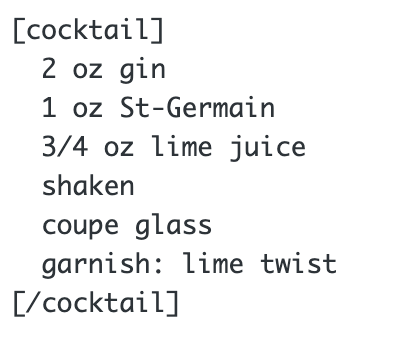
Example cocktail recipe shortcode
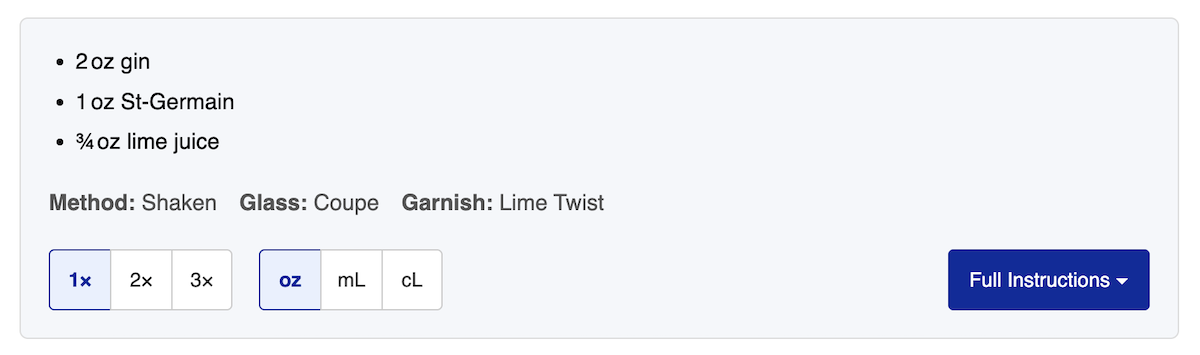
Cocktail recipe rendering (summary view)
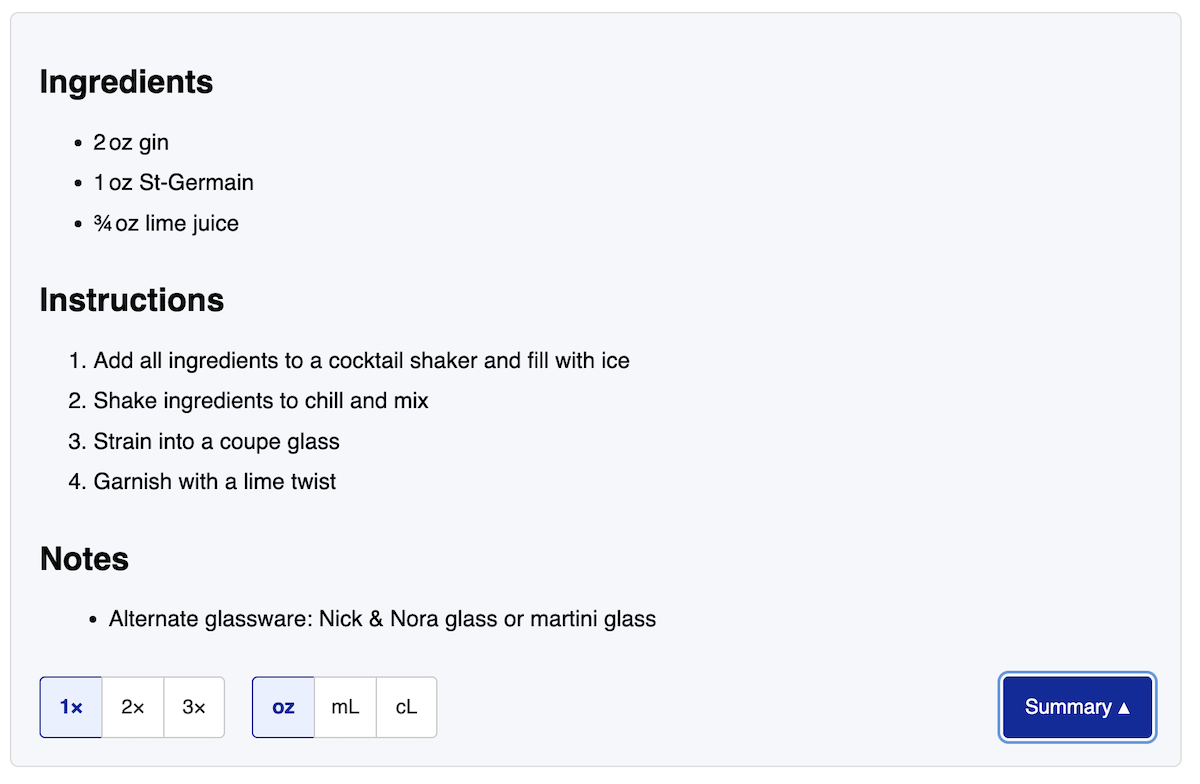
Full instructions view with step-by-step preparation
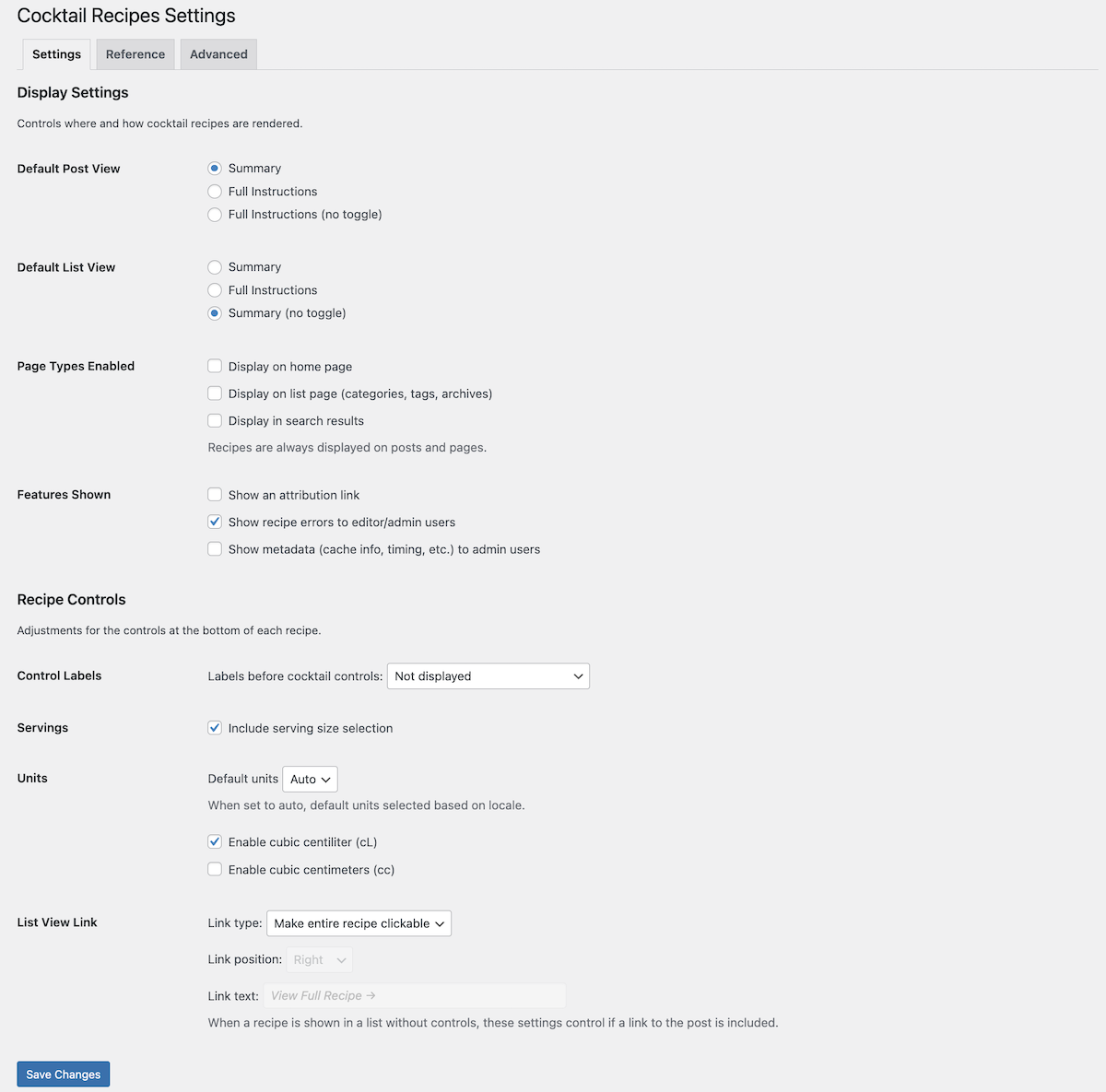
Settings page with display and control configuration options
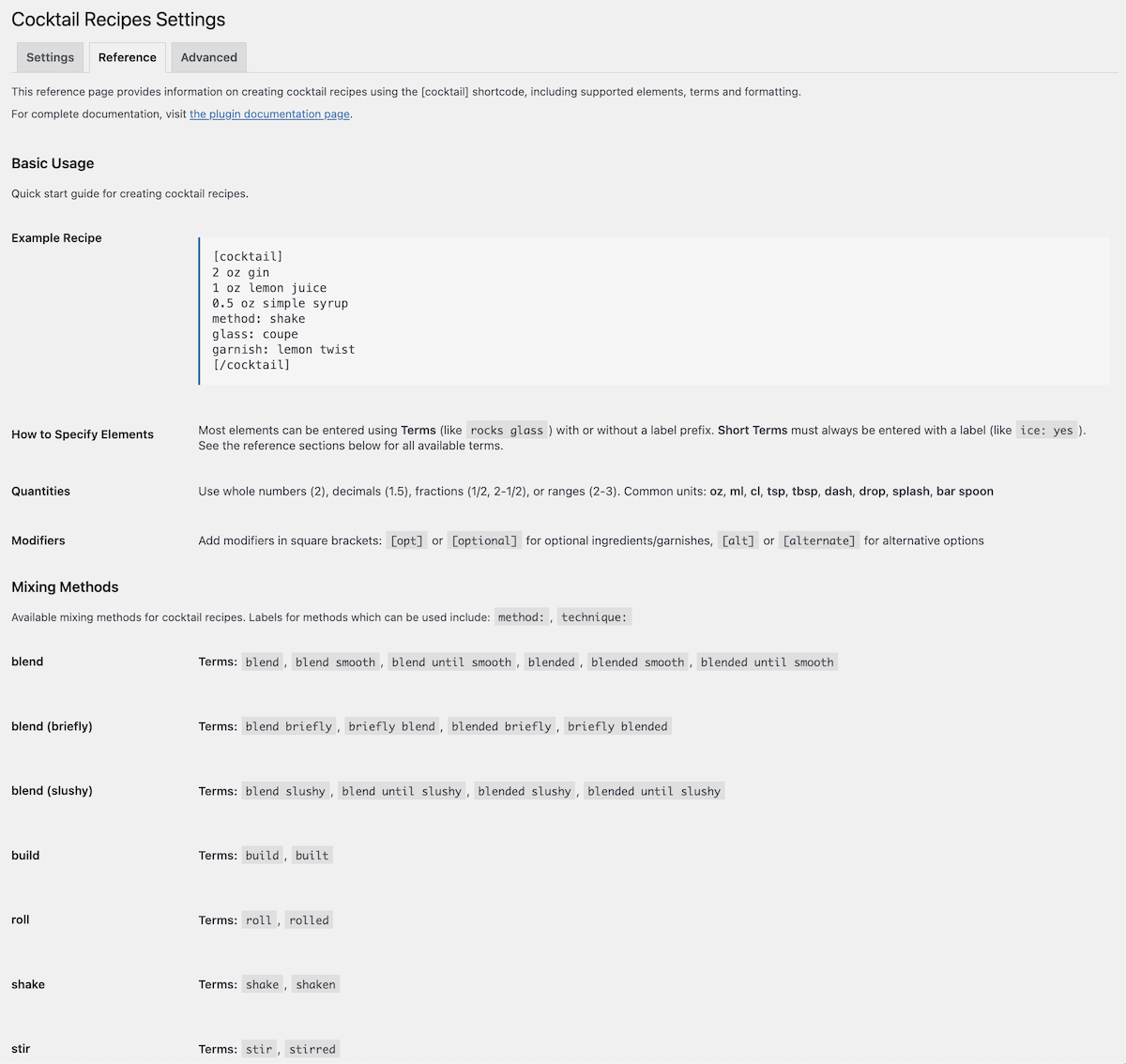
Reference tab showing usage guide and available mixing methods
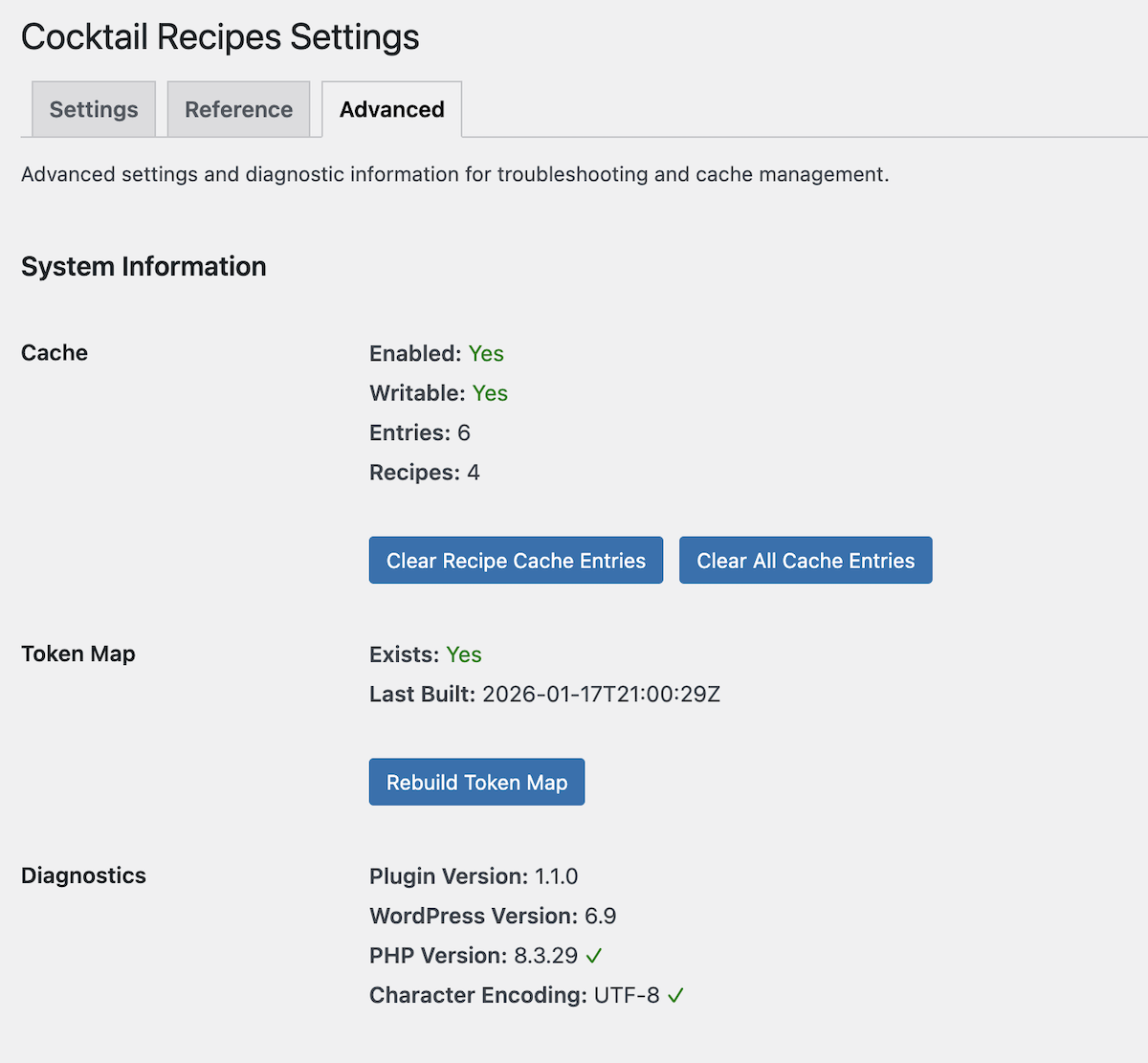
Advanced tab with diagnostic tools and cache management
Faq
Insert the [cocktail] shortcode into any post or page and include your recipe lines inside it.
See our Documentation for a complete list of available options, including ingredients, methods, glassware, garnishes and more.
Yes. The recipe display includes controls that allow visitors to adjust serving sizes and switch between imperial and metric units.
No. You can include quantities with or without units.
Unrecognized terms are assumed to be ingredients. For glassware or garnishes, prefix the line with glass: or garnish:.
Yes. You can insert the shortcode into a Shortcode block or into classic blocks.
Yes. You can include multiple recipes on one page, and each will have its own controls.
Yes. The settings page allows you to configure how recipes render in category and related lists versus individual posts. For example, you can show just a summary view without controls in lists, then show the full recipe with all controls when someone clicks through to the post.
Yes. You can adjust and override the styling in your theme or child theme. The default CSS is intentionally minimal and avoids theme-specific assumptions, making overrides predictable and safe.
Yes. We recommend you create a child theme and then make a copy of the template you wish to modify.
No. Recipes are stored as shortcode content within your posts and pages, parsed and cached when displayed.
You can use the WordPress support forum or visit the Product Page for more options.
Reviews
Changelog
1.1.0
- Added settings page with rendering options and display controls
- Added usage guide and reference documentation in admin
- Added diagnostic tools for cache and token map management
- Redesigned recipe controls with button-based interface for better usability
- Improved mobile responsiveness for recipe display
- Added configuration for different rendering in archive/list vs single post views
- Fixed source/credit rendering not displaying
- Fixed raw shortcode appearing on non-post/page content
1.0.0
- Initial release