Code and Core Remove Empty P Tags
Code and Core Remove Empty P Tags
Description
The Code and Core Remove Empty P Tags is a powerful yet lightweight plugin that helps you eliminate unwanted spacing in your WordPress content. With version 2.0.0, we’ve introduced complete flexibility with two cleanup modes:
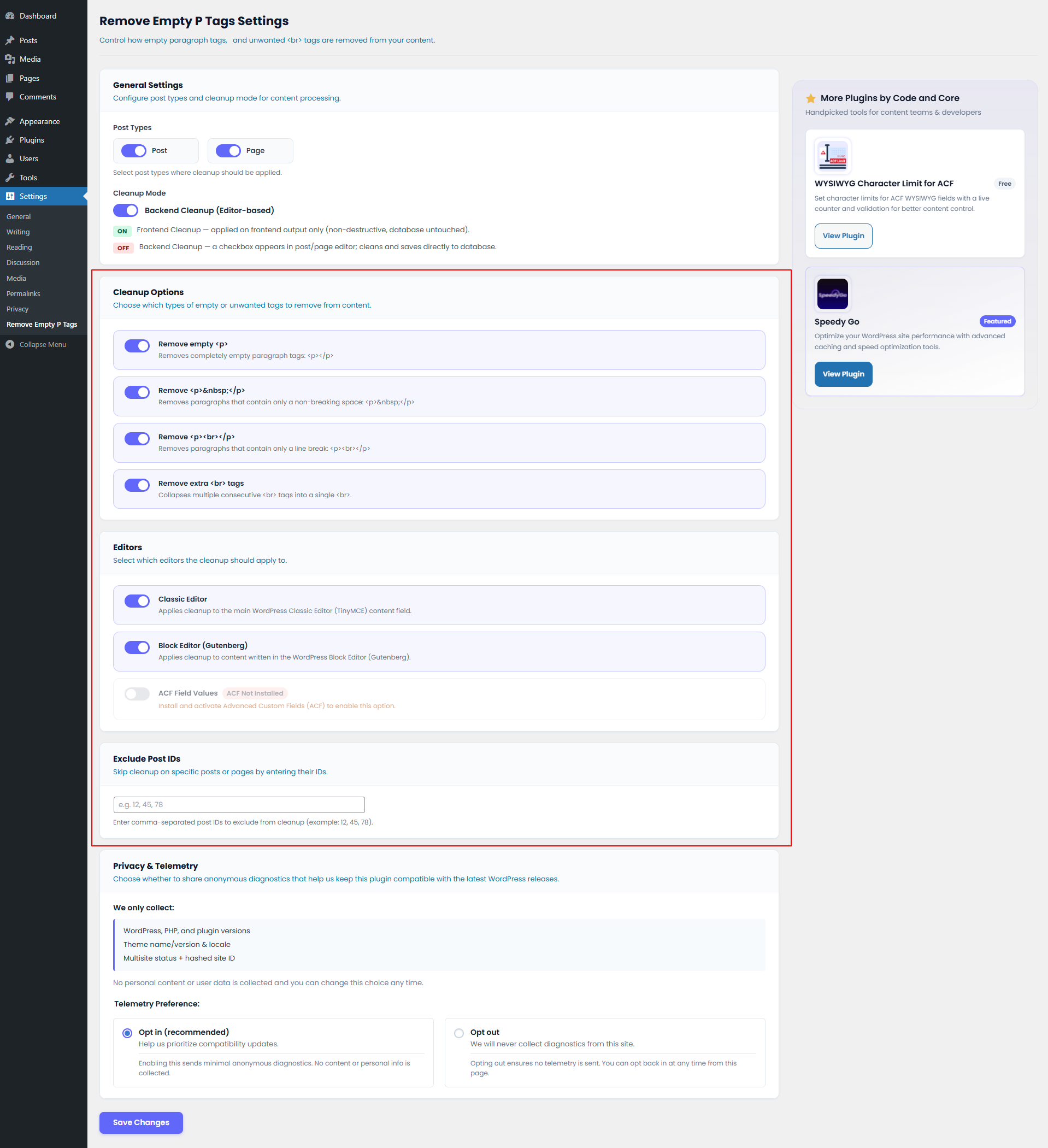
- Frontend Cleanup (Recommended): Automatically cleans content as it’s displayed on your site. This is non-destructive, meaning your database remains untouched while your visitors see perfectly clean content.
- Backend Cleanup (Editor-based): Adds a checkbox to your post/page editor. When checked, content is cleaned and saved directly to the database.
What it removes:
- Empty paragraph tags.
- Paragraphs containing only non-breaking spaces.
- Empty paragraphs with line breaks.
- Multiple consecutive line breaks (collapses them into one).
Key Features
- Frontend & Backend modes: Choose between site-wide display cleanup or permanent database cleanup.
- Block Editor (Gutenberg) Support: Fully compatible with the modern WordPress editor.
- Classic Editor Support: Continued support for the traditional TinyMCE editor.
- ACF Support: Clean up content in Advanced Custom Fields (WYSIWYG and Textarea).
- Custom Post Types: Enable cleanup for any public post type on your site.
- Exclude Post IDs: Easily skip cleanup on specific pages or posts.
- Lightweight: Minimal impact on site performance.
Privacy Policy
This plugin does not collect, store, or process any personal or user-identifiable information without the site administrator’s explicit consent.
Telemetry Consent
To help improve plugin stability and ensure safe updates, you can opt-in to send minimal anonymous technical information (WordPress version, PHP version, theme locales) to our server.
No personal data, user emails, or IP addresses are collected. Opting in is 100% voluntary and can be disabled at any time from the settings page.
Installation
- Upload the
code-and-core-remove-empty-p-tagsfolder to/wp-content/plugins/. - Activate the plugin in the Plugins menu.
- Navigate to Settings > Remove Empty P Tags to configure your cleanup preferences.
- Choose your preferred mode (Frontend or Backend) and select the post types to clean.
Screenshots

The new Settings Page with Frontend/Backend toggle and Post Type selection.

Privacy & Telemetry settings for transparent data sharing.
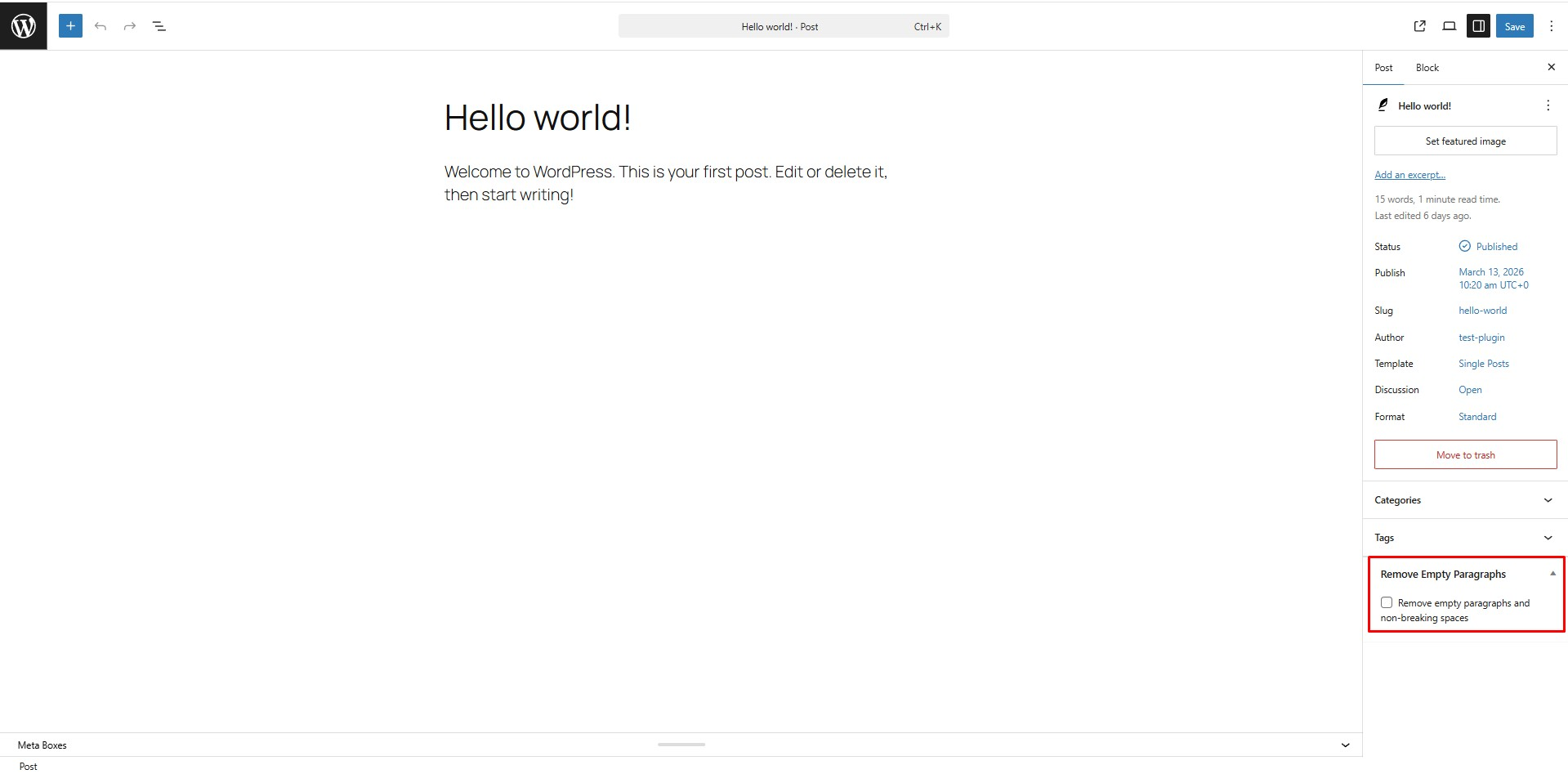
Backend mode: The cleanup checkbox in the post editor sidebar.
Frontend mode: Clean output without touching the database.
Faq
Yes! Version 2.0.0 fully supports the Block Editor. You can enable or disable this in the settings.
Yes. You can select which post types (including CPTs) should be processed in the plugin settings.
Yes. There is a built-in option to clean Advanced Custom Fields content.
Frontend mode cleans the content on-the-fly when a visitor views the page (non-destructive). Backend mode requires you to check a box in the editor to clean and save the changes permanently to the database.
Reviews
Changelog
2.1.3
- Fixed bulk activation redirect conflicts
- Fixed admin notice display on non-plugin pages
2.1.2
- Tested up to WordPress 7.1
- Fixed CSRF vulnerability in post meta box save routine
- Fixed uninstall telemetry event not firing due to uninstall hook conflict
2.1.1
- Tested up to WordPress 7.0
- Fixed WPCS lint warnings for nonce verification and enqueued resources
2.0.1
- Strict Privacy: Enforced strict telemetry privacy. No diagnostic data is sent if the user has opted out, including deactivation and uninstall events.
2.0.0
- Major Overhaul: New settings page for full control.
- Frontend Mode: Added non-destructive site-wide cleanup.
- Gutenberg Support: Added compatibility with the Block Editor.
- ACF Integration: Added support for cleaning Advanced Custom Fields.
- Post Type Selection: Now supports Custom Post Types.
- Telemetry: Added anonymous diagnostic tracking (opt-in) to improve stability.
- Code Standards: Refactored entire codebase to follow WordPress naming conventions.
1.0.0
- Initial release.
- Added editor checkbox for removing empty paragraph tags and non-breaking spaces during post save.