Coffield.io – AI Chat Agent
Coffield.io – AI Chat Agent
Description
Coffield.io – AI Chat Agent adds an AI-powered chat bubble to your WordPress site that answers visitor questions, captures leads, and books appointments – without writing a single line of code.
Set up in 60 seconds
- Sign up at coffield.io and create your agent.
- Generate a claim code in your Coffield.io dashboard.
- In WordPress, go to Settings Coffield.io and paste the code.
- Click Save & Connect. The chat bubble appears site-wide.
That’s it. No JavaScript snippets, no <script> tags to paste into your theme.
What it does
- AI chat bubble on every public page, configurable from your Coffield.io dashboard
- Lead capture with custom fields (name, email, phone, anything you want)
- Appointment booking – the agent can offer time slots and confirm bookings
- WooCommerce-aware – when WooCommerce is active, the plugin reports this capability in its heartbeat for future connector features
- Self-monitoring – heartbeat health checks let you see in your dashboard if your site is connected
- GDPR compliant – lead data stored on your Coffield.io tenant; you control retention
Why Coffield.io
- Tenant isolation by default. Your conversations, leads, and knowledge base never mix with other companies’ data.
- You own the conversation log. Every visitor message is stored on your tenant and exportable.
- Real platform integrations. Hand off bookings to your calendar, leads to your CRM, support tickets to your Kanban board.
- Plain pricing. Starter, Growth, and Pro plans with a 14-day free trial. No setup fees.
External services
This plugin connects your WordPress site to coffield.io (the SaaS that powers the chat). Specifically:
- When you paste a claim code, the plugin contacts
https://coffield.io/api/agent/claimto redeem the code. It sends your claim code and site domain. - The plugin then calls
https://coffield.io/api/agent/package/exchangeto provision an install UUID and secret. It sends platform metadata (plugin version, WordPress version, PHP version). - Every 5 minutes the plugin sends a signed heartbeat to
https://coffield.io/api/agent/package/heartbeatreporting plugin/runtime status (plugin version, PHP version, WordPress version, manifest hash, WooCommerce capability flag). - The chat script (
agent.js) is loaded by your visitors’ browsers directly fromhttps://coffield.io. Visitor messages do not pass through this plugin.
Installation
- In WordPress admin go to Plugins Add New and search for “Coffield.io”.
- Click Install Now, then Activate.
- Go to Settings Coffield.io.
- Paste the claim code from your Coffield.io dashboard and click Save & Connect.
Or install manually:
- Upload the
coffield-iofolder to/wp-content/plugins/. - Activate the plugin through the Plugins menu.
- Visit Settings Coffield.io to connect.
Screenshots
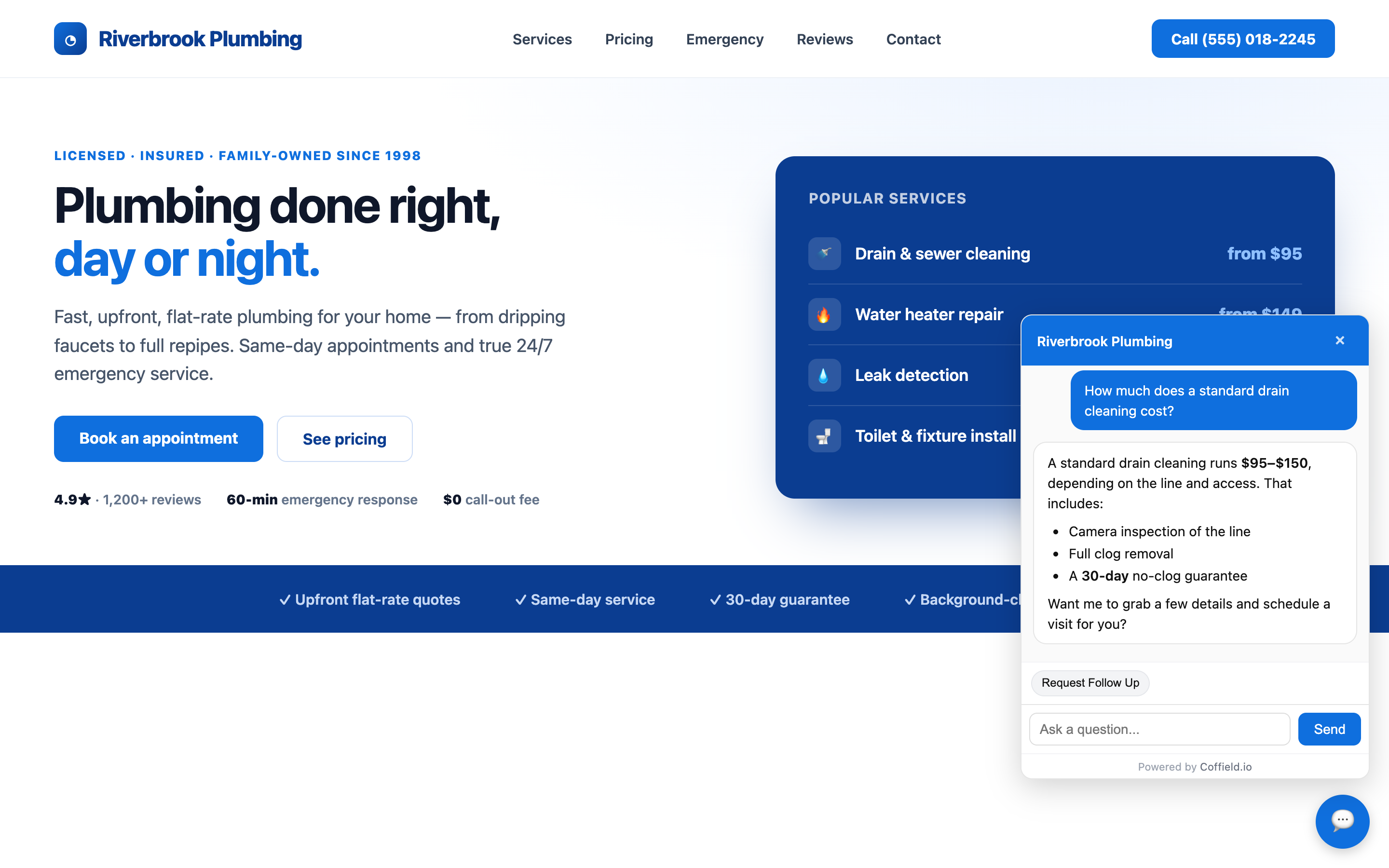
The Coffield.io AI chat agent answering a visitor question on a live WordPress site — with rich formatting and a natural follow-up.
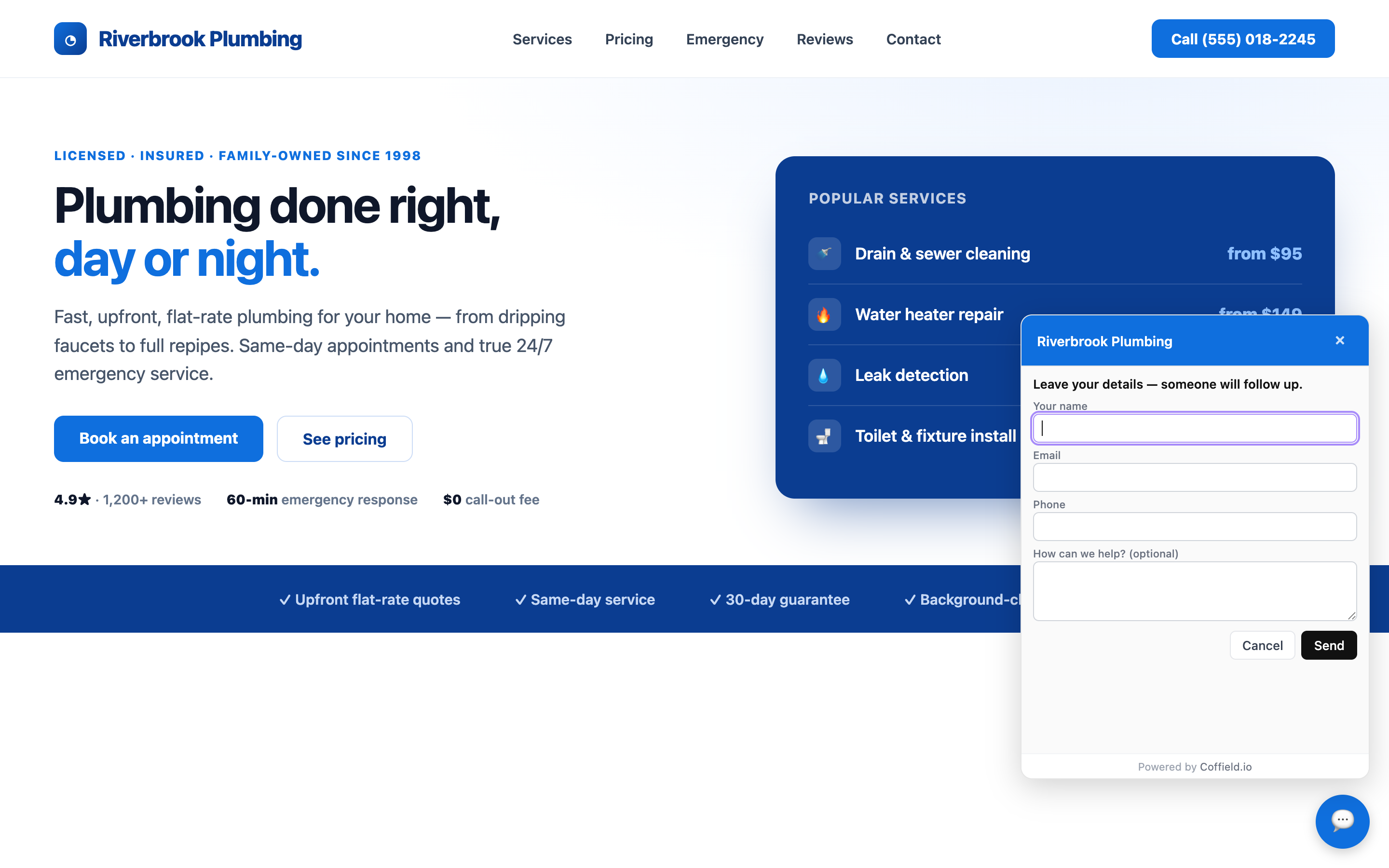
Built-in lead capture: visitors leave their name, email, and phone so a human can follow up.
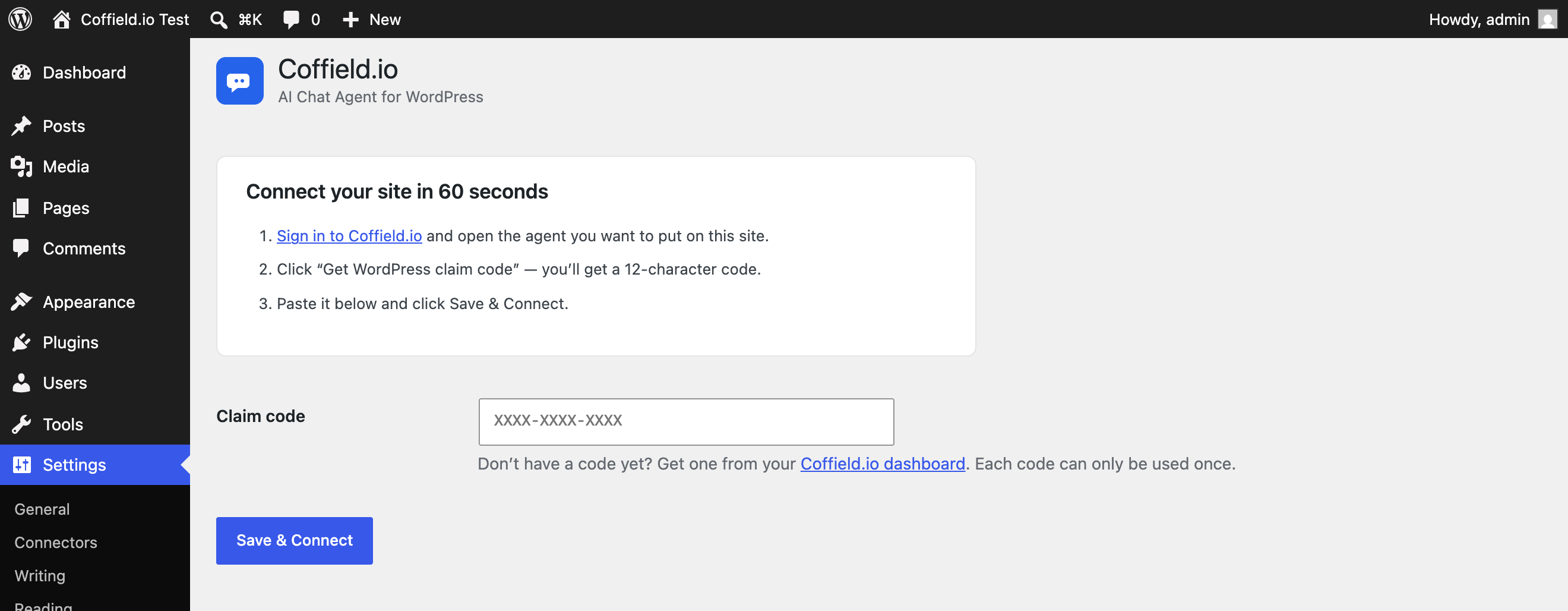
Setup in under a minute — paste your claim code and click Save & Connect. No theme editing.
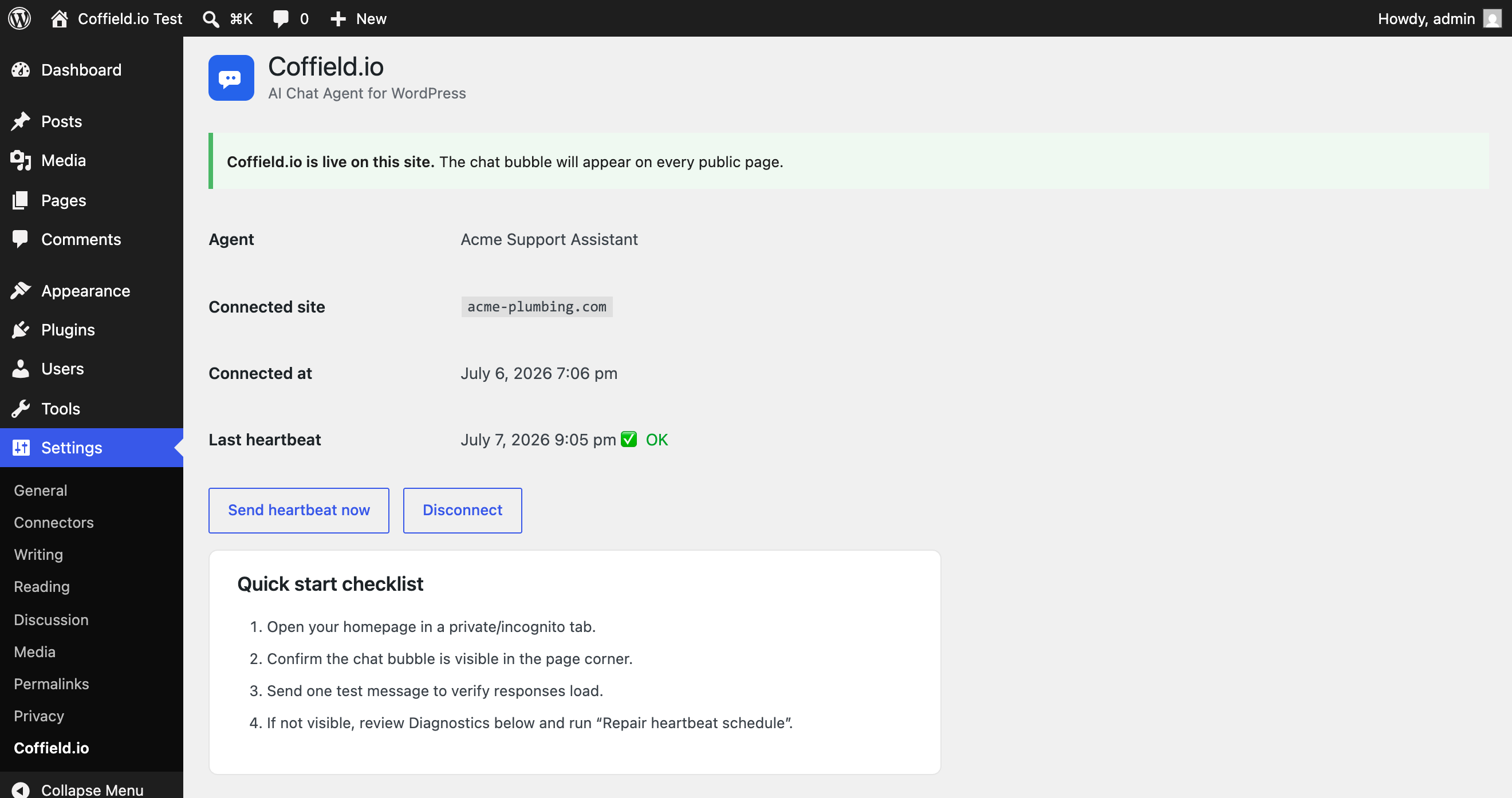
Connected status showing the agent name, live heartbeat health, and one-click disconnect.
Faq
Yes. Sign up at coffield.io. The free 14-day trial is plenty to see the plugin in action.
Visitor messages and lead submissions go directly from the visitor’s browser to coffield.io – they never pass through your WordPress server. This plugin only handles the WordPressCoffield.io connection (registering the install, periodic health pings).
Yes. The chat script is loaded asynchronously and is safe to combine/minify. The plugin uses standard wp_enqueue_script() so it composes correctly with optimization plugins.
Yes. When WooCommerce is active the plugin reports that capability to your Coffield.io tenant. Direct WooCommerce order lookup tooling is planned in a future release.
Settings Coffield.io Disconnect. The chat bubble stops appearing immediately.
Deactivate, then delete via the Plugins screen. All plugin options are removed automatically; no orphaned data is left in wp_options.
The plugin itself does not store visitor data on your server. Visitor data lives on your Coffield.io tenant under your control – exportable, deletable, region-pinnable.
Yes. The plugin uses the coffield-io text domain. WordPress.org translation packs are loaded automatically once available.
Reviews
Changelog
0.1.0
- Initial release.
- Claim-code based connect flow (paste, click, done).
- Site-wide embed via
wp_enqueue_script()withasyncloading. - 5-minute WP-Cron heartbeat with HMAC-SHA256 signing.
- WooCommerce capability detection (reported in heartbeat).
- Settings-page UX polish (branded header, action links, Site Health diagnostic).
- Full uninstall cleanup – removes options and scheduled events.