Collegefam's Awesome Embedder for Google Drive
Collegefam's Awesome Embedder for Google Drive
Description
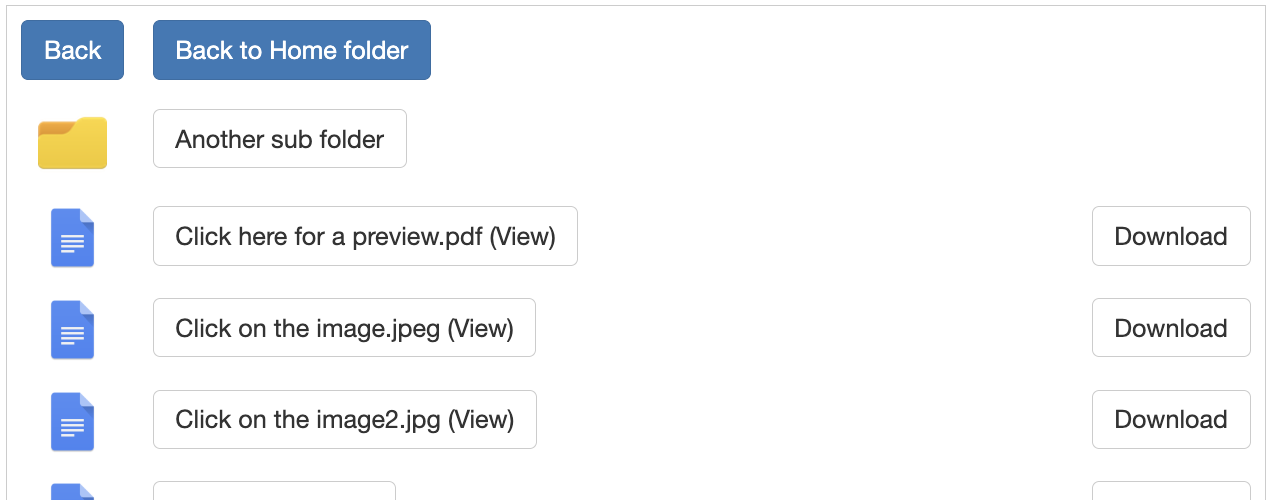
Embed a Google Drive folder in an iframe with folder navigation and file previews.
Features:
– Embed any public Google Drive folder
– Navigate into subfolders without leaving the page
– Customize iframe height and width
– Optionally disable download buttons
– Clean and simple shortcode
Usage:
Once installed, use the shortcode like this:
[cfembedfolder folder=”YOUR_FOLDER_ID” width=”100%” height=”600px” allowdownloads=”no”]
Make sure the folder is shared publicly.
External services
This plugin relies on a 3rd party service to render the Google Drive folder navigation and preview interface.
- Service: https://wpgoogledriveembedder.collegefam.com
- Purpose: This service acts as a specialized viewer that renders Google Drive folder contents with enhanced navigation and file preview capabilities within an iframe.
- Data Sent: The Google Drive Folder ID provided in the shortcode and the user’s preference for allowing downloads are passed to this service via URL query parameters. No personal user data or WordPress site data is transmitted from your WordPress server to this service.
- Terms & Privacy:
- Service Terms & Privacy Policy: https://collegefam.com/privacy-policy-and-terms-of-service-for-user-friendly-embedder-for-google-drive/
Installation
- Upload the plugin ZIP via Plugins Add New Upload Plugin
- Activate the plugin
- Go to “Drive Embedder” in your dashboard for instructions
Faq
Make sure you’re using folder="FOLDER_ID" in your shortcode, not positional parameters.
The folder must be shared publicly on Google Drive.
Add allowdownloads="no" to your shortcode.
Reviews
Changelog
1.2.0
- Renamed plugin to “Collegefam’s Awesome Embedder for Google Drive” to comply with trademark guidelines.
- Updated function and shortcode prefixes to prevent conflicts.
- Added mandatory external service disclosure.
- Updated contributor information.
1.1
- Minor bug fixes and improvements.
1.0.0
- Initial release