Variation Swatches for WooCommerce – Color & Image Swatches
Variation Swatches for WooCommerce – Color & Image Swatches
Description
Variation Swatches for WooCommerce – Color & Image Swatches provides new WooCommerce type attributes (color,label,image) for creating beautiful variations
Check some of its features:
- Create a new type attribute for handling colors
- Create a new type attribute for handling labels
- Create a new type attribute for handling images
Getting Started
Once you install and enable the plugin, three new options will be available at Product > Attributes > Types :
- Color
- Image
- Label
Please take a look at the screenshots to understand it better
Installation
- Upload the entire ‘color-or-image-variation-swatches-for-woocommerce’ folder to the ‘/wp-content/plugins/’ directory.
- Activate the plugin through the ‘Plugins’ menu in WordPress.
- Start by visiting plugin settings at WooCommerce > Settings > Ajax Product Search.
Screenshots
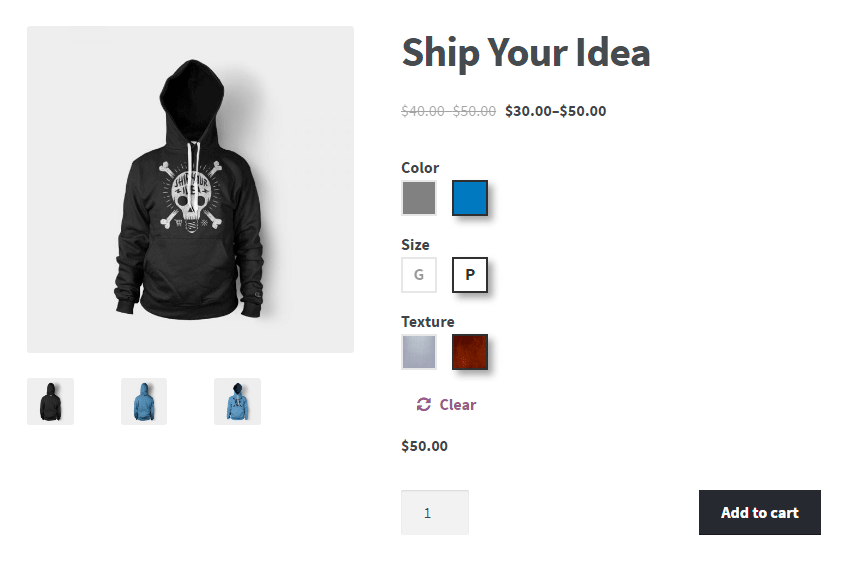
Display appealing attributes on frontend instead of the default select from WooCommerce

Create a color type attribute
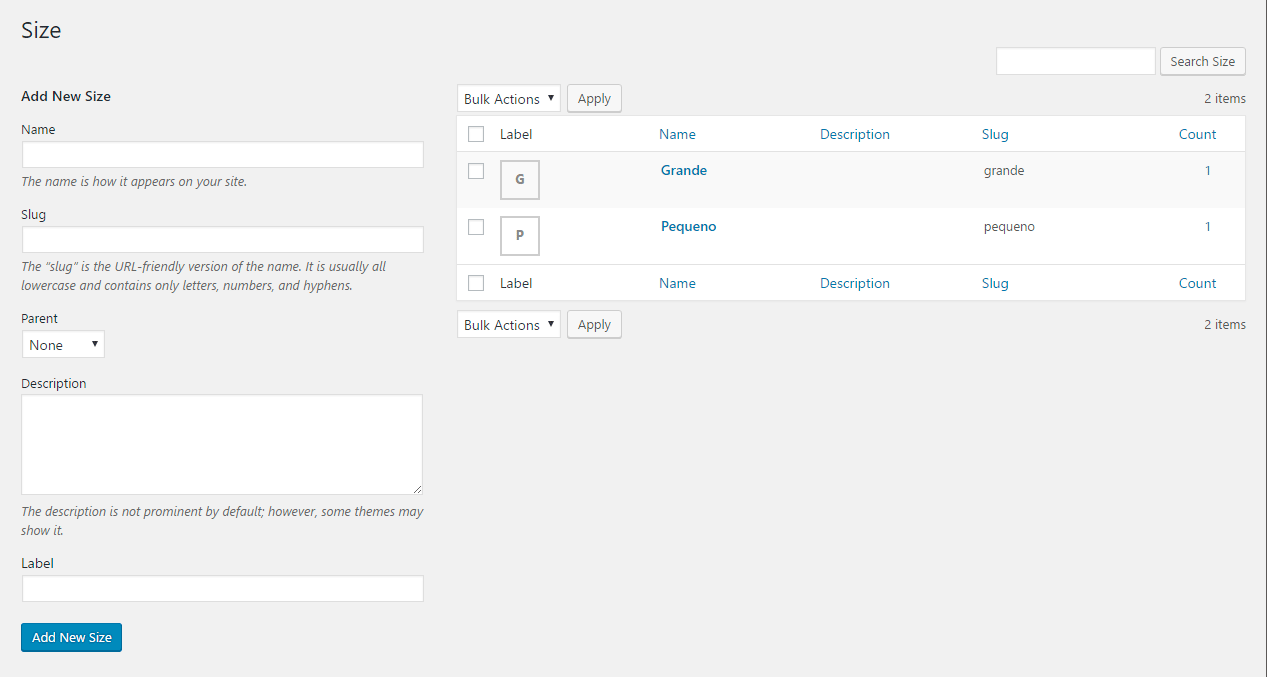
Create a label type attribute

Create a image type attribute

Use the new type attributes (color, label and image) at your disposal
Faq
It creates new WooCommerce type attributes (color, label and image). They are located in Products > Attributes > Type.
With these attributes you can turn your native WooCommerce variations into something more beautiful and appealing.
If you are interested in contributing – head over to the Variation Swatches for WooCommerce – Color & Image Swatches github repository to find out how you can pitch in.
Yes, it’s located here
- Display only the possible term combinations, so your visitors don’t have to guess the right ones
- Display your attributes on frontend using Select2, an enhanced version of the select element. It’s great if you have a lot of variations
- Add attribute images of a variable product on its own gallery. So the user can zoom.
- After installing the free version of this plugin, you can see the Pro version features in WooCommerce > settings > Variation Swatches > Pro version
Reviews
Isn't Working
By 
Great plugin with great options, even better support!
By 
Empty plugin
By 
Works good except widget title customizing
By 
amazing support, awesome plugin!
By 
Fantastic support and great plugin!
By 
Perfect. Good Support
By 
Great plugin!
By 
Fantastic plug-in!
By 
Changelog
1.2.1 – 11/09/2025
- Updated CMB2 library.
- WC tested up to: 10.1.
- Tested up to: 6.8.
1.2.0 – 03/03/2025
- Fix – Translation loading domain was triggered too early.
- WC tested up to: 9.7.
- Tested up to: 6.7.
1.1.9 – 09/10/2024
- Dev – Add compatibility with HPOS.
- Fix – Fix php warning.
- WC tested up to: 9.3.
1.1.8 – 31/07/2024
- WC tested up to: 9.1.
- Tested up to: 6.6.
1.1.7 – 22/09/2023
- WC tested up to: 8.1.
- Tested up to: 6.3.
1.1.6 – 18/06/2023
- WC tested up to: 7.8.
- Tested up to: 6.2.
1.1.5 – 01/02/2023
- Tested up to: 6.1.
- WC tested up to: 7.3.
1.1.4 – 17/04/2021
- Update composer setup.
- Update deploy process.
1.1.3 – 16/04/2021
- Tested up to: 5.7.
- WC tested up to: 5.2.
- Update CMB2.
1.1.2 – 16/01/2020
- WC tested up to: 3.8
- Tested up to: 5.3
- Add option to load scripts only on product page
- Update CMB2
- Config auto deploy with travis
1.1.1 – 26/03/2019
- Improve function that displays attributes on product edit page
- Tested up to: 5.1
1.1.0 – 21/02/2019
- Update WC tested up to: 3.5
- Update WordPress Tested up to: 5.0
1.0.9 – 23/10/2018
- Update CMB2
- Fix ‘woocommerce_update_variation_values’ js event trigger
- Replace td.value by td on main.js avoiding possible conflicts
- Update CMB2 library address
1.0.8 – 27/08/2018
- Improve plugin’s description
1.0.7 – 27/08/2018
- Fix php warning
- Update tested up to
- Add WooCommerce requirements
- Improve plugin’s description
1.0.6 – 17/07/2018
- Fix click on Safari
- Improve the detection mechanism of the original variations dropdown
- Remove package-lock.json
1.0.5 – 15/01/2018
- Update CMB2
- Fix jQuery conflict
1.0.4 – 04/12/2017
- Improve javascript
- Improve JS replacing parent() by closest, making it compatible with themes like Avada
1.0.3 – 06/09/2017
- Improve term click (Now it works even when reinserted to DOM)
1.0.2 – 31/08/2017
- Improve function to clean invalid attributes
1.0.1 – 12/04/2017
- Replace term name by term id on product edit page because of WooCommerce 3.0
- Remove warning from old version of WooCommerce where product id was being called incorrectly
- Disable plugin if Pro is enabled
- Better documentation for JS
- Add data-attribute on custom terms
- Better readme
1.0.0 – 03/04/2017
- Initial Release.