Color Theme Manager for Divi
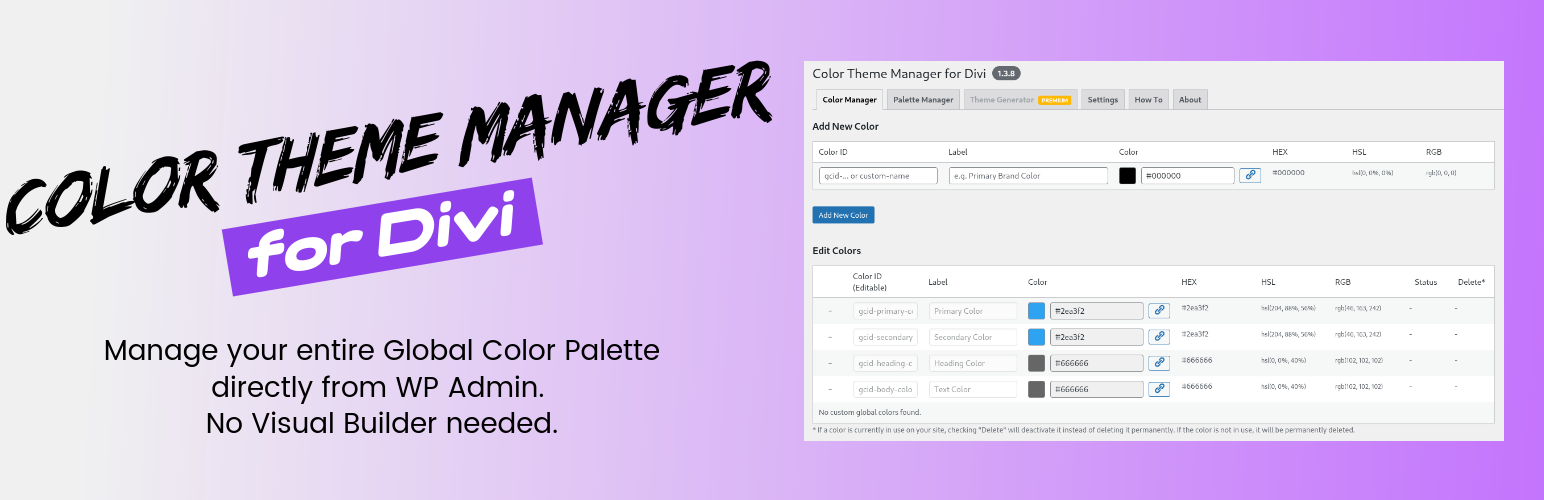
Color Theme Manager for Divi
Description
Looking for a Divi Dark Mode solution or a better way to manage Divi Colors?
Color Theme Manager for Divi is the missing link for your design workflow. It provides a centralized dashboard to generate Divi Color Palettes, ensure Divi Accessibility compliance, and manage your Global Colors without opening the Visual Builder.
Whether you need to fix a messy palette or generate a complete Divi Dark Mode theme, this plugin gives you total control.
It allows you to add, edit, drag-and-drop reorder, and safely delete global colors from one convenient screen.
✨ What You Get in the FREE Version
- Centralized Divi Colors: A “single source of truth” to see and edit your entire Global Color Palette.
- Full CRUD Control: Add new colors, edit existing ones (ID/slug), and organize your system.
- Drag & Drop Reordering: Instantly re-order your Divi Color Palettes just by dragging.
- Safe Deletion & Reactivation: “Soft-delete” colors that are in use without breaking your site.
- Save Divi Color Palettes (Snapshots): Save your entire current color configuration as a “Palette” backup to restore at any time. Ideal for testing seasonal schemes.
- One-Click Copy: Instantly copy HEX, HSL, or RGB values.
🚀 Go PRO for Divi Dark Mode & Accessibility
The Premium version turns this manager into a Theme Generator and Divi Accessibility tool. Learn more at divinous.com
- Divi Dark Mode Generator: Automatically create and switch between Light, Dark, and Mixed Mode themes using smart variables.
- Smart Color Palettes: Create an entire theme (50+ colors) from a single brand color via
websitestylekit.comintegration. - Live Preview & Mode Switcher: Add a frontend toggle so users can switch between Light and Divi Dark Mode.
- Divi Accessibility Checker: Automatically checks your palettes for WCAG contrast ratio problems to ensure ADA compliance.
- Import/Export: Migrate your Divi Colors and settings to any other site.
Trademark Notice
This plugin is an independent, third-party add-on for the Divi theme. It is not affiliated with, endorsed, or supported by Elegant Themes, Inc., the creators of Divi.
Divi is a registered trademark of Elegant Themes, Inc.
Special Thanks
A special thanks to Rino de Boer, the creator of websitestylekit.com, for his fantastic color palette generator which inspired the premium theme generation feature.
Installation
- Upload the plugin files to the
/wp-content/plugins/color-theme-manager-for-dividirectory, or install the plugin through the WordPress plugins screen directly. - Activate the plugin through the ‘Plugins’ screen in WordPress.
- Use the ‘Colors Themes for Divi’ menu in your WordPress admin to access the settings.
Screenshots
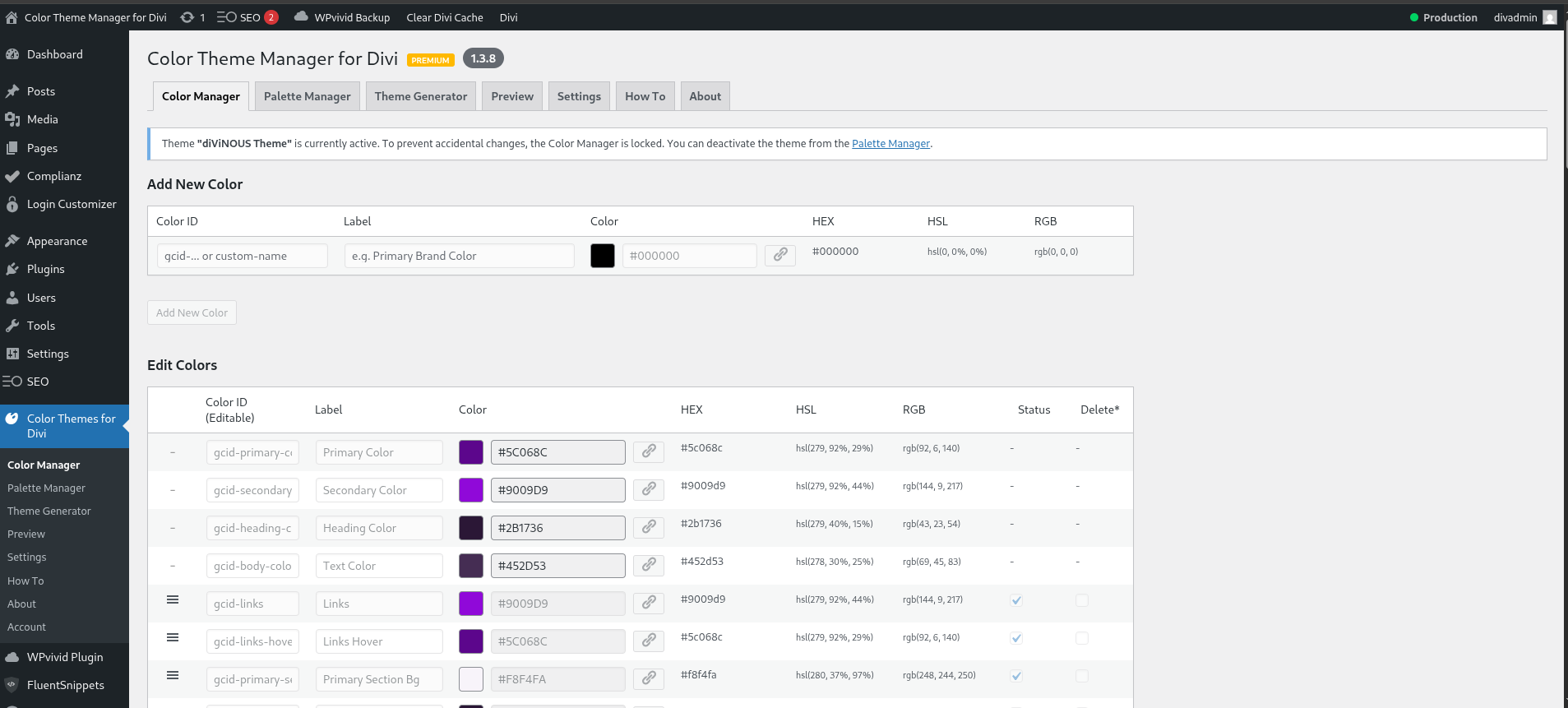
The main "Color Manager" dashboard, showing the special colors and the global color grid.
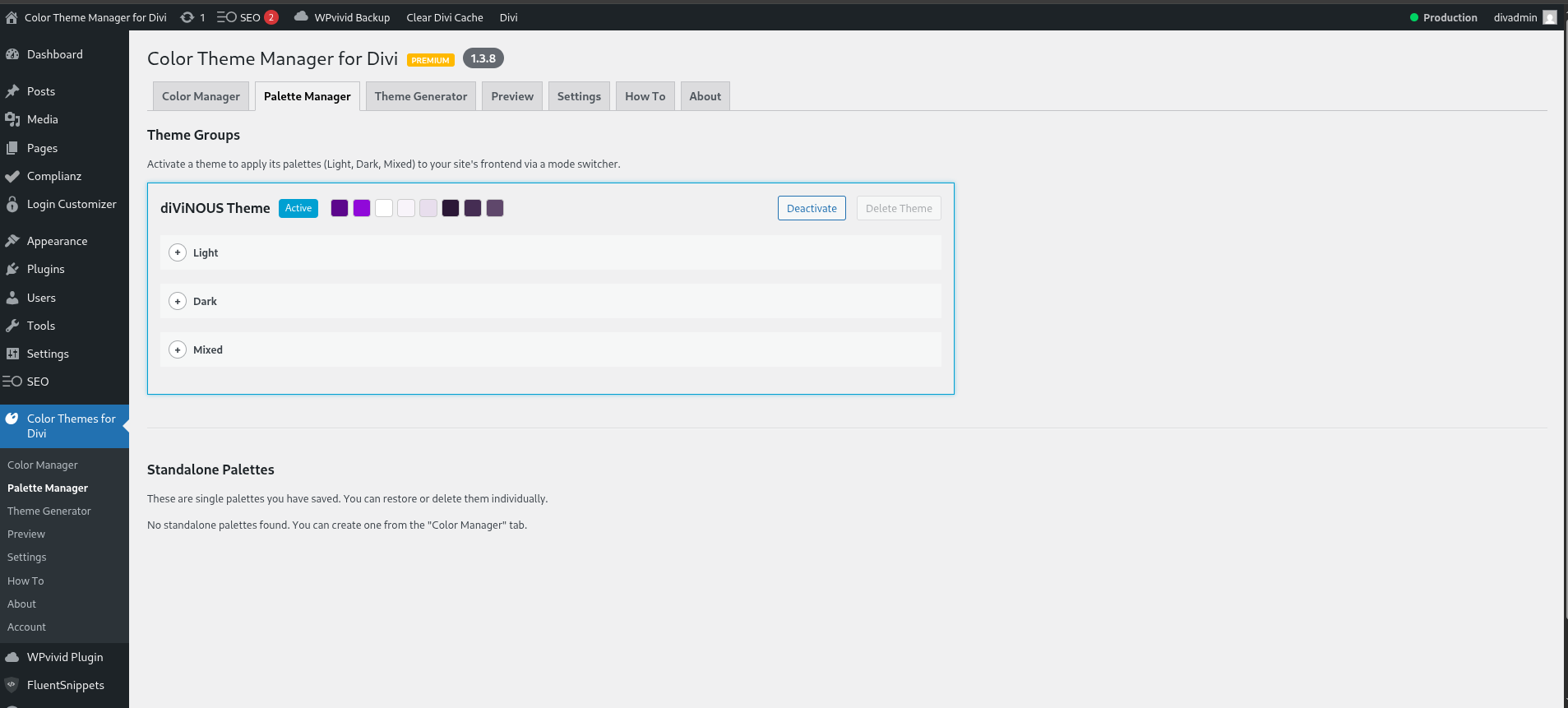
The "Palette Manager" tab, showing saved user snapshots (backups).
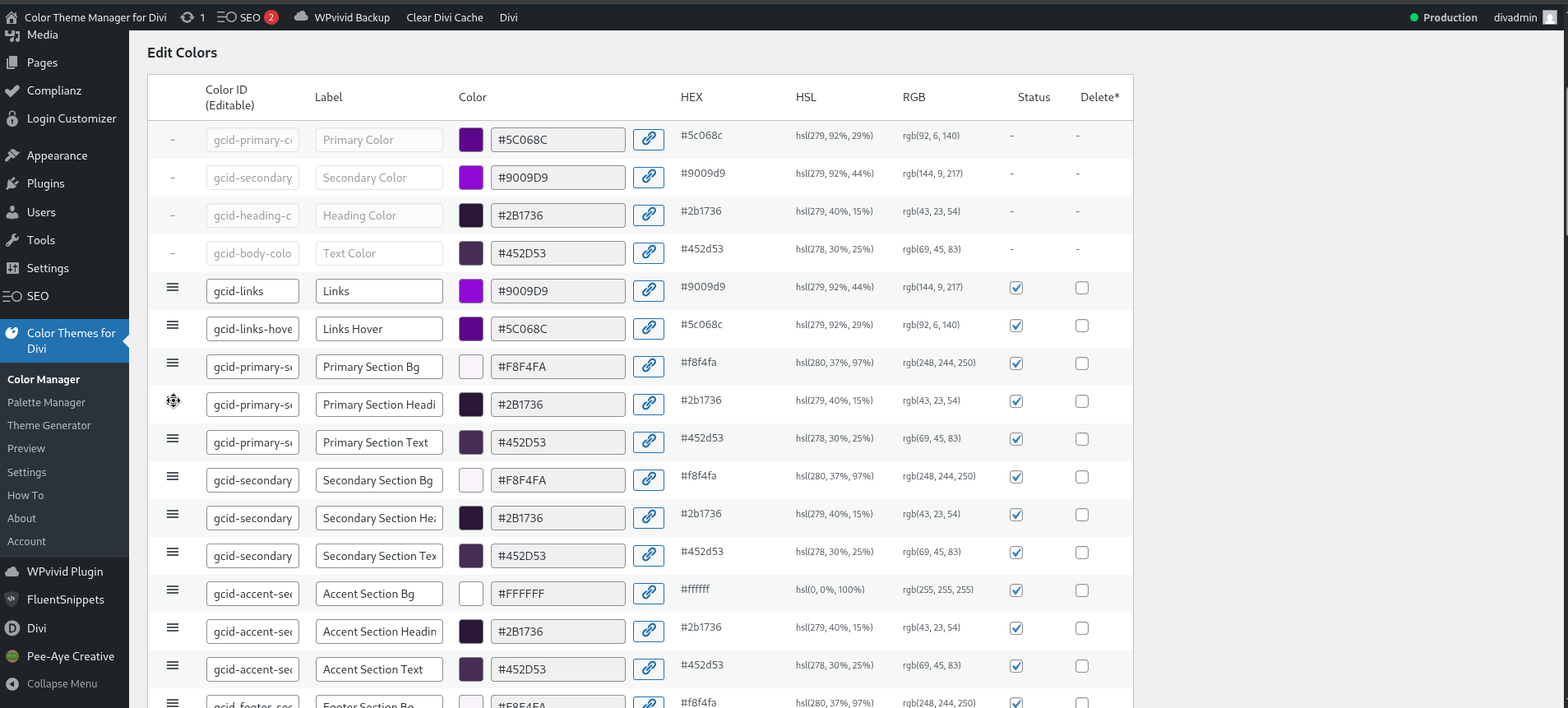
Re-ordering colors using drag-and-drop and managing their status (active/inactive).
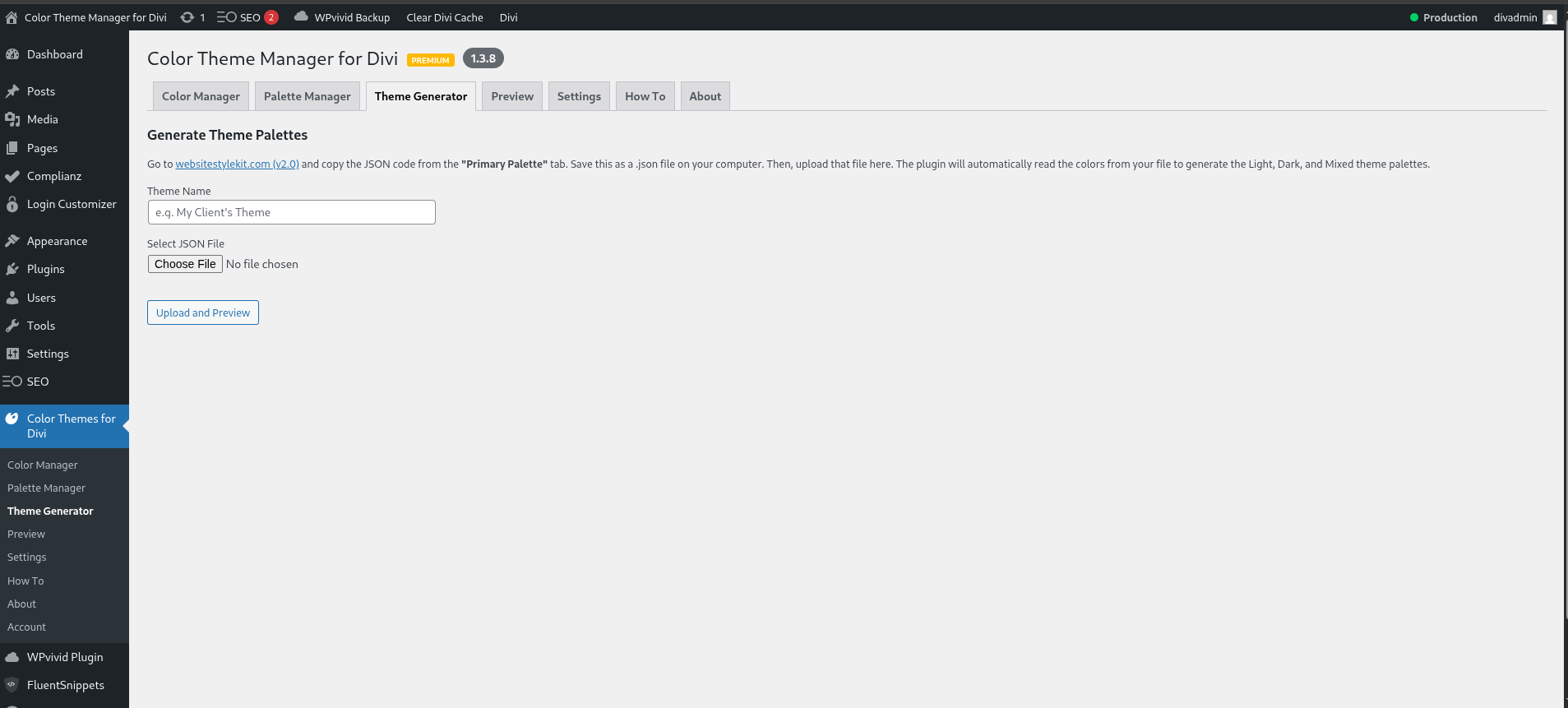
(Premium) The "Theme Generator" tab, showing the process of uploading a JSON file.
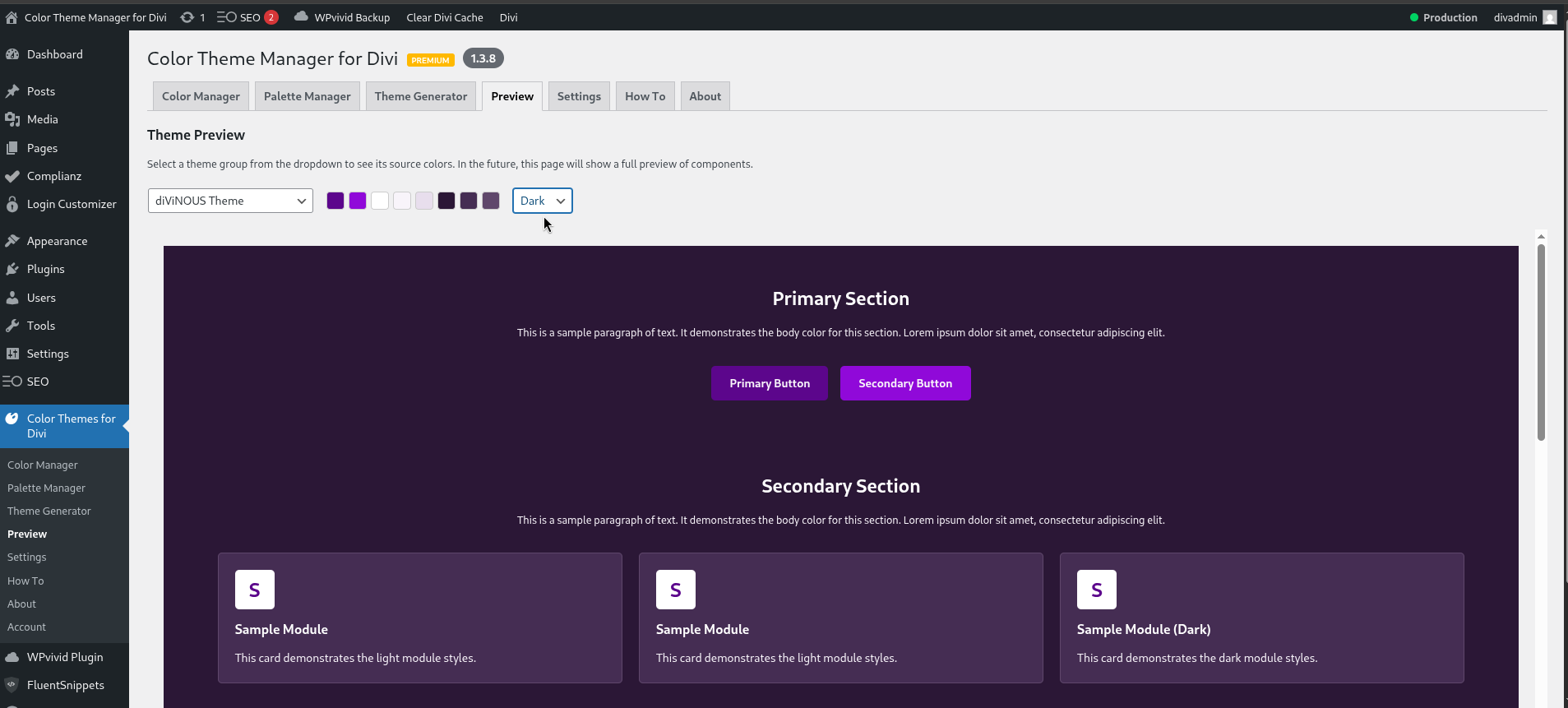
(Premium) The "Preview" tab, demonstrating the live preview of a generated theme.
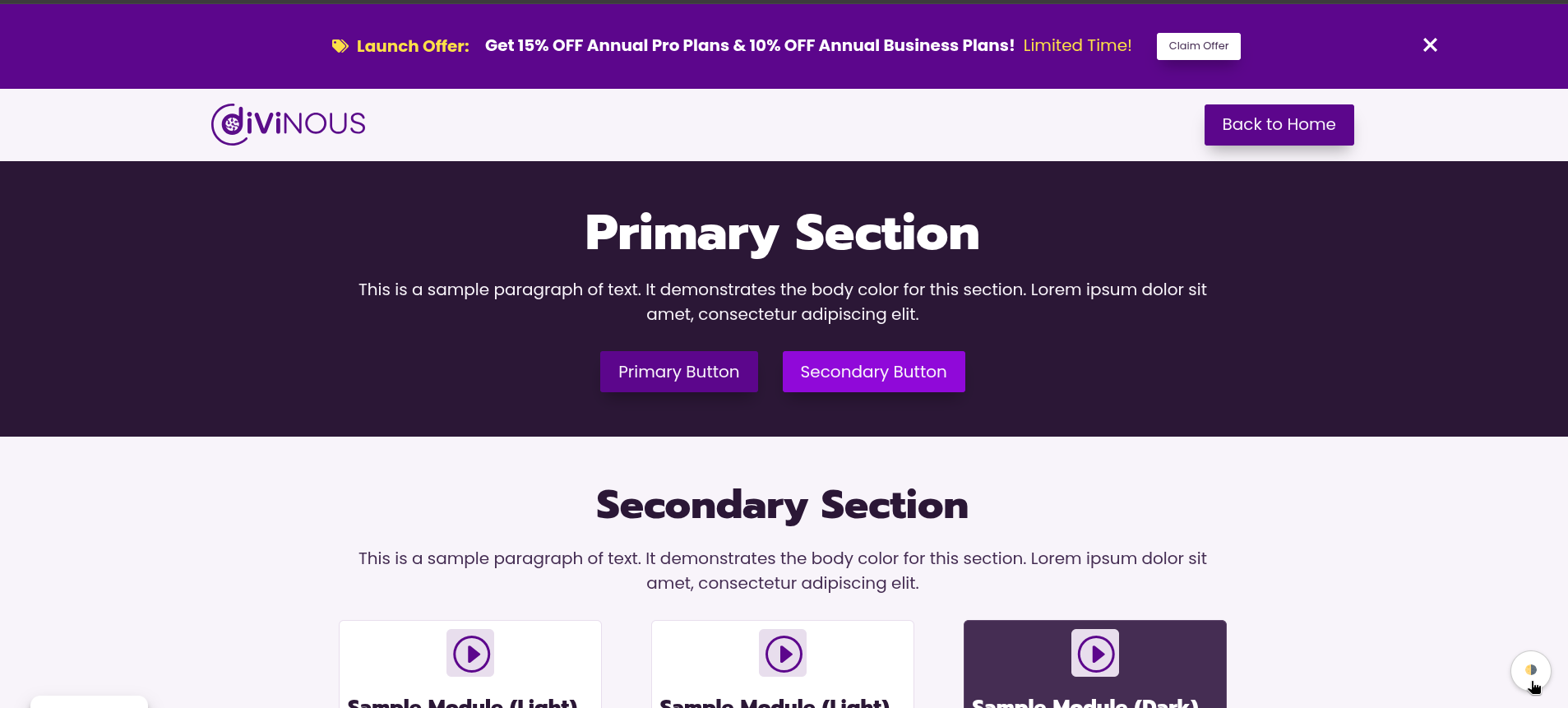
(Premium) The front-end theme switcher (Light, Dark, Mixed modes) in action.
Faq
Yes. This plugin is an add-on for the Divi theme by Elegant Themes and will not work without it. It requires Divi version 5.0.0-public-alpha.20 or newer.
No! The plugin is designed to read and enhance your existing color palette. When you first activate it, it will simply display all the global colors you already have.
The “Palette Snapshot” (a free feature) takes a “picture” of your current color setup (both special and global colors) and saves it in the “Palette Manager” tab. You can then experiment with new colors, and if you don’t like them, you can restore your saved snapshot with one click.
If a color is marked as “in use” by Divi (meaning it’s used on a page, post, or in a Divi layout), our plugin will not let you permanently delete it. This is a safety feature! Instead of deleting, you can “deactivate” it (uncheck its “Status” box) to hide it from the Divi builder.
These are premium features. You can upgrade to the Pro version to unlock theme generation, the live previewer, accessibility checking, import/export, and the front-end mode switcher.
Reviews
Changelog
1.3.10
- Update: Freemius latest SDK (v2.13.0) added
1.3.9
- Release: Update readme for SEO keywords and verify WP 6.9 support.
1.3.8
- Security: Major refactoring of input handling logic. Replaced all direct calls to $_POST and $_GET with
filter_input()for robust data sanitization. - Security: Implemented strict sanitization flags (FILTER_SANITIZE_FULL_SPECIAL_CHARS, FILTER_REQUIRE_ARRAY) across all admin actions.
- Tweak: Full codebase refactor to comply with WordPress Coding Standards (WPCS).
- Tweak: Added comprehensive DocBlocks to all files, classes, properties, and methods.
- Tweak: Fixed indentation (converted spaces to tabs) and Yoda condition checks throughout the codebase.
- Fix: Addressed all PHPCS warnings and errors.
1.3.7
- Feature: Add support for websitestylekit.com v2.0
1.3.6
- Initial release on WordPress.org
- Refactor: Manually enqueue vanilla-picker CSS to resolve Firefox bug
1.3.5
- Fix: Resolve WPORG linter warnings for safe redirects and view variables
1.3.4
- Fix: Replace minified vendor assets with unminified versions
1.3.3
- Refactor: Apply immediate sanitization and resolve Freemius build errors
- Fixes Freemius build errors by adding ‘name’ and ‘text_domain’ properties to the fs_dynamic_init() array. This resolves all “mismatched text domain” and “plugin name” warnings.
- Refactors all admin classes (Admin, Color_Manager, Palette_Manager, etc.) to use “immediate sanitization” for $_POST variables.
- Improves security and WPCS compliance by sanitizing input immediately upon reading, rather than later in the code.
- Removes numerous now-unnecessary
phpcs:disablecomments related to InputNotSanitized, as the code is now compliant.
1.3.2
- Freemius: Show annual prices in pricing tables
1.3.1
- Freemius: Set default currency to eur
1.3.0
- Freemius: Differentiate free and premium features.
- Tweak: Internal code adjustments for the free/pro version split.
1.2.12
- Docs: Update installation instructions in readme.txt.
- Update: Freemius latest SDK (v2.12.2) added
1.2.11
- Tweak: Deactivating a color now preserves its order in the list, preventing the color list from re-shuffling.
1.2.10
- Fix: The color palette in the Color Manager now correctly retains its order after a page refresh.
1.2.9
- Tweak: Extend theme switch functionality to sync with external theme buttons
1.2.8
- Security: Hardened security by escaping nonce output in the Palettes tab.
1.2.7
- Fix: Mismatched text domain fixed on How-To page
1.2.6
- Tweak: Disable plugin documentation link in About page
1.2.5
- Fix: Ensure the developer-only reset button is correctly hidden and prevent a bug where the layout hash was deleted unnecessarily.
1.2.4
- Tweak: Add a developer-only button to reset the custom master layout flag.
1.2.3
- Tweak: Add a flag to prevent manually uploaded master layouts from being overwritten by the bundled version.
1.2.2
- Tweak: Update JSON hash when a new master layout is manually uploaded to prevent it from being overwritten.
1.2.0
- Feature: Automatically update the master layout file in the database upon plugin activation or update.
1.1.10
- Feature: Update Divi Master Layout presets file
1.1.9
- Tweak: Add Contrast Check on Button Hover colors
1.1.8
- Feature: Outline button added to Preview page
1.1.7
- Docs: Minor How-To & Palette Manager updates regarding Contrast Checker references
1.1.6
- Docs: Update references regarding Fail Icon of Contrast Checker
1.1.5
- Docs: Update About & How-To pages for contrast checker
1.1.4
- Tweak: The contrast ratio in the UI now updates automatically after a successful one-click fix.
1.1.3
- Tweak: The low-contrast warning icon now displays the exact contrast ratio and provides a more detailed tooltip.
1.1.2
- Feature: Color combination for Outline Button added.
1.1.1
- Tweak: Improved the contrast checker’s UI logic. The warning icon now persists if a fix is unsuccessful.
- Tweak: The main theme group warning now correctly disappears only after all palette issues are resolved.
- Feature: Added a “Run Contrast Check” button to allow manual re-checking of inactive themes.
1.1.0
- Feature: Added a contrast checker for generated themes. It warns users about low-contrast color pairs and provides a one-click fix to swap to a high-contrast alternative.
1.0.1
- Tweak: Adds the source color name to the global colors array for internal use without saving it to Divi’s options.
1.0.0
- Initial Public Release