Colorbox Panels & Info Box

Colorbox Panels & Info Box
Description
Colorbox panels is based on bootstrap framework, so box is responsive and friendly to any mobile devices. Colorbox is integrated with masonry/isotope effect. You can add multiple content box and icon box on multiple pages and post. There unlimited colour scheme and font style available for content.
This is not a popup box or lightbox plugin, this is a content box or icon box plugin, which is display your content in column layout. You can add service page or, team page using colorbox plugin. There Widget option also available, just paste your shortcode [WPSM_COLORBOX id=xx] in text widget for display your content in widget area.
Features Of Plugin
- Responsive Design
- Colorbox is responsive and friendly to any mobile devices
- Limitless Colorbox/panels anywhere in the theme
- Drag and Drop builder Api integrated.
- Draggable box items for easy sorting
- Use via short-codes
- Awesome input field for box content
- Unlimited colour option
- Bootstrap framework based
- Less for quick customization
- Font Awesome Icon Support
- Font Awesome Icon Picker Integrated
- Two different styles Integrated
- Hide All Colorbox on page load or display all
- Five box layout available
- Masonry/Isotope effect integrated
- Box Same height js integrated
- Gulp for instant workflow
- Display iconbox
- Display only description
- Highly customized for User Experience
- Slick Frontend and backend UI
- Add and remove box item from backend.
- Multiple Advanced Custom Field Available
- All browser compatible
Colorbox Pro Features
- Responsive Design
- Colorbox is responsive and friendly to any mobile devices
- Limitless Colorbox/panels anywhere in the theme
- Drag and Drop builder Api integrated.
- 8 Types Of Loading Animation
- External Link Option
- Individual Box Color Settings
- 10 types of Box Layout
- 500+ Google Fonts Integrated
- Box Border Customization
- Box Shadow Generator
- Box Radius Customization
- Use via short-codes
- Awesome input field for box content
- Unlimited colour option
- Bootstrap framework based
- Less for quick customization
- Font Awesome Icon Support
- Font Awesome Icon Picker Integrated
- Two different styles Integrated
- Hide All Colorbox on page load or display all
- Five box layout available
- Masonry/Isotope effect integrated
- Box Same height js integrated
- Gulp for instant workflow
- Display iconbox
- Display only description
- Highly customized for User Experience
- Slick Frontend and backend UI
- Add and remove box item from backend.
- Multiple Advanced Custom Field Available
- All browser compatible
Check Demos
Translators
Please contribute to translate our plugin. Contact at wpshopmart(at)gmail(dot)com.
Installation
- Upload the entire
colobox-panelsfolder to the/wp-content/plugins/directory. - Activate the plugin through the ‘Plugins’ menu in WordPress.
- Go to Colorbox Panels menu to customize this plugin.
- Copy your publish Colorbox shortcode and then paste into your page or post to display it.
Screenshots
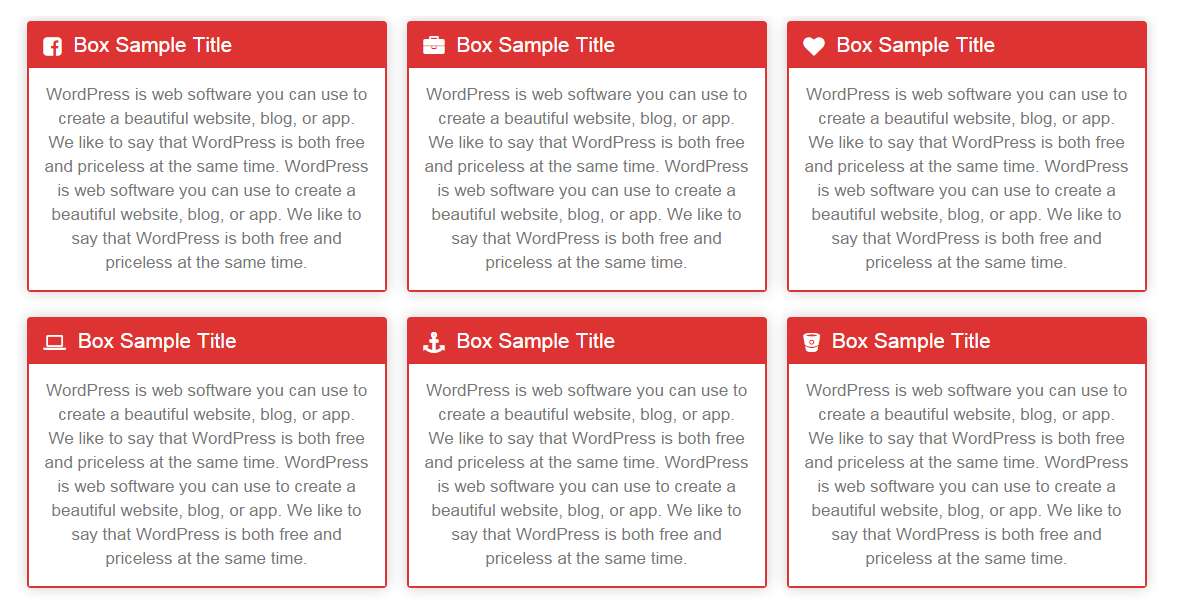
Colorbox Panels

Colorbox with title align right

Colorbox with noise style and different background color

Colorbox with same colour of description and title

Display only description

Colorbox with same height

Colorbox with masonry/isotope effect

Colorbox without border

Iconbox with description

Iconbox style2

Iconbox style3

Team style

Colorbox setting filed option

Colorbox complete panel
Faq
Please use WordPress support forum to ask any query regarding any issue.
Reviews
Very good!
By 
Very good!
OK
By 
Great job!
By 
annoying wp-admin messages
By 
Didn't meet my Expectations
By 
Limits are quickly reached and no support
By 
- No user color palette : if you want to define your colors you must memorize your colors and paste hexa value for each box.
- Default value of user colors have same value for chars and background if you don't change the chars value you get no display... It misses just set default chars color to black !!! You tell it to support and two month after there is no no answer, what you tell is always forgotten by support.after one or two days
- If you have developed for your pages a js routine to calculate elements position when the window is resized the two events "resize" (one into your code and the one of the colorbox which adapts the display to the width). I margin left or right changed and the display is not redefined (missing on('...') launch position calculation. So colorbox cannot be managed if you have a js manager which can change some elements of the display and affect usable width : no compatibility.
- To know : any box has H3 header and the content his the H3 content, but you cannot define complementary attributes. Consequently you are unable to associate classes or "data-" attributes with the elementary boxes. I explain if you can add classes or "data-" attributes you can use jquery to hold particular actions defined by a script (for example zoom the box into a FancyBox) or display any information, hide temporarily elementary boxes which have a define class etc.
- The icons for elementary boxes headers are very limited, you cannot add others libraries of icons
- etc.
Good
By 
An elegant touch, with one minuscule issue
By 
Great plugin!
By 
Výborný plugin
By 
Changelog
2.1.6
- Compatible with wordpress 6.7.1
2.1.5
- Compatible with wordpress 6.5
2.1.4
- Compatible with wordpress 6.4
2.1.3
- Compatible with wordpress 6.3
2.1.2
- Compatible with wordpress 6.2
2.1.1
- Compatible with wordpress 6.1.1
- styling issue resolved
1.9.0
- Plugin issue resolved
1.8.9
- Bootstrap Updated
- Sanitization issue resolved
- Compatible with wordpress 6.0
1.8.8
- Sanitization, Escaping , Nonce issue resolved
- Bootstrap updated
1.8.7
- Compatible with wordpress 5.8
1.8.6
- small bug resolved
1.8.5
- minor update
1.8.4
- Compatible with wordpress 5.6
1.8.3
- Compatible with wordpress 5.5
1.8.2
- Minor Bug Resolved
- Compatible with wordpress 5.4.1
1.8.1
- Minor Bug Resolved
1.8.0
- Compatible with wordpress 5.3.2
1.7.9
- Compatible with wordpress 5.2.4
1.7.6
- Compatible with wordpress 5.2
1.7.5
- Compatible with wordpress 5.0.3
1.7.4
- Compatible with wordpress 4.9.8
- mnor spacing issue resolved
1.7.3
- developer help comments updated
1.7.2
- Minor Bu Resolved
1.7.1
- Compatible with wordpress 4.9.5
1.7.0
- removed worng plugin links
- update plugin uri in main file
- update ssl link for demo
1.6.9
- Compatible with wordpress 4.9
1.6.8
- Compatible with wordpress 4.8.2
1.6.7
- Compatible with wordpress 4.8
1.6.6 18-May-2017
- Compatible with wordpress 4.7.5
- Files optimize, remove some line space from code.
1.6.5 03-May-2017
- Compatible with wordpress 4.7.4
- Update time variable data option position.
1.6.4 10-Mar-2017
- Minor code changes
1.6.3 07-Feb-2017
- Minor Bug Resolved
1.6.2 10-Dec-2016
- Compatible with wordpress 4.7
1.6.1 17-Nov-2016
- Minor css conflict resolved
1.5.7 21-Oct-2016
- Small Font issue resolved
1.5.6 28-Sep-2016
- Minor bug resolved
1.5.5 01-Sep-2016
- Remove spaces from files
1.5.4 15-Aug-2016
- Minor Bug Resolved
- Compatible with wordpress 4.6
1.5.3 18-July-2016
- Minor css issue resolved
1.5.2 04-July-2016
- Ass some help links and social profile links.
1.5.1 17-June-2016
- Add some help comments for developer
1.5 08-June-2016
- Update WYSIWYG Editor
- Resolved WYSIWYG Editor Link Problem
- Update Some Links
1.4.2 20-Apr-2016
- update custom css editor issue.
- Small bug resolved
1.4.1 08-Apr-2016
- Compatible With wordpress 4.5 version
- Small bug resolved
1.4 23-mar-2016
- New : Add WYSIWYG Editor for Colorbox Description
1.3 02-mar-2016
- update css file.
1.2 15-feb-2016
- resolve description filed input issue.
1.1 05-feb-2016
- Compatible with custom contact form plugin
- Resolve recycle bin button conflict error
1.0
- Initial release.