Comment Reply Email
Comment Reply Email
Description
This simple plugin automatically sends a notification email to commenters when someone replies to their comment. This feature can be enabled automatically by the site admin, or through an opt-in/opt-out checkbox below comment section on frontend.
It’s best to use it with an email-sending plugin like WP Mail SMTP, and with SMTP or transactional email service like SendGrid or Mailgun. Sending from your server via PHPmailer can cause deliverability issues (email notfications caught in spam).
I loved the original plugin Comment Reply Notification (by @denishua) for its simplicity but it was abandoned and stopped working years ago. So I forked and revived it to work with the latest PHP and WordPress. I also improved some wording, removed unnecessary author links in the email notifications, and also keep it more updated. Credits to Denis who first hacked it 5 years ago, and later Walter for fixing string escapes.
Features:
- Feature modes – disabled, author/admin replies only, automatically, checkbox opt-in.
- Edit email notification – subject and message.
- [year] shortcode for dynamic year in email templates.
- Developer-friendly hook for adding custom shortcodes.
- Fixes issue with email notifications for moderated comments.
- Can delete plugin options – after deactivation.
Installation
- Upload the folder comment-reply-email to the `/wp-content/plugins/` directory
- Activate the plugin through the ‘Plugins’ menu in WordPress
- Navigate to Manage > Setting > Comment Reply Email to configure the plugin.
Screenshots
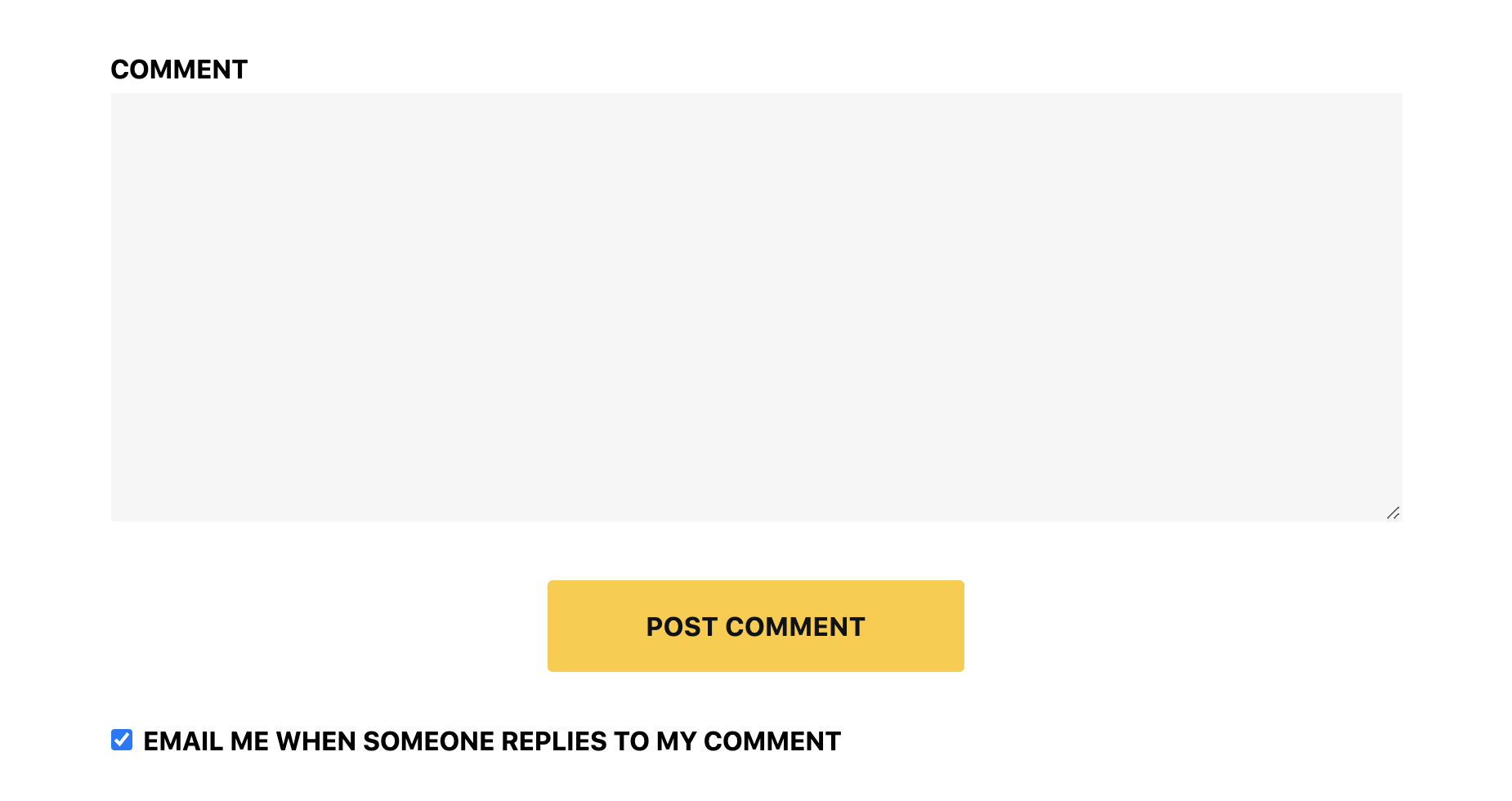
Checkbox opt-in on frontend.
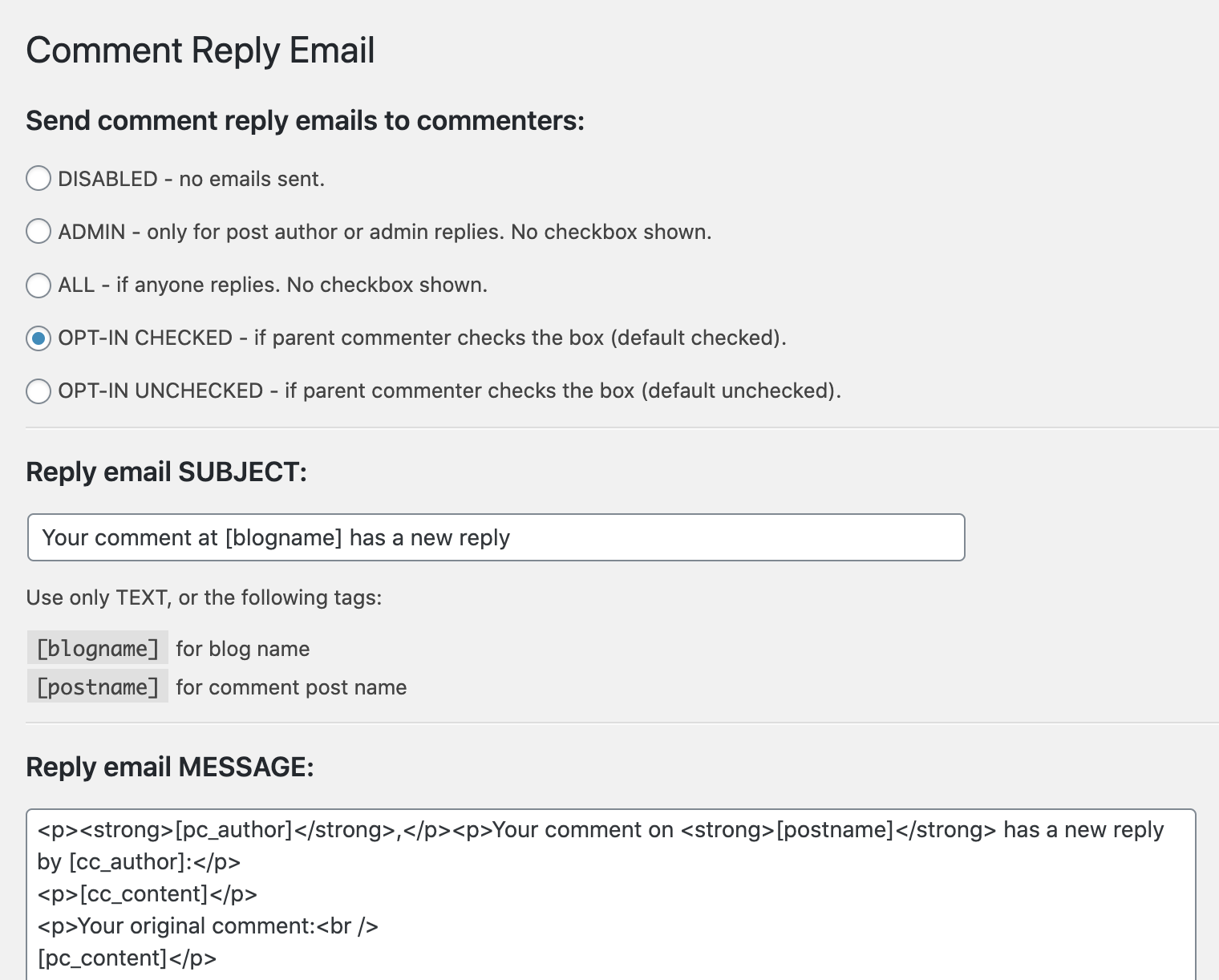
Settings screen 1 of 2.
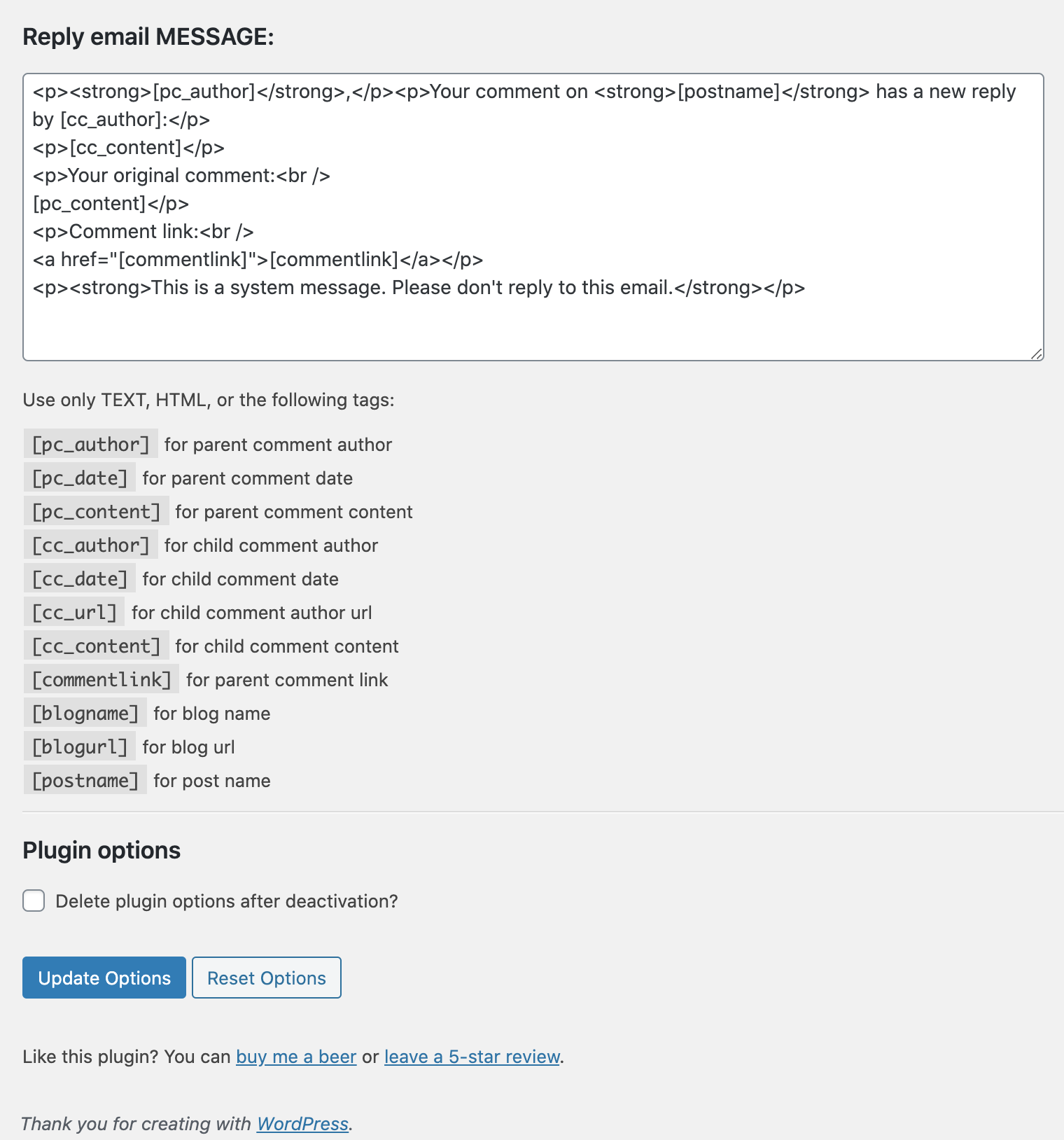
Setting screen 2 of 2.
Faq
Yes, this plugin works perfect with the latest version of WordPress! It also works with older versions as well but you should always run the latest WordPress and PHP version for best security and performance. This plugin is used in my critical sites so you can be assured it works perfect.
No. It’s coded extremely lightweight, no CSS or JS script. It does only the essential function and nothing more. Very lightweight. No heavy PHP processing or database queries. I’m an absolute speed fanatic.
Not unless someone wanted to pay for my development time and costs. This was intended as a free community plugin. I do have to update the default .PO file soon (after I finalize the wording) so translations can be submitted.
With CSS of course! It shouldn’t take any developer more than 15 minutes of time.
Use the comment_reply_email_content filter in your theme’s functions.php or custom plugin. Example:
add_filter('comment_reply_email_content', 'my_custom_shortcodes', 10, 2);

function my_custom_shortcodes($content, $data) {

    $content = str_replace('[my_custom_tag]', 'Custom Value', $content);

    return $content;

}
Reviews
Perfect
By 
Does exaktly what it should and very minimalistic, perfect. The missing translations is not an issue since you an customize the reply email notification and the checkbox text. 10/10 Thank you!
Does what I need it to
By 
I love plugins that are focused and do what they say they'll do. Thanks!
The plugin doesn't work correctly
By 
A month ago, I began to send incorrect messages to the mail. The author doesn't answer. Apparently, the plugin has come to an end.
Nice and clean
By 
thank you for this plug-in!
Very useful plugin!
By 
The plugin is very useful! Thank you!
Superb
By 
works perfect
By 
Does not work with moderated comments
By 
Works Really Well
By 
Work as expected
By 
Changelog
1.6.0
- FIX: Emails now send reliably for moderated comments after they are approved.
- NEW: Added
[year]shortcode for use in email templates. - NEW: Added
comment_reply_email_contentfilter for developers to add custom shortcodes. - FIX: Corrected a bug that added extra slashes to the email message on save.
- IMPROVEMENT: Enhanced comment status checking for better reliability.
1.5.1
- Updated for compatibility with latest WordPress version.
1.5
- Security patch is added.
1.3
- Comment form was not shown in a few options under “Send comment reply emails to commenters:”. It was fixed.
1.2
- There was an issue with the HTML code view directly in email content starting from version 1.0.4. This problem arose during the implementation of a security update
1.1
- We updated description of each option more clearly in plugin setting page.
- In frontend, checkbox option position was changed and placed before the form submit button.
- Code files were cleaned up for professional.
1.0.5
- Warning Fix: Warning message “Undefined array key “comment_parent” in comment-reply-email.php file.” is fixed. PHP 8.2 version is tested.
1.0.4
- Security Fix: This plugin was vulnerable to Cross Site Scripting (XSS) and Fixed on 08/29/2023. Thank Yebin Lee to report this security problem.
1.0.3
- PHP Warning Fix: Attempt to read property “comment_parent” on null object.
1.0.2
- Rename class object to match main class
1.0.1
- Feature: Add option to change the checkbox text
- Feature: Added more line-breaks to the default notfication email template.
- Fix PHP Deprecated method: Methods with the same name as their class will not be constructors in a future version of PHP.
- Fix headers already sent error & deprecated capability functions
- Fix undefined variable error
1.0.0
Initial Commit. Updated to work with PHP 7.x (fixed mysqli escape strings), improved wording, admin settings styling. Unfortunately had to delete old translator files.
Was forked from version 1.4 of Denishua’s original Comment Reply Notfication.
1.0.0 Initial release