Companion Sitemap Generator – Simple, Smart, and SEO-Ready

Companion Sitemap Generator – Simple, Smart, and SEO-Ready
Description
Create clean, complete, and up-to-date sitemaps for your WordPress website — automatically.
Companion Sitemap Generator helps search engines and visitors explore your site with ease by generating both XML and HTML sitemaps, no coding required.
Whether you run a blog, portfolio, or e-commerce store, this plugin ensures that every important page stays visible and discoverable.
Features
- Automatic XML Sitemap: Always up-to-date and optimized for search engines including Google & Bing.
- User-Friendly HTML Sitemap: Create a public sitemap page to help visitors explore your site.
- Content Control: Include or exclude specific posts, pages, categories, taxonomies, or custom post types.
- Multilingual Support: Full compatibility with Polylang and other translation plugins.
- Built-in Robots.txt Manager: Edit crawling rules right inside WordPress — no FTP required.
- Lightweight & Fast: Minimal performance impact and no unnecessary scripts or bloat.
Why Use Companion Sitemap Generator?
- Works immediately, zero configuration needed.
- No tracking or external services.
- Perfect for site owners, agencies, and developers.
- Active maintenance and full compatibility with the latest WordPress releases.
Installation
Manual install
- Upload the plugin files to /wp-content/plugins/companion-sitemap-generator, or install the plugin directly through the WordPress Plugins screen.
- Activate the plugin through Plugins Installed Plugins.
- Go to Tools Sitemap to customize your sitemap.
- (Optional) Create a page for your HTML sitemap and insert the provided block.
Screenshots

Sitemap dashboard

Exclude posts from sitemap

Quickly update via dashboard
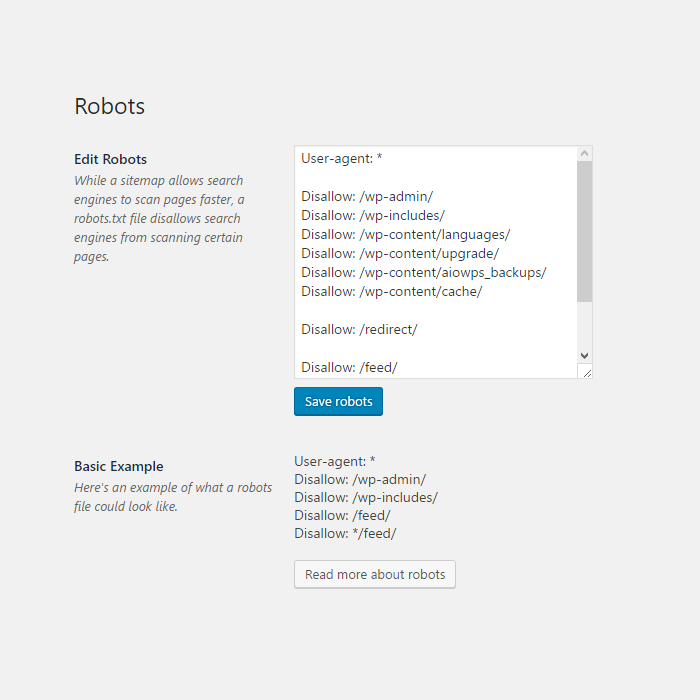
Edit robots file
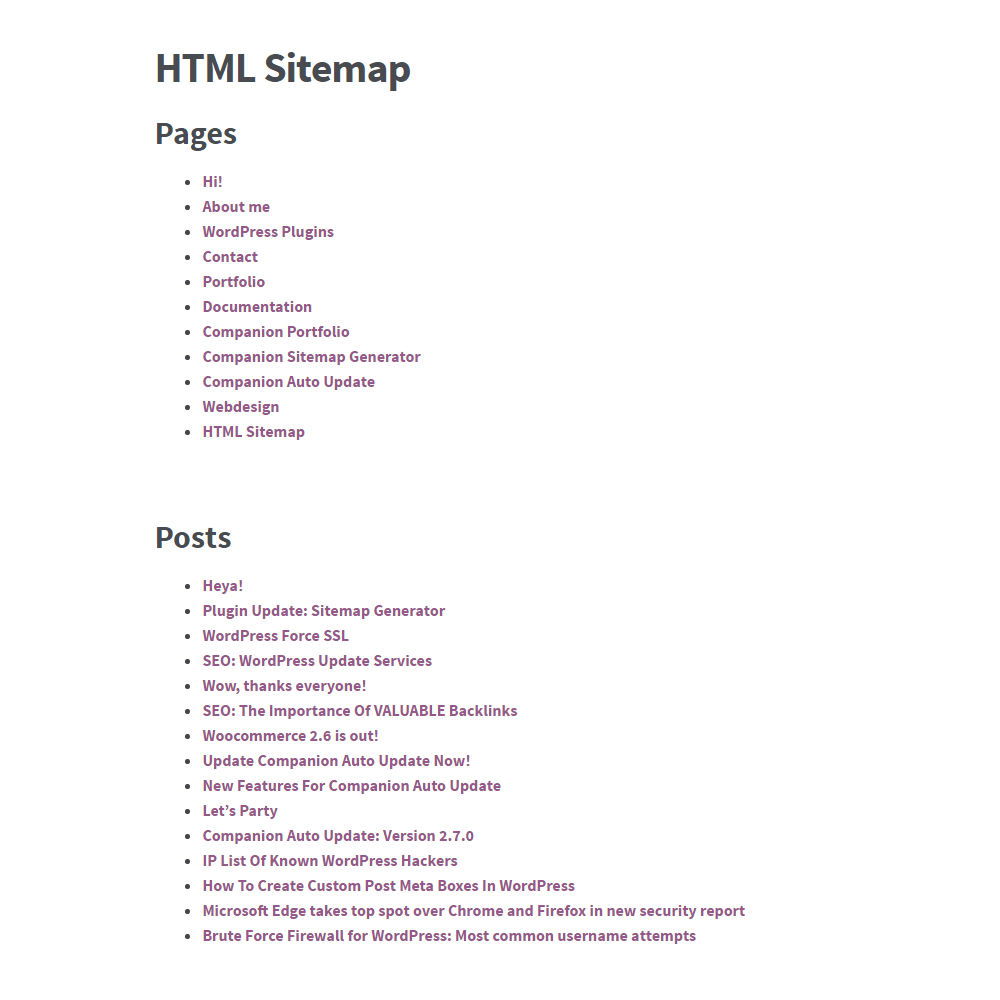
HTML Sitemap
Faq
A sitemap is a file where you provide information about the pages and posts your site, and the relationships between them. Search engines read this file to more intelligently crawl your site. A sitemap tells the search engine which pages you think are important in your site, and also provides valuable information about these pages: for example, when the page was last updated, how often the page is changed, and any alternate language versions of a page.
You can typically access it at: https://yourdomain.com/sitemap.xml
Create a new WordPress page and insert the gutenberg block from the editor.
Yes. You can exclude posts, pages, taxonomies, and custom post types via the settings.
Yes — the plugin fully supports Polylang and can add language-specific tags to the sitemaps.
No. Companion Sitemap Generator does not track, send, or store any personal data.
Reviews
Excellent Plugin
By 
An excellent plugin - lean and efficient, and easy to configure. The .htaccess file editor is most convenient.
"Additional Pages" tab disappeared
By 
Additional pages went empty after the latest update so that's pretty bad.
Worked with polylang
By 
Lol, only this plugin work for me correctly with polylang to create single Multilanguage multisite sitemap without any dances.
Nice
By 
It works :)
Only downside: Settings menu is a bit confusing and the sitemap doesn‘t automatically update when changes are made.
Excellent!
By 
Overzichtelijk, netjes, klaar in een paar minuten!
Terrible plugin
By 
Terrible plugin. Multilanguage does not work, everything lags. Tags and categories are not displayed.
Quickly generated nice sitemap
By 
Quickly generated nice sitemap. Everything as expected
Excellent sitemap
By 
Magical
By 
Muito bom.
By 
Changelog
4.6.0
-
📅 Release date: March 20, 2026 *
-
✨ Improved: Redesigned dashboard pages to match new WordPress styling
- ✨ Improved: Reworked the content filter making it easier and clearer to use
- ✨ Improved: Changed wording on a few settings to make it clearer what it does
-
✨ Improved: Added more and clearer error messages that actually explain the problem
-
♿️ Accessibility: Began adding accessibility markup like screen reader texts (will be expanded upon in future updates)
-
🔒 Security: Added proper escaping to all translatable text
- 🔒 Security: Added additional user-right checks to all pages
-
🔒 Security: Updated some of the older functions to be more secure, making this plugin now require PHP 7.0 or higher
-
💡 New: Added a help tab for more information about all features (more and better info will be added in a future update)
-
💡 New: Added more intervals to the auto update and set default to daily (instead of hourly)
-
🐞 Removed: Support URLs that returned a 404 error
- 🐞 Removed: Show XML in HTML setting
- 🐞 Removed: Dashboard widget
4.5.9.3 (June 12, 2024)
- Fixed Additional pages being blank
4.5.9.2 (March 20, 2024)
- Fixed another small issue with Additional pages
4.5.9.1 (March 8, 2024)
- Database version update to fix Yandex on update
4.5.9 (February 29, 2024)
- New: Added option to auto-ping to Yandex
4.5.8 (February 29, 2024)
- Fixed: Issue where it would show and empty “Additional pages” heading
4.5.7 (December 20, 2023)
- Fixed: Taxonomy items not showing up in HTML sitemap
- Fixed: Adding the XML sitemap to the HTML sitemap would break the page
4.5.6 (December 19, 2023)
- Improvement: Better performance on larger sites
4.5.5 (September 20, 2023)
- Fix: Fixed issue where multilingual would break the sitemap
4.5.4 (September 19, 2023)
- New: Added “Never” option for the auto update, because why not?
- Improvement: Better performance on larger sites
4.5.3 (June 12, 2023)
- Fix: XSS issues
4.5.2 (October 28, 2022)
- Fix: Critical error on Post content filter
4.5.1 (October 27, 2022)
- Fix: “The link followed has expired” error on Post content filter
4.5.0 (October 13, 2022)
- New: Add images to the sitemap Read more
- Fix: Squashed some bugs