Consent Warden

Consent Warden
Description
Consent Warden adds a clean, accessible cookie consent banner to your WordPress site. Visitors see a simple Accept button with an optional link to your privacy policy. Once accepted, the banner disappears and consent is remembered for up to a year.
Free edition features:
- Accept-only banner — no unnecessary complexity
- Three layout positions: bottom bar, bottom-left card, bottom-right card
- Customisable heading, message text, and button label
- Optional privacy policy link (URL and link text)
- Six colour options: background, text, link, accept button, button text, and hover
- Configurable consent expiry (1–3650 days, default 365)
- Fires a
cwarden:consentJavaScript event on accept — hook your own scripts to it - Accessible:
role="region"andaria-labelon the banner element - Zero external dependencies on the frontend
- Consent stored in a
cwarden_consentcookie withSameSite=Lax - No data sent to the server — consent stays on the visitor’s device
Upgrade to Standard or Pro for:
- Granular consent categories (Analytics, Marketing, Preferences) with per-category toggles
- Script blocking — prevent third-party scripts from loading until consent is given (soft dequeue and hard HTML rewrite)
- Google Consent Mode v2 integration (gtag / GTM)
- Full consent log — record and review visitor consent decisions
- Geo-targeting — show the banner only to visitors in targeted regions (EU, UK, US, Brazil, and custom country lists)
- Automatic cookie scanner — passively discover and categorise cookies set on your site
Learn more about the Standard and Pro editions at https://linuxgnut.com/projects/consent-warden/
Installation
- Upload the plugin files to
/wp-content/plugins/consent-warden/, or install directly through the WordPress Plugins screen. - Activate the plugin through the Plugins screen in WordPress.
- Go to Settings Consent Warden to configure the banner text, colours, and privacy policy link.
- The banner appears on your site until a visitor clicks Accept.
No coding required. The banner is ready to use immediately after activation with sensible defaults.
Screenshots
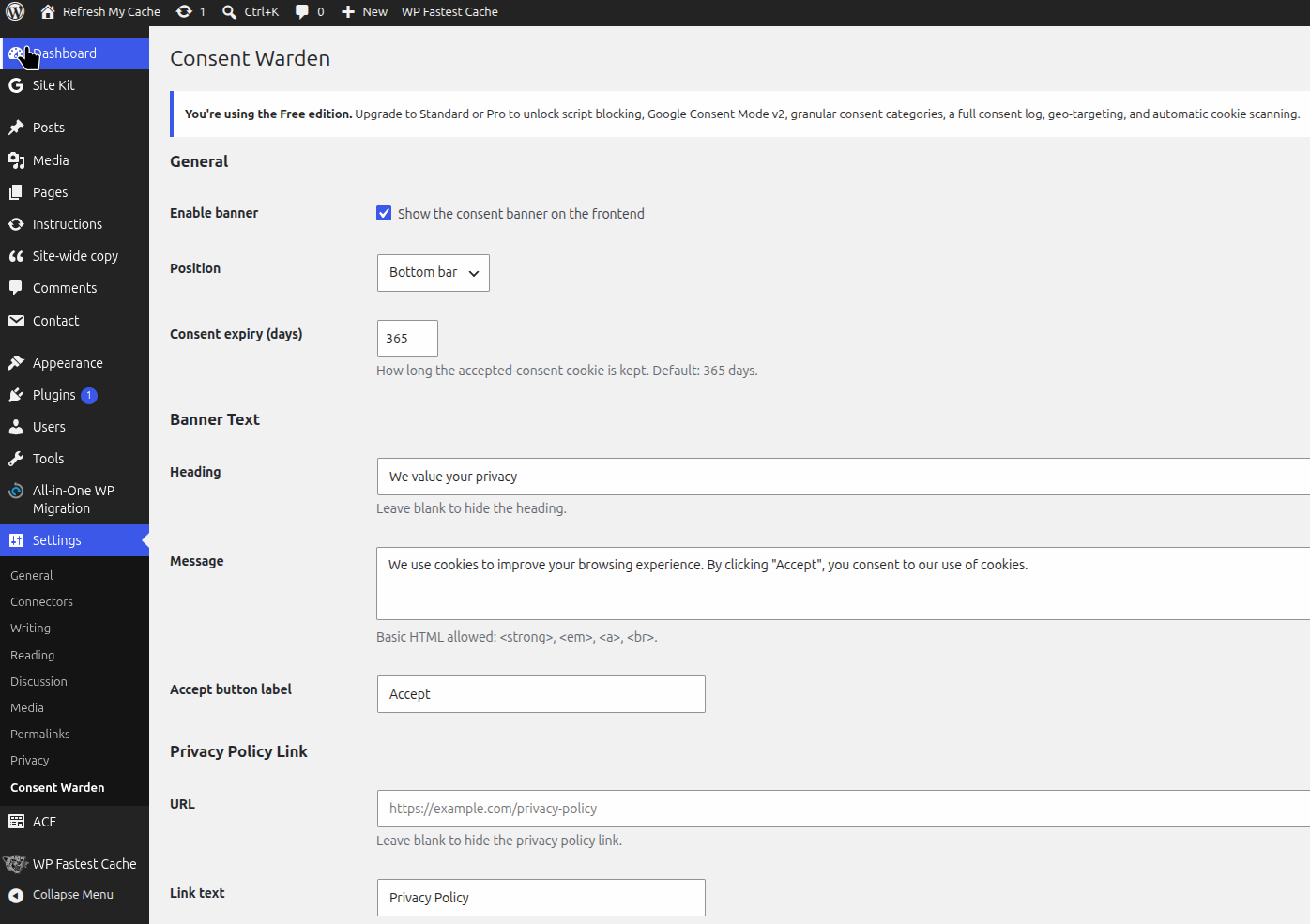
The settings page showing banner text, privacy policy link, and colour customisation.
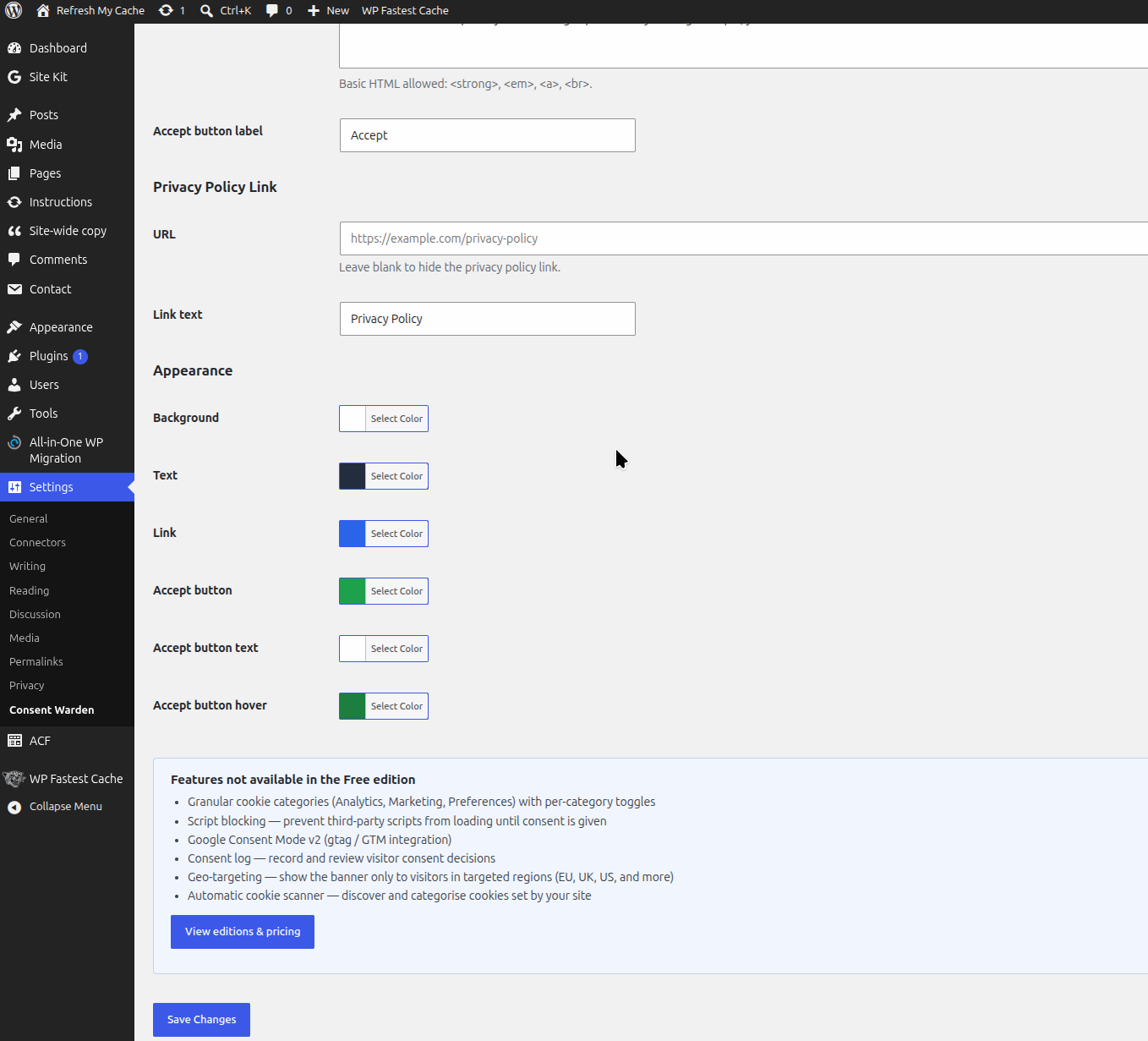
The remaining settings page showing banner text, privacy policy link, and colour customisation.
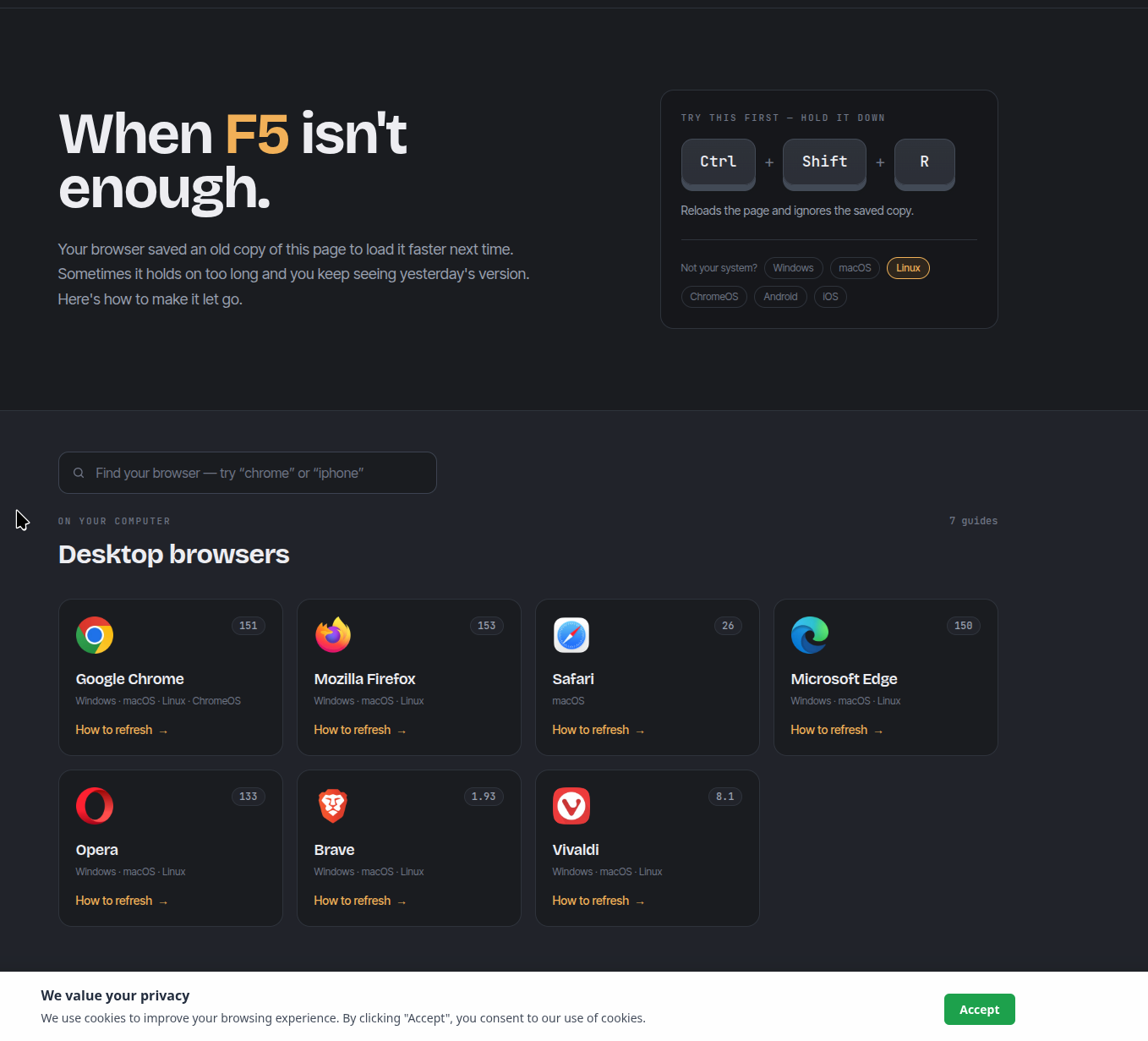
The consent banner in bottom-bar position with the default styling.
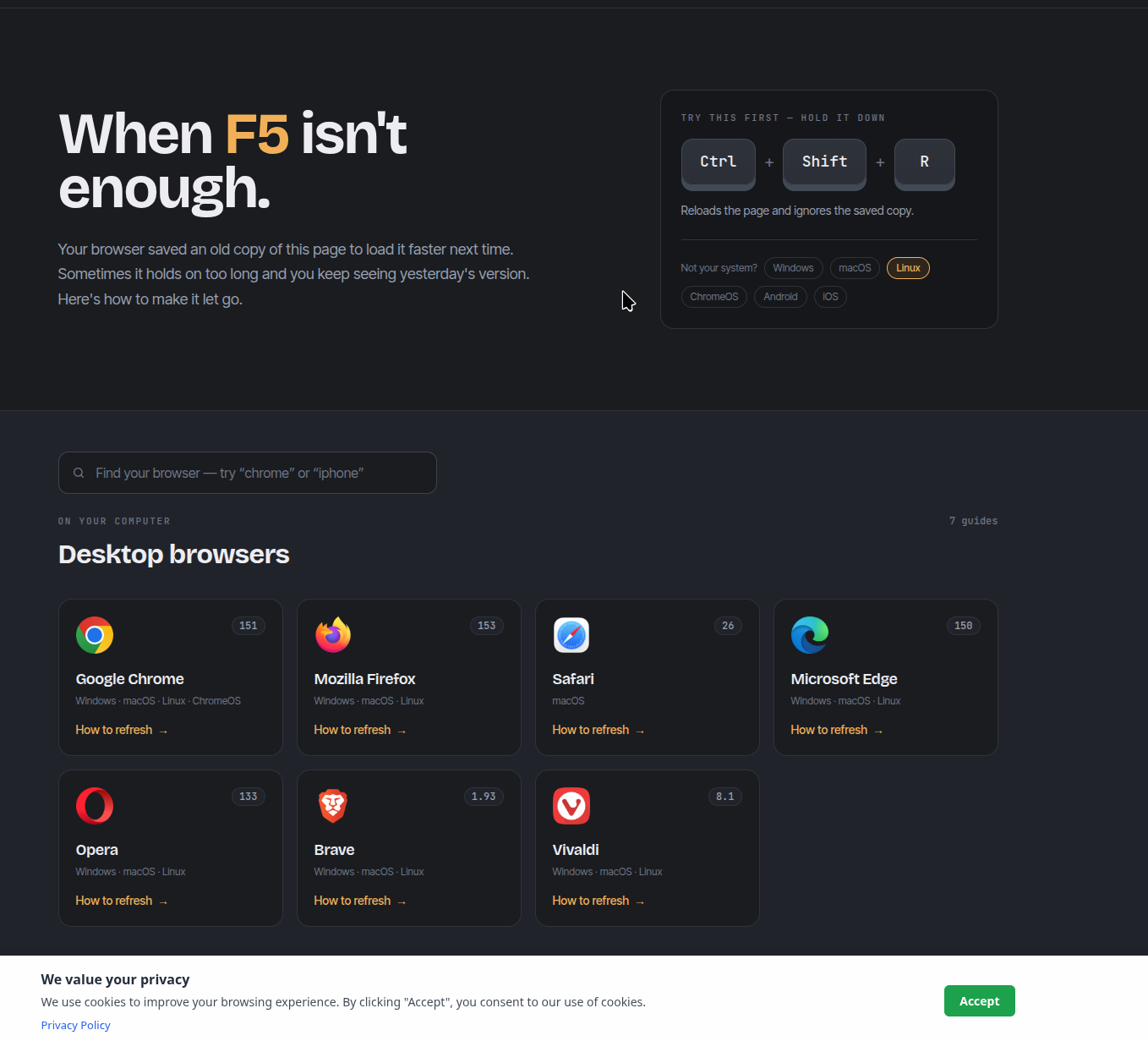
The consent banner in bottom-bar position with the default styling and a privacy policy link.
Faq
Not in the free edition. The free edition displays a consent notice and records acceptance via a browser cookie. Script blocking (preventing analytics or marketing scripts from loading before consent), Google Consent Mode v2, and per-category consent management are available in the paid editions.
Consent is stored in a browser cookie named cwarden_consent on the visitor’s device. No consent data is sent to the server or stored in the WordPress database. The cookie uses SameSite=Lax and expires after the number of days you configure (default: 365).
The plugin dispatches a cwarden:consent CustomEvent on document when the visitor clicks Accept. You can listen for it in your own scripts:
document.addEventListener('cwarden:consent', function(e) { /* your code */ });
This plugin provides the consent mechanism — the banner and cookie — that GDPR requires before setting non-essential cookies. Actual compliance depends on your site as a whole: your privacy policy, the cookies your site sets, and how you process visitor data. Consult a legal professional for advice specific to your situation.
You should only run one consent plugin at a time. Deactivate any other cookie consent or GDPR plugins before activating Consent Warden.
The visitor can clear their browser cookies. Alternatively, you can delete the cwarden_consent cookie from your browser developer tools to see the banner again.
Deleting the plugin from the WordPress Plugins screen removes all saved settings (cwarden_settings option) from the database automatically.
Yes. The banner is rendered in the footer via PHP and shown or hidden client-side based on the consent cookie. It is compatible with full-page caching plugins (WP Super Cache, W3 Total Cache, WP Rocket, etc.) because the consent check runs in the visitor’s browser, not on the server.
Reviews
Changelog
1.0.1
- Tested with WordPress 7.1.
1.0.0
- Initial release.