ConsigBrechó for WooCommerce

ConsigBrechó for WooCommerce
Description
ConsigBrechó solves the biggest nightmare of those who work with consignment: knowing exactly who owns each item and how much you owe each consignor.
WooCommerce takes care of the storefront and sales. ConsigBrechó takes care of the consignment — which WooCommerce doesn’t do.
How it works:
Register your consignors and their items. Publish each item to WooCommerce with a single click. When a sale occurs, the plugin automatically registers the due payout. At the end of the month, view each consignor’s statement and mark the settlement — all in a few clicks.
Privacy:
The engine runs 100% inside your WordPress. Your consignors, your items, your sales, and payouts — everything stays in your own site’s database and never leaves it.
The only exception, exclusive to the Pro plan, is the AI assistant: when you click “Generate with AI”, the item title is sent to an external artificial intelligence service to generate description, category, and tag suggestions. No other data (consignor, price, sales, payouts) is shared. The plugin requests your confirmation the first time the assistant is used.
What’s included in the free plan:
- Unlimited consignors
- Registration and publication of items in WooCommerce
- Automatic sales registration (via WooCommerce hook)
- Payout calculation with agreement hierarchy (item consignor store default)
- Sales, payouts, and statement screen per consignor
- Complete monthly settlement
Pro Plan (sold separately, more info at consignapro.com.br):
- Importer for existing WooCommerce products
- AI-assisted item descriptions
- Advanced reports (coming soon)
- Priority support
Installation
- Install and activate WooCommerce (required).
- Upload the ConsigBrechó plugin via the WordPress dashboard (Plugins Add New Upload Plugin) or install directly from the WordPress.org repository.
- Activate the plugin.
- In the admin sidebar menu, access ConsigBrechó to get started.
No additional configuration is required. The system comes with defaults ready — register the first consignor and start using it.
Screenshots
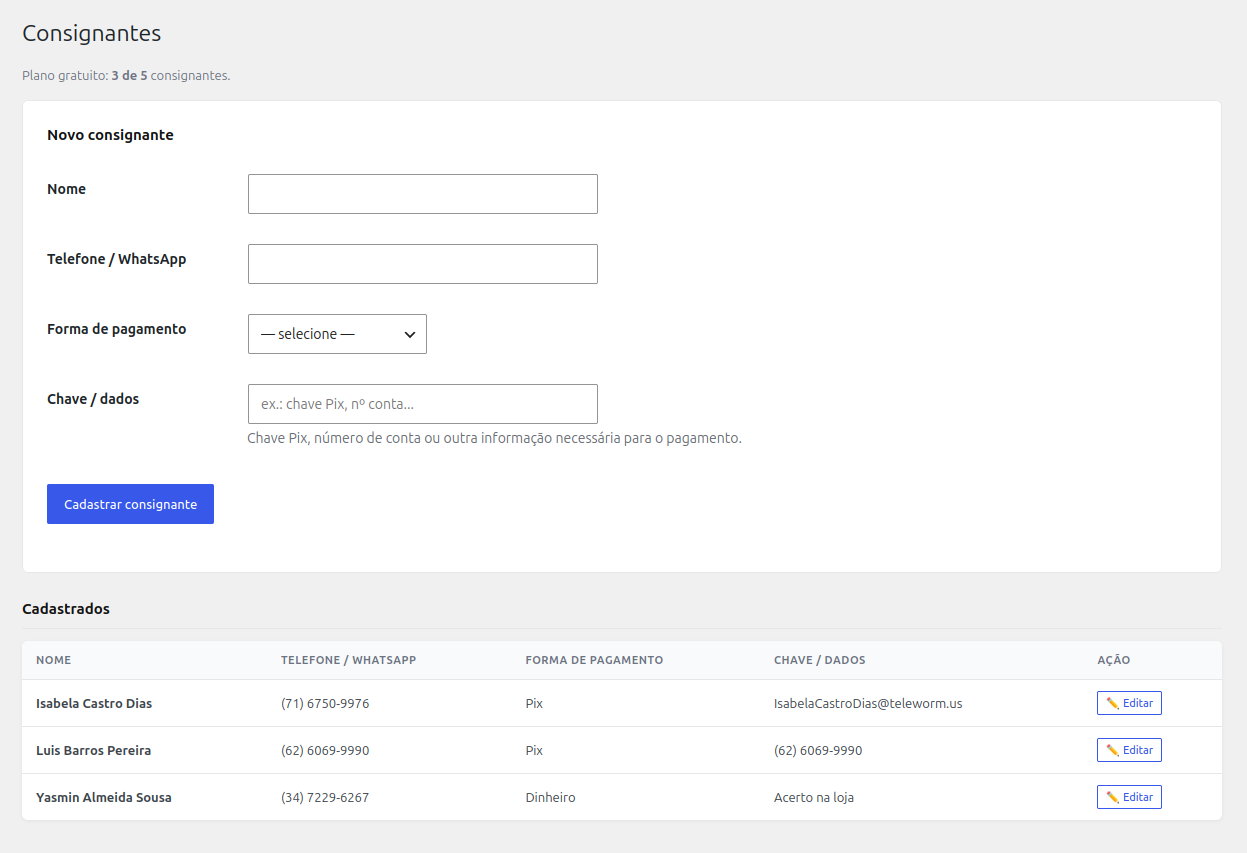
Consignors dashboard — list and registration
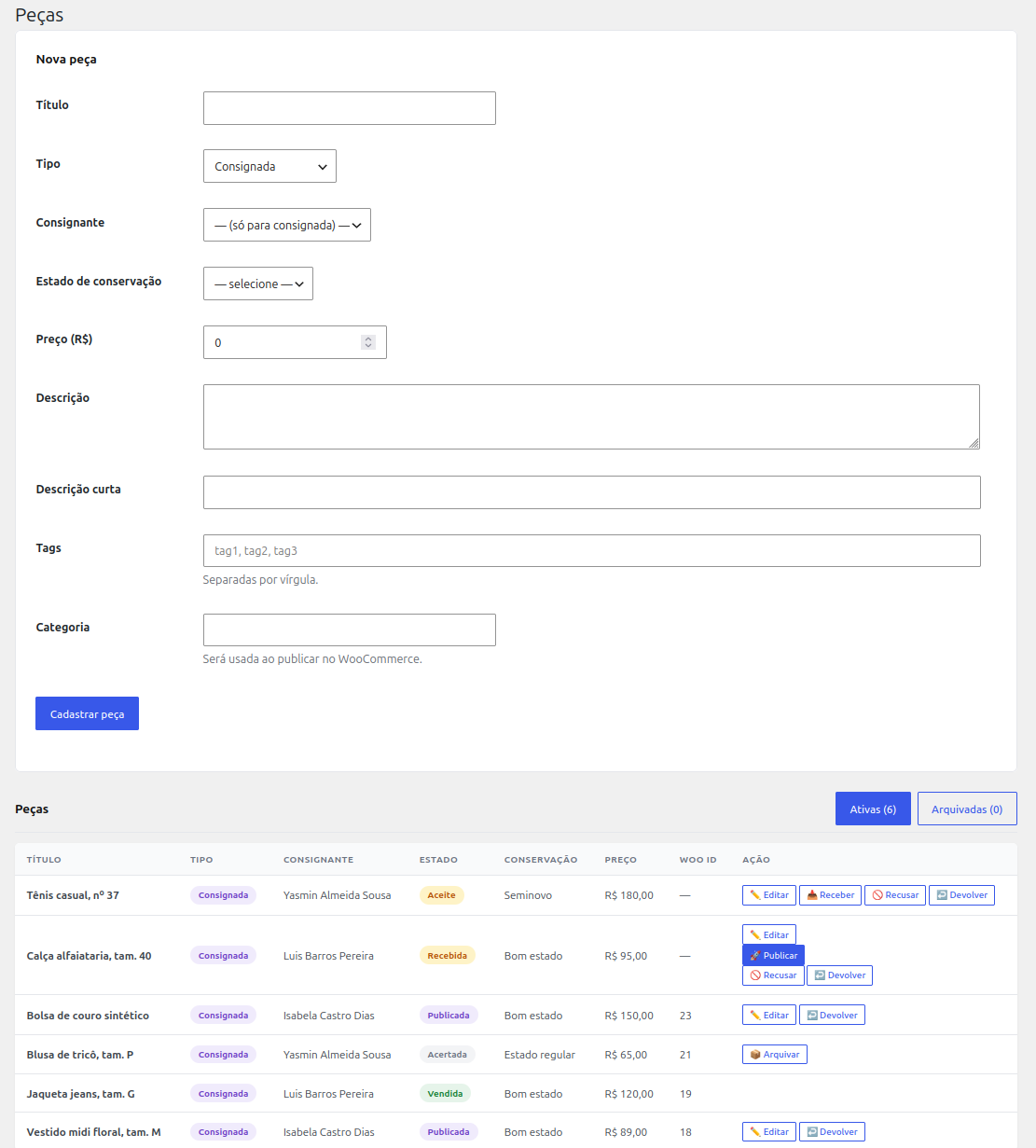
Items dashboard — list, registration, and publish to WooCommerce button

Sales dashboard — automatic sales registration
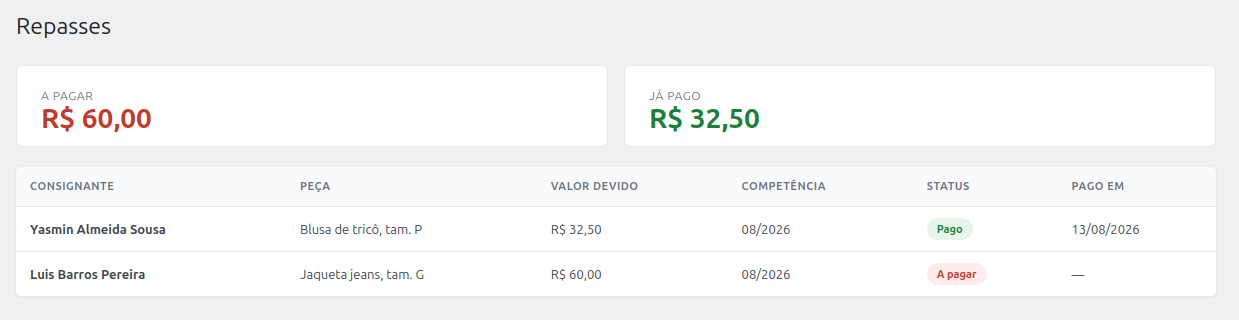
Payouts dashboard — ledger of debts by consignor and period
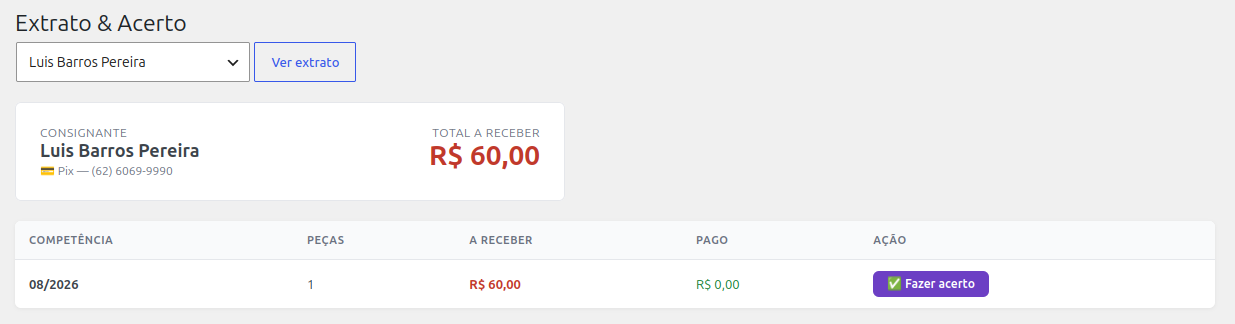
Statement and monthly settlement — statement per consignor with close month button
Faq
Yes. The entire ConsigBrechó engine runs inside your WordPress. Your items, your consignors, your sales, and your payouts stay in your own site’s database.
There are two external communications, both exclusive to the Pro plan: (1) a periodic license subscription check, which does not send any business data; (2) when you use the AI assistant, the item title is sent to an external artificial intelligence service. No other data is shared. The plugin asks for your confirmation the first time.
Yes. ConsigBrechó works in the WordPress admin dashboard and does not interfere with your store’s theme. The storefront continues to be managed by WooCommerce with the theme you already use.
No. All your data remains intact in your database regardless of plan. Canceling Pro only removes access to Pro-only features (importer, AI assistant, advanced reports); your consignors, items, sales, and payout history are never deleted.
No. Installation is the same as any WordPress plugin — a few clicks. After activating, the plugin creates the necessary tables automatically. You don’t need to configure a database, edit files, or run commands.
The plugin registers sales automatically when an order is marked as “processing” or “completed”. Orders prior to the plugin installation are not processed retroactively — only new ones from the activation onwards.
Yes. The system uses a three-level hierarchy: the store default (valid for all), the consignor agreement (overwrites the default for that consignor), and the item agreement (overwrites everything for that specific item). Whoever doesn’t have their own configuration inherits the default.
Reviews
Changelog
1.3.0
- Consignor deletion: new delete button in the consignor list, shown only for consignors without linked items (fixes typos and duplicate entries safely).
- Consignor list now shows the consignor code (format 001) in the first column.
- Removed the “Updates” card from the dashboard — update verification is now provided by the ConsigBrechó Desktop app.
- Security and compliance fixes (full WordPress Plugin Check compliance).
1.2.0
- New modern and professional design for the entire admin (cards, tables, forms, badges, buttons).
- Pagination links are now displayed as buttons.
- Item edit screen now displays the published WooCommerce product images and allows uploading new ones directly (files go to the media library and are attached to the product).
- Internal item code is now auto-suggested when selecting a consignor during item registration (format 001.0001 — consignor ID + presumed next item ID).
- Consignor edit screen now shows the consignor code (ID) as a read-only field.
- Fixed the promotional banner flashing briefly when ConsigBrechó Pro is active (Pro detection no longer depends on the installation folder name).
- Added integration hooks for the Pro plan: extra fields on item creation (csgb_peca_inserida) and extra settings on the Settings page (csgb_config_extras).
- Added Action Scheduler fallback processing on wp-admin pages (5-minute throttle) for environments where WP-Cron does not run — clears the “past-due actions” notice.
- Update check no longer forces automatic updates; it only refreshes the WordPress.org update checks, leaving installation to WordPress itself.
- SQLite backups are now stored in the uploads directory (csgb-backups/) using wp_delete_file().
- Security and compliance fixes (full WordPress Plugin Check compliance: input sanitization and validation, SQL preparation, file operations).
1.1.0
- Added internal item code field for thrift store use.
- Added thrift store details (Tax ID, address, and phone number) in Settings.
- Implemented printable receipt with liability terms upon Acceptance or Receipt.
- Added new search filters on Items, Sales, and Payouts pages.
- Added Original Price and Discount columns to the Sales page.
- Implemented printable Payment Receipt with signature lines for cash payouts.
- Modified payout behavior: partial payouts are now possible via checkbox selection directly in the list.
- Security fixes and code optimizations (strict compliance with WordPress Plugin Check).
1.0.0
- Initial release.
- Registration of consignors and items.
- Publication of items in WooCommerce.
- Automatic sales registration via WooCommerce hook.
- Payout calculation with agreement hierarchy (COALESCE in 3 levels).
- Sales, payouts, and statement screens per consignor.
- Complete monthly settlement.