Connect Contact Form 7 to Mailchimp, Brevo, MailerLite, Klaviyo, GetResponse, EmailOctopus, Campaign Monitor & Moosend

Connect Contact Form 7 to Mailchimp, Brevo, MailerLite, Klaviyo, GetResponse, EmailOctopus, Campaign Monitor & Moosend
Description
Turn every form submission into a new subscriber. Contact Form 7 Extension connects your forms to Mailchimp, Brevo, MailerLite, Klaviyo, GetResponse, EmailOctopus, Campaign Monitor and Moosend.
Choose an email platform for each form, connect your account, and pick a list. Your next newsletter signup can go to Mailchimp while a separate lead form builds your audience in Klaviyo, all from the Contact Form 7 editor you already use.
Make every signup count
- Grow the list you choose. Send each form to one audience, list, group or campaign. Every form has its own connection and destination.
- Get the details that matter. Send the email address plus any three fields you choose, such as a name, phone number or birthday.
- Welcome confirmed subscribers. Use double opt-in on all eight platforms, following your platform’s confirmation settings.
- Respect your visitors’ choice. Add a consent checkbox so only people who opt in join your list.
- Get started in a click. If Contact Form 7 is missing, install it straight from the setup notice. The plugin also helps you activate or update it when needed.
Already using Mailchimp? Your saved audience, field choices and opt-in settings stay with your forms when you update.
Find your email platform’s setup guide or visit the Help Center.
Ready to do more with each signup?
ChimpMatic Pro sends each signup to several lists, routes people by their answers, adds tags automatically on all eight platforms, and brings along every field your platform supports.
External services
Contact Form 7 Extension sends signup data to your selected email platform and connects to our services for account connections and updates. See the external services and what is shared.
Installation
- Install and activate this plugin. If Contact Form 7 is missing, click Install Contact Form 7 in the setup notice.
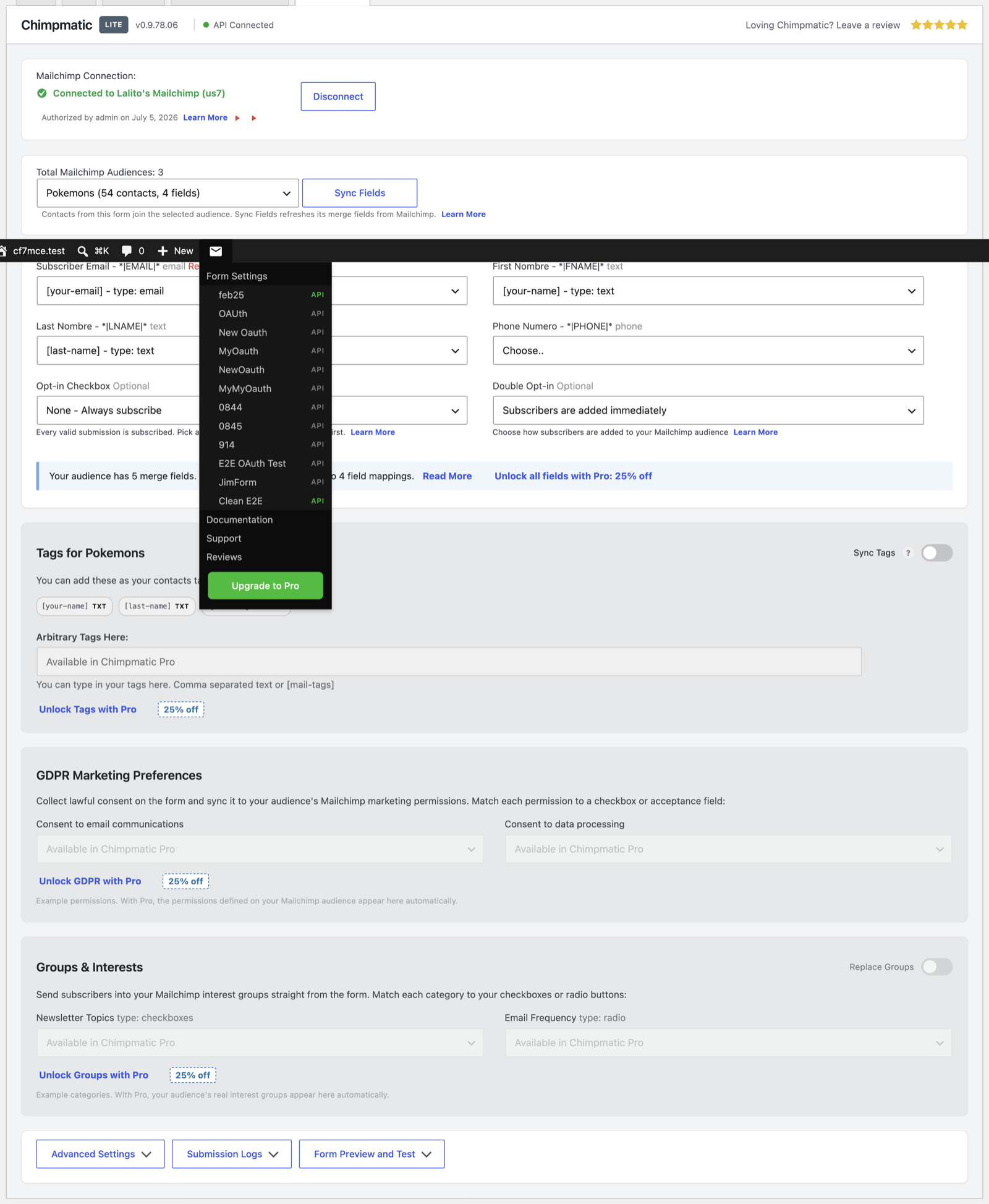
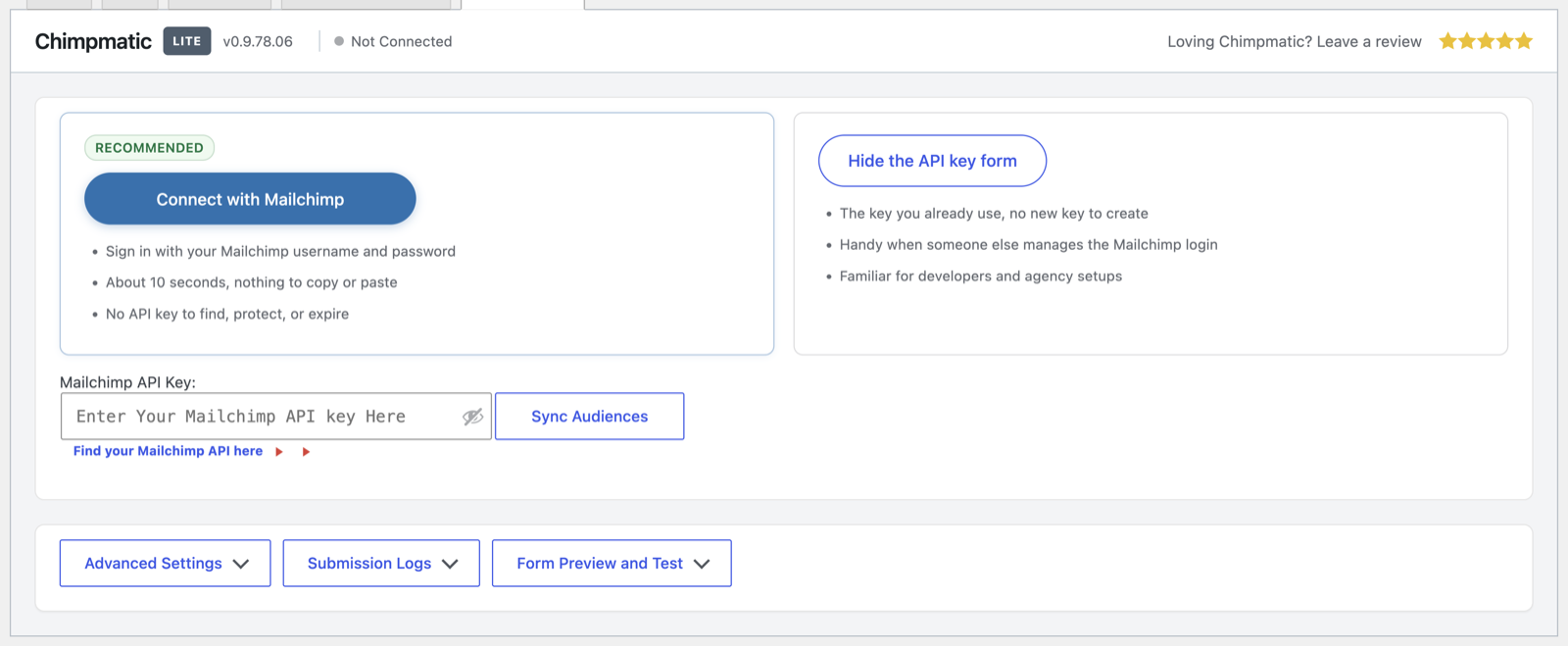
- Open a form under Contact > Contact Forms, then open its Contact Form 7 Extension tab. Choose your email platform, connect your account and select a list.
- Choose your fields, consent and confirmation settings. Save the form and send a test signup.
Screenshots
Faq
Mailchimp, Brevo, MailerLite, Klaviyo, GetResponse, EmailOctopus, Campaign Monitor and Moosend. Each form can use a different platform and account. You will need an account with your chosen platform; see the integration guides for its requirements.
The email address plus any three fields you choose from the fields your platform supports. Pick the details you want to use in your next campaign.
Yes, on all eight platforms. Where your platform controls confirmation at the account or list level, those settings apply. See the double opt-in guide.
Yes. Choose the checkbox in your form’s settings so a signup is sent only when your visitor checks it.
Visit the Help Center or contact our team.
Reviews
Awesome! This is the best plugin!
By 
Thank you for your support. The service and problem resolution are simply wonderful!
Decent plugin but has some issues
By 
The settings for this plugin aren't its own page, but a page within each CF7 form. I'm not sure if that's any more of a limitation than strange UX. The plugin creates a cmatic_daily_cron cron job that is set to run once daily but often gets stuck and won't run and refuses to run manually. Again, it appears to function fine without it - but then what is that cron supposedly doing?
Recently, there's a new admin bar icon in the top bar, with a nag for upgrading. That alone is enough to make me not want to upgrade to pro (for some clients I use pro, for others there's no budget for that).
Finally, when navigating away from any CF7 page, if this plugin is active the browser warning "Changes you made may not be saved" shows - whether you saved or not, whether you changed anything or not.
Anyway, its pretty good, but not great. (minus one star for the nag; minus one star for the browser warning and the cron job error). These errors make me doubt if its working and want to constantly audit the MailChimp list, but with dozens of sites using it, that's a big task.
Great plugin and super fast live support
By 
Plugin is excellent and simple to use.
Event better then plugin is support 🙂
They are fast and helpful.
Fatal errors and no support
By 
Fatal errors and no support
CAN NOT DELETE ACCOUNT
By 
Be Aware, once you signup for pro there is NO way of CANCELING the account. Which means they keep taxing your account every year! I am not sure how they can do this as this is not a subscription service and is illegal. We have tried to get in touch but they do not answer the emails. So it looks like now we need to go to the POLICE.
Maybe they can answer here???
Great plugin
By 
Tried few plugins and that is the only one that worked without any problems. Great plugin, thank you.
Info user disappered
By 
I had to deactivated it because caused me the disappearance from backend all the users data in their profile.
Thank you!
By 
Responsive, friendly, and solved the issue too - huge thanks!
No support!!! Even though you are paying for it!!!
By 
DON'T buy Chimpmatic!!! On their website, Chimpmatic write and promise that you get support as a paying customer, but the truth is that they never reply to the support tickets that we have sent them.
DON'T buy Chimpmatic!!!
No support for paying users
By 
Changelog
26.10.18.06
Version 26.10.18.06 release notes
26.10.06.20
Version 26.10.06.20 release notes
0.9.82.00
Version 0.9.82.00 release notes
0.9.81.17
Version 0.9.81.17 release notes
0.9.81.16
Version 0.9.81.16 release notes
0.9.81.15
Version 0.9.81.15 release notes
0.9.81.14
Version 0.9.81.14 release notes
0.9.81.13
Version 0.9.81.13 release notes
0.9.81.12
Version 0.9.81.12 release notes
0.9.81.11
Version 0.9.81.11 release notes
0.9.81.10
Version 0.9.81.10 release notes
0.9.81.09
Version 0.9.81.09 release notes
0.9.81.08
Version 0.9.81.08 release notes
0.9.81.07
Version 0.9.81.07 release notes
0.9.81.05
Version 0.9.81.05 release notes
0.9.81.04
Version 0.9.81.04 release notes
0.9.81.03
Version 0.9.81.03 release notes
0.9.80.00
Version 0.9.80.00 release notes
0.9.78.07
Version 0.9.78.07 release notes
0.9.78.06
Version 0.9.78.06 release notes
0.9.78.05
Version 0.9.78.05 release notes
0.9.78.04
Version 0.9.78.04 release notes
0.9.78.02
Version 0.9.78.02 release notes