Contact Form Extender for Divi – Save Entries, File Upload & Country Code Field
Contact Form Extender for Divi – Save Entries, File Upload & Country Code Field
Description
Divi Contact Form Extender
Contact Form Extender for Divi is a must-use Divi extension that enhances the native contact form module with useful fields and features like file upload field, country code dropdown, and more. It also works as a Divi Contact Form DB solution that securely stores Divi form submissions inside your WordPress database.
As a Divi theme user, you may already know that the default form module sends email notifications but does not keep a backup of entries inside the dashboard. This plugin improves form management and lead handling by saving submissions in the admin area and extending the built-in module without replacing it or requiring a separate form builder plugin.
Features of Divi Form Extender
-
Save Form Submissions in Database:
Automatically save form entries inside your WordPress dashboard and access them anytime from the admin panel. Keep a secure backup of leads beyond email notifications. -
File Upload Field for Divi Form:
Add a file upload field directly inside the Divi Contact Form module and allow users to attach documents, images, or other files while submitting the form, making it ideal for job applications, support requests, and inquiry forms. -
Country Code Dropdown for Phone Field:
Add a country code selector inside your Divi form phone field to support international form submissions and improve user experience. -
Lightweight & Optimized Divi Extension:
Built with clean and optimized code to ensure your website speed and stability remain unaffected. It enhances the native Divi Contact Form module without replacing it.
Pro Version with Advanced Fields (Coming Soon)
A Pro version will be available soon with additional advanced fields and extended functionality. Upcoming features include Range Slider, Select2 Dropdown, Image Radio Buttons, Toggle Field, Signature Field, Calculator Field, and more. These enhancements will help you build advanced, interactive forms directly inside Divi without depending on third-party contact form builders.
More Divi Extensions & Other Plugins
This plugin is developed and maintained by Cool Plugins, a trusted WordPress plugin development company. Explore more Divi extensions and other cool plugins built by us.
- Timeline Module for Divi: Add beautiful vertical and horizontal timeline layouts inside Divi Builder. Perfect for company history, roadmaps, milestones, and storytelling sections.
- Events Calendar Modules for Divi: Integrate The Events Calendar plugin with Divi Builder and display upcoming events in list, grid, and calendar layouts using custom Divi modules.
- Cool FormKit for Elementor: If you are using Elementor instead of Divi, Cool FormKit extends the Elementor Form widget with advanced features similar to this Divi extension.
- AutoPoly – AI Translation for Polylang: AutoPoly is an AI translation addon for the Polylang plugin that allows you to bulk translate WordPress pages and posts automatically using AI, helping you build multilingual websites faster.
Third-Party Services: To improve plugin experience, this plugin may offer optional feedback submission and limited diagnostic data sharing. Data is transmitted strictly after explicit user consent (opt-in). No hidden tracking and no site users or visitor is collected. For complete details, please review our Data Usage Policy, TOS, and Privacy Policy.
It also includes the intl-tel-input library, distributed under the MIT License.
Disclaimer: This Divi extension is developed and maintained by Cool Plugins. It is not affiliated with, or endorsed by Elegant Themes. Some links inside this plugin or its readme may be affiliate links, which means we may earn a small commission at no additional cost to you.
Installation
Follow the steps below to install and configure Contact Form Extender for Divi.
1. Install and Activate the Plugin
- Go to Plugins Add New in your WordPress dashboard.
- Search for Contact Form Extender for Divi.
- Click Install Now and then Activate.
Important: This plugin requires the Divi Theme to be installed and activated.
2. Access Plugin Dashboard
After activation, go to:
WP Admin Divi Contact Form Extender
You will see three main tabs:
- Form Elements
- Settings
- Form Submissions
3. Enable Form Elements
- Open the Form Elements tab.
- Enable or disable available fields and features like:
- File Upload Field
- Country Code Dropdown
- Only enabled elements will be available inside the Divi Contact Form module while building forms.
4. Configure Plugin Settings
- Go to the Settings tab.
- Manage additional configuration options related to enabled fields or feature behavior.
- Save changes after updating settings.
5. View Saved Form Submissions
- Open the Form Submissions tab.
- View a complete list of all saved form entries.
- Manage and review submissions directly from your WordPress dashboard.
6. Use Inside Divi Builder
- Open any page with Divi Builder.
- Add or edit the Contact Form module.
- Enabled fields from the Form Elements tab will now be available while building your form.
Screenshots
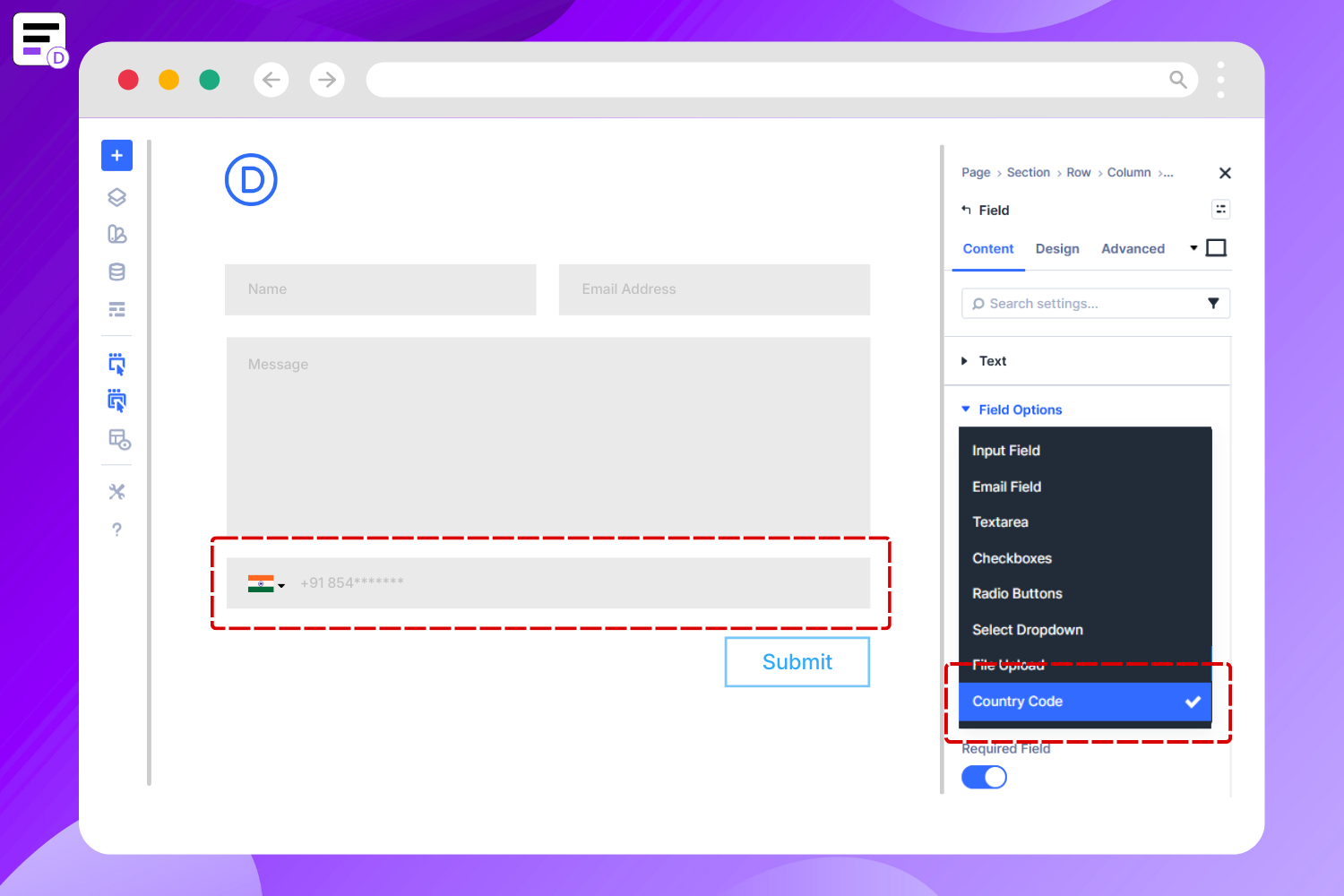
Divi Contact Form – Country Code field
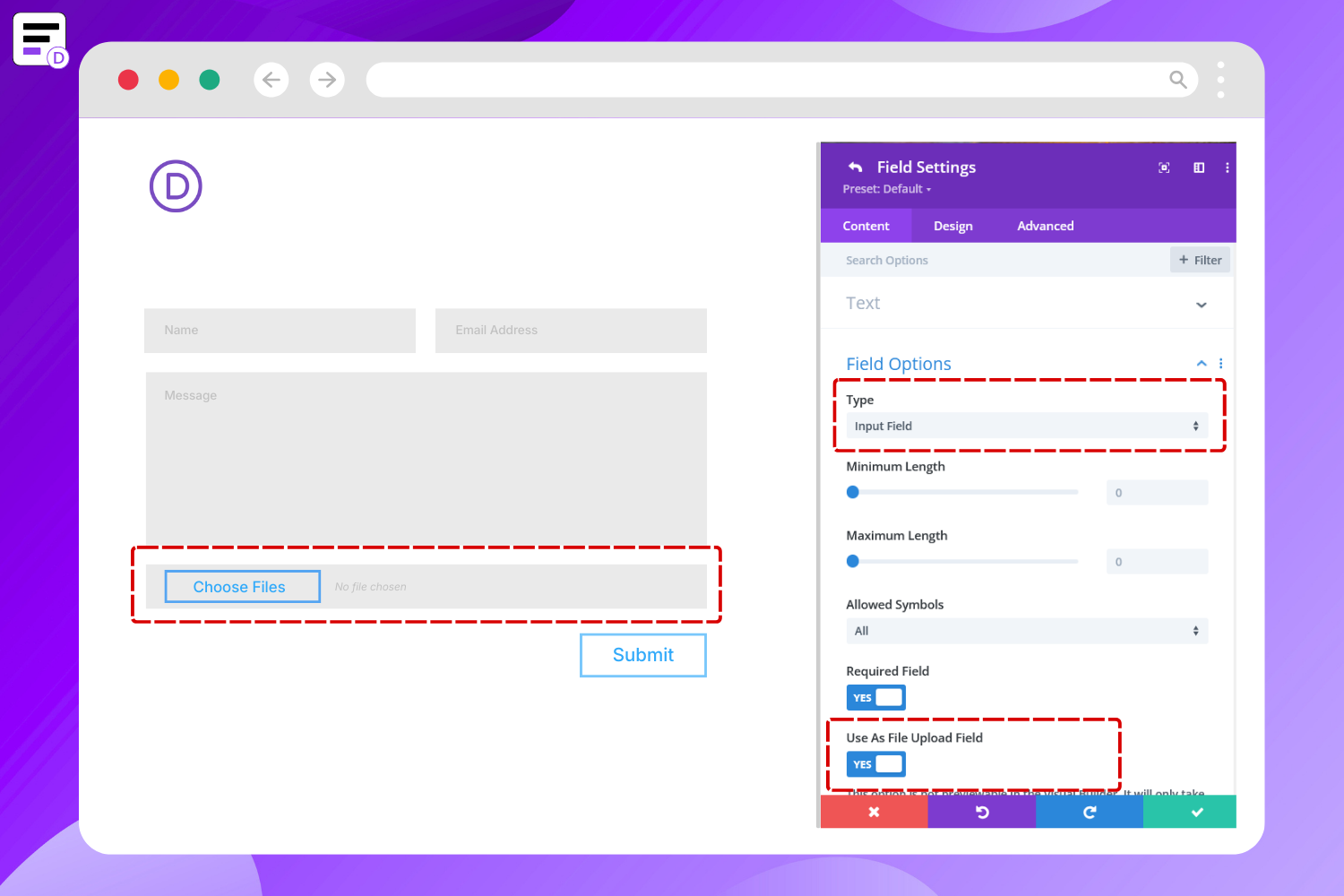
Divi Contact Form – File Upload field
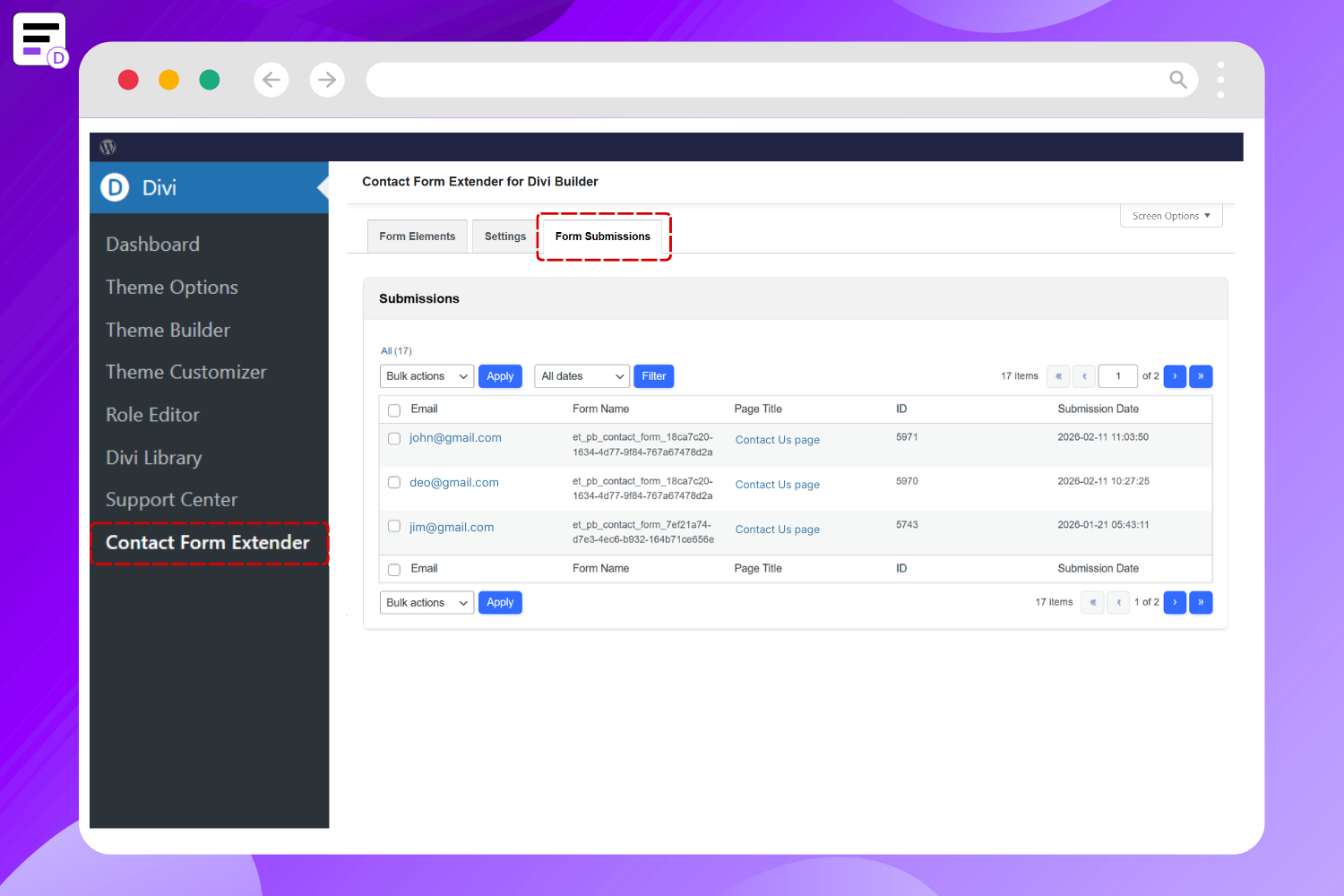
Saved Divi Form Submissions in Dashboard
Faq
Yes. This plugin works as a Divi contact form helper and database solution that stores all submissions inside your WordPress dashboard. You can view and manage saved entries from:
WP Admin Divi Contact Form Extender Form Submissions
Yes. It enhances the native Divi Contact Form module without replacing it. You can continue using Divi Builder normally while adding additional fields and extended functionality.
Yes. After enabling the File Upload option from the Form Elements tab, you can add it directly inside the Divi form module while building your form.
Enable the Country Code option from the Form Elements tab. Once activated, the country code selector will be available inside the phone field of the Divi Contact Form module.
No. This plugin works directly with the built-in Divi Contact Form module. You do not need to install any additional form builder plugin. It is lightweight, optimized for performance, and designed to integrate seamlessly with Divi.
Reviews
Changelog
1.0.4 – Feb 27, 2026
- Added: Header on single submission view page.
- Added: “Back to View All” link on single submission page.
- Improved: Plugin dashboard header.
- Updated: Plugin review URL to WordPress.org review page.
- Removed: Incorrect documentation links from dashboard.
1.0.3 – Feb 25, 2026
- Added: Country Code dropdown field for Divi form module.
1.0.2 – Feb 24, 2026
- Added: Initial public release.
- Added: Save Divi form submissions inside the WordPress dashboard.
- Added: File Upload field support for Divi Contact Form module.
- Added: Plugin admin dashboard under Divi Contact Form Extender.