Contact Form Extender for Divi – Submissions DB & Extra Fields
Contact Form Extender for Divi – Submissions DB & Extra Fields
Description
Divi Contact Form Extender
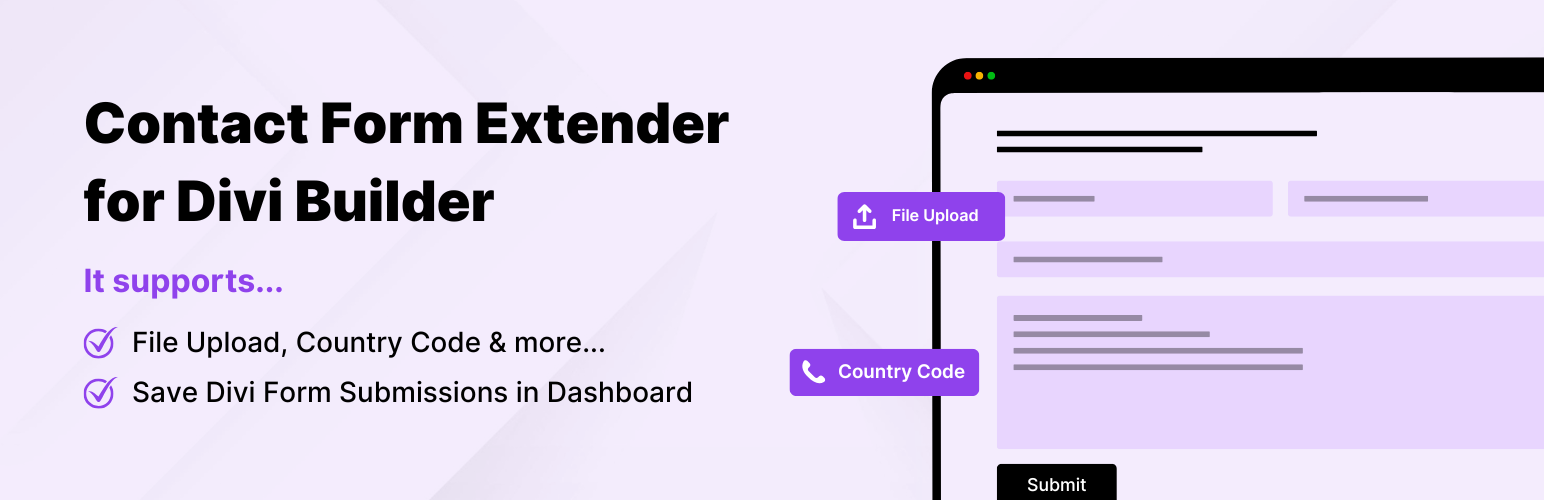
Contact Form Extender for Divi is a must-use Divi extension that enhances the native contact form module with useful fields and features like file upload, country code dropdown, and more. It also works as a Divi Contact Form DB solution that securely stores Divi form submissions inside your WordPress database. Advanced fields (Signature, Toggle, and Image Radio) are available in Pro version.
As a Divi theme user, you may already know that the default form module sends email notifications but does not keep a backup of entries inside the dashboard. This plugin improves form management and lead handling by saving submissions in the admin area and extending the built-in module without replacing it or requiring a separate form builder plugin.
Features of Divi Form Extender
-
Save Form Entries in Database
Automatically store every form entry directly inside your WordPress admin panel, giving you full control over incoming inquiries. Instead of depending only on email notifications, you can review, search, and manage submissions from a centralized location. This is especially useful for tracking leads, monitoring customer inquiries, verifying message history, and maintaining records for compliance or internal reporting. All entries are securely saved within your website’s database, ensuring that important communication data remains accessible even if email delivery fails. -
File Upload Field for Divi Forms
Enhance your forms by allowing visitors to attach files along with their submissions. This feature is ideal for job applications, support requests, project briefs, design assets, quotations, and document submissions. Uploaded files are handled through WordPress’s native media handling system, ensuring compatibility with standard hosting environments. You can control file types and size limits based on your server configuration, providing both flexibility and security. This makes your forms more dynamic and suitable for professional use cases. -
Country Code Selector for Phone Field
Improve the accuracy and consistency of phone number collection by enabling an international country code selector. This feature is particularly valuable for websites serving global audiences. By separating the country code from the main phone number input, you reduce formatting errors and make it easier to manage international inquiries. The dropdown enhances user experience by simplifying the input process while helping administrators receive properly structured contact information. -
Clean Dashboard Interface:
Inside the WordPress admin area, the plugin provides a dedicated dashboard under:
Divi > Contact Form Extender
The interface is organized into clear sections:- Form Elements: Enable or disable specific fields.
- Settings: Configure additional options.
- Form Submissions: View and manage saved entries.
-
Lightweight & Optimized Divi Extension:
Built with performance and stability in mind, this extension integrates smoothly with the Divi environment without adding unnecessary overhead. It does not replace the existing form module or inject heavy frontend scripts. The focus is on clean implementation, efficient database storage, and minimal impact on page speed. Whether you are running a small business website or a high-traffic project, the plugin is designed to maintain reliability while extending functionality in a structured and scalable way.
Pro Version with Advanced Fields
Pro version adds advanced input fields to the Divi Contact Form module. After upgrading, enable each field under Divi Contact Form Extender Form Elements, then add it inside the Contact Form module in the builder. Each heading below links to documentation for that field.
Signature Field
Collect handwritten digital signatures directly within the Divi form. This is useful for consent forms, service agreements, policy acceptance, waivers, approvals, or confirmation requests. It adds a professional touch when you need acknowledgment from users without using external tools.
Toggle Field
Replace traditional checkboxes with a clean on/off switch inside your Divi form. Toggle fields are perfect for enabling optional add-ons, confirming agreements, activating services, or selecting preferences. The interface feels simple and modern while keeping the form layout clean.
Image Radio Field
Let users select options using images instead of plain text. This works beautifully for product choices, design layouts, package selection, branding styles, or visual preferences. Inside Divi, this makes your form feel more interactive and visually engaging rather than purely text-based.
Country Field
Add a dedicated country selector to your form so addresses and regional data stay standardized. Works well with shipping, registration, and lead forms that need a clear country value.
State Field
The State field works alongside the Country field to display and select the relevant state or province based on the selected country. This ensures accurate and structured location data, making it easier to manage regional settings, routing, and data organization.
Range Slider Field
Collect numeric input using a smooth, draggable slider in your forms created with Divi page builder. This is perfect for budget ranges, quantity selection, service levels, rating scales, donation amounts, or custom estimates. Instead of typing numbers manually, visitors can simply slide to their preferred value.
Date & Time Picker Field
Allow users to choose dates and time slots directly from a structured picker interface inside your Divi form. Ideal for appointment requests, meeting scheduling, delivery slots, consultation bookings, or event registrations. It prevents formatting mistakes and ensures you receive properly structured date information every time.
Calculator Field
Build intelligent calculation logic directly into your Divi form. Automatically calculate totals based on user selections such as quantity, service type, duration, or pricing models. Ideal for quotation forms, cost estimators, service configuration tools, or custom order requests. The results update dynamically, providing instant feedback to users.
Select2 Dropdown Field
Enhance standard dropdown menus with a searchable and user-friendly selection interface. This is especially useful when dealing with long option lists such as cities, services, departments, categories, or product names. Visitors can quickly search and select without scrolling endlessly.
Rating Field
Let visitors rate an experience, product, or service using a clear star or icon-based control. Ideal for feedback forms, reviews, support satisfaction, and quick sentiment checks without asking for long written answers.
Currency Field
Collect monetary amounts with a structured currency input so values stay consistent for quotes, deposits, donations, or budget inquiries. Helps reduce ambiguity compared to a plain text field.
WYSIWYG Field
Offer a rich text area with basic formatting so users can emphasize lists, links, or short structured content—useful for detailed messages, briefs, or instructions while keeping input inside the Divi form.
Confirm Dialog Box
Show a confirmation step before the form is submitted so visitors explicitly agree to terms, pricing, or important actions. Reduces accidental submissions and supports consent-style workflows.
More Divi Extensions & Other Plugins
This plugin is developed and maintained by Cool Plugins, a trusted WordPress plugin development company. Explore more Divi extensions and other cool plugins built by us.
-
Timeline Module for Divi : Create visually engaging vertical and horizontal timelines directly inside Divi page builder. This plugin allows you to showcase company history, product evolution, project milestones, roadmaps, achievements, or storytelling sections in a structured layout. It integrates smoothly with Divi’s design controls, enabling full styling customization while keeping the editing experience consistent within the builder interface.
-
Events Calendar Modules for Divi : Display and design event listings inside Divi using custom modules built specifically for The Events Calendar plugin. Whether you need event grids, event lists, or calendar-style layouts, this extension allows you to control presentation without custom coding. It helps event-based websites manage schedules, workshops, conferences, and recurring events within the Divi design framework.
-
Cool FormKit for Elementor : If your projects use Elementor instead of Divi, Cool FormKit provides similar form-enhancement capabilities for the Elementor Form widget. It extends Elementor forms with additional input fields, entry storage options, and advanced functionality designed for professional websites.
-
AutoPoly – AI Translation for Polylang : AutoPoly helps automate multilingual website creation by integrating AI-powered translation into the Polylang plugin. It enables bulk translation of posts, pages, and custom content types, reducing manual workload and speeding up content localization. This is especially useful for businesses expanding to international markets or managing content in multiple languages.
Third-Party Services: To improve plugin experience, this plugin may offer optional feedback submission and limited diagnostic data sharing. Data is transmitted strictly after explicit user consent (opt-in). No hidden tracking and no site users or visitor is collected. For complete details, please review our Data Usage Policy, TOS, and Privacy Policy.
It also includes the intl-tel-input library, distributed under the MIT License.
Disclaimer: This Divi extension is developed and maintained by Cool Plugins. It is not affiliated with, or endorsed by Elegant Themes. Some links inside this plugin or its readme may be affiliate links, which means we may earn a small commission at no additional cost to you.
Divi 5 Compatibility: This plugin is fully compatible with both Divi 5 and Divi 4 editors. Whether you are building your contact form using the latest Divi 5 builder interface or the classic Divi 4 editor, you can still use all the features provided by this extension.
Installation
Follow the steps below to install and configure Contact Form Extender for Divi.
1. Install and Activate the Plugin
- Go to Plugins Add New in your WordPress dashboard.
- Search for Contact Form Extender for Divi.
- Click Install Now and then Activate.
Important: This plugin requires the Divi Theme to be installed and activated.
2. Access Plugin Dashboard
After activation, go to:
WP Admin Divi Contact Form Extender
You will see three main tabs:
- Form Elements
- Settings
- Form Submissions
3. Enable Form Elements
- Open the Form Elements tab.
- Enable or disable available fields and features, for example:
- Save Submission, File Upload, Country Code (free plugin)
- With Pro version active: additional fields such as Range Slider, Date picker, Signature, Toggle, Image Radio, Calculator, Select2, Rating, Currency, WYSIWYG, Confirm Dialog, Country, State, and more.
- Only enabled elements will be available inside the Divi form builder module while building forms.
4. Configure Plugin Settings
- Go to the Settings tab.
- Manage additional configuration options related to enabled fields or feature behavior.
- Save changes after updating settings.
5. View Saved Form Submissions
- Open the Form Submissions tab.
- View a complete list of all saved form entries.
- Manage and review submissions directly from your WordPress dashboard.
6. Use Inside Divi Builder
- Open any page with Divi Builder.
- Add or edit the Contact Form module.
- Enabled fields from the Form Elements tab will now be available while building your form.
Screenshots
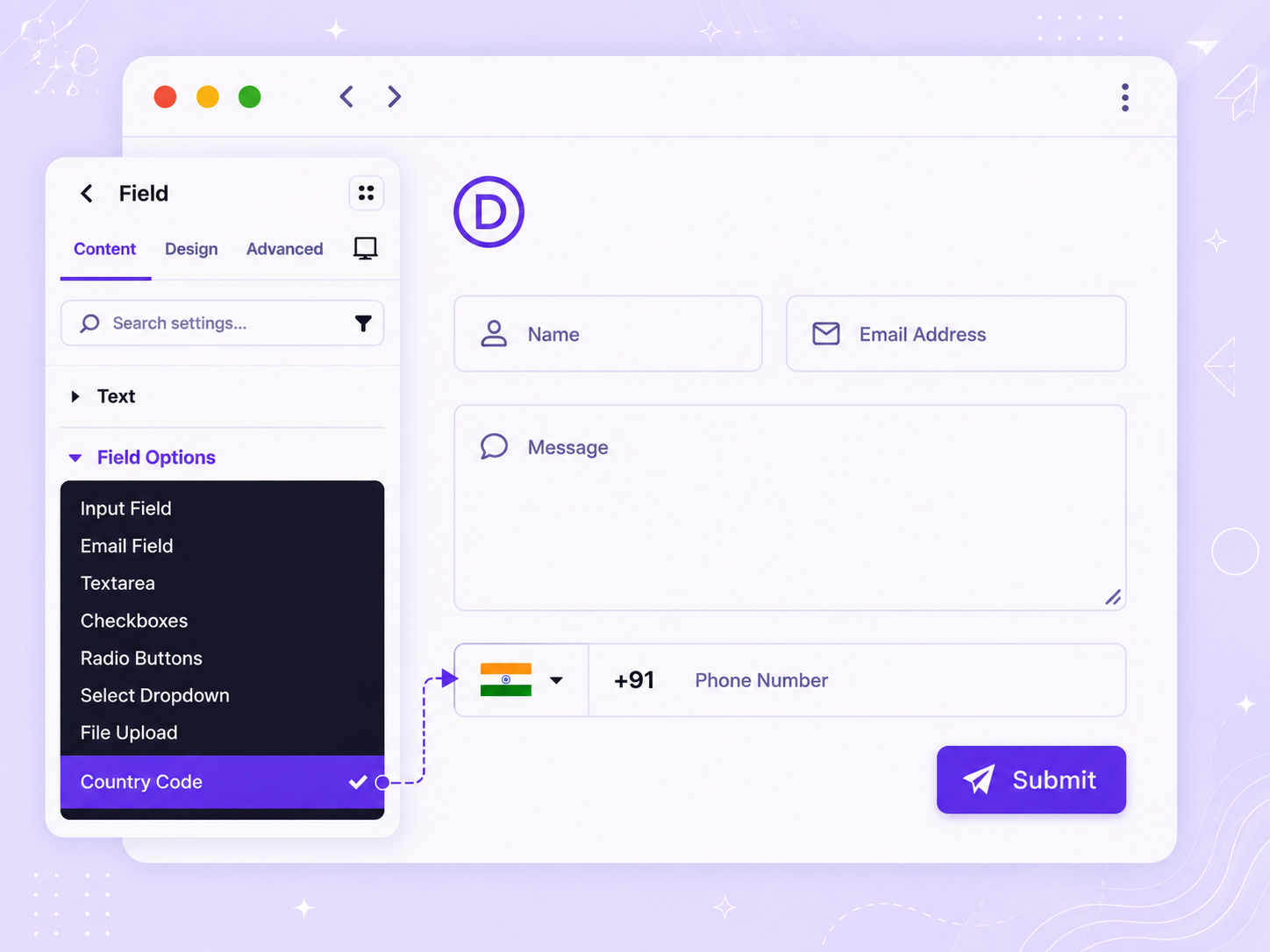
Divi Contact Form - Country Code Field
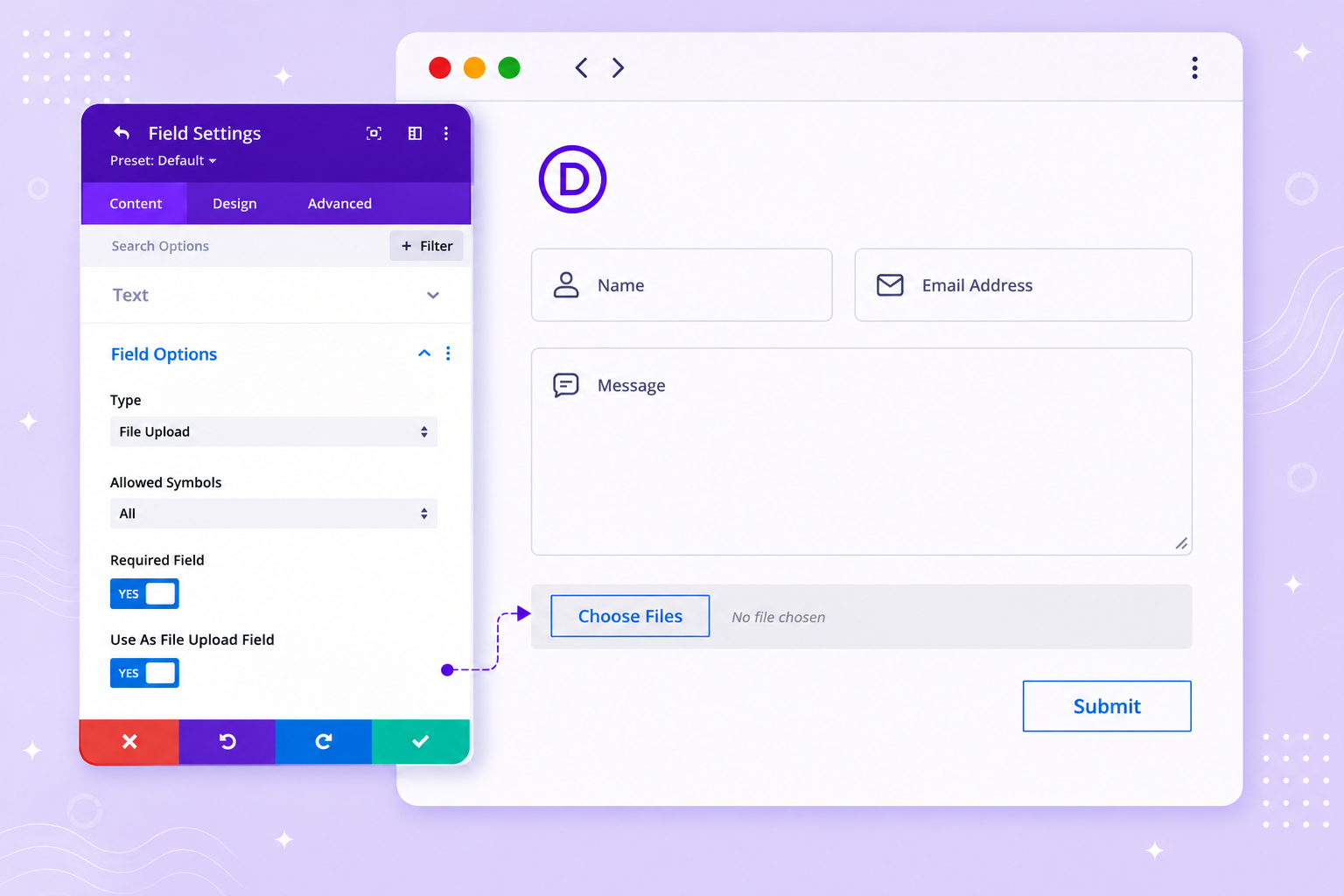
Divi Contact Form - File Upload Input Field
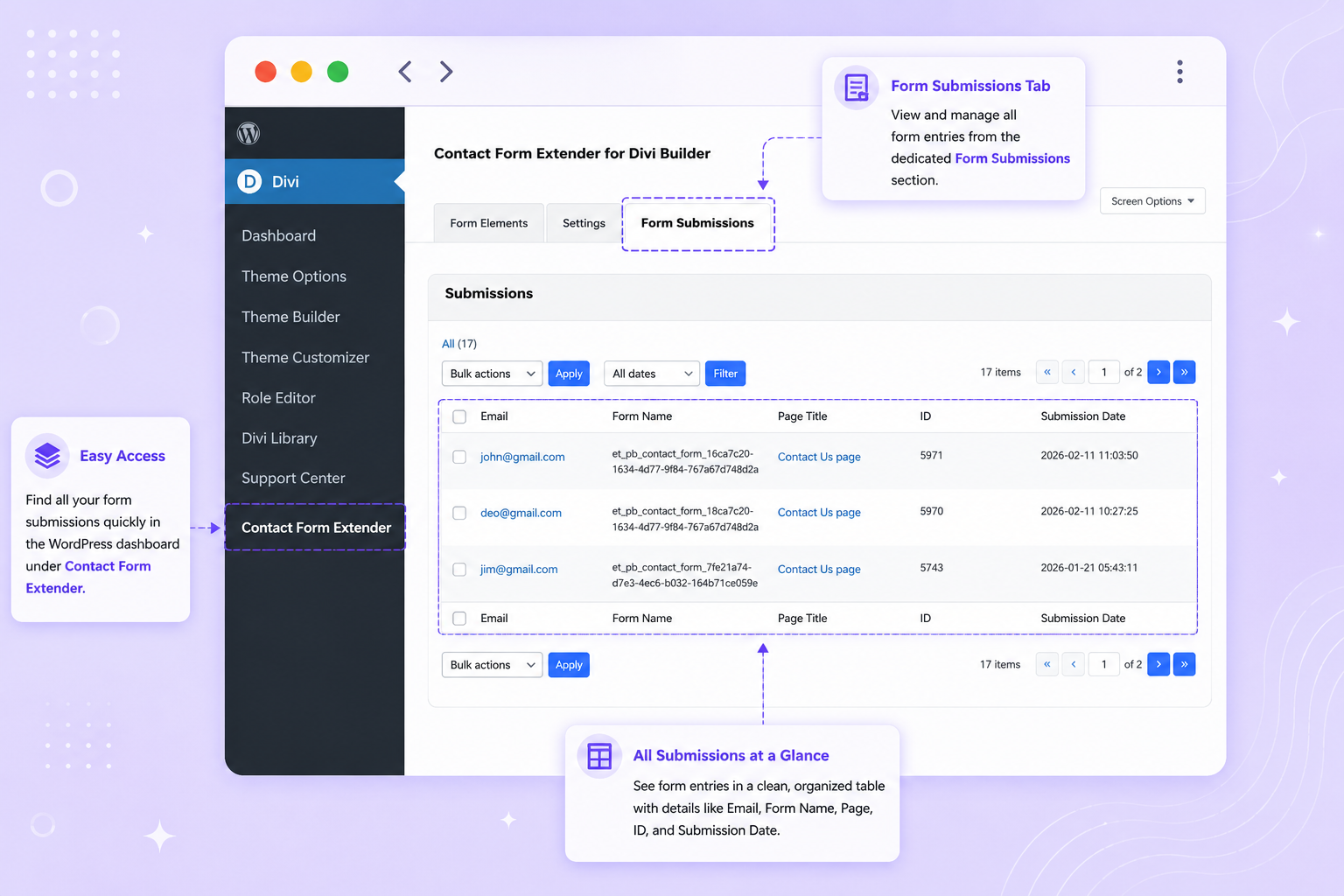
Saved Divi Form Submissions in Dashboard
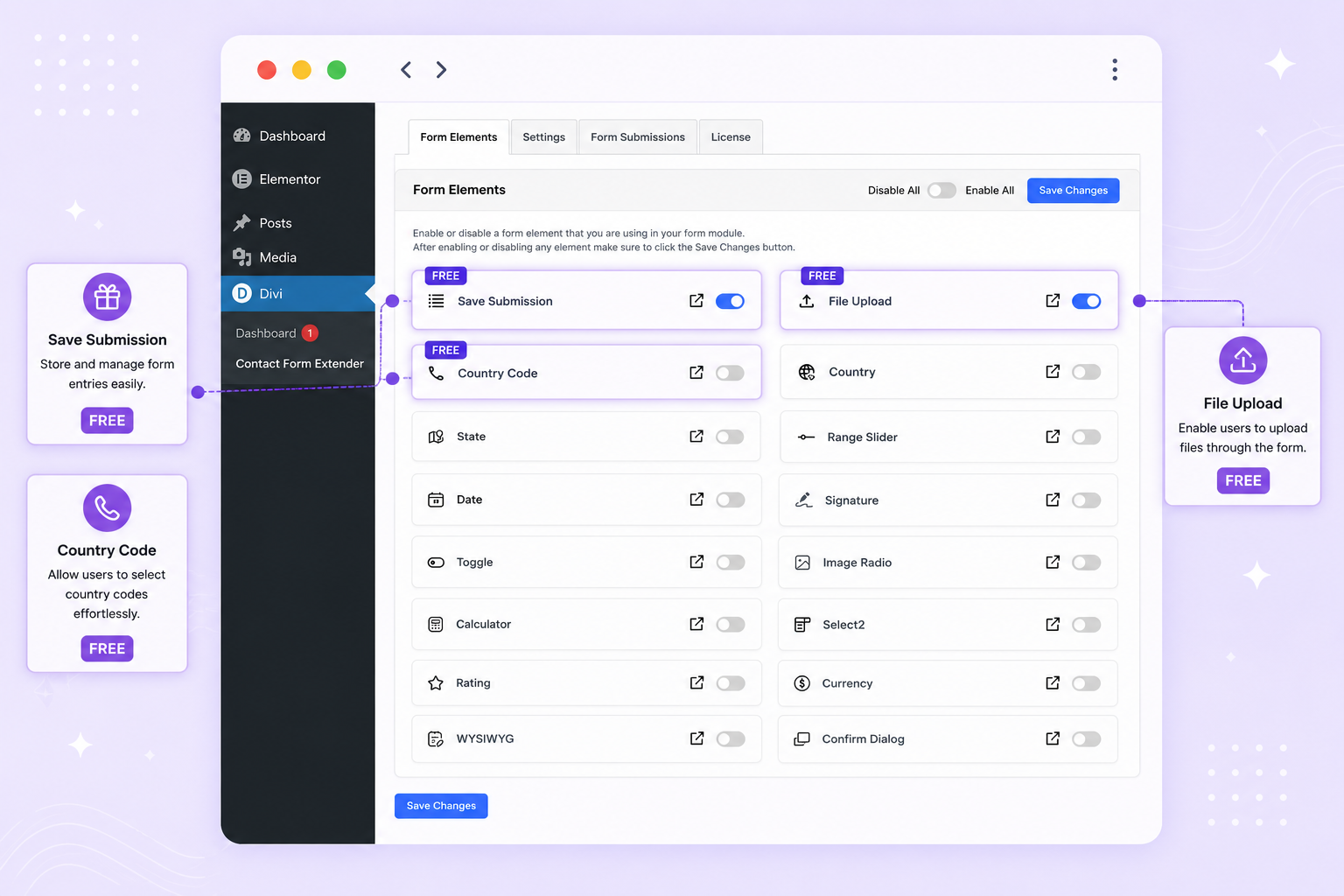
Divi Contact Form - Dashboard
Faq
To store Divi form entries directly inside your WordPress database, you have to toggle on the save submission feature from the WordPress Admin Panel >> Divi >> Contact Form Extender >> Form Elements Tab.
Once enabled all data entered through Divi contact forms will be securely stored within WordPress.
You can view these entries by navigating to: Divi > Contact Form Extender > Form Submissions.
Yes. The plugin is designed to extend the native Divi Builder Contact Form module rather than replace it. The extension simply adds additional capabilities and fields while keeping the same editing workflow, styling controls, and design flexibility provided by Divi.
Yes. After enabling the File Upload option from the Form Elements tab, the upload field becomes available inside the Divi form module.
This allows visitors to attach files when submitting forms. Common use cases include:
- Job application forms
- Support ticket forms
- Document submission forms
- Project inquiry forms
- Design or media uploads
Uploaded files are handled using WordPress’s standard file management system.
Enable the Country Code option from the Form Elements tab in the plugin dashboard. Once activated, the country code selector will appear alongside the phone number field in the Divi Contact Form module.
This feature is particularly useful for websites receiving international inquiries, as it helps collect phone numbers in a more consistent and structured format.
Yes. You can enable or disable individual features from: Divi > Contact Form Extender > Form Elements
Only the enabled fields will appear in the Divi builder.
No. This plugin works directly with the built-in Divi Contact Form module, so there is no need to install a separate form builder plugin.
The goal of the extension is to enhance Divi’s native form system while keeping everything inside the familiar Divi Builder interface.
All form entries submitted through the Divi Contact Form module are stored in the WordPress dashboard. You can access them from:
Divi > Contact Form Extender > Form Submissions
Yes. Contact Form Extender for Divi is compatible with both Divi 5 and Divi 4. The plugin extends the native Divi Contact Form module. Whether your website is running the latest Divi 5 release or an existing Divi 4 setup, it works seamlessly in both environments. The free plugin adds features like file upload, country code, and form submission storage; Pro version adds advanced fields (for example Range Slider, Date picker, Signature, Toggle, and Image Radio) without affecting your current design workflow.
Reviews
Changelog
1.1.5 – Jul 02, 2026
- Improved: Plugin code quality.
1.1.4 – Jun 19, 2026
- Updated: Textual Changes.
1.1.3 – Jun 16, 2026
- Fixed: Bug fixes.
1.1.2 – Jun 16, 2026
- Improved: Cleaned up the notice registration logic for better readability.
1.1.1 – Jun 02, 2026
- Improved: Plugin code quality and security.
1.1.0 – May 04, 2026
- Tested compatibility with Divi Theme v5.4.0
- Updated plugin readme.
1.0.9 – Apr 27, 2026
- Improved: Plugin admin dashboard UI.
- Improved: Module custom fields code.
1.0.8 – Apr 13, 2026
- Improved: Country code field with Divi 5.2.1
1.0.7 – Apr 06, 2026
- Fix: Added proper validation and sanitization to prevent unauthorized file deletion.
1.0.6 – Mar 26, 2026
- Updated: Internal Links.
1.0.5 – Mar 23, 2026
- Updated: Form field elements in the plugin dashboard.
- Updated: Internal Links.
1.0.4 – Feb 27, 2026
- Added: Header on single submission view page.
- Added: “Back to View All” link on single submission page.
- Improved: Plugin dashboard header.
- Updated: Plugin review URL to WordPress.org review page.
- Removed: Incorrect documentation links from dashboard.
1.0.3 – Feb 25, 2026
- Added: Country Code dropdown field for Divi form module.
1.0.2 – Feb 24, 2026
- Added: Initial public release.
- Added: Save Divi form submissions inside the WordPress dashboard.
- Added: File Upload field support for Divi Contact Form module.
- Added: Plugin admin dashboard under Divi Contact Form Extender.