Contact Page

Contact Page
Description
Create a contact page that is easy to maintain, with some special features like fully customizable Google Maps integration and Twitter feed.
- Google Maps
Installation
- Place the ‘contact-page’ folder in your ‘/wp-content/plugins/’ directory.
- Activate ‘Contact Page’.
- Go to ‘Settings > Contact Page’ and fill in your contact details.
- Add the shortcode
[contact-page]to any page (or post). - Have a look at your site.
Screenshots
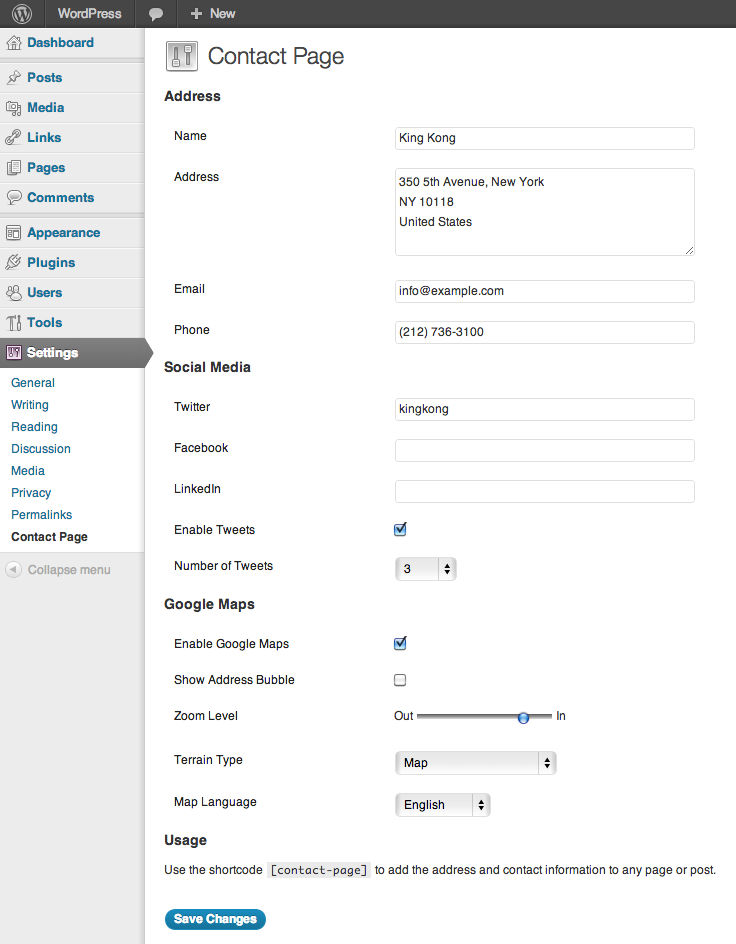
Contact Page settings
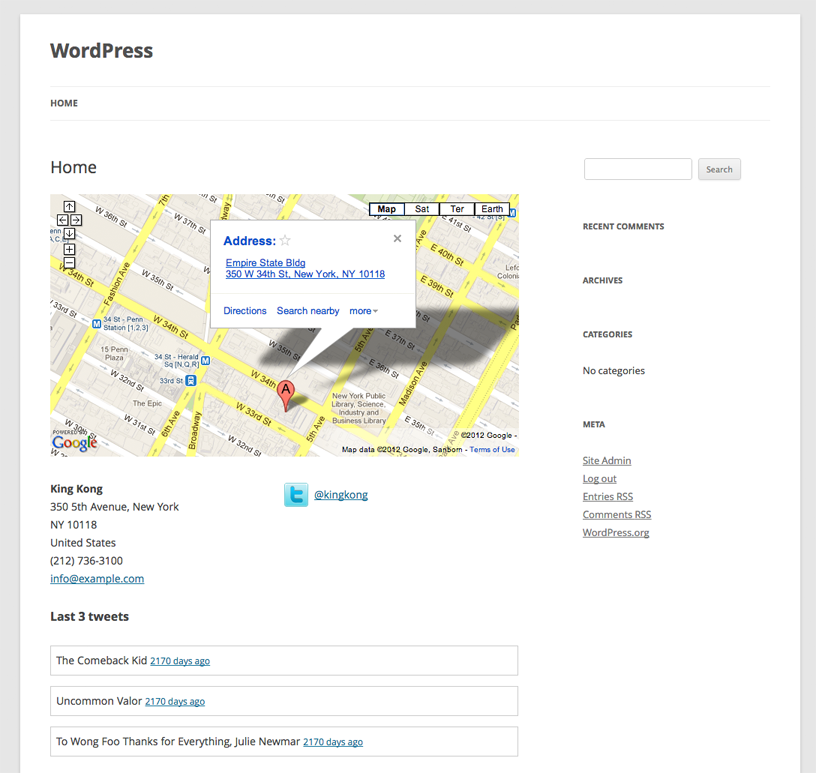
The page that is generated by the plugin
Reviews
Changelog
1.0
- First public release of the plugin.