ContentBot AI Writer (ChatGPT, GPT4)

ContentBot AI Writer (ChatGPT, GPT4)
Description
Get ideas, inspiration, and content in a few clicks with our AI Writer. All content is unique and original. Simply tweak it and go. No more blank pages!
Create amazing human-like content snippets for your product or blog with the click of a button.
Features
- Create product descriptions
- InstructBot (ChatGPT equivalent)
- Generate blog topic ideas
- Create a blog intro for your next article
- Generate page headline Ideas
- Create blog outlines
- Rewrite sentences
- Change the tone of your sentences
- Talking points
- Summarizer (long form)
- Generate listicles
- Use our bullet point expander to create paragraphs
- Summarize long content into succinct copy
- Finish the sentence
- Create brand names, startup ideas and slogans
- Create ad copy for Adwords and Facebook
- Come up with video ideas and descriptions
- Create comprehensive landing page content
- Create a value proposition for your product or service
- Generate a list of marketing ideas
- Use copywriting formulas such as AIDA, PBS, PAS and more
- Blog conclusions
- Create paragraphs with a click
- Engaging questions
- Explain it to a child
- Explain it like a professor
- Brand story
- Photo captions
- Lots more!
Link the plugin to the Web App
By linking the WordPress plugin to our AI Writer web app, you will be able to import documents from the web app directly into your WordPress site.
ContentBot makes use of OpenAI’s GPT-3.5 model. We will soon include ChatGPT 4.
You can upgrade to our premium plan here.
Looking for a Jasper alternative that works in WordPress? You’ve found it! We were the first AI Writer that launched a WordPress plugin. WordPress development is something we’ve specialized in for the last 11 years. You’re in good hands!
AI content marketing has never been so easy.
Installation
Download the ContentBot ZIP file.
Installing the ZIP File
- Log in to your WordPress admin panel.
- Go to WordPress Plugins page and click on Add New button, then Upload the .zip file that you downloaded.
- Then click “Install Now” and then “Activate”
- Create a new page/post and insert the ContentBot block to start generating AI content
Installing via WordPress Plugin Search
- Log in to your WordPress admin panel.
- Go to WordPress Plugins page and search for “ContentBot”
- Then click “Install Now” and then “Activate”
- Create a new page/post and insert the ContentBot block to start generating AI content
That’s it! ContentBot will now be enabled on your site!
Screenshots

Adding an AI content bot block
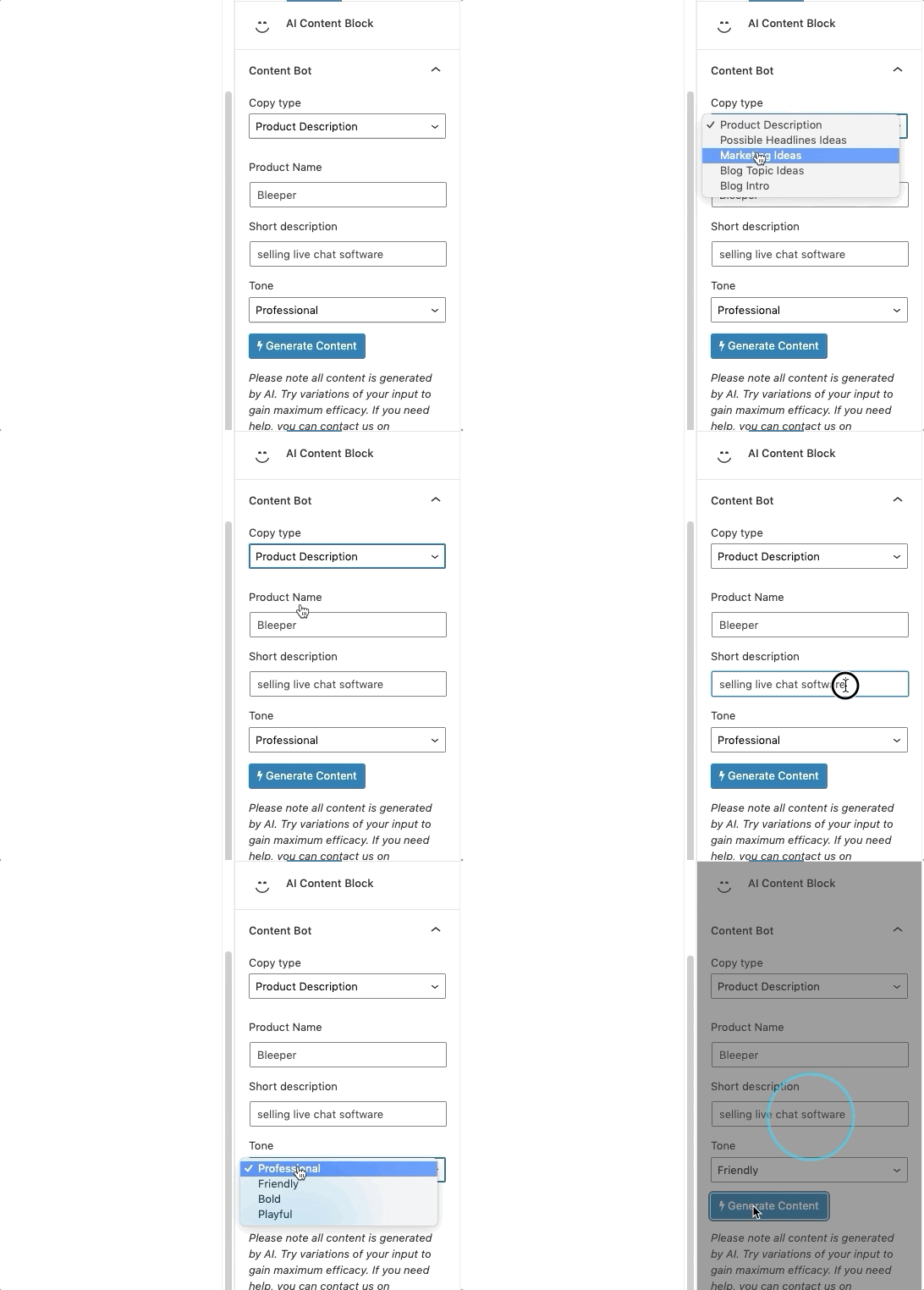
Generating AI content
Faq
OpenAI’s GPT-3 is a state-of-the-art natural language processing system that uses deep learning to produce human-like text. We’ve bundled all of this power into an easy to use WordPress plugin.
Simple head over to ContentBot.ai, then click on “Documents”. Click the three dots for the document you want to export and click “Export”. Please note the export option will only show if you have successfully linked your WordPress plugin to ContentBot.
Reviews
It's work the way you want
By 
For me, this plugin is a good enough for a writer starter, hopefully the can create an article along with the image in the future.
PS: I believe We still need to review the article from AI, but it's good enough fo me, also this is should be a premium not freemium I believe.
ContentBot helps me a lot!
By 
Helps me in creative tasks, information gathering, problem-solving, And this is just scratching the surface.
Requires a paid subscription via API
By 
Note to author.
5. Trialware is not permitted.
Plugins may not contain functionality that is restricted or locked, only to be made available by payment or upgrade. Functionality may not be disabled after a trial period or quota is met. In addition, plugins that provide sandbox only access to APIs and services are also trial, or test, plugins and not permitted.
Paid functionality in services is permitted (see guideline 6: serviceware), provided all the code inside a plugin is fully available. We recommend the use of add-on plugins, hosted outside of WordPress.org, in order to exclude the premium code. Situations where a plugin is intended as a developer tool only will be reviewed on a case by case basis.
Attempting to upsell the user on ad-hoc products and features is acceptable, provided it falls within bounds of guideline 11 (hijacking the admin experience).
developer.wordpress.org/plugins/wordpress-org/detailed-plugin-guidelines/#5-trialware-is-not-permitted
Let me know if I am mistaken, "This is a limited seat "trial ... 5 000 words once off"
Contentbot.ai is the best
By 
Contentbot.ai is a powerful AI-powered content generation tool that can help businesses and marketers create high-quality, unique content in a fraction of the time it would take to write it manually. It is easy to use, with a simple user interface and a wide range of customization options.
Contentbot.ai's 2 amazing features I use…
By 
I'm in love with ContentBot Rephrase feature. It help me a lot to get an idea
By 
Easy to use AI writer with great features
By 
WordPress api
By 
Great AI writing tool
By 
Fast & Reliable AI Writer
By 
Changelog
v1.2.4 – 2024-09-04
- Added a custom REST Endpoint used for unlinking from app side
- Fixed issue where the “Rewrite draft with AI” action would be displayed if not logged in
- Updated GPT models
-
- GPT-4o-mini
-
- GPT-4o
v1.2.3 – 2023-11-27
- Updated InstructBot to Chat feature
- Added ability to rewrite posts using AI
- Added wordpress publish ‘status’ param
- Added multi wordpress site functionality
v1.2.2 – 2023-04-21
- Added InstructBot feature
- Added ability to rephrase text block content
- Updated Help submenu page
- Added Overview to Help page
- Added JSON escaping for instruct calls
v1.2.1 – 2023-01-18
- Added ContentBot.ai integration support
- Added a custom ‘cbai_import_document’ REST Endpoint
- Improved Sign In and Login flows (connect)
- Added Uninstallation Hook
- Added all the latest short form tools
-
- instruct
-
- talking points
-
- summarizer (long form)
- Changed block name to “AI Content”
- Added Help submenu page
v1.2.01 – 2022-09-12
- Fixed incorrect branding image
v1.2.00 – 2022-09-09
- Added all the latest short form tools
-
- blog conclusions
-
- paragraph
-
- engaging questions
-
- explain it to a child
-
- explain it like a professor
-
- brand story
-
- photo captions
- Added ability to login with API key in Gutenberg block area
- Updated media
v1.1.00 – 2021-07-05
- Added all the latest short form tools
-
- blog outline
-
- bullet point expander
-
- listicle
-
- change tone
-
- summarizer
-
- finish the sentence
-
- startup ideas
-
- brand namees
-
- slogan generator
-
- adwords ads
-
- facebook ads
-
- video ideas
-
- video description
-
- landing page
-
- value proposition
-
- sentence rewriter
-
- pitch yourself
-
- pain-agitate-solution
-
- pain-benefit-solution
-
- AIDA
-
- quora answers
-
- sales email
- Added more robus language options
- Increased input string lengths
- Improved UX
v1.0.03
- Added translation support for input and ouput (powered by Google Translate)
- Changed brand elements
v1.0.02
- Added a cache buster for the scripts.js file (CloudFlare users experiencing issues)
v1.0.01
- Added support for multi outputs
- Added support to include intros for blog topic requests
- Fixed a bug that caused our welcome page to show when any plugin was activated
1.00 – 2021-02-04
- Launch!