Contest Gallery – Upload, Vote & Sell with PayPal and Stripe

Contest Gallery – Upload, Vote & Sell with PayPal and Stripe
Description
File types: JPG, PNG, GIF, PDF, ZIP, WEBM, MP4, MOV, TXT, DOC, DOCX, XLS, XLSX, PPT, PPTX, CSV, MP3, WAV, OGG, M4A. Social Media Share Buttons: see below. Create galleries (material, modern, responsive) and allow to vote and comment files, photos or embed social posts like YouTube / Twitter / TikTok and more. Create upload form. Add additional files to every entry. Create user registration forms. Add login form. Add “Google Sign-In button” to login via Google account. Sell entries via PayPal or Stripe API.
Ecommerce PayPal and Stripe APIs available
- Sell entries as shipping, download or service, or charge for uploads, via PayPal or Stripe API. Configure prices, shipping, taxes and currencies for your products. Configure checkout notes and agreements. Watermark image files, add download or service keys. Selling download or service and charging for uploads only available in PRO version.
Different file types upload form
- Upload form for different file types
- Display uploaded files in a gallery
- Different file types upload form and gallery example
PDFs with preview gallery
- Display PDFs in gallery with a preview image for every PDF
- Create upload form with PDF preview image function
- Imagick library is NOT required to be installed on your server
- PDFs with preview gallery and PDF upload form with preview example
Social Media Share Buttons
- Facebook, WhatsApp, Twitter, Telegram, Skype, Pinterest, Reddit, XING, LinkedIn, Email, SMS, Gmail, Yahoo, Evernote, VK, OK, Douban, RenRen, Qzone, Weibu
- Real Custom Post Type Pages behind every entry… so real social share URLs
- Social share buttons example
Add YouTube / Twitter / Instagram / TikTok Posts
- Combine different file types and social embed posts in same gallery
- Ask users for consent (GDPR) to show YouTube / Twitter / Instagram / TikTok entries option available.
- YouTube and photos gallery example
- Social media embeds and mixed file types gallery
OpenAI
- Create or edit images via OpenAI API
- Add created or edited images to your WordPress media library
Plugin limitations
- Since 2019: No uploads limitation anymore
- (No 100 uploads limitation anymore)
- Some options available in PRO version only
- To have all options available please purchase PRO version
Frontend video example
Upload form and gallery examples
- Different file types upload form and gallery
- Different galleries with different options on same page
- Click through galleries on same page
Amazing contest for your WordPress page
Normal and registered user galleries
- Display entries of all users
- User see only own entries which were uploaded by the user after registration and login
Three voting types
- IP recognition
- Cookie recognition
- Login session based (create account via registration form or Google sign in button and login)
Drag & Drop upload form creator
- Add field types and arrange them
- Add e-mail field and allow to send confirmation e-mail
- Available field types: (Files Type, Input, Textarea, Select, Select Categories, Email, URL, Check agreement, HTML, Simple Captcha, Google reCAPTCHA)
- Configure subscription e-mail
Drag & Drop user account registration form creator
- Add field types and arrange them
- Available field types: (WP-Last-Name, WP-First-Name, WP-Username, WP-Nickname, WP-Email, WP-Password, WP-Password-Confirm, Input, Textarea, Select, Check agreement, Profile Image, HTML, Simple Captcha, Google reCAPTCHA)
- Allows membership as “Contest Gallery User” WordPress role
Create login area
- Add login area to your website
- Allow voting only for registered users
Three e-mail types
- Admin information e-mail when new file is uploaded
- Activation e-mail to user when his file is activated
- Registration confirmation e-mail when user create a new account
Available options
Upload form options
- Automatically activate user entries after successful frontend upload
- Allow only registered users to upload files or to upload you
- Restrict front end upload size
- Maximum upload size in MB
- Activate bulk upload in front end
- Maximum number of files for bulk upload
- Minimum number of files for bulk upload
- Restrict resolution uploaded images
- Activate in gallery upload form
- Forward to another page after upload
- Confirmation text after upload
- Inform admin e-mail after upload in frontend
- Inform entry activation e-mail
- Inform successful entry e-mail
Registration options
- Confirmation text after registration
- Confirmation text after e-mail confirmation
- Confirmation mail options (Addressor, Reply mail, Subject, Mail content)
Login options
- Forward to another page after login
- Forward to URL
- Confirmation text on same site after login
- Confirmation Text after login
Vote options
- Allow vote via 1 star
- Allow vote via 1-10 stars
- Inform registered user when there was a vote for his entry
- Show custom message after voting
- Allow vote out of gallery
- Hide voting until user voted
- Configure votes amount per user
- Show only user votes (user see only his votes not the whole rating)
- Votes in time interval per user
- Delete votes (frontend users can delete their votes and to another entry)
Commenting options
- Allow comments
- Allow comment out of gallery
- Inform registered user when there was a comment for his entry
- Review written comments
- Remove written comments
Contest end options
- End contest immediately
- Activate contest end time
Gallery view options
- Show images EXIF data
- Add categories widget when categories field in upload form is added
- Allow full window gallery
- Number of files per screen (pagination)
- Allow search for files (search by fields content, categories or file name)
- Allow sort
- Random sort
- Random sort button
- Switch between total different gallery views without site reloading
- Three different views
- Masonry view
- Blog view
- Slider view
Single entry view options
- View entries in blog view full window
- View entries in a slider view full window
- Link to original file source
- Only gallery view
Backend language
- English
Frontend languages
- English
- German
- Dutch
- Italian
- Spanish
- Portuguese
- French
- Polish
- Slovakian
- Norwegian (not complete)
- Swedish (not complete)
- Russian
- Chinese
- Own translations can be added in backend
Installation
- Install as usual way via your WordPress installer, uploading/installing/activating.
- Contest Gallery menu point appears on the left site.
- Create a new gallery.
- Add files or edit upload form for uploading contest entries.
- Insert the shortcode
[cg_gallery id="1"]in a page. This shortcode shows the gallery in frontend. - Insert the shortcode
[cg_users_upload id="1"]in a page. This shortcode shows the upload form in frontend.
Documentation to configure different options: Click here..
Screenshots
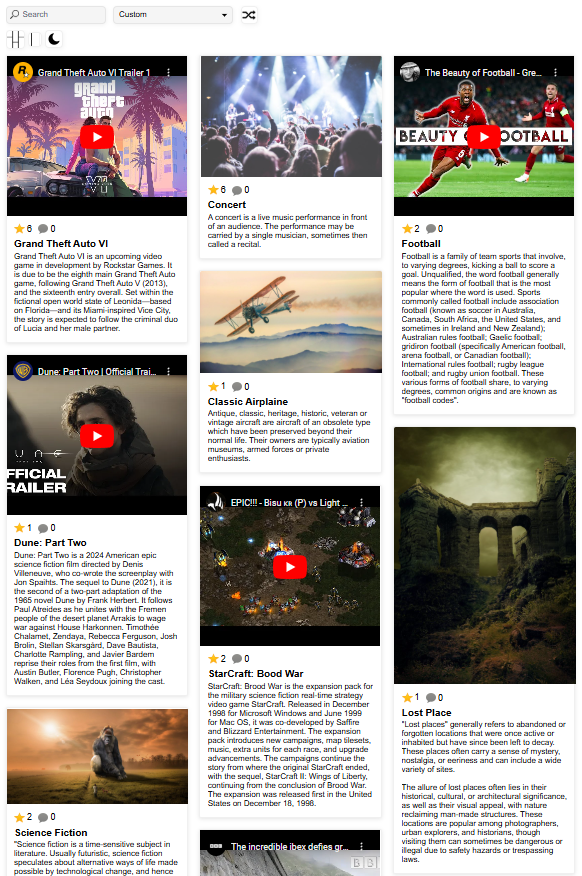
Gallery view
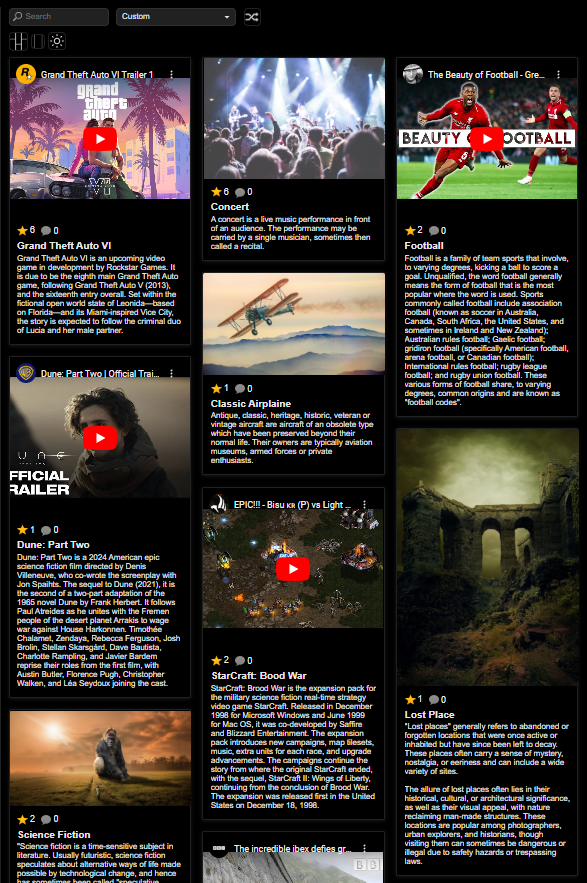
Gallery view - dark style
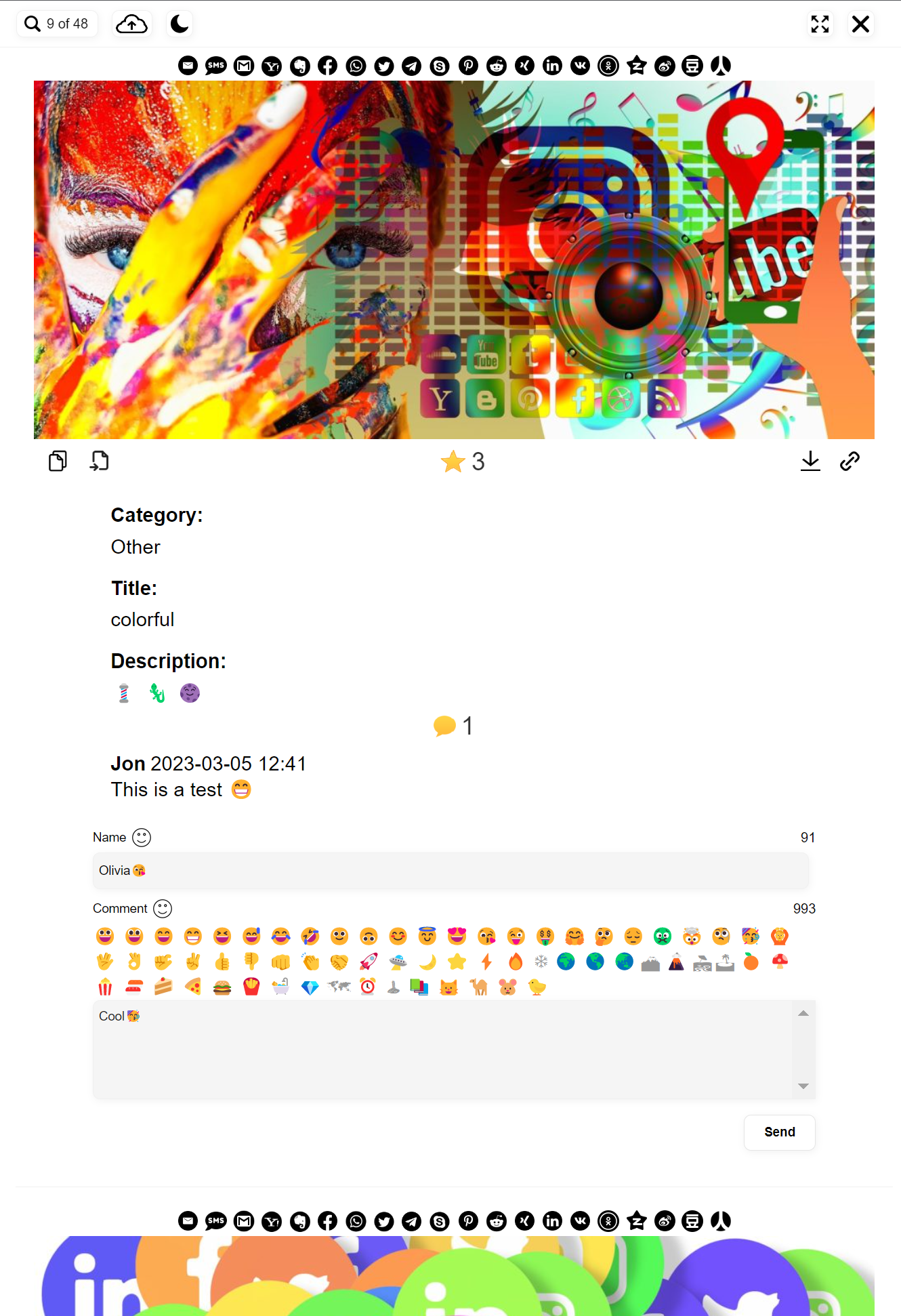
Opened single entry view
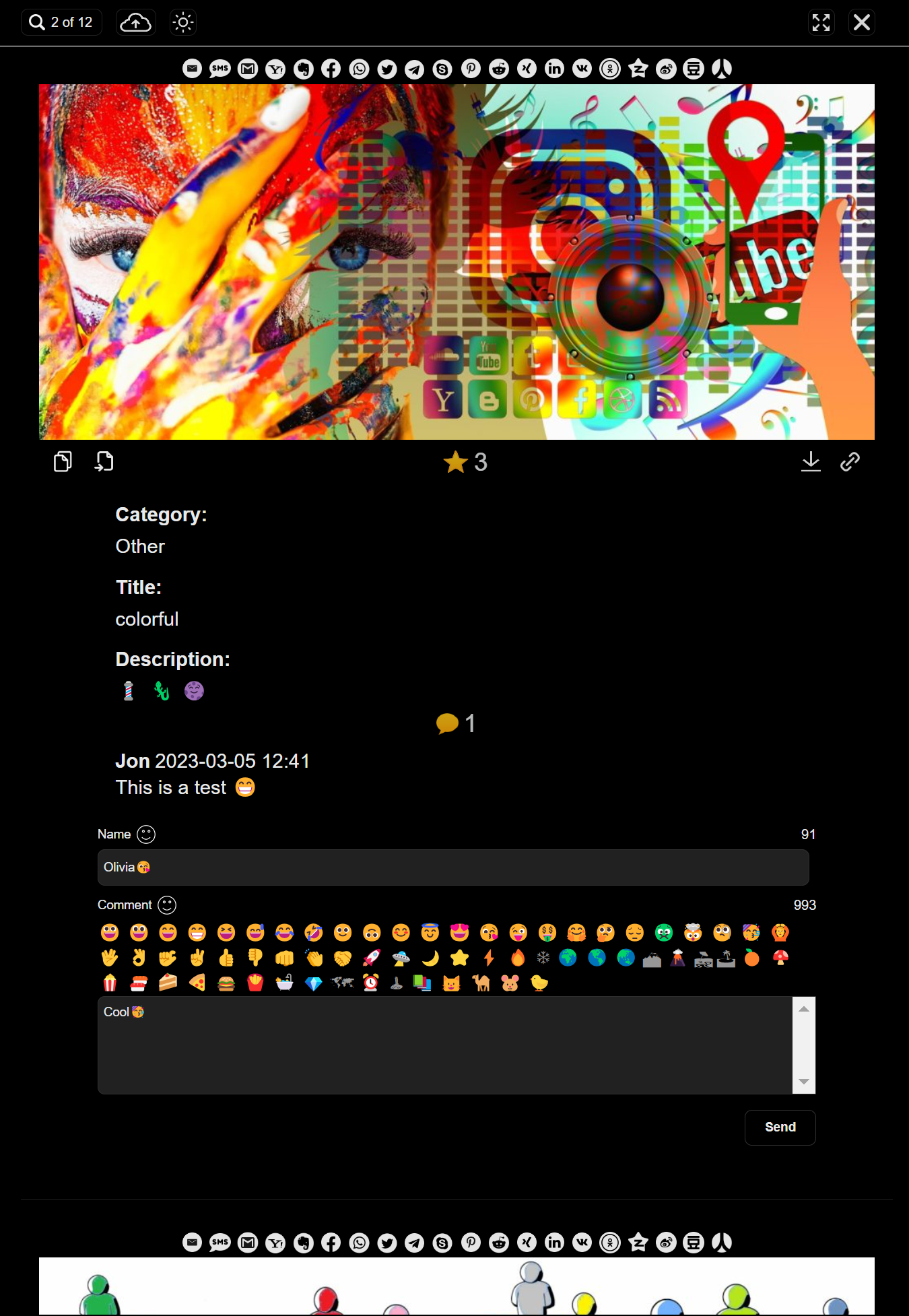
Single entry view - dark style
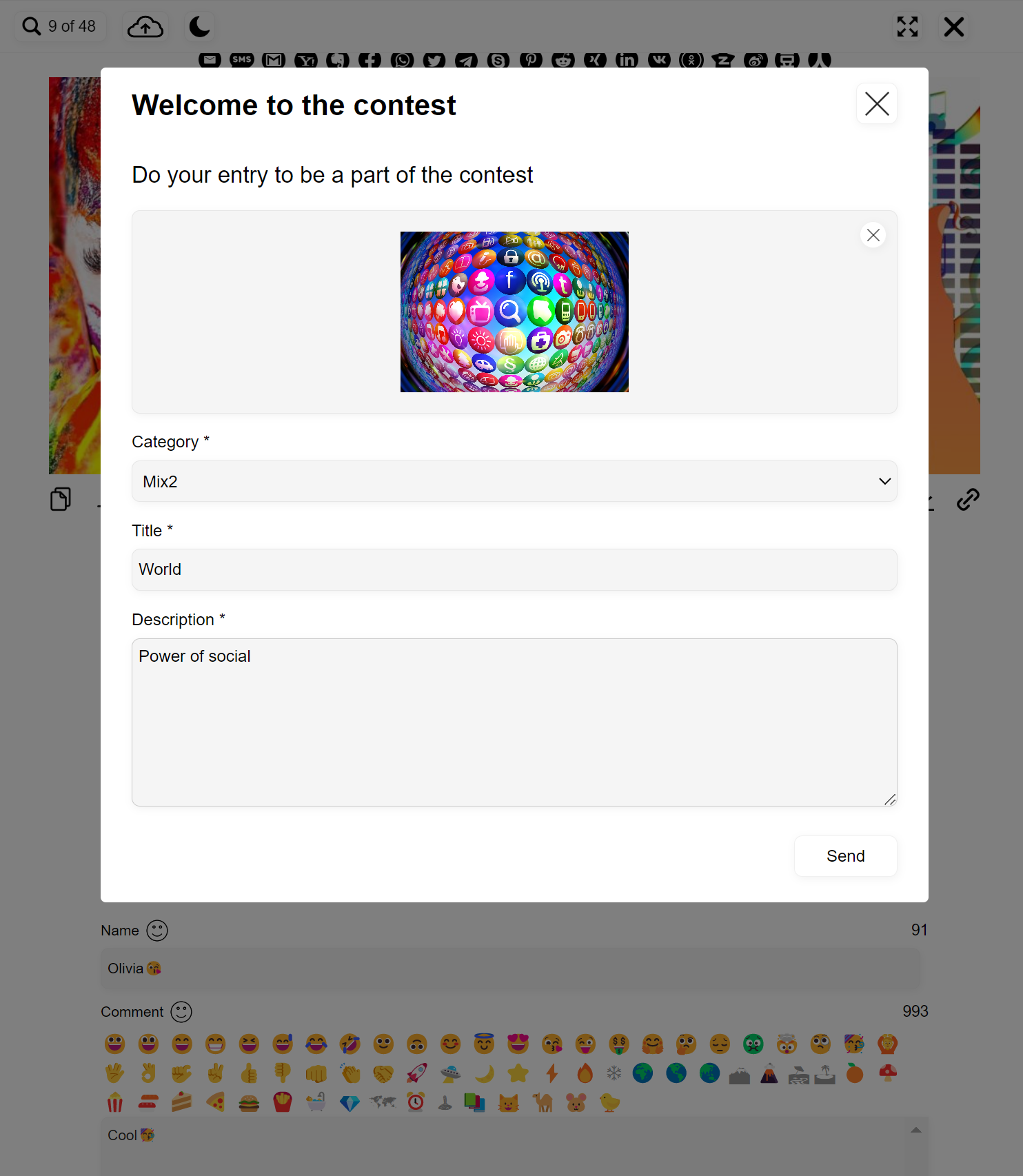
Upload form example
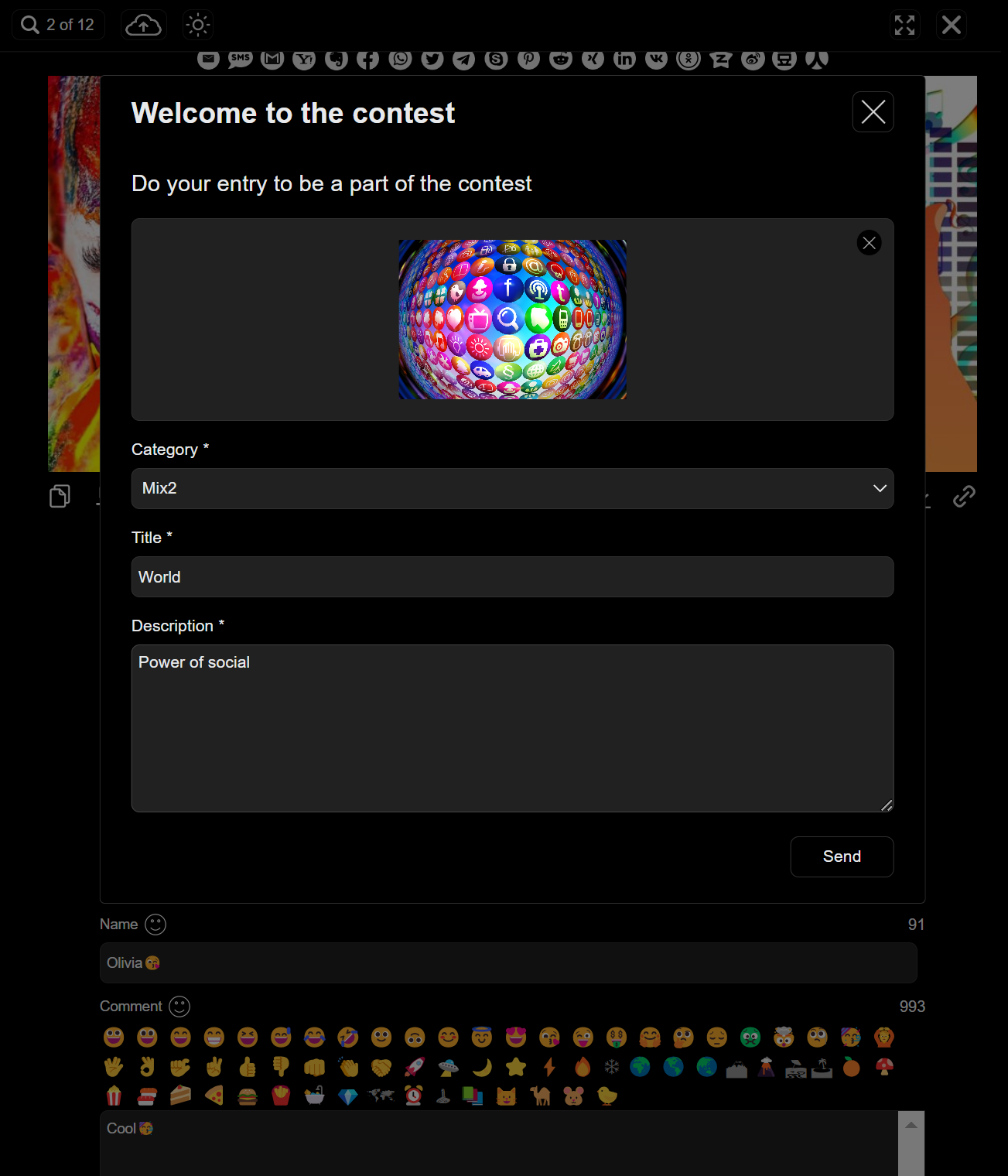
Upload form - dark style
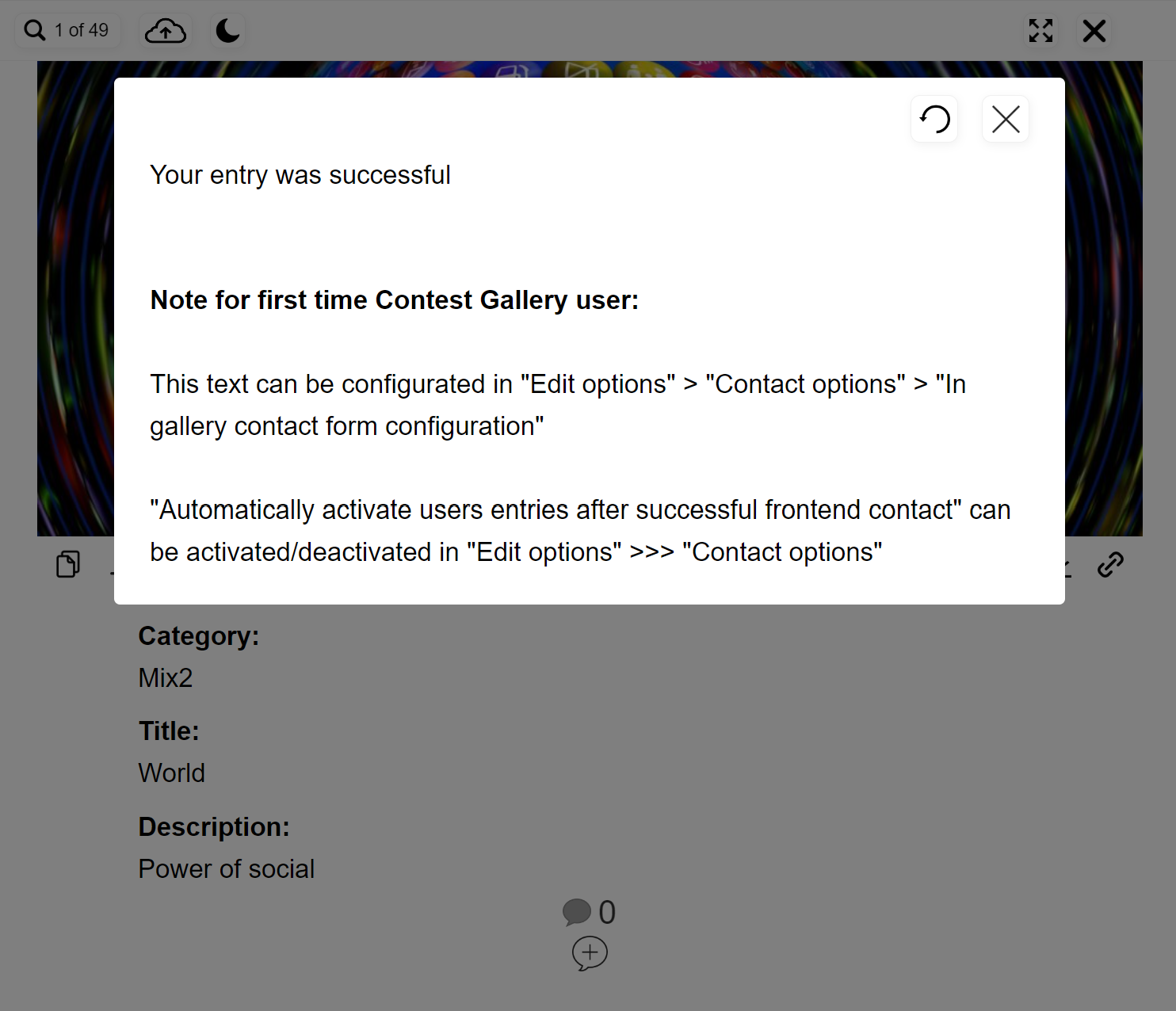
Upload confirmation
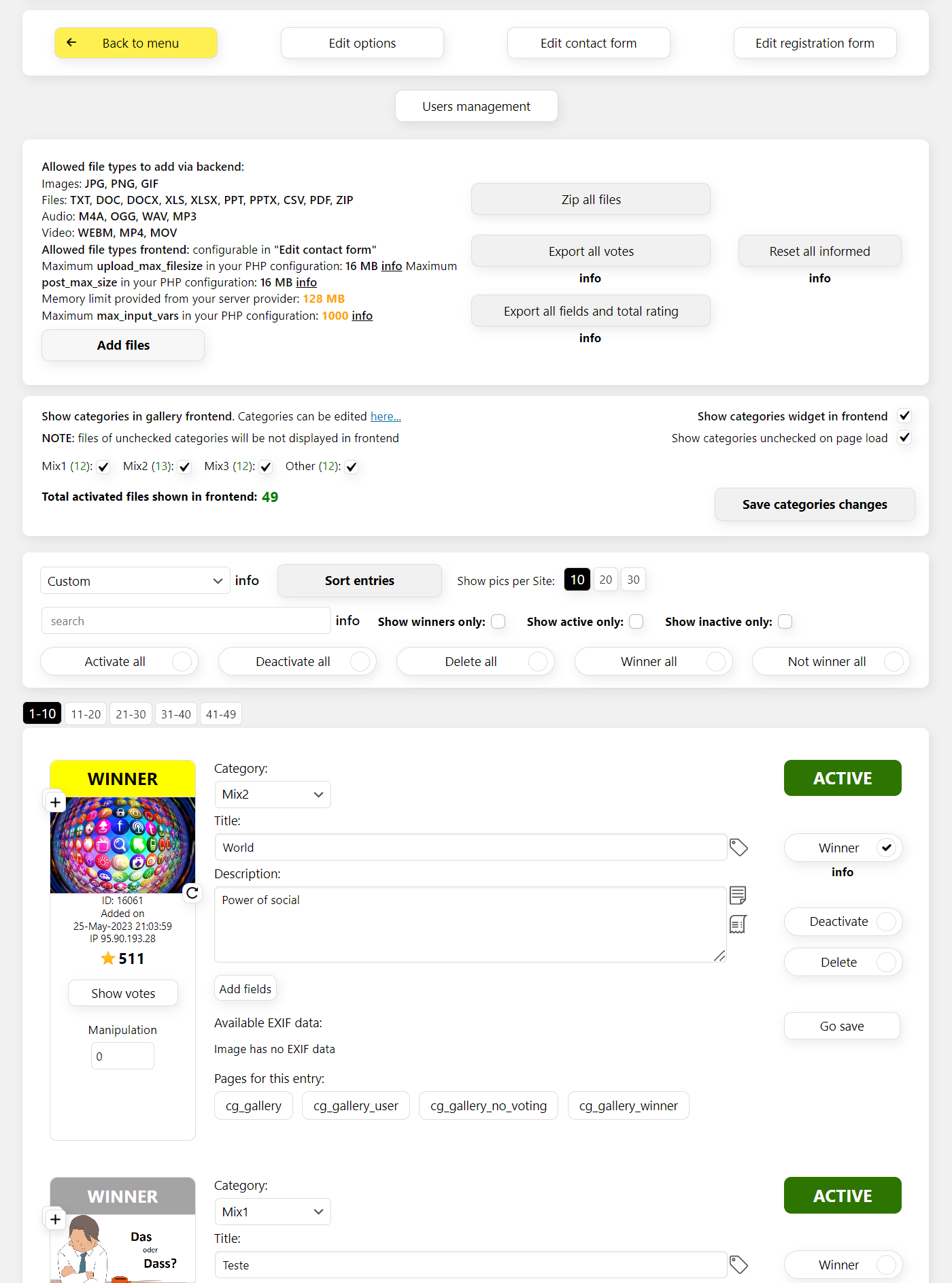
File entries gallery backend view
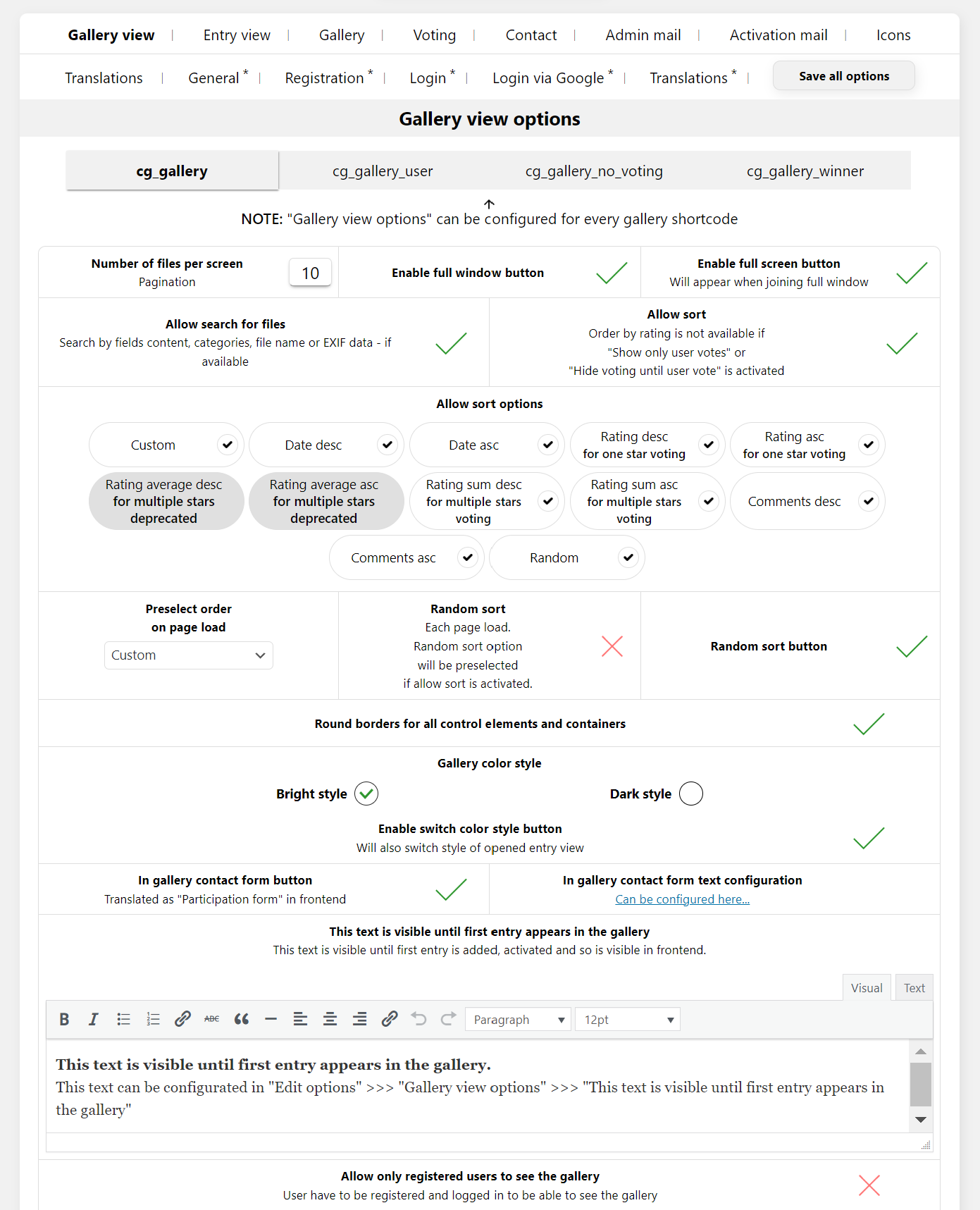
Options example
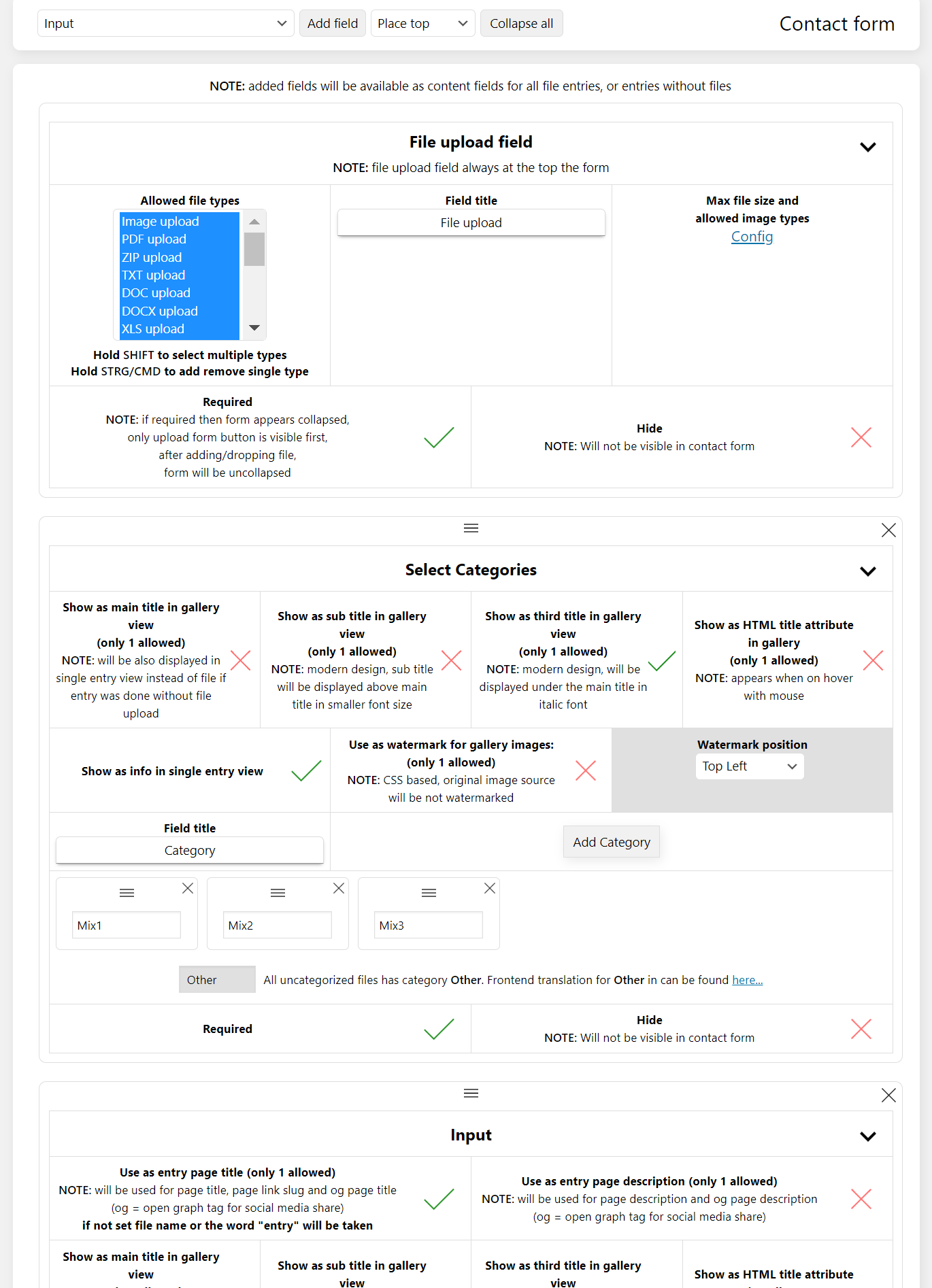
Upload form configuration example
Faq
Yes.
That’s possible! You can activate to be informed after every frontend upload
and add an email where you like to be informed.
Yes. If the user added his e-mail during uploading his file he will be informed when the file
is activated. He can also receive a link in his mail which leads directly to his file.
Use option “Edit options” >>> “File activation e-mail” >>> “Send this activation e-mail when activating users files”.
Yes. You can configure Addressor, Reply mail, Cc mail, Bcc mail, Subject and Body text.
You can also insert a link in the mail Body text which will lead directly to his image.
Yes. You can use WordPress Media Library for uploading files and adding them to gallery.
In frontend uploaded files appears also in WordPress repository and in gallery.
Yes. As default you can upload as many files as you want in backend.
Default in frontend is one file per upload. But you can configure
an amount you like. So you are also able to upload multiple files during one upload in frontend.
Yes. You decide via “Edit upload form” which information can be added for every file.
It’s also possible to configure which information should appear frontend.
As many you like 🙂
As many you like 🙂
You can report security bugs through the Patchstack Vulnerability Disclosure Program. The Patchstack team help validate, triage and handle any security vulnerabilities. Report a security vulnerability.
Reviews
Highly Customisable, Good After Sales Service by Developer
By 
The backend UI takes some time to figure out, but once you've figured it out, you'll find that the plugin can do wonders. So, be prepared to go through a steep learning curve. It's worth the journey.
After sale service is good so if there's anything you are not sure of, the developer is glad to help via email.
Kudos to the developer for creating this plugin.
Excellent Plugin, Clear Directions
By 
Excellent Plugin! The install directions are very well written and easy to follow. This is an awesome program with everything you could possibly want.
Amazing Plugin Worth Every Penny!
By 
Purchased the PRO version of this plugin and have found it to be exactly what I was looking for. There is nothing out there like it! The backend is extensive and after about 15 minutes of playing around with it, I was able to create and customize the look, feel and function to exactly what I wanted.
In addition, the support was amazing when needed. Very quick and efficient. The creator also updates the plugin often which I love. Always improving it! Would highly recommend!
Lot of futures with useless UI
By 
Lot of very good futures with tons of option, BUT:
The UI is terrible at the back- and front end too:
- design comes from ages of Netscape Navigator
- incredible long options pages without tabs
- can't manage default settings
- in the free version can't hide pro options, what's have very frustrating green background
I spent hours for testing, but I can't find setting of upload qty limitation - maybe thanks for the ui.
This plugin need deep knowledge, but the documentation is very-very pure.
This plugin is very potent, but in this form useless for our photoclub.
Sorry. We will not buy the pro (and not use the free too).
This plugin is what I need !
By 
I started this year with the second Rigid Inflatable Boat Photo Contest based on the plugin. The reasons are:
- Adequate after sales support: fast response and always correct solutions.
- Client-centered
- The jury members find it easy to vote and comment.
A few remarks:
- As an admin the UI needs some getting used to.
- There are many ways to sort but I would really like to sort alphabetically as well.
- The search function needs some attention, it can be more accurate.
Overall
I've searched for plugins to have a competition on my website and this one ticks all the boxes for me. Congrats to the developers and the helpdesk.
Excellent product and support
By 
Using plugin for media voting contest and it has been working great. Support is very responsive. I would recommend this plugin.
Awesome plugin
By 
Even the basic version is rich in features and very powerful, a great plugin that allows you to optimally manage a photo contest. Highly recommended
Plenty of functions and good support
By 
Did what was required for a club photography competition. Received a quick answer on a support question on how to do something
Klasse Plugin und tolle Supportunterstützung
By 
Ich nutze das Plugin seit 4 Jahren für einen Wettbewerb und schätze die vielfältigen Einstellungen. Das Plugin wird regelmäßig erweitert und bei Fragen hat man neben dem Supportforum auch einen sehr schnellen und persönlich Support vom Entwickler. Das gefällt mir sehr gut und gibt mir Sicherheit in meinen Wettbewerbsprojekten. Klare Empfehlung von mir.
Semplicemente perfetto - Simply perfect
By 
IT
Il Plugin "Contest Gallery" soddisfa tutti i requisiti necessari ad un plugin di questo genere, il tutto unito ad una veste grafica bella e versatile. Utilizzando questo plugin per il Concorso Fotografico promosso da un mio cliente (una Amministrazione Comunale) ho ricevuto numerosi apprezzamenti (anche dallo stesso Sindaco). L'intero sistema di gestione del backend, pur perfettibile, è tra i migliori e più moderni che ho potuto riscontrare e soprattutto molto versatile. L'assistenza clienti è rapida ed efficiente. Nel complesso, 5 stelle sono più che meritate.
EN
The "Contest Gallery" Plugin satisfies all the requirements necessary for a plugin of this kind, all combined with a beautiful and versatile graphic design. Using this plugin for the Photo Competition promoted by one of my clients (a Municipal Administration) I received numerous compliments (even from the Mayor of the Municipality). The entire backend management system, although perfectible, is among the best and most modern that I have come across and above all very versatile. Customer support is fast and efficient. Overall, 5 stars are more than deserved.
Changelog
28.1.0.1
- NEW: Added cg_users_pin shortcode.
- NEW: Added option “Show user-friendly PIN-based email verification form for unregistered users” when “Check if is registered user” is enabled as voting recognition method.
- NEW: Added option “Show user-friendly PIN-based email verification form for unregistered users” when “Check if is registered user” is enabled as upload recognition method.
- NEW: Added “Jury (allowed voters)” setting. You can now define email addresses of registered users who are allowed to vote.
- FIXED: “Users management” area was broken in Firefox.
- FIXED: Allowed file types of the frontend upload form were not correctly recognized in the sale order area when an upload (charge users for upload) was purchased.
28.0.6
- NEW: Registered but unconfirmed users are now listed in the “Users management” area.
- NEW: “Resend confirmation email”, “Show sent emails” and “Delete unconfirmed user” options added to the “Users management” area.
- NEW: “Login user immediately after email confirmation” option added to “Registration options”.
- NEW: “Confirmation link lifetime” option added to “Registration options”.
- NEW: Frontend users can resend the confirmation email when clicking an expired confirmation link.
- NEW: Norwegian and Swedish translations completed.
- NEW: Hindi (hi_IN) translations added.
- NEW: Added “Header tracking code on gallery landing page” option.
- NEW: Added “General text before gallery on gallery landing page” option.
- NEW: Added “General text after gallery on gallery landing page” option.
- NEW: Added “Header tracking code on galleries landing page” option.
- NEW: Added “General text before galleries on galleries landing page” option.
- NEW: Added “General text after galleries on galleries landing page” option.
- NEW: Added header tracking code option for entry landing pages.
- IMPROVED: Registration code mechanics.
- FIXED: Small bugs.
- FIXED: Password reset (Lost password) was not functioning correctly.
V28.0.3
- IMPROVED: General security and stability enhancements in backend operations.
- FIXED: Unicode slug handling for titles with non-Latin characters (e.g. Chinese, Japanese, Korean).
- FIXED: Returning via the browser back button to a page containing a cg_gallery… shortcode no longer causes an unnecessary reload.
- FIXED: Minor bug fixes.
V28.0.2
- NEW: File upload field title now shown on the “In gallery upload form button”.
- NEW: Larger image previews in “Masonry view” in frontend.
- NEW: Radio and checkbox field types now available for registration form.
- NEW: Send entry related custom mail now available in backend if user provided an email.
- NEW: Create templates for entry related custom mails.
- FIXED: Different little bugs.
V28.0.1
- NEW: “Radio buttons” and “Checkboxes” field types added to upload form.
- NEW: Google sign in button improved.
- NEW: Security improvements.
- FIXED: Creating new gallery create new gallery but showed wrong gallery.
- FIXED: Google sign in button did not work in all cases.
V28.0.0
- NEW: Multiple columns drag and drop upload form builder for “Edit registration form”.
- NEW: Security improvements.
V27.0.3
- NEW: Security improvements.
- FIXED: Removing votes for an entry in backend area did not reset the total counter of the votes for the entry.
- FIXED: “Check by IP and Cookie” did work incorrect.
V27.0.2
- FIXED: Bugs frontend registration form area.
V27.0.1
- NEW: Security improvements.
- FIXED: Adding certain fields in some cases not possible in “Edit upload form” area.
V27.0.0
- NEW: Multiple columns drag and drop upload form builder for “Edit upload form”.
- NEW: cg_users_contact shortcode ist renamed in cg_users_upload shortcode, but can still be used like always.
- NEW: “Contact form” renamed to “Upload form” everywhere for more clarity.
- FIXED: Deleting “Select categories” upload form field caused issues in some cases.
V26.1.2
- FIXED: Plugin name changed to avoid trademark issues.
V26.1.1
- FIXED: Security issue.
V26.1.0
- NEW: Edit an image via OpenAI and add edited image to your WordPress media library.
V26.0.9
- NEW: Successful prompts to OpenAI history.
- FIXED: Adding HTML field when editing an upload form did not work.
- FIXED: Security issue.
V26.0.8
- NEW: Create images via OpenAI API and add them to your WordPress media library.
V26.0.7
- NEW: Security improvements.
- FIXED: Security issue.
V26.0.6
- NEW: “Show or hide back to galleries button on gallery landing page” option added in “Gallery view” options for every type of cg_gallery… shortcode.
- NEW: “Back to galleries button custom URL on gallery landing page” option added in “Gallery view” options for every type of cg_gallery… shortcode.
- NEW: Create real PDF preview image when adding a PDF file in backend or frontend.
- FIXED: Different little bugs.
V26.0.5.1
- FIXED: Adding cg_galleries… type of shortcode to a page or post not possible in WordPress version 6.8 and higher.
V26.0.5
- FIXED: Security issue.
V26.0.4
- FIXED: Different little bugs.
- FIXED: Using multiple different upload forms if multiple different “uploads” were purchased, did not work on order summary page.
V26.0.3
- NEW: Show upload form collapsed option if file upload is required. By default is uncollapsed for new galleries.
- NEW: Slightly improved borders and shadows for bright gallery color style in frontend in case of very bright monitors.
- NEW: Enable PayPal and Stripe sandbox testing options. By default is disabled, so not desired test purchases in test environment can be done with PayPal or Stripe credit cards for testing.
- FIXED: Rotating of upload form on mobile devices did not work properly.
- FIXED: Different little bugs.
V26.0.2
- NEW: Larger images in masonry view. Min width raised from around 270px to 370px.
- NEW: Larger images in entry view. Max width raised from 930px to 1020px.
- FIXED: Special characters did not appear correctly in cg_gallery_user entry view.
V26.0.1
- FIXED: Different little bugs.
- FIXED: Security issue.
V26.0.0.1
- FIXED: Allow search engines like Google to index or follow the /contest-galleries… pages and subpages options did not work.
V26.0.0
- NEW: Stripe as payment processing added. Use Stripe payment methods in your ecommerce checkout.
- NEW: Dynamic up to 10 columns appears now in masonry view, instead of maximum only 3. Depends on container width.
- NEW: Allow search engines like Google to index or follow the /contest-galleries… pages and subpages, options. By default is deactivated.
- NEW: Allow sort by rating possible if “Show only user votes” or “Hide voting until user vote” is activated, for cg_gallery_no_voting and cg_gallery_winner shortcodes.
- FIXED: Changing options for “Shortcode interval configuration” stuck if options page not reloaded for a while.
V25.1.3
- NEW: Improved frontend shortcodes load visually for slower connections.
- FIXED: “Export all votes” query took too long.
V25.1.2
- FIXED: Security issue.
- FIXED: Order status might be not always correct on the order summary page.
V25.1.0
- NEW: Translation of “Buy now” and “Add to cart” now possible.
- FIXED: Backend entries search showed sometimes results which doesn’t contain the search word.
- FIXED: “Contact entries total per user” per user current value not corrected if an entry was deleted using cg_gallery_user shortcode.
V25.0.9.1
- FIXED: If URL field in “Edit contact form” was activated to be displayed in frontend then additionally not required “https://” was added to inserted URL even if http:// or https:// were already set in the URL.
V25.0.9
- FIXED: Selected role groups which can edit Contest Gallery “Registration form” will be converted to “Contest Gallery Since V14” user role, caused in update 25.0.8.
V25.0.8
- NEW: “Field title gallery or entry view” added in “Contact form” to input, textarea, select, select-categories, date and URL types of fields. Will be visible instead of “Contact form field title” in gallery or entry view, if set.
- NEW: “Forward to the URL by click on an entry in masonry view” added to URL contact form field.
- NEW: Selected role groups which can edit Contest Gallery “Registration form” fields are now also use “Logout URL” and “Back to gallery URL” if configured in “Login options”.
- FIXED: “Login form” did not work for all cases.
- FIXED: Registration “Confirmation e-mail” did not work for all cases.
- FIXED: Contest is over not shown when using cg_galleries… type of shortcode.
V25.0.6
- FIXED: Sorting in “Masonry view” did not work.
- FIXED: Agreeing YouTube policies in full window blog view broke the view.
V25.0.5
- NEW: Deactivate, activate or delete all comments at once checkboxes added in “Show comments” area for an entry.
- FIXED: Clicking through pagination in frontend cause content below gallery shortcode jumps at the top of gallery area.
- FIXED: Deactivating and activating an entry causes content that should be visible in frontend for the entry to disappear.
- FIXED: Position of price tag in frontend gallery area, using cg_gallery_ecommerce shortcode, not always correct.
V25.0.4
- FIXED: Opening “Slider view” from masonry view in full window mode causes high distance between thumbnails in slider images overview.
- FIXED: Content not always centered when opening “Blog view” or “Slider view” in full window mode.
- FIXED: Line break between stars on mobile when voting if 10 stars voting is activated.
- FIXED: After commenting an image as logged in user and then opening the image again, the nicknames for comments of logged in users disappear.
V25.0.3
- NEW: “Show date entry added/uploaded to gallery” in frontend. Can be configured in “Gallery view” options.
V25.0.2
- NEW: Long descriptions for entries, “Third title” in “Edit contact form”, now available in normal version.
- NEW: Attach an entry to a registered user of your choice.
V25.0.1
- NEW: Long descriptions can be added now as third title for cg_galleries… shortcodes view.
- FIXED: If no entries for a gallery in cg_galleries… view then gallery was unclickable.
V25.0.0
- NEW: Masonry cards view for frontend. Modern responsive view with modern look.
- NEW: Thumb view will be converted in masonry view.
- NEW: Adding long descriptions now possible in masonry view. Check third title (description) for a field in “Edit contact form” area.
V24.0.9
- FIXED: Apostrophe was visible as html entity in comments section in frontend after page reload.
V24.0.8
- NEW: Security improvements.
V24.0.7
- NEW: Lost password login area logic improved.
- NEW: PositionNumber changed when creating tables from TINYINT to INT(11).
V24.0.6
- FIXED: Sorting of entries was only working till 127 entries correctly, due to TINYINT was used as SQL field type. Changed to INT(11).
V24.0.5
- FIXED: Security issue.
- FIXED: Sorted images in backend were not all visible in frontend if “Custom sorting” was activated, as preselect or select, in frontend.
V24.0.4
- FIXED: Security issues.
V24.0.3
- FIXED: Delete votes and delete comments did not work properly.
- FIXED: Images counter in opened blog view did not work always properly on scroll if “Number of entries per screen” was higher then 20.
V24.0.2
- NEW: When using cg_galleries… shortcodes and main title for a gallery is given to appear in galleries view, then the main title is also shown for the gallery if gallery is clicked from cg_galleries… shortcode type.
- FIXED: cg_galleries… shortcodes were not always displayed correctly.
- FIXED: When loading a gallery from cg_galleries… view below content jumped to the top of gallery container when loading.
V24.0.1
- NEW: YouTube media start time is now possible to add when “Add social embed”.
- FIXED: Undefined array key error when adding social embed.
V24.0.0
- NEW: cg_galleries… shortcode types. Place cg_galleries shortcode on your page and click through galleries without page reload.
- NEW: Add ids to a cg_galleries… shortcode if you like to display only certain galleries.
- NEW: Either latest added, highest rated or highest commented entry can be displayed in galleries view as preview for a gallery.
- NEW: Main title, sub title and third title can be configured as preview for a gallery in galleries view.
- FIXED: Some special chars were not showing correctly in title of gallery view.
- FIXED: Gallery title was not displayed in no voting gallery if comments for no voting gallery were deactivated.
V23.1.8
- FIXED: Wrong entries URLs were displayed in certain cases in backend entries area.
V23.1.7
- FIXED: Removed not required code which might cause processing break in rare cases.
- FIXED: Sending entry activation mail for not registered user did not work if “Automatically activate users entries in frontend after frontend contact” was deactivated.
V23.1.6
- FIXED: Method setting not required header on init removed.
V23.1.5
- NEW: Move an entry to another gallery function now available in backend images area.
V23.1.4
- NEW: Add, manage, replace entry files works with social embed also now.
- NEW: “Sales settings” for an entry also works with social embed now. An entry with social embed can be set for selling.
V23.1.3
- FIXED: Improved backend images area handling and look.
- FIXED: Security issues found by patchstack.com team.
V23.1.2
- FIXED: Security issue found by patchstack.com team.
- FIXED: Test environment label was not shown in basket if ecommerce test environment was used and “Buy now” was clicked.
V23.1.1
- NEW: Add Instagram entries to gallery.
- NEW: Configure to ask users to agree privacy policy of Instagram to display Instagram content in frontend.
- NEW: Add TikTok entries to gallery.
- NEW: Configure to ask users to agree privacy policy of TikTok to display TikTok content in frontend.
V23.1.0
- NEW: Add Twitter entries to gallery.
- NEW: Configure to ask users to agree privacy policy of Twitter to display Twitter content in frontend.
- FIXED: “Export all fields and total rating” did not work in some cases.
- FIXED: New Files and YouTube entries URLs were not generated in some cases.
V23.0.1
- FIXED: Sorting by voting did not work in backend.
V23.0.0
- NEW: Add YouTube entries to gallery.
- NEW: Configure to ask users to agree privacy policy of YouTube to display YouTube content in frontend.
V22.1.0
- NEW: Charge for uploads. Configure “Upload” as selling type for an entry.
- NEW: User will be able to purchase “Upload” via PayPal and then upload files on the order summary page.
V22.0.0
- NEW: “cg_gallery_ecommerce” shortcode, sell entries via PayPal.
- NEW: Sell entries as shipping, download or service.
- NEW: Watermark image files for selling as download.
- NEW: “Edit ecommerce” options.
- NEW: Configure currency, PayPal payment methods add PayPal Client ID and Secret for PayPal live or sandbox selling.
- NEW: Configure checkout options, checkout notes, agreements and allowed shipping countries.
- NEW: Configure order summary page options.
- NEW: Configure order confirmation mail.
- NEW: Configure invoice options and possible invoice number logic.
- NEW: Show and export ecommerce orders.
- NEW: All translations are now general and valid for all galleries.
Full updates history can be found in changelog.txt in plugins directory.