Conversation Viewer – Display Chat Bubbles
Conversation Viewer – Display Chat Bubbles
Description
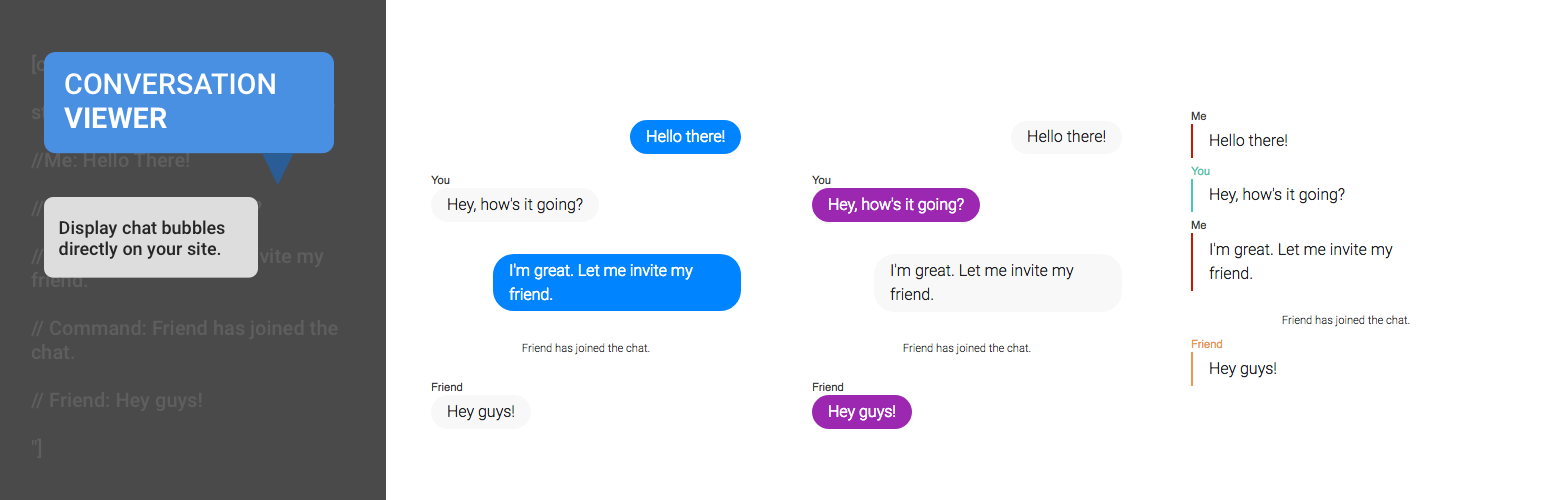
Conversation Viewer is a responsive WordPress plugin for displaying chat conversations between people as if in their native apps.
It allows you to write up conversations between two, or groups of more than two people, without having to take screenshots. These conversations can be easily switched into various messaging app styles. There are a few currently supported styles.
- Facebook Messenger (the default)
- Android Messages
- iOS Texting
- Snapchat
With responsive CSS, these conversations look great on all screens, are more responsive and accessible than uploading screenshots.
Getting Started & Customization
For the complete documentation on how to do everything including example code, visit the GitHub Readme Page.
Installation
To get up and running at its most basic, follow these three steps:
- Upload
ConversationViewerto the/wp-content/plugins/directory (or download from the plugin directory) - Activate the plugin through the ‘Plugins’ menu in WordPress
- Place
[conversationViewer] //Me: Hello! //You: Hi! [/conversationViewer]in your page/post editor, and the plugin will work its magic.
Screenshots

An example of the plugin in action, using the default messenger style.

An example of the plugin using snapchat style.

An example of the plugin using whatsapp style.
Faq
Installation Instructions
To get up and running at its most basic, follow these three steps:
- Upload
ConversationViewerto the/wp-content/plugins/directory (or download from the plugin directory) - Activate the plugin through the ‘Plugins’ menu in WordPress
- Place
[conversationViewer] //Me: Hello! //You: Hi! [/conversationViewer]in your page/post editor, and the plugin will work its magic.
Where can I find more info on this plugin?
Check the GitHub Repository for more information on Conversation Viewer and how to use it.
How do I change styles?
To change styles, simply use the style selector in the opening tag of the shortcode, like this: [conversationViewer style="snapchat"]. The following styles are available:
- messenger (the default)
- snapchat
- ios
- android
How do I add profile images?
By default, profile images will not be displayed. In order to display them, include an image command for each person in the conversation. To do this, simply add the following command anywhere:
// Image [Name Of Person] [https://example.com/link/to/image.jpg]
For more information, visit the Full Documentation
Reviews
I love it ! so simple to use !
By 
Thanks for the plugin!
By 
Changelog
1.1
- Adding support for profile images with the image command (See documentation)
- Fixing a URL parsing issue: https:// and http:// links no longer split conversations and mess everything up
1.0
- The initial version supporting Facebook messenger, iOS, Android, WhatsApp and Snapchat styling.