Core Plus Links – Internal Link Manager & Broken Link Checker
Core Plus Links – Internal Link Manager & Broken Link Checker
Description
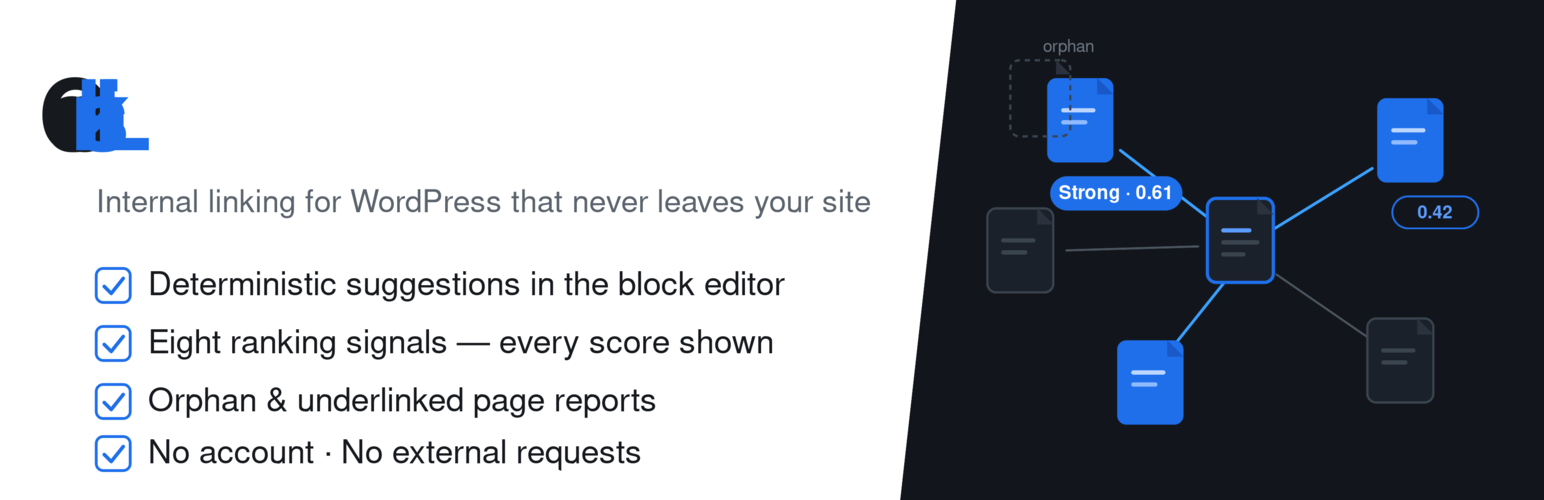
Internal links are how readers (and search engines) move through your site. Building them by hand means hunting related pages, copying URLs, and hoping you did not leave orphans behind. Core Plus Links keeps that work on your WordPress site: a local content index, rule-based suggestions in the block editor, keyword auto-linking you review before anything is written, and a report of broken internal links.
Nothing is sent to an external AI or analytics service. There is no API key. Suggestions come from your own posts and pages.
How it works
After activation, Core Plus Links queues a background index of your published posts and pages. Ranking uses titles, taxonomies, headings, and your existing link graph — the same content and settings produce the same ranked results.
Open a post or page in the Gutenberg editor and use the Core Plus Links sidebar:
- Suggested links with match strength, an editable anchor, one-click insert, and dismiss
- Inbound and outbound links for the post you are editing
- Suggested exclusions for utility pages (checkout, cart, privacy policy) — proposed for review, never applied automatically
Auto-linking
Write a keyword and choose the page it should point to. Scan the site, review the matches, and apply the ones you want — one at a time or as a selected batch. Core Plus Links creates a WordPress revision when it writes, and you can undo an inserted link from the recent-changes list (one row at a time). If the post was edited after the insert, undo is unavailable and you fix that link in the editor.
Nothing is auto-applied. Scheduled or unattended apply is not part of this plugin.
Link Health
Find internal links that point at unpublished, trashed, or missing pages. Run a scan from the admin screen; jobs run in the background (and drain in the admin request on quiet sites).
Core Plus Links does not crawl the public internet and does not HTTP-check external URLs. Unresolved short links such as /go/ affiliate URLs are not reported as broken.
Reports
See orphan pages (no inbound internal links), underlinked pages, and related summaries with sortable, paginated columns. Suggestion history is available from Reports.
Privacy
Indexing, ranking, auto-linking, and Link Health run in your WordPress database. The plugin does not call external AI services and does not send your content off-site.
Learn more
Upcoming Pro — custom post types, custom fields, bring-your-own-key AI, and external HTTP link checking — is documented at https://corepluslinks.com/. The free plugin on WordPress.org is complete for posts and pages. Pro is a separate product, not an in-plugin unlock.
Development
The plugin ships the unminified JavaScript (JSX under /editor, /admin, and /components) used to build the compiled bundles in /build. Browse the source in the WordPress.org plugin repository.
Installation
- In your WordPress admin, go to Plugins -> Add New, search for “Core Plus Links”, and click Install Now.
- Activate Core Plus Links.
- After activation, Core Plus Links queues a full-site index job. A setup notice appears (“Core Plus Links is building your content index…”). When indexing finishes, you will see “Core Plus Links finished building your content index.”
- Open a post or page in the block editor and use the Core Plus Links sidebar for suggested links.
- In Core Plus Links admin, use Auto-linking to add keyword rules and review matches, and Link Health to scan for broken internal links.
On low-traffic sites, background jobs wait on WP-Cron. You can process the queue with WP-CLI: wp core-plus-links run-queue.
Screenshots

Core Plus Links sidebar in the block editor with suggested links and match strength.

Compact status strip and inbound/outbound link counts for the current post.

Admin dashboard with index health and reindex controls.

Context bank settings for taxonomies and exclusions.

Reports overview for orphan and underlinked pages.

Settings for exclusions, retention, and scheduled reindex.

Auto-linking: keyword rules for pages you want linked.

Auto-linking: review matches and apply selected links.

Link Health: broken internal links to unpublished, trashed, or missing pages.
Faq
No. It runs entirely on your WordPress site. Indexing, ranking, suggestions, auto-linking, and Link Health use your local database. Nothing is sent to an external AI or analytics service.
No. Deterministic suggestions, auto-linking, and internal Link Health work without an API key, license, or external account.
Suggestions are produced by fixed, rule-based scoring over your indexed content, not by a generative model. The same content and settings produce the same ranked results.
No. You define keyword rules, scan, review matches, and apply the ones you confirm. The plugin does not insert links on a schedule.
Yes, one inserted link at a time from the recent-changes list. Undo creates a WordPress revision. If the post was edited after the insert, undo is unavailable — open the post to fix it by hand.
Internal links to unpublished, trashed, or missing pages on your site. It does not check external URLs over HTTP. Unresolved /go/-style URLs are not listed as broken.
“Weak match” means the candidate only partially overlaps the current post (for example limited title or taxonomy overlap). Review those suggestions carefully before inserting. Stronger overlaps are labeled accordingly.
Not yet. This release supports the Gutenberg block editor only. Classic editor support is planned for a later release.
Yes, activated on individual sites. Network activation is not supported yet.
Jobs run on WP-Cron. On quiet sites, process due jobs with:
wp core-plus-links run-queue
Optional status check:
wp core-plus-links queue-status
Reviews
Changelog
1.3.0
- Reorganized the admin into a “Core+ Links” menu with submenus — Overview, Internal Linking, Link Health, Change history, and Settings — instead of one crowded row of tabs.
- Auto-link scope now sits next to the auto-linking rules it governs, on the Internal Linking screen.
- Change history: sort by run to group a bulk apply’s links together, and the undo actions are now compact links.
- Navigation and layout only — no change to how links are suggested, applied, or undone.
1.2.0
- Change history report: every link the plugin inserted, filtered and sorted, with one-click undo per change.
- Undo a whole run, or undo every link from one keyword rule, as a background job — unsafe reversals are flagged, never forced — the confirm shows how many pages it affects first.
- Per-rule footprint: see how many pages each keyword rule has linked, and open them.
- Auto-link scope: “only apply to” / “never apply to” page-path lists that bound which pages bulk apply may edit.
- Clearer “Enabled” wording, a dedicated Change history tab, and clearer Auto-link scope labels.
1.1.0
- Auto-linking: keyword rules, scan, review, bulk apply, WordPress revisions, and per-row undo. Nothing is applied until you confirm.
- Link Health: report internal links to unpublished, trashed, or missing pages. Unresolved
/go/-style URLs are not reported as broken. Does not HTTP-check external URLs. - Scan drain so apply, scan, and reindex jobs complete in the admin request on quiet sites; leftover index batches keep moving on each cron tick instead of waiting a minute between 25 posts.
- Tested with WordPress 7.1.
1.0.0
- First public release of Core Plus Links.
- Deterministic indexing for posts and pages; Gutenberg sidebar suggestions with editable anchors, insert, and dismiss.
- Inbound and outbound links for the current post in the editor sidebar.
- Context bank for taxonomies and exclusions; suggested utility-page exclusions for review (never auto-applied).
- Basic reports (orphans, underlinked pages) with sortable columns; background job queue and WP-CLI helpers (
wp core-plus-links run-queue).