Custom Post Type WooCommerce Integration – Sell Any CPT with WooCommerce
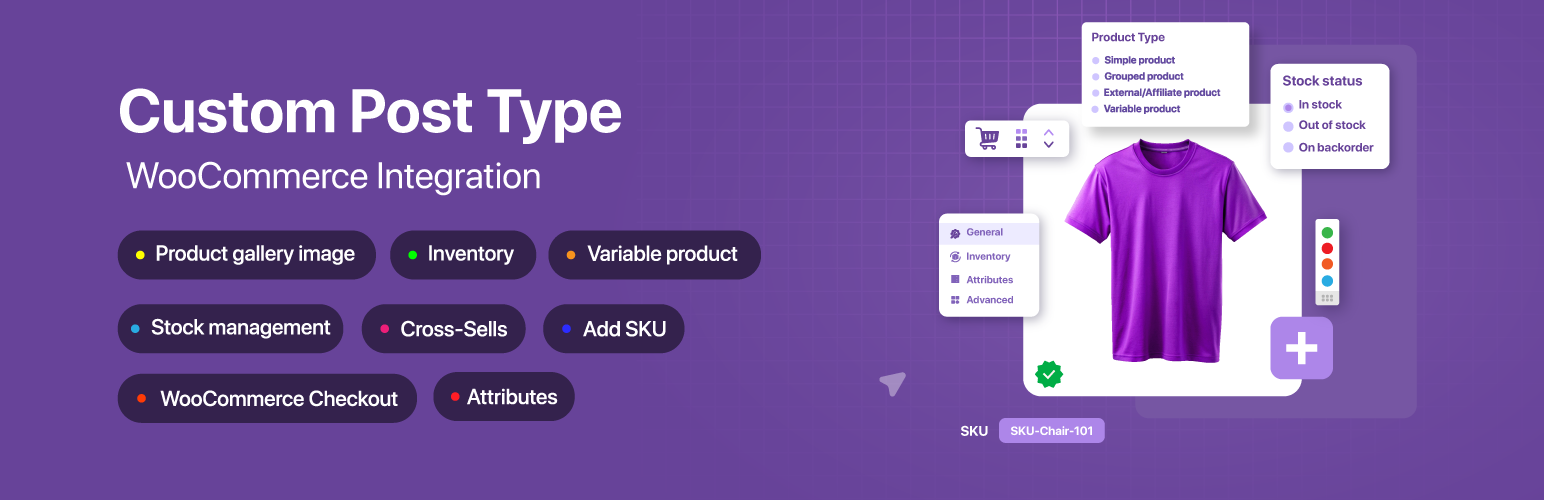
Custom Post Type WooCommerce Integration – Sell Any CPT with WooCommerce
Description
Custom Post Type WooCommerce Integration makes any WordPress custom post type (CPT) purchasable through WooCommerce — without recreating each post as a separate WooCommerce product.
If you already store content as custom post types (courses, events, bookings, listings, real estate, cars, books, directories, or digital downloads), you normally cannot sell it directly with WooCommerce. The usual workaround is to duplicate every post as a WooCommerce product and keep the two in sync by hand. This plugin removes that step. It connects your existing CPT to WooCommerce so a single post can be added to the cart, checked out, and paid for using the WooCommerce systems you already trust.
Connect the post type, set a price (or map an existing meta key), and drop a shortcode where you want the price and add-to-cart button to appear. Your custom content becomes sellable, while WooCommerce continues to handle the cart, checkout, orders, payment gateways, coupons, taxes, and emails.
The problem this plugin solves
Custom post types hold your content, but WooCommerce only sells WooCommerce products. Bridging the two normally means maintaining duplicate records — one CPT post for display and one product for selling. That duplication causes mismatched prices, broken stock counts, and extra maintenance.
This plugin lets a CPT post be the sellable item. There is no second copy to manage, no data migration, and no code required.
What you can do
- Sell any custom post type through WooCommerce.
- Use the standard WooCommerce cart and checkout for your CPT content.
- Process CPT purchases as normal WooCommerce orders.
- Accept payment through any WooCommerce payment gateway (Stripe, PayPal, and others).
- Apply WooCommerce coupons, taxes, and order emails to CPT purchases.
- Use WooCommerce shipping where the product type supports it.
- Reuse prices you already store in ACF, JetEngine, Meta Box, or any custom meta key.
- Avoid creating and syncing duplicate WooCommerce products.
Two ways to use it
- Full shop experience — make CPT archive pages look like the WooCommerce shop and CPT single pages look like WooCommerce product pages, with product categories and tags.
- Checkout and payments only — keep your custom landing pages exactly as designed and use WooCommerce purely as a secure checkout and payment processor.
Traditional WooCommerce Workflow vs This Plugin
Traditional workflow
- Create your content as a custom post type.
- Manually recreate the same item as a WooCommerce product.
- Keep price, stock, and details in sync across both copies.
- Maintain two records forever.
With this plugin
- Create your content as a custom post type.
- Connect the post type and set (or map) a price.
- Sell the post directly — WooCommerce handles cart, checkout, and orders.
The difference: no duplicate products, no manual syncing, and one source of truth for each item.
Why use this plugin
- No duplicate products — a CPT post becomes the sellable item, so there is nothing to copy or sync.
- Sell almost anything — courses, events, bookings, listings, digital files, donations, services, and other custom content.
- Use existing meta fields — already storing prices in ACF, JetEngine, Meta Box, or custom meta? Map the meta key and the plugin reads it directly.
- WooCommerce as checkout only — keep custom landing pages and use WooCommerce just for secure payments.
- No coding required — configure everything from a clean, React-powered admin interface.
- Theme and builder friendly — shortcodes work in any theme, template, widget, or page builder.
Free Features
- Integrate unlimited custom post types with WooCommerce.
- Add a regular price meta field to any CPT.
- Add a sale price meta field to any CPT.
- Fallback regular price — map an existing meta key (works well with ACF, JetEngine, and Meta Box values).
- Fallback sale price — reuse a meta key you already have.
- Shortcode for the price:
[cptwooint_price/] - Shortcode for the add-to-cart button:
[cptwooint_cart_button/] - Shortcode for the short description:
[cptwooint_short_description/] - Shortcode for WooCommerce notices:
[cptwooint_wc_all_notices/] - Make CPT archive pages look like the WooCommerce shop page.
- Make CPT single pages look like the WooCommerce product page.
- Use WooCommerce product categories with your CPT.
- Use WooCommerce product tags with your CPT.
- Customize the add-to-cart button color, background, and size from settings.
Pro Features
The Pro version includes every free feature plus:
- Quick Edit and Bulk Edit for CPT prices and stock directly from the post list.
- Full product-type support — Simple, Variable, External/Affiliate, and Grouped.
- Display CPT posts on the WooCommerce shop page alongside regular products.
- Sale price scheduling with start and end dates.
- Inventory management — SKU, stock quantity, stock status, low-stock alerts, backorders, sold individually, and purchase limits.
- Shipping data — weight, dimensions, and shipping classes.
- Product gallery images with a Swiper slider (vertical/horizontal thumbnails, RTL, auto-height, and zoom).
- Downloadable products — file delivery, download limits, and expiry dates.
- Customer downloads from the WooCommerce My Account page.
- Upsells and cross-sells for CPTs.
- Product attributes — a full taxonomy-based attribute management interface for CPTs.
- Product reviews and ratings — 1 to 5 stars, verified purchase badge, HPOS-compatible, with rating distribution.
- Structured data / JSON-LD schema — Product, Review, BreadcrumbList, Website, and Order markup for richer search results.
- Additional shortcodes —
[cptwooint_sku],[cptwooint_attributes],[cptwooint_gallery],[cptwooint_gallery_with_variation], and[cptwooint_upsell_products]. - WooCommerce Bookings integration (sell bookable CPTs).
- Easy Booking for WooCommerce integration.
- LearnPress review compatibility (sell and review courses).
- Extra Product Options (Themecomplete EPO) support.
- Automatic license updates from the WordPress dashboard.
Use Cases
- Online courses — sell LearnPress or custom course post types through WooCommerce.
- Bookings and appointments — sell bookable post types (BA Book Everything in free; WooCommerce Bookings and Easy Booking in Pro).
- Events and tickets — sell event post types with WooCommerce checkout.
- Directories and classifieds — charge for listings built with JetEngine or other CPT tools.
- Real estate and properties — sell or accept payment on property listings.
- Cars and vehicles — turn vehicle listings into purchasable items.
- Books and digital downloads — sell files with download control (Pro).
- Memberships and services — sell access or service posts.
- Donations — set a fixed amount on a page or post and collect it through WooCommerce checkout.
- Payments for landing pages — keep a custom design and use WooCommerce only for the transaction.
Supported Integrations
- LearnPress — sell courses through WooCommerce. Documentation
- Advanced Custom Fields (ACF) — read prices stored in ACF fields by mapping the meta key.
- JetEngine — CPT and meta integration, including variation panels.
- BA Book Everything — sell bookings and appointments. Documentation
- Meta Box — reuse price values stored in Meta Box fields via meta-key mapping.
- Custom Post Type UI — register a CPT and connect it right away.
- Extra Product Options for WooCommerce (Free and Pro).
- WooCommerce Bookings (Pro).
- Easy Booking for WooCommerce (Pro).
- Works with Elementor, Visual Composer, Gutenberg, and most page builders.
- Compatible wherever standard WooCommerce hooks are respected.
Quick Start — Four Steps
- Install and activate Custom Post Type WooCommerce Integration.
- Open WC Integration in the WordPress admin sidebar.
- Select your custom post type under “Select Post Type”.
- Enable the default price meta field — or map your existing meta keys.
Your CPT is now WooCommerce-ready.
Already storing prices in meta fields?
If your CPT already stores prices via ACF, JetEngine, Meta Box, or another plugin:
- Select the regular price meta key from the dropdown.
- Optionally select a sale price meta key.
- Save settings — the plugin reads prices straight from your existing data, with no migration.
Displaying the price and cart button
Use these shortcodes in pages, posts, single templates, page builders, or widgets:
[cptwooint_price/]— the formatted price.[cptwooint_cart_button/]— the add-to-cart button.[cptwooint_short_description/]— the short description.[cptwooint_wc_all_notices/]— WooCommerce notices (errors, success, warnings).
Installation
From the WordPress dashboard
- Go to Plugins Add New.
- Search for “Custom Post Type WooCommerce Integration”.
- Click Install Now, then Activate.
- Make sure WooCommerce is installed and active.
- Open WC Integration from the admin sidebar and select your custom post type.
Manual upload
- Download the plugin ZIP.
- Go to Plugins Add New Upload Plugin and choose the file.
- Click Install Now, then Activate.
- Configure the plugin under WC Integration.
After activation you are redirected to the settings page, where you can configure post types, meta keys, shortcodes, and button styles.
Screenshots
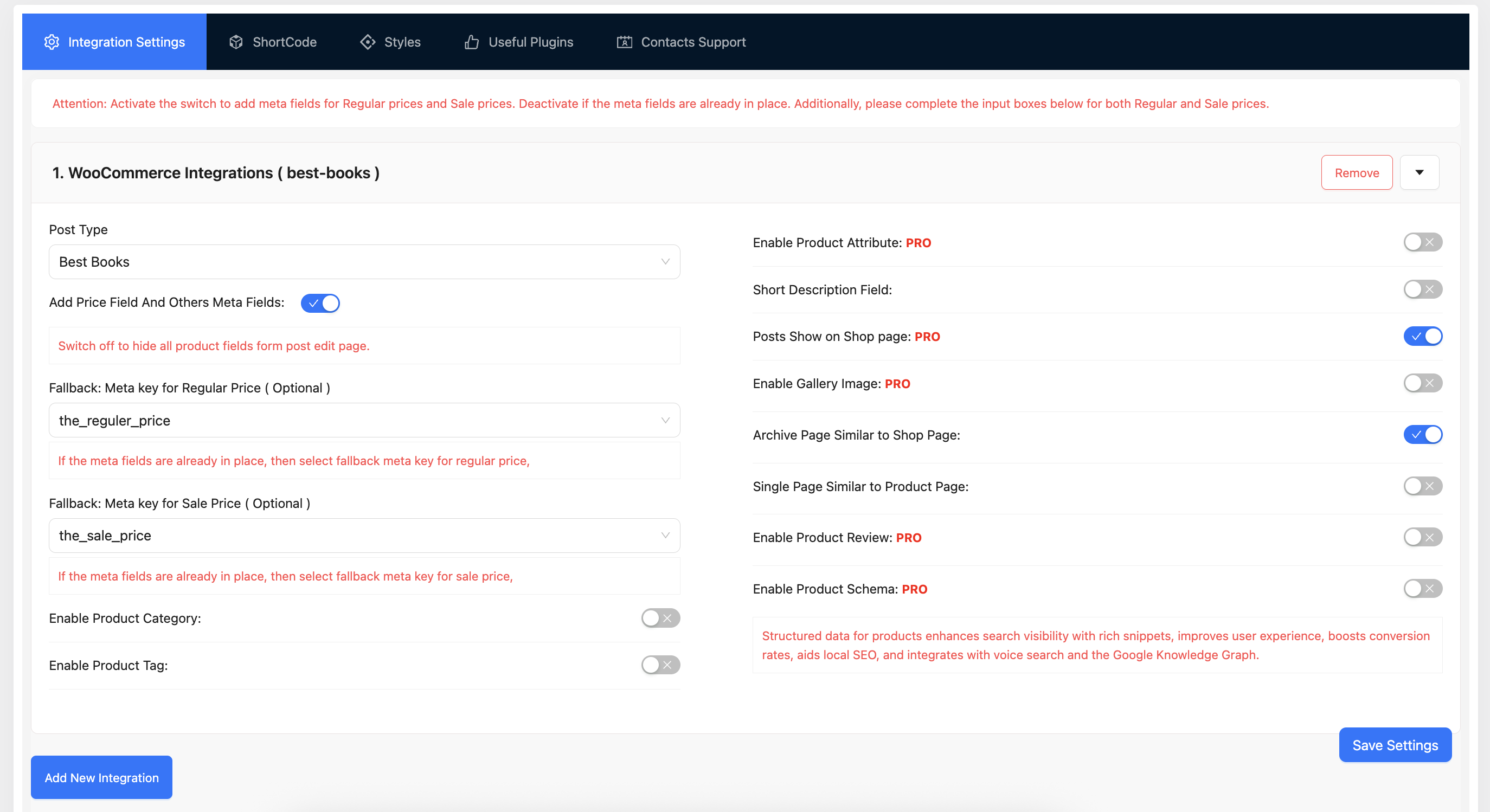
Integration settings — select your CPT and configure the price meta.
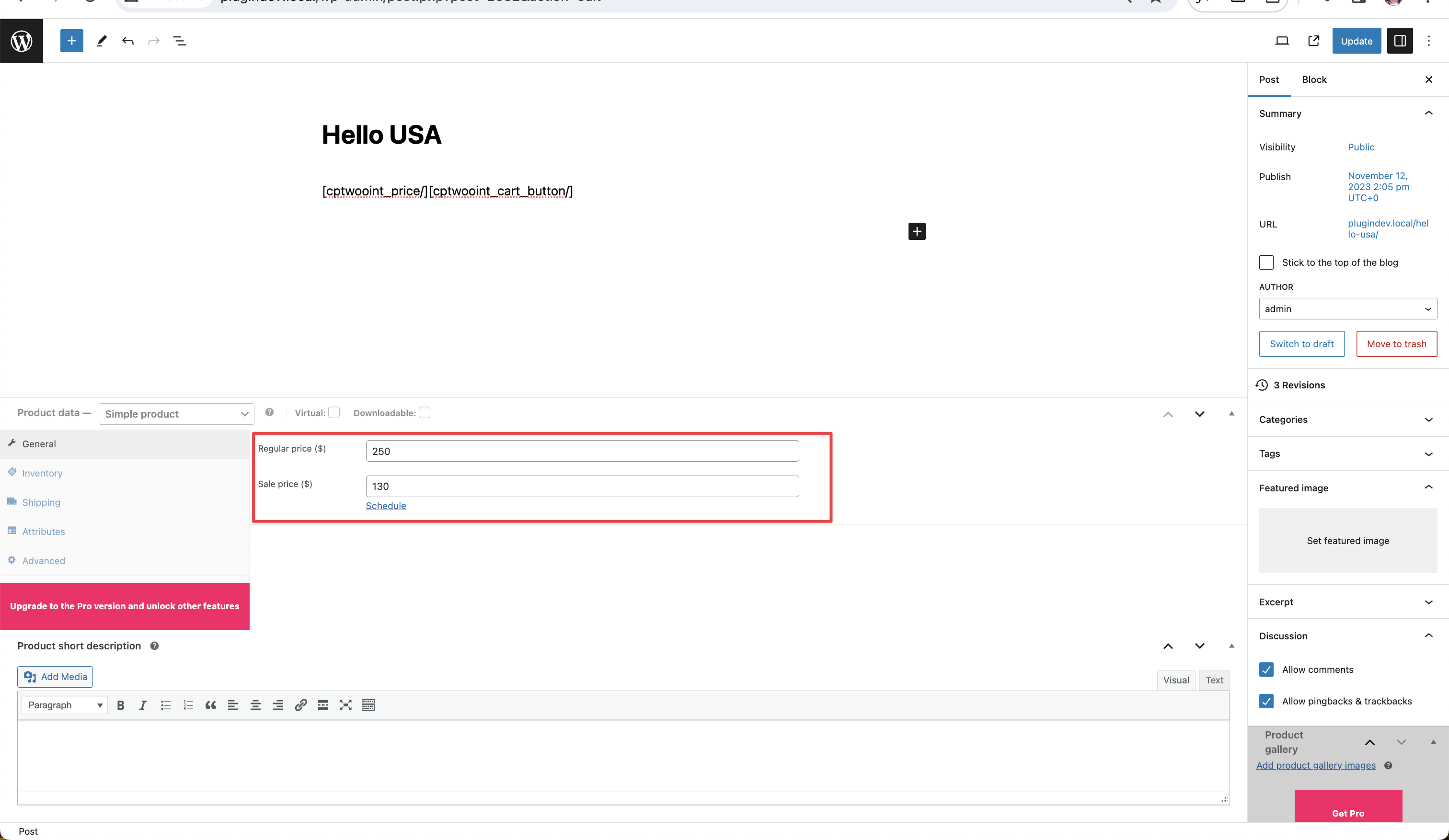
Price meta field — enable default fields or map existing meta keys.
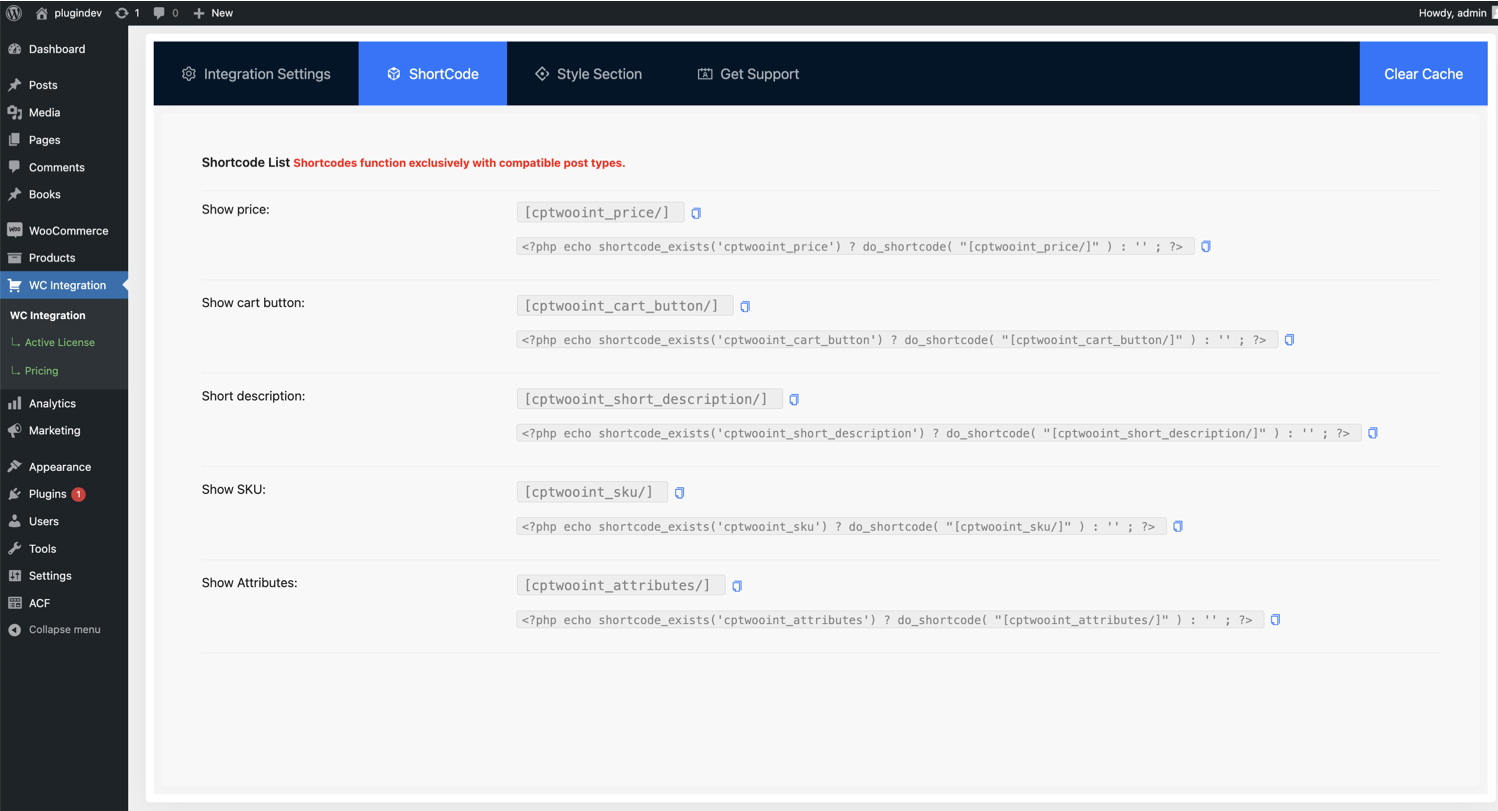
Shortcode generator — copy-ready shortcodes for price and cart.
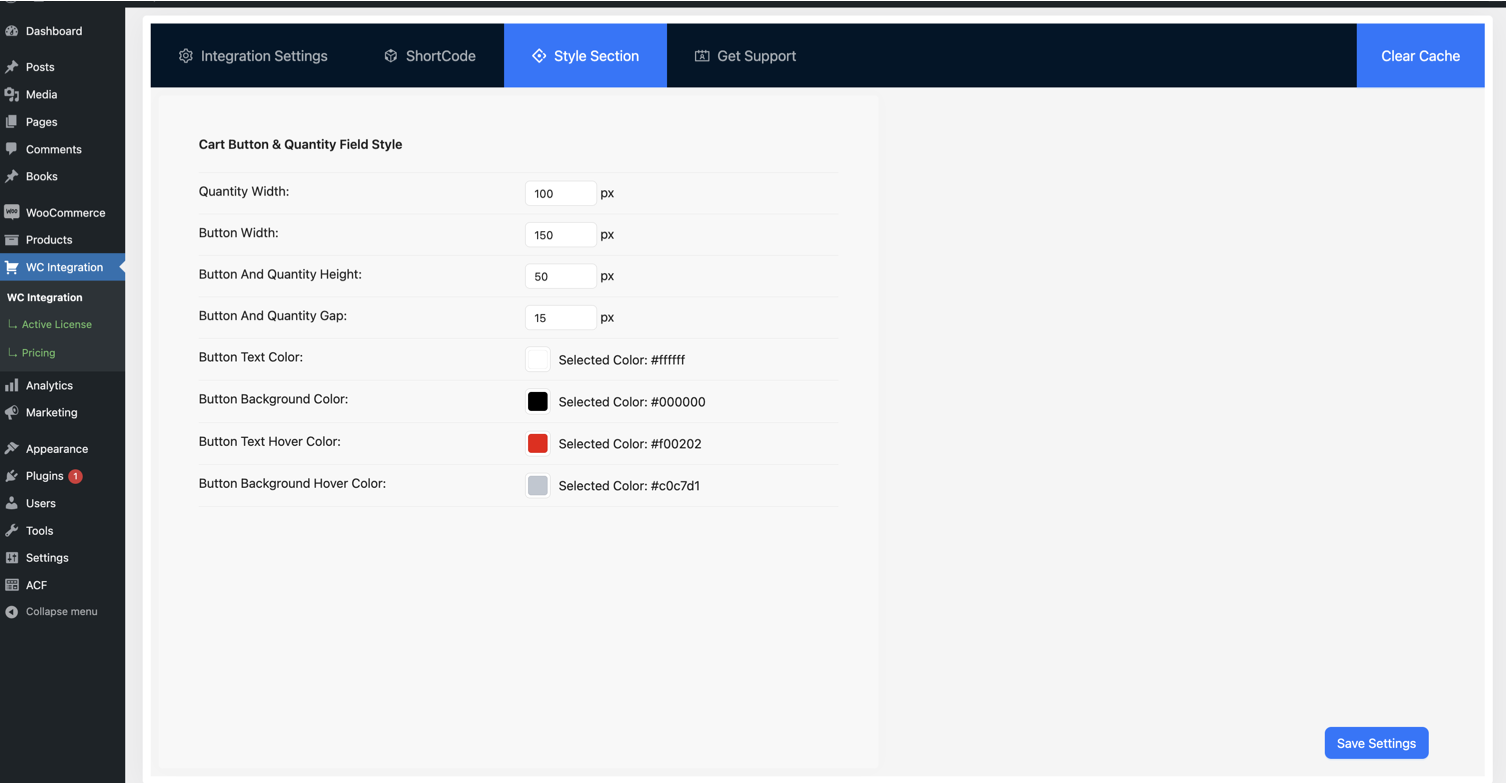
Button style customizer — adjust color, background, and size.
Faq
Install this plugin alongside WooCommerce, open WC Integration, select your custom post type, and set a price (or map an existing price meta key). Add the [cptwooint_cart_button/] shortcode where you want the buy button. The post can then be added to the WooCommerce cart and purchased through normal checkout.
WooCommerce sells WooCommerce products by default. This plugin bridges the gap so any custom post type can use the WooCommerce cart, checkout, orders, and payment gateways without being converted into a separate product.
Connect the post type in the plugin settings and assign it a price. The CPT post itself becomes the sellable item, so there is no second WooCommerce product to create or keep in sync.
No. Everything is configured through a React-powered admin interface. Select the post type, enable the price field, and add a shortcode. There is no PHP or theme editing required.
Yes. You can integrate unlimited custom post types. Each one can have its own regular and sale price settings and its own mapped meta keys.
Yes. If you store prices in ACF fields, select the ACF meta key as the fallback regular price (and optionally sale price) in the settings. The plugin reads prices directly from ACF with no data migration.
Yes. JetEngine has a built-in integration for its CPTs and variation panels. For Meta Box and other tools, map the meta key that stores your price and the plugin reads it directly.
Yes. The plugin ships with built-in integrations for LearnPress (sell courses) and BA Book Everything (sell bookings). It also works alongside Custom Post Type UI and most major CPT plugins.
Yes. You can keep your custom landing pages as designed and use WooCommerce purely as a checkout and payment processor. Connect the CPT or page, and customers pay through any WooCommerce-supported gateway such as Stripe or PayPal.
Yes. Set a fixed price on a page or post and add the cart button shortcode. Visitors can pay that amount through WooCommerce checkout, without a separate donation plugin.
Yes. Enable the “Archive Page Like Shop Page” option and your CPT archive inherits the WooCommerce shop layout. A matching option makes CPT single pages look like WooCommerce product pages.
Yes. Any custom post type can be made purchasable, so it fits events, courses, listings, real estate, vehicles, books, directories, and similar content. You choose which post types to connect.
Four: [cptwooint_price/], [cptwooint_cart_button/], [cptwooint_short_description/], and [cptwooint_wc_all_notices/]. They can be placed in pages, posts, templates, widgets, or any page builder.
A WC Integration menu item appears in the WordPress admin sidebar. Open it to configure post types, meta keys, shortcodes, and button styles. You are also redirected there automatically after activation.
Yes. WooCommerce must be installed and active, since the plugin uses the WooCommerce cart, checkout, orders, and payment systems.
Reviews
Great Integration for CPT
By 
Time saver and problem solver
Great plugin and fast support
By 
Thank you for helping us to solve our issue with custom shipping parameter not being imported
Excellent Support Even Before Purchasing the Plugin
By 
The support team has been incredibly helpful, even before I purchased the plugin. Their responsiveness and assistance exceeded my expectations.
Great plugin
By 
I think I have never given a review to any plugin in my web development career, but this really inspired me, I have to do everything custom but this one plugin made my task done in minutes, Really love it, I have recommended this to developers in my circle will soon create a linkeidn post aswell I really enjoyed that majic they did, again love it
Great service and product that work very well!
By 
Great service and product that work very well!
Very good plugin, very easy to work with. Great support.
By 
Very good plugin, very easy to work with. Great support.
Useful Plugin
By 
After searching many plugins I have found it and it gives me solution for my custom post type selling with woocommerce also I have used it for my plugin.
Works great
By 
This plugin worked with minimal setup and saved me a lot of time because I didn't have to migrate all of my CPT-based product lines to WooCommerce's system.
Outstand plugin.
By 
Really Helped me out. it's an outstanding plugin.
Very useful plugin
By 
Very Easy to Setup and any Custom Post Type Woocommerce Integration
Changelog
2.2.11 (Sep 15, 2026)
- Fix: Resolved a PHP memory exhaustion error (“Allowed memory size exhausted”) on supported post types configured as variable products. Price display could re-enter itself while resolving variation prices, causing runaway memory use.
- Fix: Price filters no longer error when passed a value that is not a product object.
- Improvement: A variable product whose lowest and highest price are the same now shows a single price instead of an identical price range.
2.2.10 (Aug 10, 2026)
- Improvement: Rewrote the plugin readme with clearer feature descriptions, use cases, and setup steps.
- Improvement: Updated WooCommerce tested-up-to version.
- Fix: Review notice button text color no longer inherits the admin link color.
2.2.9 (21 May, 2026)
- Improvement: Save settings notification UI.
2.2.8.1 (26 Apr, 2026)
- Improvement: Documentation and URL updates.