CrispyCohd Gated Content Block
CrispyCohd Gated Content Block
Description
CrispyCohd Gated Content Block provides a secure, block-native way to restrict access to content in the WordPress block editor based on whether a visitor is logged in or logged out.
Unlike plugins that rely on JavaScript or CSS to hide content after it has already loaded, this plugin applies true server-side content gating, ensuring restricted content is never rendered or exposed to the browser when access conditions are not met.
The gate block acts as a structural control point within your content:
– If the visitor meets the access condition, the gate is hidden and content continues rendering normally.
– If the visitor does not meet the condition, the gate message is displayed and all content after it is hidden.
This approach is predictable, secure, and fully compatible with caching, SEO, and modern WordPress themes.
Flexible, Block-Based Gated Layouts
CrispyCohd Gated Content Block works seamlessly with any core or custom WordPress block, giving you full freedom to design gated sections that suit your content and audience. Because the gate acts as a structural marker rather than a rigid wrapper, you can combine familiar blocks such as Columns, Groups, Buttons, or even the WordPress Login block to create clear, styled calls-to-action for restricted content. This makes it easy to build polished, conversion-focused gated layouts using the block editor alone, without shortcodes, custom templates, or additional plugins.
Upgrade to Pro
The free version is ideal for simple login-based content restrictions.
The Pro version adds advanced gating options, including:
– User roles (including custom roles)
– WooCommerce product ownership
– WooCommerce subscriptions
– User meta conditions
– Advanced visual controls and fade effects
Existing content created with the free version remains fully compatible when upgrading.
Learn more:
https://crispycohd.com/products/crispycohd-gated-content-block
Installation
- Upload the plugin to the
/wp-content/plugins/crispycohd-gated-content-block/directory, or install it via the Plugins screen in WordPress. - Activate the plugin through the Plugins screen.
- Open the block editor and search for “Gated Content”.
- Place the gate block where you want content access to stop.
Screenshots
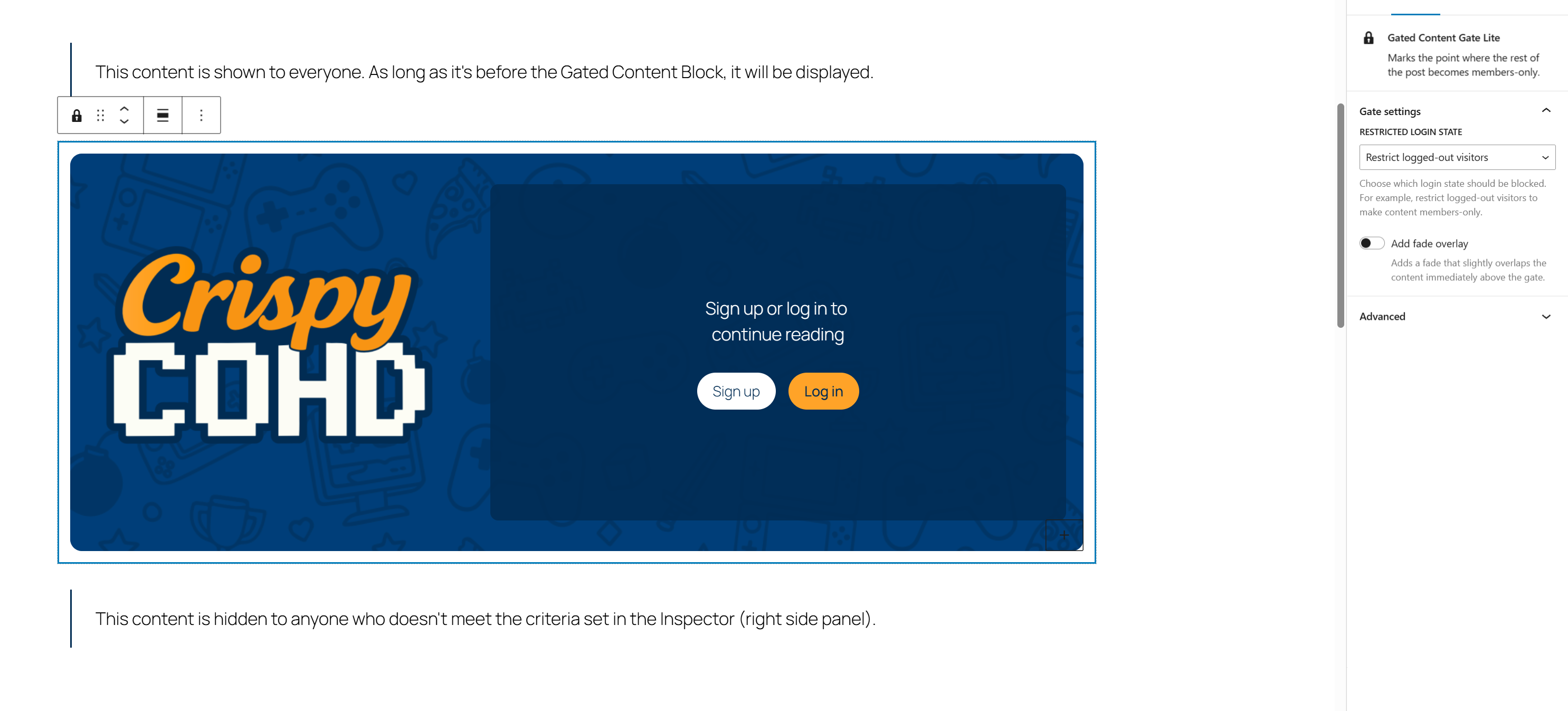
Gated Content block in the block editor, showing login-based access control.
Faq
Yes. Restricted content is never rendered server-side if the access condition is not met.
Yes. The Pro version is fully backward compatible with content created using the free version.
Yes. Because gating happens on the server, it works correctly with page caching and CDNs.
Yes. You can use any core or custom block inside the gated section to design your own layouts and calls-to-action.
This plugin includes all human-readable source files used to generate the bundled JavaScript and CSS assets. Build tooling and instructions are included for transparency and compliance with WordPress.org guidelines. Most users do not need to rebuild the plugin to use it.
Reviews
Changelog
1.0.9
- Improved compatibility with Pro version
- Updates to readable content
- Minor compatibility adjustments