Crixu Tiltframe

Crixu Tiltframe
Description
Scroll Parallax Gallery adds three native Gutenberg blocks for building parallax scrolling image sections and hero banners without a page builder:
- Scroll Parallax Gallery — a pinned, sticky frame with a parallax scrolling image gallery on one side and a scroll-animated sequence of narrative steps on the other, for scrollytelling-style sections.
- Scroll Parallax Hero — a hero section with rows of images drifting in the background as a parallax scrolling effect, with any content of your choosing placed on top.
- Scroll Step — a single narrative step used inside the Gallery block; fades in with a scroll animation as it becomes active.
Everything is configured from the block inspector: add images per row from the Media Library, set each row’s scroll speed, and adjust rotation, frame height, and overlay darkness to taste. No build tools, no external services, no tracking, and no options stored outside of the block content itself.
Features
- Multiple independently-speed image rows per block, for a layered parallax scrolling effect.
- Scroll-pinned narrative steps with a fade-in scroll animation that highlights in sync with scroll position.
- A dedicated hero block for parallax background images behind any heading, text, or button content.
- Works with wide/full alignment, block gap, and color/spacing block supports.
- Responsive: parallax and pinning are disabled below the mobile breakpoint in favor of a simple stacked layout.
- No JavaScript framework or build step — plain enqueued scripts and CSS custom properties.
Installation
- Upload the plugin files to the
/wp-content/plugins/crixu-tiltframedirectory, or install the plugin through the WordPress plugins screen directly. - Activate the plugin through the ‘Plugins’ screen in WordPress.
- In the block editor, insert the “Scroll Parallax Gallery” or “Scroll Parallax Hero” block and add your images.
Screenshots
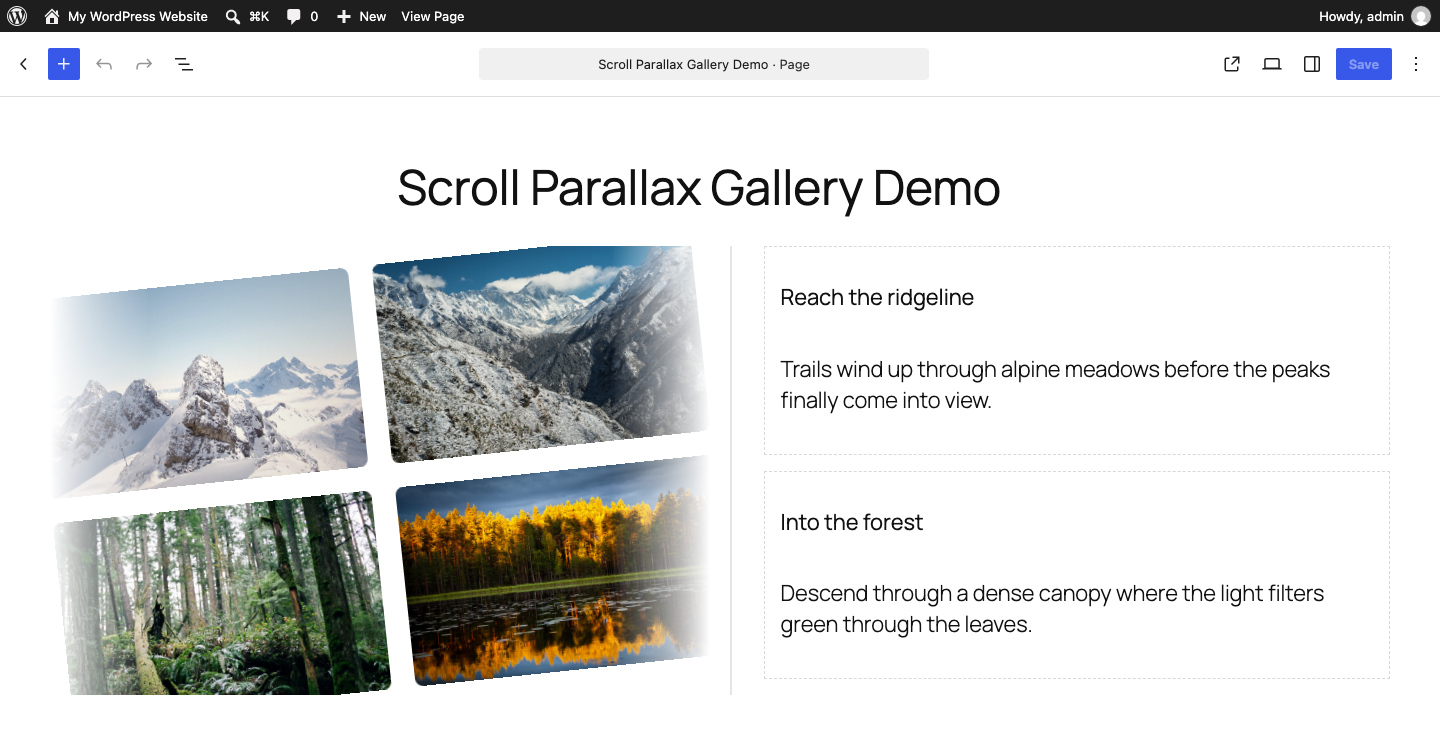
The Scroll Parallax Gallery block in the editor: two rows of images alongside scroll-driven narrative steps.
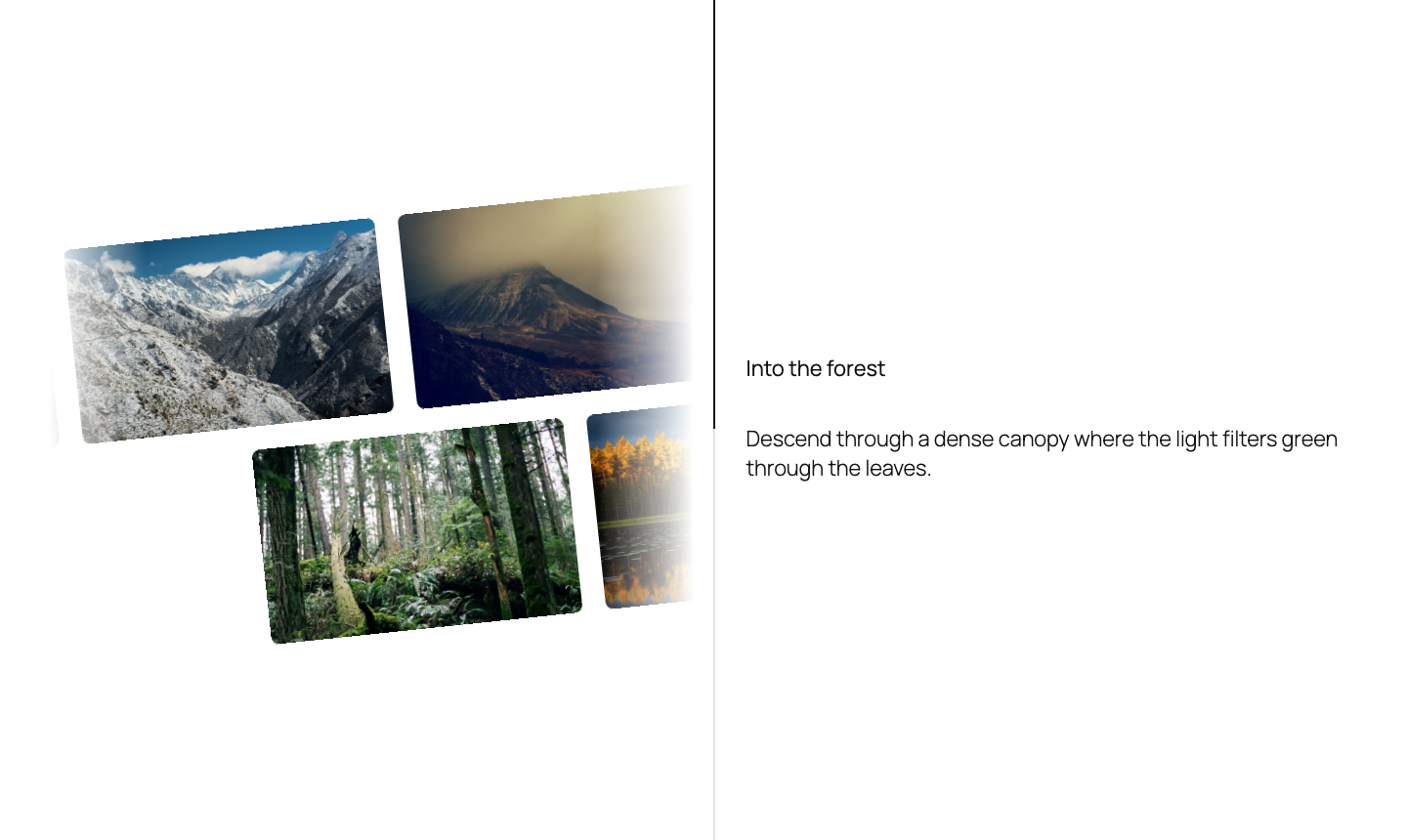
The same gallery on the front end, mid-scroll: rows drifting sideways as the active step highlights.
Faq
No. It registers native Gutenberg blocks that work in any block theme or classic theme with block editor support.
Below the tablet breakpoint (782px) the layout switches to a static stacked view: rows no longer drift and steps display without pinning, so the content is fully readable without relying on scroll effects.
Yes. Each row has its own “Add images” control in the block sidebar, and images can be reordered by removing and re-adding them.
No. It has no external HTTP requests, no analytics, and stores nothing beyond the block attributes already saved in your post content.
Reviews
Changelog
1.0.5
- Change: plugin renamed to “Crixu Tiltframe” (slug: crixu-tiltframe) in response to wp.org review feedback that the previous name/slug was too generic and lacked a distinctive identifier. Main file, Text Domain, and Plugin URI updated to match; block names and behavior are unchanged.
1.0.4
- Fix: Plugin Name changed from “Scroll Parallax Gallery Block” to “Scroll Parallax Gallery” so the wp.org-assigned slug matches the Text Domain already used throughout the code (Plugin Check flagged the mismatch during submission).
1.0.3
- Change: Plugin URI and README updated to the renamed repository (github.com/crixu/scroll-parallax-gallery-plugin — dropped the banned “wp” term from the repo name).
1.0.2
- Change: block namespace renamed from
lucasr/*tocrixu/*(e.g.crixu/scroll-parallax-gallery). This changes the block names stored in post content; only relevant before this plugin has been used to publish any content.
1.0.1
- Fix: the gallery block’s front-end output was missing the fade-mask class present in the editor preview, so rotated image rows could overflow their column and overlap the steps text. The front-end markup now matches the editor.
1.0.0
- Initial release.