Cross Site Copy Field for ACF
Cross Site Copy Field for ACF
Description
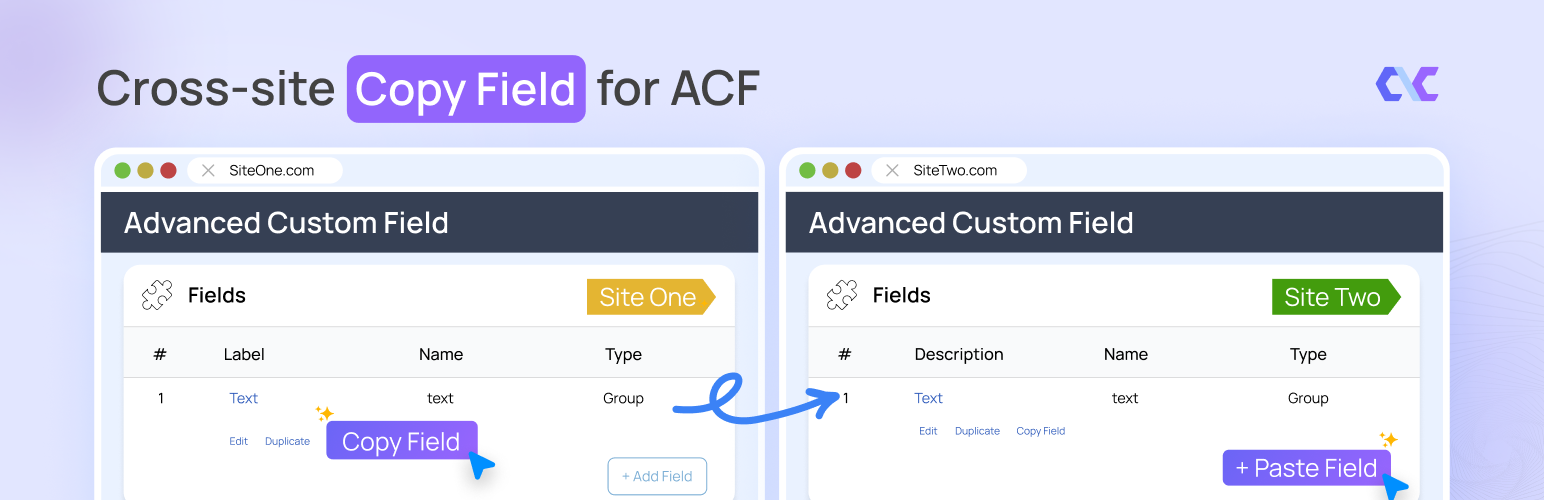
Cross Site Copy Field for ACF allows you to easily duplicate and transfer Advanced Custom Fields (ACF) field definitions between field groups on the same site or across different WordPress installations.
Features
- One-Click Copy – Copy any field with its complete configuration
- Smart Paste – Paste fields with automatic key generation
- Auto-Save & Refresh – Fields are automatically saved after pasting
- Cross-Site Transfer – Transfer fields between different WordPress sites via JSON
- Nested Field Support – Full support for Repeaters, Groups, and Flexible Content
- Context-Aware – Automatically detects paste location (top-level or inside containers)
- All Field Types FREE – All 30+ ACF field types are completely free
Supported Field Types
All ACF field types are supported for FREE:
- Basic: Text, Textarea, Number, Range, Email, URL, Password
- Content: Image, File, WYSIWYG Editor, oEmbed, Gallery
- Choice: Select, Checkbox, Radio Button, Button Group, True/False
- Relational: Link, Post Object, Page Link, Relationship, Taxonomy, User
- Advanced: Google Map, Date Picker, Date Time Picker, Time Picker, Color Picker
- Layout: Message, Accordion, Tab, Group, Repeater, Flexible Content, Clone
How It Works
- Open any ACF field group
- Click the “Copy” button on any field
- Copy the JSON from the popup
- Navigate to another field group (same site or different site)
- Click “Paste” and paste the JSON
- Field is automatically saved and page refreshes
Requirements
- WordPress 5.8 or higher
- Advanced Custom Fields (ACF) or ACF PRO 5.0+
- PHP 7.4 or higher
Note: Complex field types like Repeater, Flexible Content, and Group require ACF PRO.
Privacy & Data Collection
Your Privacy Matters
This plugin respects your privacy and operates with full transparency:
- No Automatic Data Collection – The plugin does not collect or transmit any data without your explicit consent
- Opt-In Telemetry – You can optionally enable anonymous usage tracking from Settings > ACF WYSIWYG Limit to help improve the plugin
- Deactivation Feedback – When deactivating, you can choose to share feedback to help us improve. This is completely optional
- No Personal Content – We never collect your post content, user passwords, or sensitive information
- What We Collect (Only if you opt-in):
- Plugin version and settings
- WordPress and PHP versions
- Theme information
- Site language and multisite status
- Anonymous site URL (for duplicate detection only)
Deactivation Feedback
When you deactivate the plugin, a feedback modal appears asking for your reason. This helps us improve the plugin:
- Completely Optional – You can skip and deactivate immediately
- Contact Consent – Check the consent box only if you want us to follow up with support
- Your Choice – Your name and email are only sent if you check the consent checkbox
Installation
- Upload the plugin files to
/wp-content/plugins/cross-site-copy-field-for-acf/ - Activate the plugin through the Plugins screen in WordPress
- Ensure Advanced Custom Fields (ACF) or ACF PRO is installed and activated
- Open any ACF field group to see the “Copy” and “Paste” buttons
Screenshots

Copy button on field row

JSON popup for copying

Paste button and paste popup

Paste inside container fields (Repeater, Group, Flexible Content)
Faq
The plugin works with both ACF Free and ACF PRO. However, complex field types like Repeater, Flexible Content, and Group require ACF PRO.
Yes! Copy the JSON from one site and paste it on another. The plugin automatically generates new unique keys to prevent conflicts.
No! The field is automatically saved and the page refreshes to show your new field.
Yes! All 30+ ACF field types are completely free to use with this plugin.
No. Copying creates a completely independent duplicate. The original field remains unchanged.
Yes. All field settings including conditional logic, validation rules, wrapper settings, and sub-fields are fully preserved.
Media references are copied as-is. When transferring between sites, you’ll need to re-select the media files on the destination site.
Reviews
Changelog
1.0.1 – 2026-02-05
- Enhanced: Deactivation feedback popup UI with new Dashicons and better hover effects
- Fix: Moved deactivation logic to separate class for better organization
- Fix: Resolved security lint errors (escaping, sanitization, nonce verification)
- Fix: CSS variable usage for easier maintenance
- Improvement: Made support contact consent optional in deactivation popup
1.0.0 – 2026-02-03
- Initial release
- Copy/Paste functionality for all ACF field types (FREE)
- Context-aware paste (top-level, inside containers)
- Cross-site JSON transfer
- Automatic unique key generation
- Smart parent detection for nested fields
- Flexible Content layout sub-field support
- Auto-save and auto-refresh after paste
- Support for Repeater, Group, and Flexible Content nesting