CRUDLab Disable Comments

CRUDLab Disable Comments
Description
CRUDLab Disable Comments plugin allows you to disable comments for any page or post or for whole site. You can disable comments for any particular page or post temporarily or on permanent basis.
Features
- Disable comments on all pages
- Disable comments on all posts
- Disable comments on particular page or post
- Disable comments everywhere temporarily
- Disable comments permanently. (This action can’t be undone)
Installation
- Upload CRUDLab-disable-comments folder to the “/wp-content/plugins/” directory
- Activate the plugin through the ‘Plugins’ menu in WordPress
Screenshots
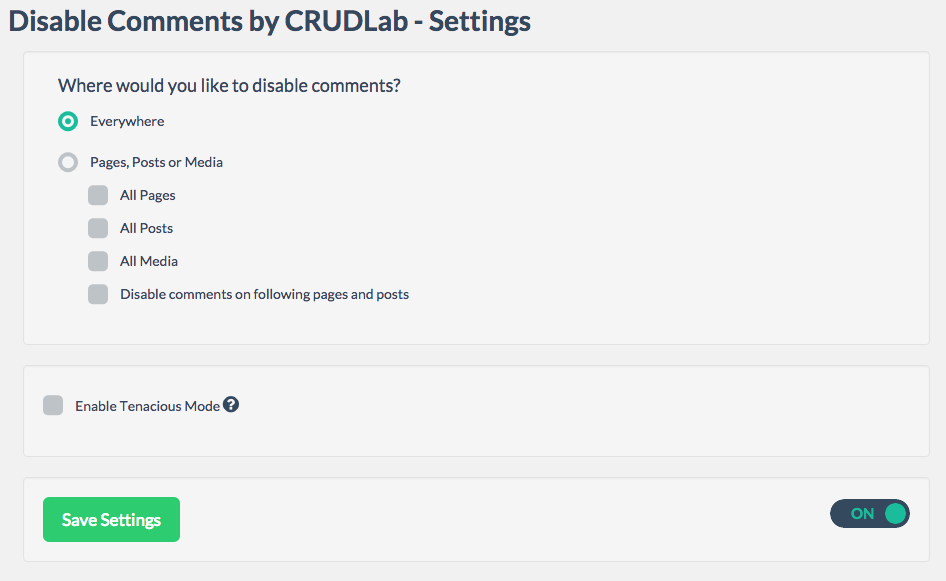
Settings
Faq
How can I disable comments for a particular page or post?
Select the “Disable comments on following pages and posts” option. Type in particular page or post name and select it. Then
What is “Enable Tenacious Mode”?
Tenacious mode permanently disable comments on your site. And it disables comments from everywhere. This change can not be un done even if you disable or delete plugin. So please don’t check the Tenacious mode if you want to disable comments temporarily.
Reviews
Nice plug in BUT ... bad green icon on the menu
By 
The plug in is great but the green circle in the admin bar is very invasive and bad, should be not here.
Can cause many user don't like to use this plug in.
Awesome Plugin
By 
Such an awesome plugin, it has everything I was looking for.
Changelog
1.0.5
- Made compatibility up to 4.7
1.0.4
- Fixed few bugs
- Increased efficiency
1.0.2
- Made compatibility up to 4.5.2
1.0.1
- Fixed the donation link
1.0.0
- Rolled out plug-in (21-01-2016)