ChainKitWP Crypto Token Ticker
ChainKitWP Crypto Token Ticker
Description
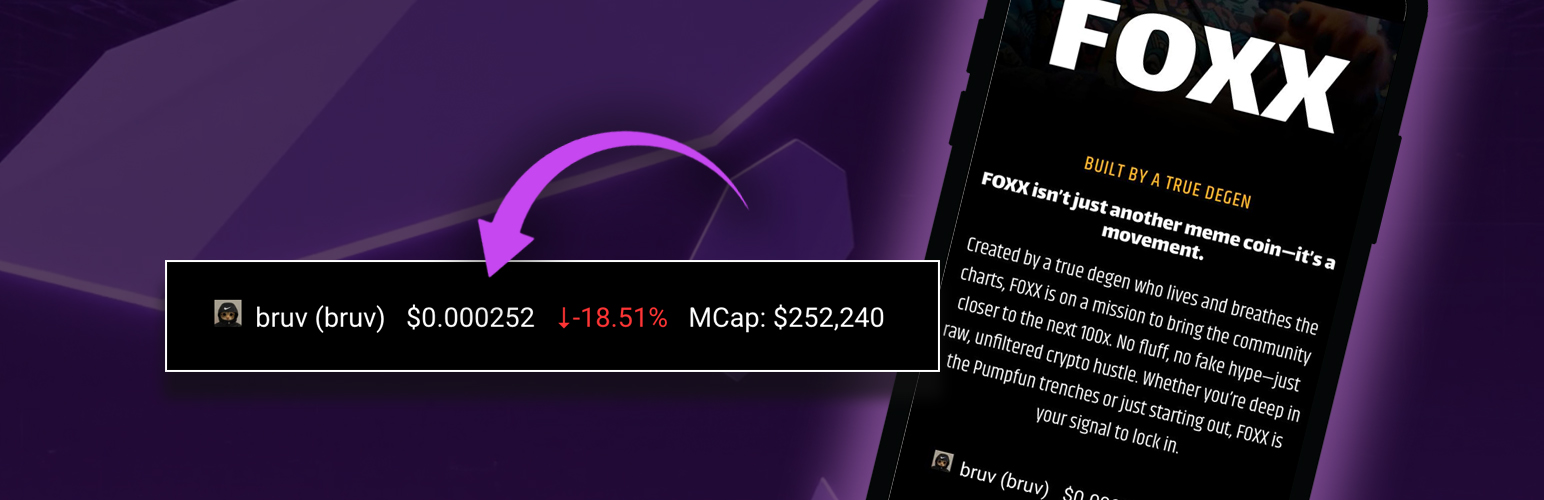
ChainKitWP Token Ticker helps display real-time cryptocurrency data on your website with simple shortcode for any token that can be found on DexScreener. plugin fetches the latest price, price change %, and market cap for your chosen token. Ideal for token projects, crypto bloggers, and Web3 builders.
Embed dynamic crypto data directly on your pages or posts using a simple shortcode.
🔥 Features
- 💸 Live Token Price Updates (via DexScreener API)
- 📈 Price Change % and Market Cap
- 🪙 Custom or Auto Token Icons
- 🔍 Six Decimal Pricing Accuracy
- 💡 Responsive Layout – fits any WordPress theme
- 💬 Simple Shortcode Integration
🧩 Usage
Use the shortcode to display a token’s data anywhere:
[crypto_ticker token=”SOLANA_TOKEN_ADDRESS”]
Example:
[crypto_ticker token=”So11111111111111111111111111111111111111112″]
Optional parameters:
– icon=”https://yoursite.com/icon.png” – use a custom icon
– label=”My Token” – change the token name label
– size=”small|medium|large” – change the display size
– pair=”bonk-usdc” – (optional) show by trading pair ID if needed
Example with custom icon and label:
[crypto_ticker token=”So11111111111111111111111111111111111111112″ label=”SOL Token” icon=”https://yoursite.com/sol-icon.png”]
External services
This plugin connects to an API to obtain crypto details about the token you wish to display on your website. If token contract address isnt placed within the shortcake the plugin will not be able to pull the token data.
This service is provided by “DexScreener” API.
API Documentation
Terms & Conditions
Privacy Policy
License
This plugin is licensed under the GPLv2 or later.
Installation
- Upload the plugin to your /wp-content/plugins/ directory or install via Plugins > Add New
- Activate the plugin
- Add the shortcode to any page or post: [crypto_ticker token=”TOKEN_ADDRESS”]
- Optional: Style with custom CSS as needed
Faq
We use the DexScreener API to fetch live token data from Solana and Bonk-supported pairs.
The data refreshes automatically every 30–60 seconds depending on the token.
Any Solana-based token listed on DexScreener. Just use the correct token mint address.
Yes! You can use shortcode parameters and CSS to match your theme.
Reviews
Such a good idea and simple to use
By 
This app is very useful and simple to use, i added to my website with a few clicks and it was so easy
Changelog
1.0
- Initial release with live token price, % change, market cap, and icon display.