Currency Switcher for WooCommerce

Currency Switcher for WooCommerce
Description
Currency Switcher for WooCommerce is a plugin that allows your site customers switch currencies and get their rates converted in the real time.
If you wan to make an online store in multiple currencies – Currency Switcher for WooCommerce is suitable for you.
Currency Switcher is available as with shortcode and widget.
More info is here: https://github.com/PressMaximum/currency-switcher-for-woocommerce/wiki
The Plugin Features:
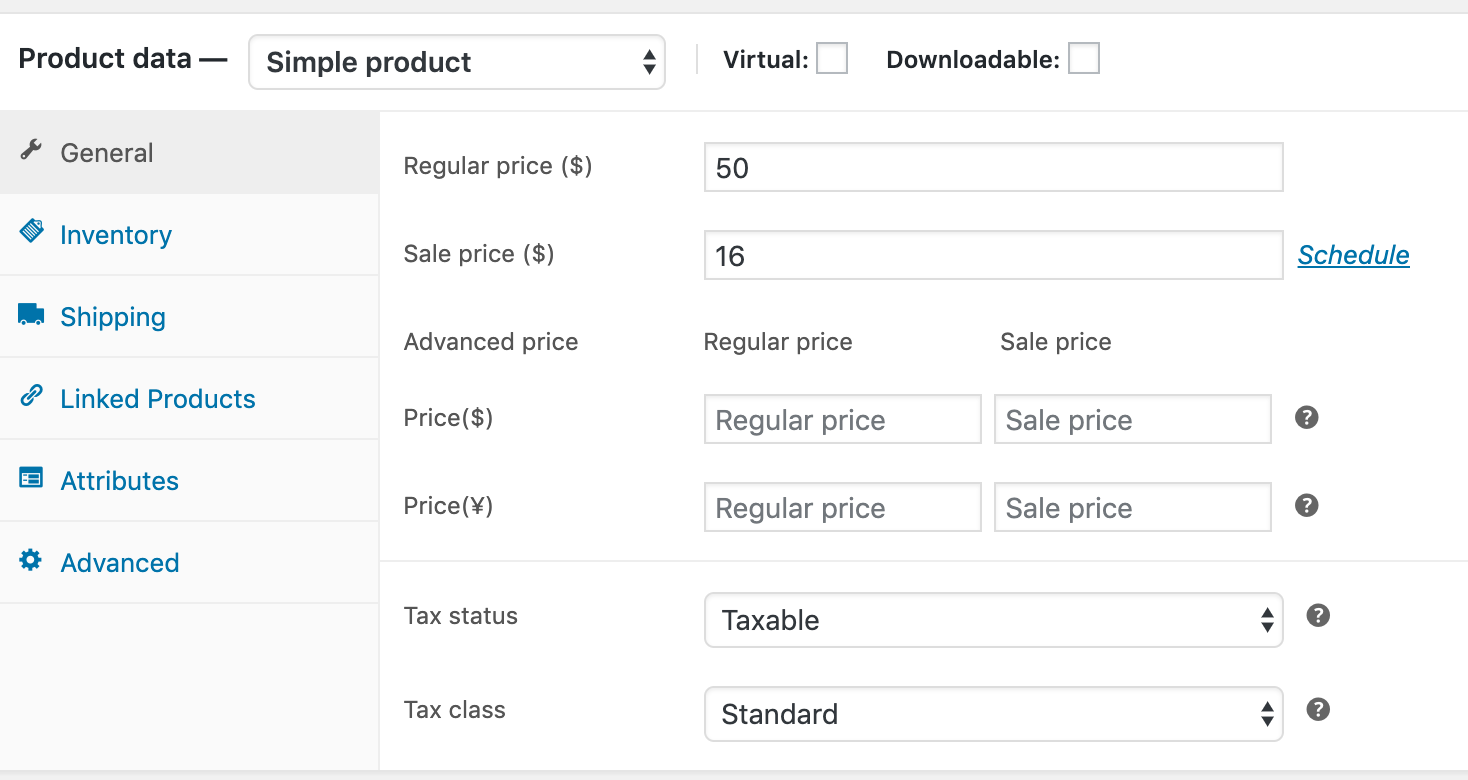
- Advanced product price for each currency.
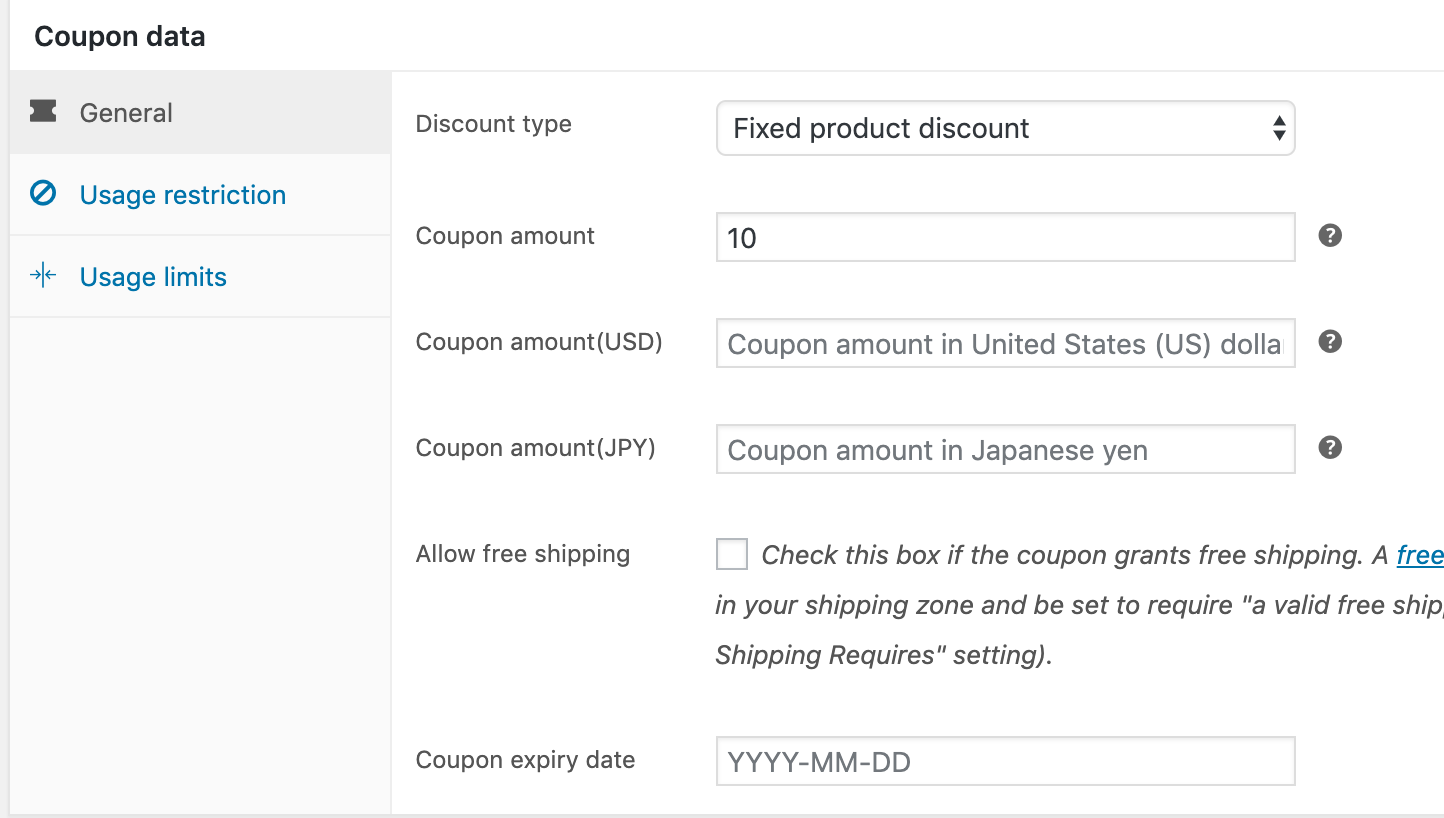
- Advanced coupon value for each currency.
- Add currency swicther to menu.
- Shortcode: Just add to anywhere you want.
- Currency swicther widget: List and dropdown style.
- Currency can be changed automatically according to visitor’s IP using woo WC_Geolocation PHP class.
- The customer is allowed to pay in the selected currency (optionally).
- Hide/Show payment systems on checkout page depending on the current currency.
- Ability to set new order currency which was created through admin panel by hands.
- Automatically convert tax to current currency.
- Automatically convert shipping cost to current currency.
- Custom exchange rate for each currency.
- Exchange rates APi update automatically or manual.
- Custom price format for each currency.
Compatible with
- Compatible with WooCommerce Extra Product Options
- Compatible with Table Rate Shipping for WooCommerce by bolderelements
- Compatible with WooCommerce Stripe Gateway by woothemes
- Compatible with PayPal for WooCommerce by angelleye
- Compatible with WooCommerce PDF Invoices & Packing Slips
- 90% compatibility with different payment gates in ‘multiple allowed’ mode, just try it!
Shortcode
[pmcs]
Available options:
* title: Shortocde title.
* display_type: List or dropdown.
* show_flag: Leave empty to hide flags.
* show_name: Show currency code or native name (code or name).
* show_symbol: Set to yes to show the currency symbol (e.g. $, €, £) before each currency.
* dropdown_width: Dropdown menu width, for example 180, 180px, 14rem, or auto.
Example: [pmcs display_type="dropdown" show_symbol="yes" dropdown_width="180px"]
Video tutorials:
Installation
Manual Installation
- Upload the entire
/currency-switcher-for-woocommercedirectory to the/wp-content/plugins/directory. - Activate Currency Switcher for WooCommerce through the ‘Plugins’ menu in WordPress.
Screenshots




Reviews
Changelog
0.0.11
- Show currency symbols consistently in menu and widget dropdowns.
- Add configurable symbol display and balanced symbol-to-name spacing with RTL support.
0.0.10
- New:
show_symbolshortcode attribute to show the currency symbol ($, €, £…) before each currency, in both list and dropdown display. - New: a “Shortcode” tab in the settings screen documenting the
[pmcs]shortcode and all of its attributes. - Fix PHP 8.2 “Creation of dynamic property” deprecations (PMCS_Switcher, PMCS_Crons, EDD updater).
- Fix a menu-switcher property typo so the “Add to menu” setting is honoured.
- Boot the plugin on
initinstead ofwoocommerce_loaded, and stop translating during setup (switcher currency list, updater plugin header, Yahoo label), so the plugin no longer triggers WP 6.7’s _load_textdomain_just_in_time notice for thepmcsorwoocommercetext domains.
0.0.9
- Compatible with WordPress 7.1.
0.0.8
- Fix CSRF issue
0.0.2
- Fix bugs
0.0.1
- First release