Custom Product Configurator for WooCommerce
Custom Product Configurator for WooCommerce
Description
Custom Product Configurator for WooCommerce is built for store owners who sell customizable products and want a solution that works immediately.
Instead of building configurators from scratch, you use ready-made product templates that create a complete configurator for you in one click — including fields, pricing logic, and frontend layout.
The plugin is especially suited for printed products, but also works for many other custom product types.
Who Is This Plugin For
This plugin is ideal if you sell:
- Printed products (flyers, posters, business cards, stickers)
- Custom furniture or made-to-measure products
- Doors, windows, panels, or modular products
- Any product where customers select options instead of variations
If your current workflow includes manual emails, Excel price calculations, or order clarification, this plugin replaces that process.
The Core Idea
You don’t build configurators.
You select a template and start selling.
Templates are based on real-world products and common pricing models, so you can launch faster and avoid complex setup.
How It Works (2 Steps)
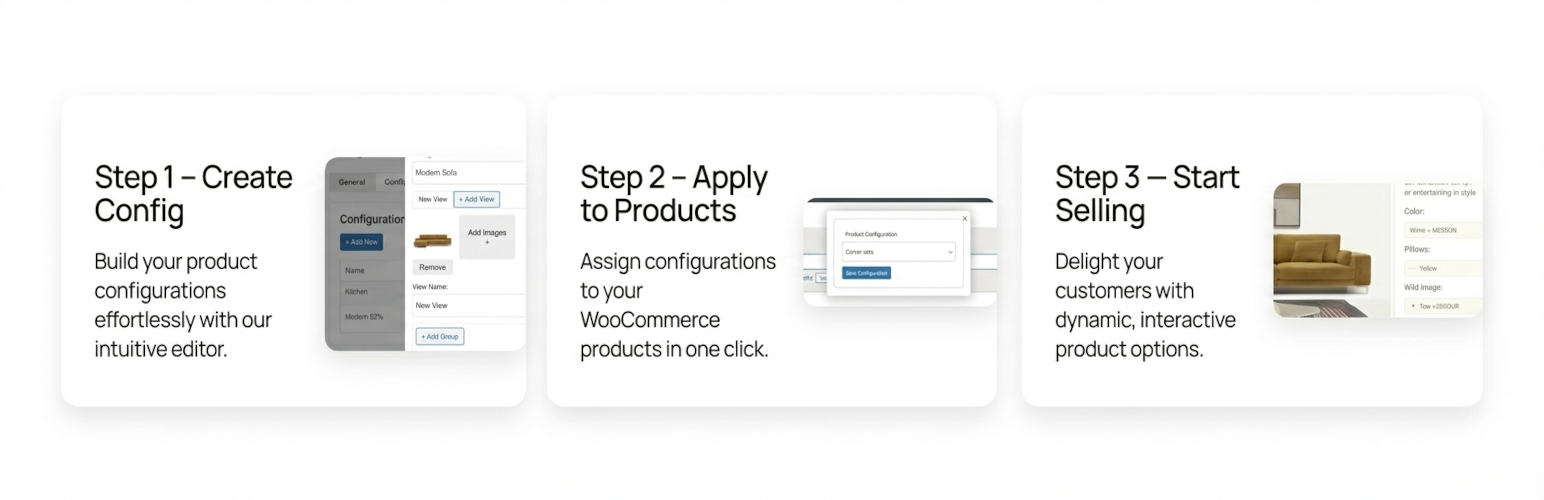
Step 1: Create a Configurator in One Click
Choose a product template (for example: Printed Product).
The plugin automatically creates:
– product options
– pricing logic
– customer-friendly frontend UI
No field building. No rule configuration.
Step 2: Assign It to a WooCommerce Product
Attach the configurator to a product.
That’s it — your product is now configurable, priced correctly, and ready to order.
Templates Status
Templates are currently being rolled out.
Initial templates focus on printed products and other common real-world selling scenarios.
Want a template for your niche?
Tell us what you sell here:
https://www.wp-product-configurator.com/your-niche/
Your input directly influences which templates are built next.
Key Features
- Ready-made product configurator templates
- Visual configuration directly on WooCommerce product pages
- Live price calculation
- Clean and simple frontend UI
- React-based admin and frontend apps
- Works with simple and variable products
- Performance-focused architecture
Premium Features
- Conditional pricing rules
- Category-based configurators
- Advanced price add-ons
- Priority support
Composite Products (Coming Soon)
Composite Products allow customers to build multi-part products by combining multiple items into a single configuration.
This feature is currently in development and will enable use cases such as:
– bundled or modular products
– build-your-own product kits
– products composed of multiple configurable parts
– complex product structures sold as one item
Composite Products will integrate seamlessly with existing templates and pricing logic.
Real-World Examples
This plugin is designed around actual WooCommerce businesses, not demo setups:
- Printed products with quantity-based pricing
- Furniture with material and size selection
- Custom products without hundreds of variations
Live demos and examples:
https://www.wp-product-configurator.com/examples/
Installation
- Upload the plugin to
/wp-content/plugins/product-configurator, or install it via the WordPress Plugins screen. - Activate the plugin.
- Go to WooCommerce Product Configurator.
- Create a configurator using a template.
- Assign it to a product.
Faq
Yes. The configurator works with both simple and variable WooCommerce products.
No. Templates handle this automatically. Customization is optional.
Yes. The plugin uses clean CSS classes and CSS variables.
You can add custom styles via:
Appearance Customize Additional CSS
Example:
.custprco-field {
background: #f97316;
}
Reviews
Changelog
1.82.0
- Added Request Form – We can build configuration for you 🙂
1.81.0
- New feature – disable fields or options
1.8.0
- Added discounts for fields and options
1.7.0
- Added descriptions and prices for all fields
- Minor bug fixes
1.6.2
- Premium rule engine simplified
1.6.1
- Fixed selected values display in summary
1.6.0
- Improved field selection and frontend UI
1.5.0
- Simplified styles with CSS variables
1.4.0
- Added new components (Date, Time, Upload, etc.)
- Admin panel restyle
1.0.0
- Initial release