Custom Sticky Notes
Custom Sticky Notes
Description
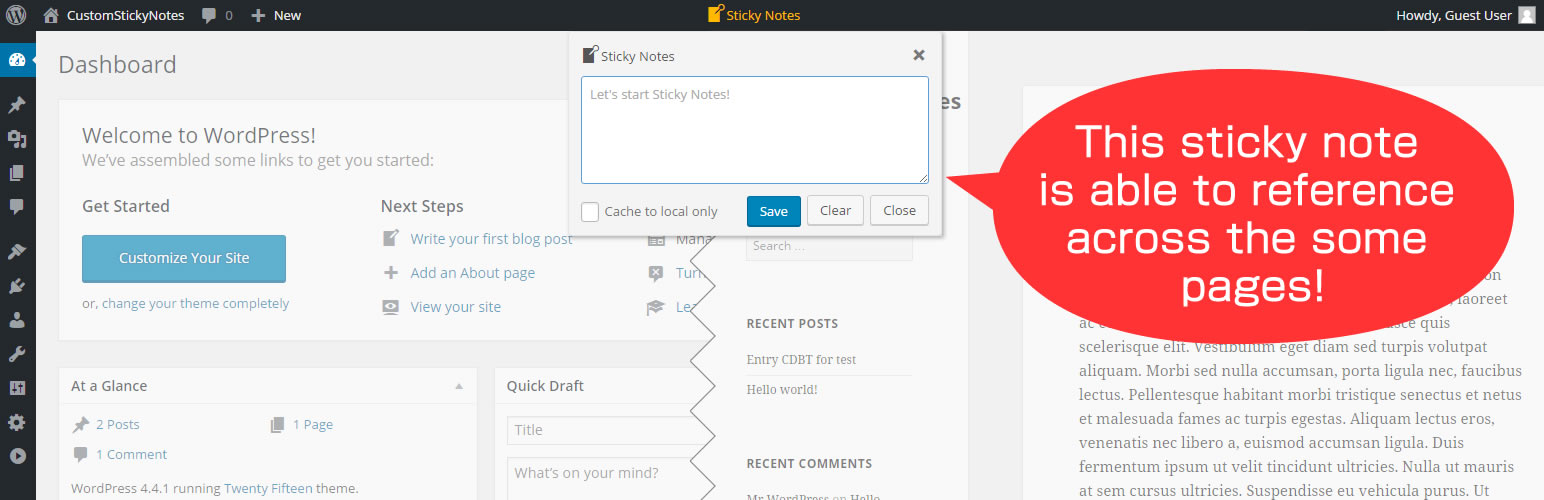
This plugin will add simple sticky notes in the WordPress admin bar.
The recorded snippets on this notes will be able to utilize across the each management screen.
Of course, if you enable the admin bar, it can also be used in the WEB frontend.
Installation
- Upload
custom-sticky-notesdirectory to the/wp-content/plugins/directory - Activate the plugin through the ‘Plugins’ menu in WordPress
That’s it. Now you can easily start recording snippets on the WordPress
Screenshots

If the admin bar has enabled, sticky notes will pop up anytime, anywhere.

You can now choose the color scheme of sticky notes from two themes.
Reviews
Current Version has Bad Behavior
By 
The current version of this plugin, over a year old, has prohibited plugin behavior.
It ends up loading versions of jQuery or jQuery components directly from Google, which is breaking some other plugins that rely on the current standard version of jQuery from WP.
Exactly what I searched
By 
This is exactly what I searched 🙂 Simple and very useful. Thanks!
Changelog
1.1.3
- Modified the translation files for Japanese.
1.1.2
- Improved several plugin UI/UX.
1.1.1
- Fixed not working plugin activation.
1.1.0
- Changed to internal processing that does not depend on jQuery.
- Improved and enhanced several UI/UX.
1.0.2
- Have optimized the jQuery loading process at the web-frontend and management screen.
1.0.1
- Fixed a bug that occurs syntax error at php 5.3 or less.
1.0.0
- Initial public release!