SysBasics Customize My Account for WooCommerce – Live My Account Customizer

SysBasics Customize My Account for WooCommerce – Live My Account Customizer
Description
Customize My Account for WooCommerce — Free Plugin by SysBasics
Transform the default WooCommerce My Account page into a modern, professional customer dashboard — with a live frontend customizer, spending overview, shipment tracking, Google login, user avatars, custom endpoints, and role-based navigation. No coding required.
🚀 Try Live Demo — Opens instantly in your browser. No installation needed!
Upgrade to Pro | Documentation | Support
✨ What Makes This Plugin Different?
Most WooCommerce My Account plugins let you add tabs. This one goes further — it ships with a real-time live frontend customizer, a spending overview dashboard with chart, built-in shipment tracking, Google social login, and automatic design improvements just by activating it.
🎨 Live Frontend Customizer
Preview and customize your My Account page in real time — no page refreshes, no guessing. The dark-themed customizer panel shows a live iframe of your actual account page while you make changes.
✅ Switch navigation styles instantly (Theme Default, Clean, React-Based)
✅ Toggle dashboard widgets on/off with a single click
✅ Drag and drop to reorder dashboard sections
✅ Preview changes across Desktop and Mobile viewports
✅ Changes save automatically via AJAX — no Save button needed
📊 Customer Spending Dashboard
Give customers a clear picture of their purchase history right on the dashboard.
✅ Total Spent — lifetime spend displayed with currency formatting
✅ Total Orders — complete order count at a glance
✅ Average Order Value — automatically calculated
✅ 12-Month Spending Chart — a beautiful interactive line chart showing monthly spending trends over the last year
🎨 Instant Design Improvement — Just Activate
Just by enabling the plugin, the default WooCommerce My Account page gets a visual upgrade — no configuration needed. Verified with 100+ popular themes:
✅ Astra — Before | After
✅ Woodmart — Before | After
✅ Hello Elementor — Before | After
✅ GeneratePress — Before | After
✅ Divi — Before | After
Also compatible with: Avada, Kadence, Neve, OceanWP, Blocksy, Flatsome, Storefront, and many more.
🚚 Built-in Shipment Tracking
Add shipment tracking directly to WooCommerce orders — no third-party tracking plugin required.
✅ Add courier name, tracking number and tracking URL from the order edit page
✅ Tracking column visible in the WooCommerce orders list
✅ Customers see a clickable tracking link on their Orders and View Order pages
✅ Quick Add Tracking button appears when no tracking info has been saved yet
🔑 Google Social Login (Free)
Let customers sign in or register with their Google account in one click — no passwords needed.
✅ Works with any Google OAuth Client ID
✅ Automatically creates a WooCommerce customer account on first login
✅ Fully integrates with the My Account page login form
👤 User Avatar Upload
Allow customers to upload and manage their profile photo directly from the My Account page.
✅ Upload photo from device or capture via webcam
✅ Optional image cropper for precise avatar selection
✅ Fallback to Gravatar or a local default avatar
✅ Configurable size limits and allowed file formats
✅ Restrict avatar uploads per store settings
🗂️ Custom Endpoints & Account Tabs
Freely add, remove, rename and reorder My Account navigation items:
✅ Custom Endpoints — with shortcode or HTML content
✅ Custom Links — open in same tab or new tab
✅ Groups — collapsible sections to organize menu items
✅ Separators and Headings for visual structure
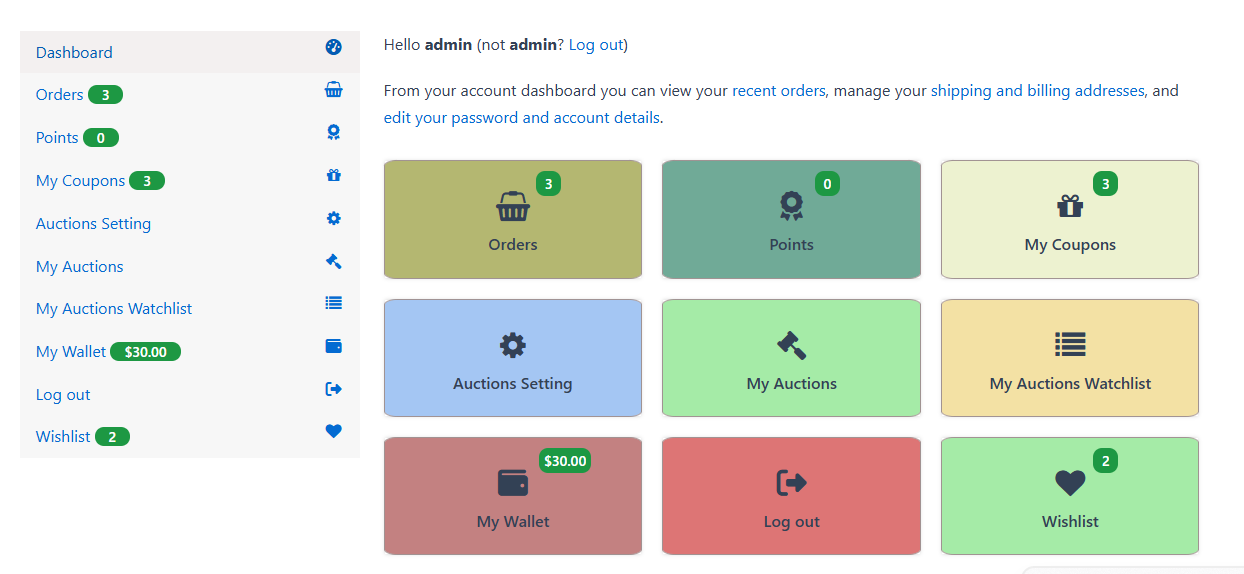
✅ Automatic detection and support for third-party endpoints (YITH Wishlist, Tera Wallet, WooCommerce Subscriptions, and more)
🧭 Header Navigation Widget
Add a My Account dropdown to your site’s navigation menu.
✅ Shows customer avatar and display name when logged in
✅ Displays a clean Login button for logged-out visitors
✅ Fully customizable widget text for logged-in and logged-out states
✅ Supports all major navigation menu locations
👁️ Role-Based Visibility
Control exactly which menu items and sections each user role can see.
✅ Show/hide endpoints by user role
✅ Show/hide endpoints by specific user ID
✅ Exclude specific roles or users from seeing certain items
✅ Perfect for membership sites, wholesale stores, and B2B portals
🖼️ Multiple Navigation Styles
Choose from built-in navigation layout styles:
✅ Theme Default — inherits your theme’s My Account styling
✅ Clean — a polished, modern sidebar design
✅ React-Based — fully JS-driven navigation (Pro)
✅ Banking App Style — premium bottom-tab navigation (Pro)
📦 Optimized Order & Download Templates
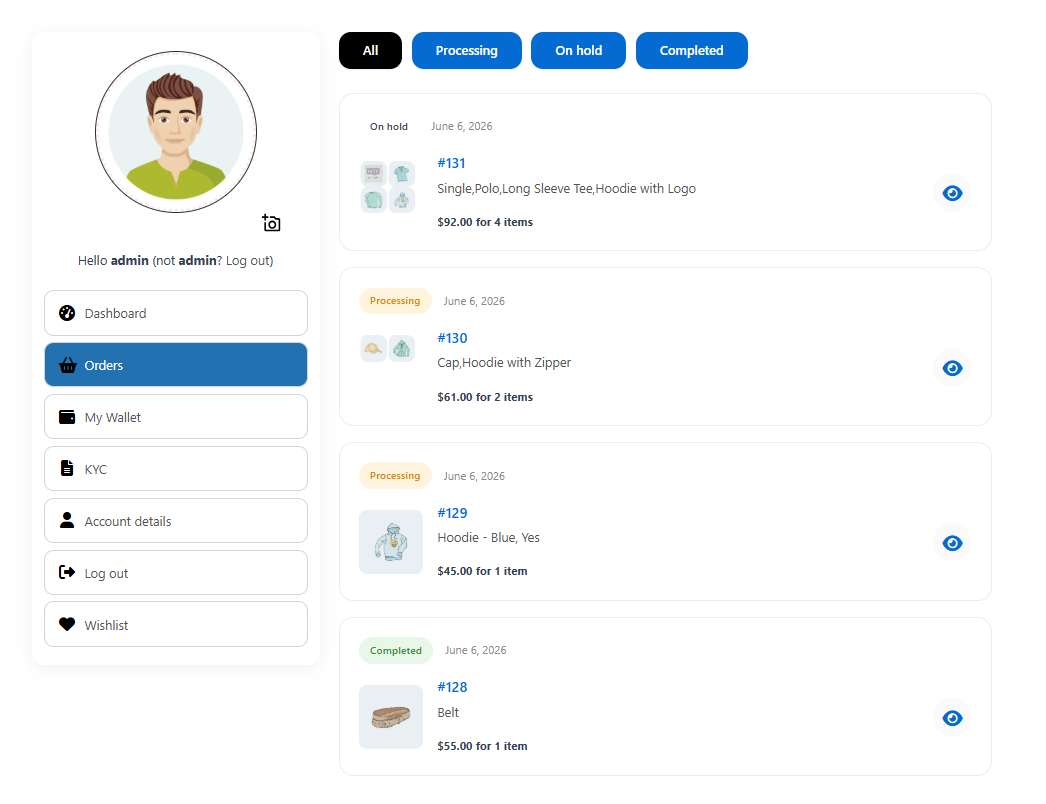
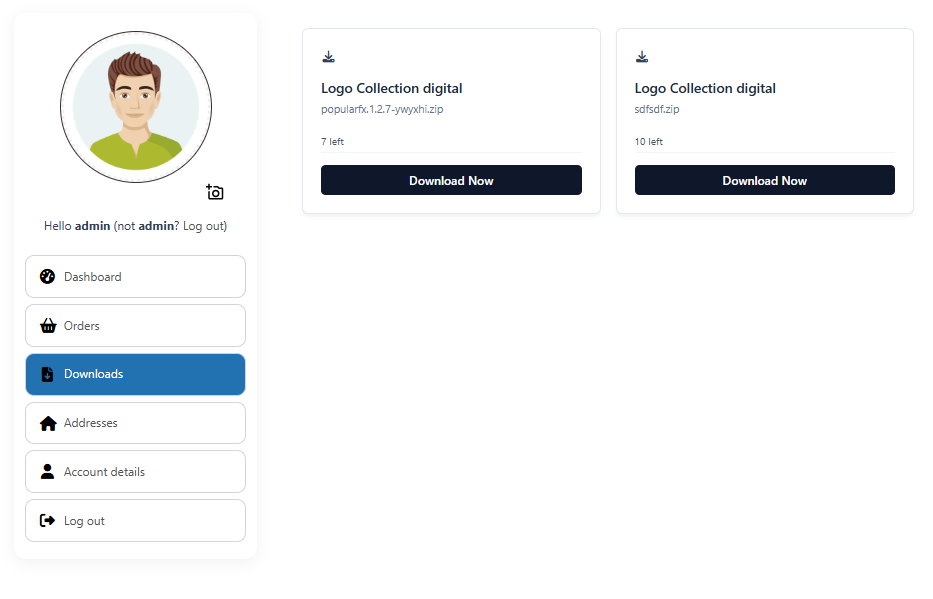
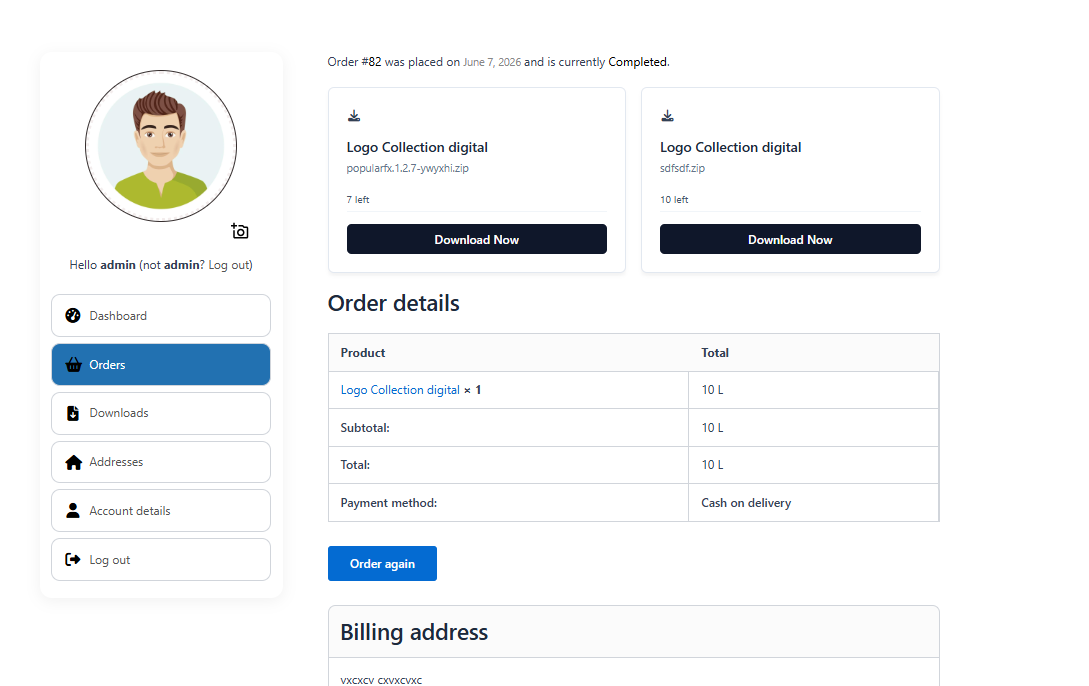
The plugin ships with improved templates for Orders, View Order, and Downloads pages — replacing the default WooCommerce tables with card-based, mobile-friendly layouts.
✅ Order cards with status badge, product image, and item count
✅ Filter orders by status (All / Processing / Completed)
✅ Download cards with file name, remaining downloads and expiry date
✅ Switch back to WooCommerce default templates at any time
🔧 Core Features at a Glance
✅ Live frontend customizer with real-time preview
✅ Spending overview dashboard with 12-month chart
✅ Built-in shipment tracking
✅ Google social login
✅ User avatar upload with webcam and crop support
✅ Custom endpoints, links, groups, separators and headings
✅ Reorder and rename all My Account navigation items
✅ Role-based and user-based menu visibility
✅ Header navigation menu widget with avatar
✅ Multiple navigation styles (Clean, React, Banking App Pro)
✅ Optimized Orders, Downloads and View Order templates
✅ Compatible with 100+ WooCommerce themes
✅ Third-party endpoint auto-detection (YITH, Tera Wallet, Subscriptions, etc.)
✅ Lightweight, no page builders required, works without any coding
Perfect For
✅ WooCommerce Store Owners
✅ Membership & Subscription Sites
✅ Wholesale & B2B Stores
✅ Customer Portals
✅ Digital Download Stores
🚀 Pro Version
Upgrade to Pro to unlock:
✅ Banking App navigation style
✅ React-based navigation
✅ Unlimited custom endpoints and groups
✅ Right sidebar and full-width layout options
✅ Card and Tile dashboard link styles
✅ Profile completion wizard
✅ Custom Elementor templates per endpoint
✅ Change the default My Account landing tab
✅ Ajax navigation between endpoints
✅ Order columns and action customization
✅ Download column customization
✅ 6 months of premium support
Installation
- Upload the plugin files to
/wp-content/plugins/customize-my-account-for-woocommerce/or install via the WordPress plugin screen. - Activate the plugin through the Plugins screen in WordPress.
- Go to SysBasics Customize My Account to manage your endpoints and navigation.
- Click the Live Customizer button to visually customize your My Account page in real time.
- Visit your site’s My Account page to see the changes.
Screenshots

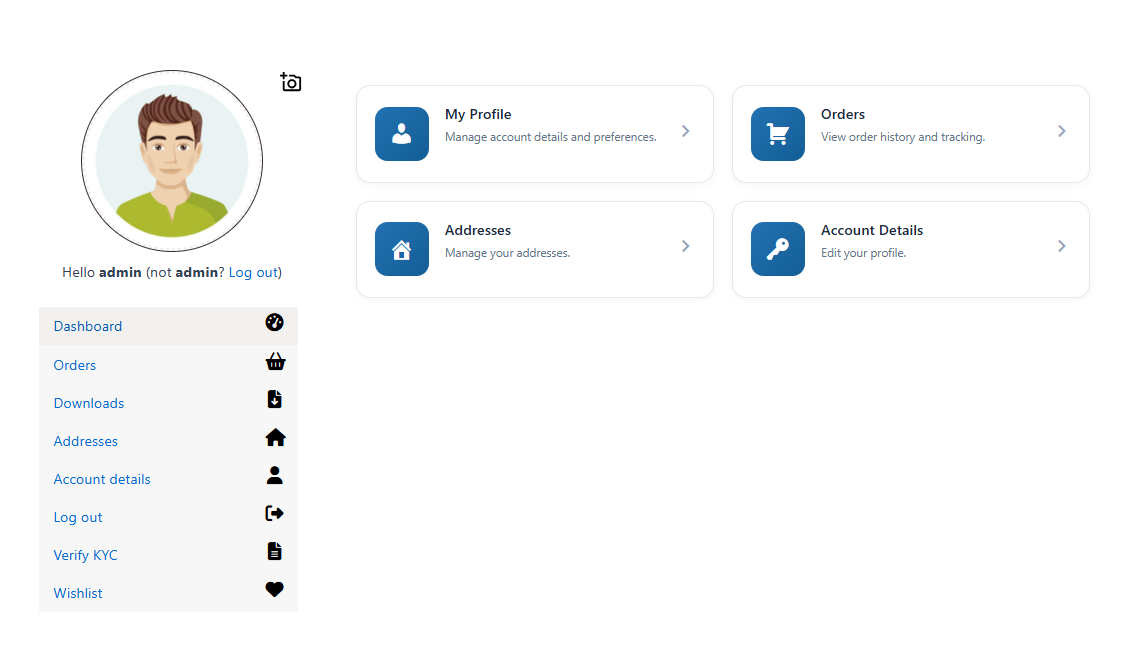
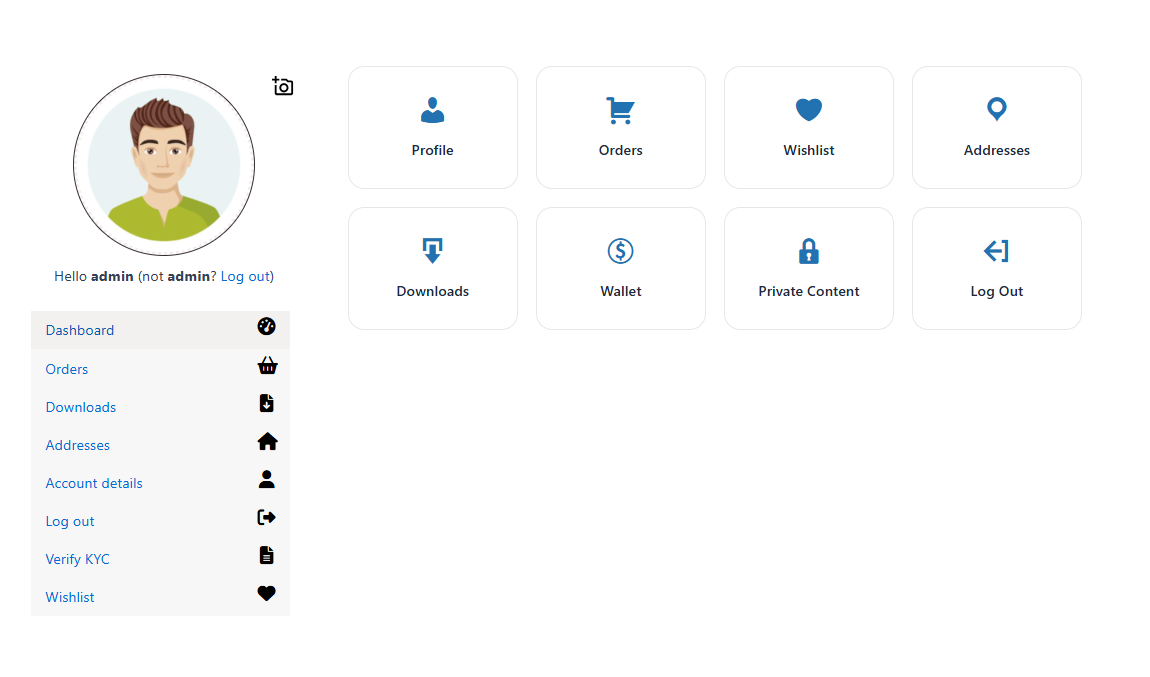
Frontend My Account dashboard — spending boxes, chart, avatar and dashboard links
Downloads page — card grid with file info, remaining downloads and expiry
Live Frontend Customizer — dark panel with real-time iframe preview
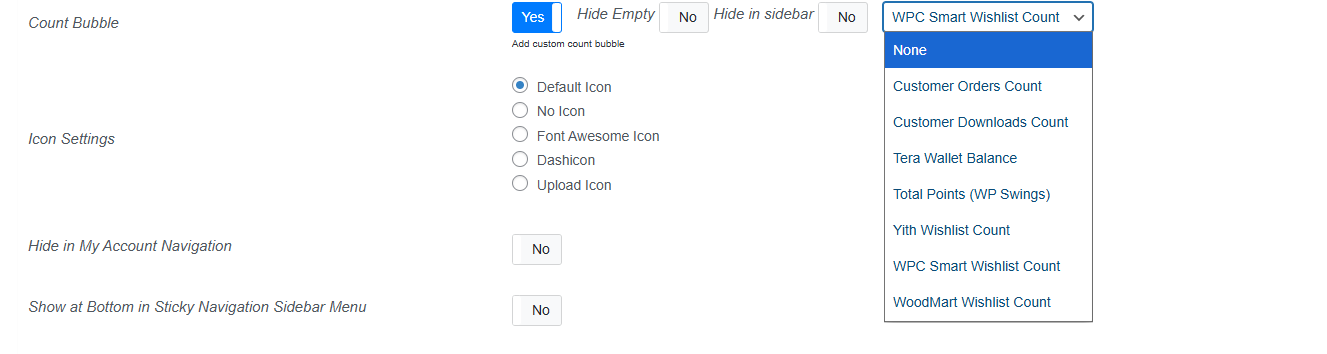
Admin Endpoints Settings — manage, reorder and configure all My Account tabs


Faq
Yes. The plugin has been tested and optimized for 100+ popular WooCommerce themes including Astra, Woodmart, Divi, Hello Elementor, GeneratePress, Kadence, Neve, OceanWP, Avada, Flatsome, Blocksy, and many more.
No. All customization is done through the admin settings panel and the live frontend customizer. No coding required.
Yes. The plugin automatically detects endpoints added by third-party plugins and adds them to the navigation menu. You can then fully control their visibility, order and label.
Yes. The plugin includes a built-in avatar upload feature that lets customers upload a photo, capture one via webcam, or crop an existing image. You can also set file size limits and allowed formats.
Yes. Google social login is included in the free version. You just need to create a Google OAuth Client ID and enter it in the plugin settings.
Yes. A lightweight shipment tracking feature is built in. You can add courier name, tracking number and URL to any order from the WooCommerce admin, and customers see a tracking link on their order pages.
Yes! Click the Try Live Demo link at the top of this page to open a fully working WordPress Playground demo in your browser — no installation needed.
Reviews
I liked the addon
By 
I liked the addon
Great support
By 
Developer provided me css code fix for misplaced counter
Perfect user avatar and modern designs
By 
User avatar is suitable for modern websites plus good that more design options are provided.
Wonderful plugin
By 
its adds nice font awesome icon to my account page , also displays tera wallet balance in sidebar and dashboard tabs.
Terrible developer
By 
every day you make new updates and change all the css, I had to rewrite my css every day!!!!
Perfect replacement to woocommerce default my account page
By 
this adds tons of improvement to default my account page just upon activation
Finally works with Auctions plugin
By 
it had compatibility issues with woo commerce Auctions plugin, i informed developer about it and today they fixed it with update.
Getting better with updates
By 
ideally woo commerce should have some control about my account tabs which this plugin fulfills. I would still prefer more control over design customisation.
Good for custom endpoints
By 
Good plugin. Recent updates have been very good.
keep it up the good work 👍
Pay or be trash
By 
The most basic endpoint addition feature is only available in the pro version? Are you kidding me?