Dante AI
Dante AI
Description
Turn more visitors into customers with your own AI chatbot – no tech skills needed.
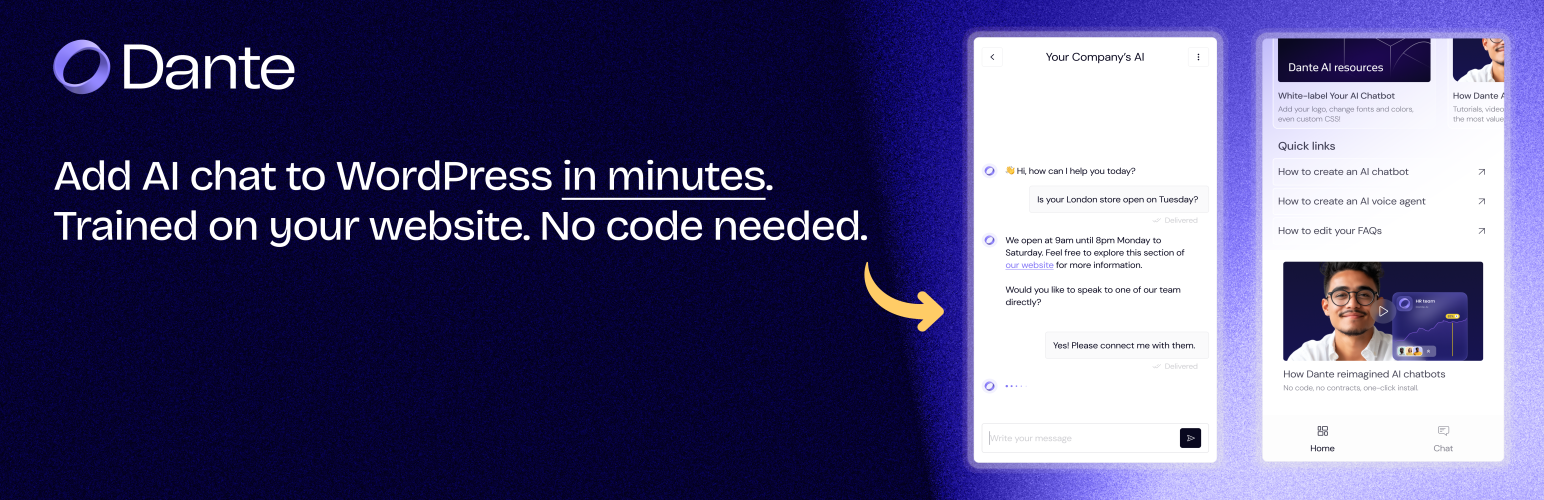
Dante AI helps your website work smarter by adding a helpful, human-sounding AI chatbot to your WordPress site. It can answer questions, guide visitors, and help you generate more leads – automatically.
Whether you’re running a blog, a local business, or an online shop, Dante AI gives your visitors instant support – so they stay longer, trust you more, and convert faster.
Key Features
- Quick Setup – Add your AI chatbot in minutes
- Create AI Chatbots Easily – Set up and manage your chatbot directly from your WordPress dashboard
- One-Click Training – Instantly train your AI chatbot using your WordPress website’s existing content
- Customize the Look and Personality – Match your AI chatbot to your brand with simple appearance settings
- Track Performance – See how your AI chatbot is helping with easy-to-read stats
- Mobile Friendly – Works beautifully on phones, tablets, and desktops
How It Works
- Sign up for a free Dante AI account
- Create your chatbot (no coding needed)
- Copy your API key
- Connect it to your WordPress site
- You’re live! Start engaging your visitors automatically
Data and Privacy
We take your privacy seriously – and that of your visitors. Here’s what you need to know:
- You stay in control – Chat data belongs to you and is visible only in your Dante AI dashboard
- No personal info is collected – Unless a user voluntarily types it in during a conversation
- Secure and private – Conversations are processed and stored securely on Dante AI servers
- Easy to turn off – You can disable the chatbot any time from your WordPress admin panel
For more details, see our Privacy Policy and Terms of Service
Installation
- Go to Plugins -> Add New in your WordPress dashboard
- Search for Dante AI and click Install Now
- Activate the plugin
- Click Dante AI in your admin menu
- Follow the guided setup to connect your account and start using your chatbot
Faq
Yes, just sign up at app.dante-ai.com – it’s free to start.
Yes! You can use the free plan to get started. Premium features are also available.
Yes – choose your colors, welcome message, and more from the Dante AI dashboard.
Absolutely. It’s fully responsive and looks great on all devices.
You can add your website pages, upload documents, or write answers manually. All done from your Dante AI dashboard.
Only chat interactions (like questions asked) and general usage stats. No personal info unless someone shares it themselves. You can disable or remove the chatbot anytime.
Reviews
Very user friendly
By 
Very easy setup, with just a few clicks the chatbot was part of my website.
Easy and effective Chatbot integration
By 
DanteAI is a must-have for anyone looking to add a professional chatbot without coding.
Easy setup & customization
Smart AI responses
Great integration options
Highly recommend it!
Quick and easy integration
By 
I was amazed how quickly I integrated a chatbot trained on my site in minutes. I just opened a free account and followed the instructions and boom I had it live on my site.
Very easy to set up chatbot 👍
By 
Found Dante while searching for a reliable AI chatbot for my site. Setup through WordPress was quick and easy. Solid tool so far!
Super easy to user and works well!
By 
Found Dante from a colleague who had used it previously and felt like giving it a try. Setup via the WordPress plugin was very simple.When I needed help their support was at hand. Great experience!
Simple, Effective, and Reliable
By 
Easy-to-use WordPress plugin that delivers exactly what it promises, making it a great addition to any site.
Super easy to use and very professional!
By 
Dante AI was incredibly simple to set up, and it instantly made my site feel more professional. The chatbot answers visitor questions like a real person and helps keep people on my site longer. Love how I can customize it to match my brand, highly recommend!
Very simple setup adn works very good
By 
It was very easy to integrate, and what is even better is the simplicity of the plugin, veru self explanatory. With a few clicks the chatbot is in my site. Very user friendly.
Seamless AI Integration – A Game Changer for My Website
By 
Integrating Dante AI into my WordPress site has been a transformative experience. The setup was straightforward—just a quick API key entry, and my chatbot was live. The plugin's intuitive interface allowed me to create and customize my chatbot effortlessly, enhancing user engagement significantly.
Changelog
1.5.4 (January 27, 2026)
- Added deployment selection flow – users can now select from existing deployments
- Model type now fetched from connected deployment instead of chatbot
- Increased deployment fetch limit to 300
- Code cleanup and performance improvements
1.5.3 (January 5, 2026)
- Updated training flow to use new orchestrator-based system
- Improved chatbot creation process with simplified 2-step flow
- Updated WordPress compatibility to 6.9
1.5.2 (May 20, 2025)
- Improved user experience with chat tab as default view
- Minor UI fixes
1.5.1 (May 15, 2025)
- Updated documentation
1.5.0 (May 2, 2025)
- Create and configure chatbots directly in WordPress
- Better plugin naming for compatibility
- Updated for WordPress 6.8.1
- Streamlined chatbot setup
- Improved code organization
1.4.2 (April 14, 2025)
- Minor UI fixes
- Better mobile responsiveness
- Compatibility updates
1.4.1 (April 5, 2025)
- CSS fixes
- Improved error handling
1.4.0 (March 28, 2025)
- New admin interface
- Faster performance
1.3.0 (March 21, 2025)
- Improved setup guide
- General performance improvements
1.2.0 (March 14, 2025)
- Improved onboarding experience for new users
- Customization options added
1.1.0 (March 7, 2025)
- Basic chatbot integration
- Simple dashboard
1.0.0 (March 1, 2025)
- First public release