DawsonyWeb Admin Tweaks and Client Handover Toolkit
DawsonyWeb Admin Tweaks and Client Handover Toolkit
Description
A set of small admin tools for handing a WordPress site to a client and keeping it tidy afterwards. Add your branding to the login screen, schedule maintenance mode, show which environment you are in, post notices to specific roles and hide dashboard widgets clients don’t need. Turn on only the tools you use.
Each tool (module) can be independently enabled or disabled. Only enabled modules load their hooks and assets, keeping your admin fast.
Handover presets
Save up to ten named configurations for module switches, role visibility, dashboard widgets and branding. Apply a preset or undo the last application. Current notices, maintenance schedules and personal preferences are left unchanged.
Modules Included
Copy Buttons Everywhere
Adds copy buttons for IDs, permalinks, edit links, and slugs across:
- Post/Page/CPT list tables (row actions)
- Single post edit screens (meta box)
- Users list table
- Taxonomy term list tables
White Label, Maintenance and Handoff
Includes login and footer branding, scheduled maintenance mode and a client handover report. There is no separate paid version.
Environment Badge
Shows a colour-coded environment indicator (LOCAL / DEV / STAGING / LIVE) in the admin bar. Uses wp_get_environment_type() with a DAWSONY_ENV constant fallback. Configurable per role.
Debug Snapshot
A read-only support snapshot page showing WordPress version, PHP version, server info, memory limits, active theme, active plugins, and more. Includes a one-click “Copy as Text” button for easy sharing with support teams.
Global Admin Notice Board
Set a message that appears in wp-admin for selected roles. Supports basic HTML, notice type (info/success/warning/error), optional expiry date, and per-user dismissal with admin reset.
Dashboard Widget Manager
Hide or show dashboard widgets per user role. Automatically discovers all registered widgets (core + plugin) and lets you control visibility from a simple settings UI.
Philosophy
- Admin tools run in wp-admin; optional maintenance mode and login branding affect the public site when enabled.
- No external tracking, telemetry, or “phone home” behaviour
- Validated settings imports with a 1 MB size limit
- Nonces for all actions, capability checks for all settings
- Clean uninstall removes all data
Privacy
Admin Tweaks & Client Handover Toolkit does not collect, store, or transmit any data externally. All data is stored locally in your WordPress database (wp_options and wp_usermeta). No cookies are set. No external requests are made.
Installation
Automatic Installation
- Go to Plugins > Add New in your WordPress admin.
- Search for “Admin Tweaks & Client Handover Toolkit”.
- Click Install Now, then Activate.
Manual Installation
- Download the plugin ZIP file.
- Go to Plugins > Add New > Upload Plugin.
- Upload the ZIP and click Install Now.
- Activate the plugin.
FTP Installation
- Extract the ZIP file.
- Upload the
dawsony-admin-utilitiesfolder to/wp-content/plugins/. - Activate via Plugins in the WordPress admin.
Screenshots
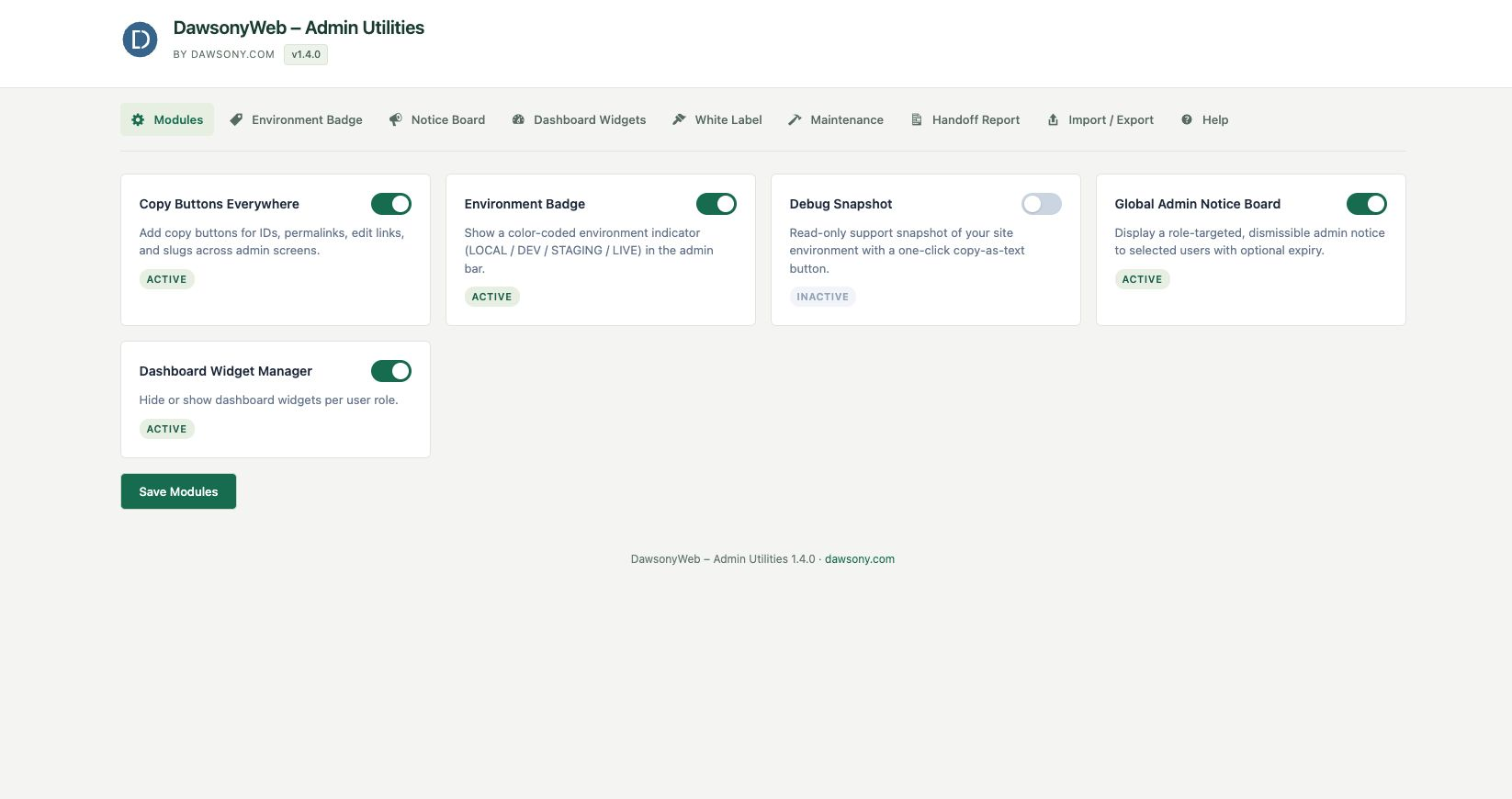
Choose the Admin Tweaks & Client Handover Toolkit modules for your site.
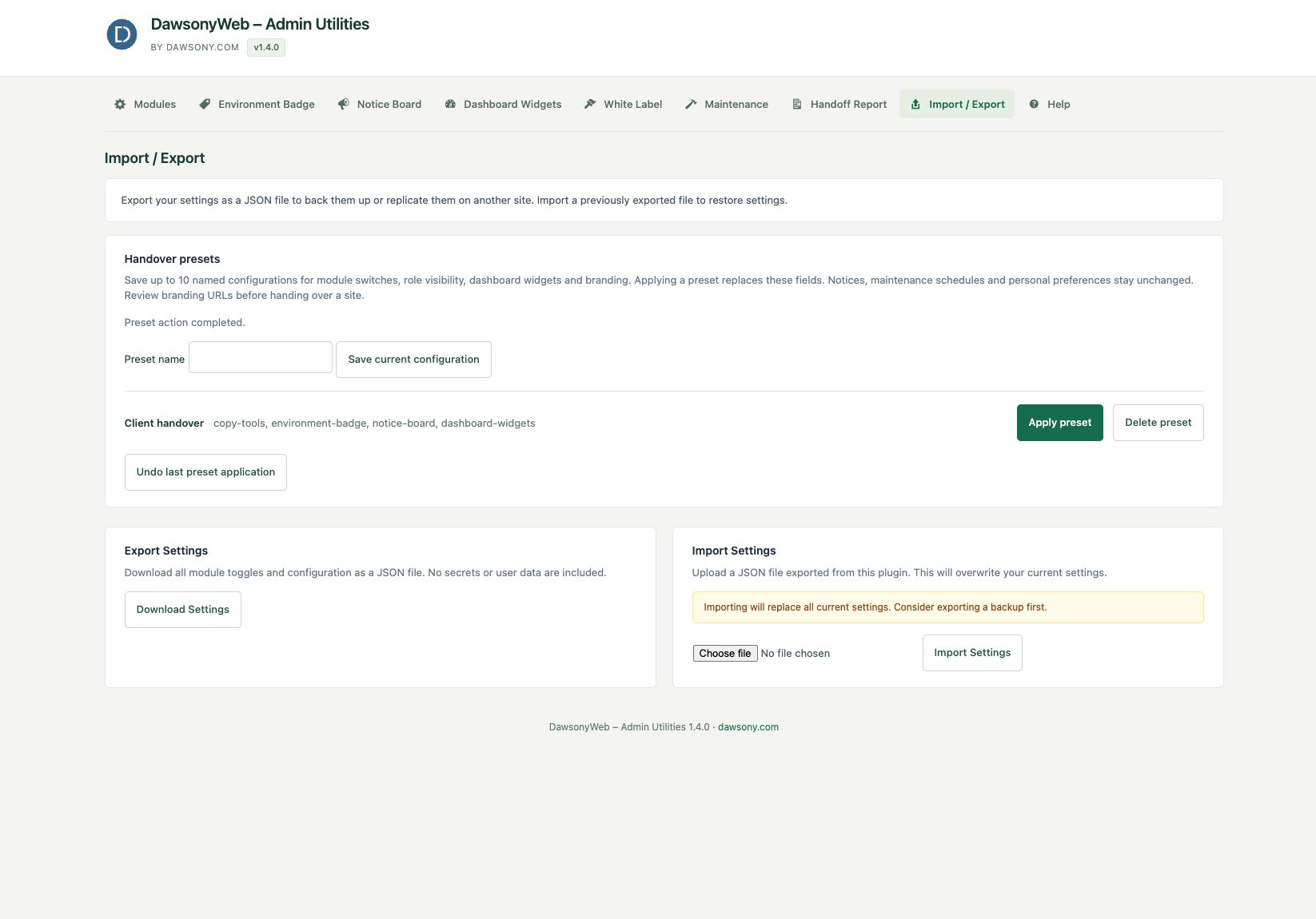
Save named handover presets, apply them and undo the last application.
Faq
Go to Tools > Admin Tweaks. The Modules tab lets you enable/disable each tool. Enabled modules with settings get their own tabs.
Most modules run in wp-admin. The included maintenance mode and login branding deliberately change public output when you enable them.
Its hooks are immediately unregistered. No assets load, no UI appears. The module’s settings are preserved in case you re-enable it.
PHP 7.4 or higher.
The plugin will not cause errors on multisite, but the settings are per-site. Network-wide settings are not yet supported.
It checks wp_get_environment_type() (available since WP 5.5). You can override it with the DAWSONY_ENV constant in wp-config.php.
No. It only shows safe, support-friendly information. No database credentials, API keys, or sensitive constants are included.
Reviews
Changelog
1.4.3
- Updated the plugin display name with distinctive DawsonyWeb branding. No functionality changes.
1.4.2
- Improved plugin directory listing and documentation.
- Renamed the Tools menu label to Admin Tweaks; existing settings and menu addresses are unchanged.
1.4.1
- Updated the public plugin name and listing text. No feature, settings or data changes.
1.4.0
- Named handover presets store module switches, role visibility, dashboard widgets and branding. Save up to 10 configurations and undo the last preset application.
- Presets leave current notices, maintenance schedules and personal preferences unchanged.
1.3.0
- Redesigned workspace to match Product & Shipping Label Designer for WooCommerce: original Dawsony logo, white header, horizontal navigation, green controls and responsive cards.
- Validated notice expiry dates and corrected maintenance schedules to use the site timezone. Invalid schedules no longer take the site offline.
- Clipboard fallback only reports success after a successful copy, with manual copying available when blocked.
1.2.0
- Fixed unchecked roles and widgets being retained. Validated and size-limited settings imports. Refreshed the DawsonyWeb admin workspace.
1.1.5
- Compatibility: tested up to WordPress 7.0.
1.1.2
- Plugin Check: translators comment directly above
esc_html__();map_deepsanitisation for settings POST; view variables usedawsony_admin_utilities_*prefix. - Do not include hidden files (e.g.
.gitignore,.DS_Store) in the zip submitted to WordPress.org.
1.1.1
- WordPress.org Plugin Check: i18n, escaping, settings input handling, readme alignment.
1.0.0
- Initial release.
- Copy Buttons Everywhere module.
- Environment Badge module with per-user personal toggle.
- Debug Snapshot module.
- Global Admin Notice Board module with per-user dismissal and admin reset.
- Dashboard Widget Manager module.
- Import / Export settings as JSON.
- Help tab with module summaries and support link.