DEBUT Bookings for Checkfront
DEBUT Bookings for Checkfront
Description
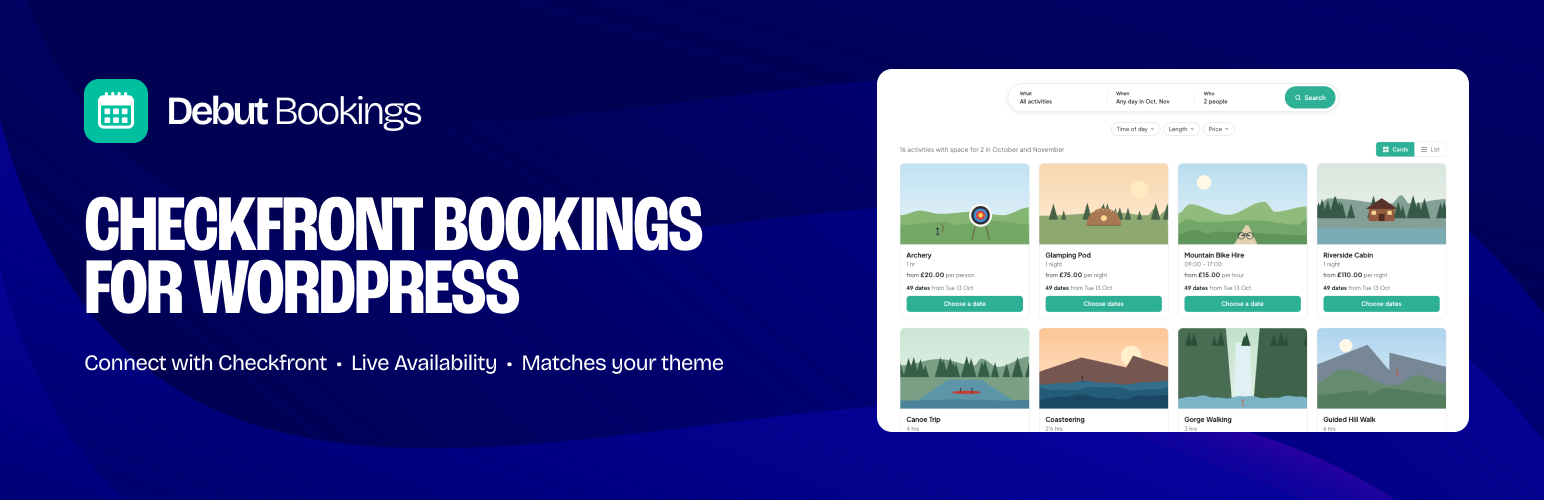
DEBUT Bookings puts your Checkfront inventory on your own pages instead of in an embedded widget. Visitors search by what, when and how many, or browse a calendar of what’s on, then choose a session, all in your site’s fonts, colours and layout. When they click Book now, they go straight to that item and date on your Checkfront booking page to pay, so your payments, deposits, emails and reports keep working exactly as they do now.
What it does
- A search page. A What / When / Who bar, then every activity with space as cards or a list, each with its dates and times.
- A calendar of what’s on. One month at a time, with a dot on every date that has availability, beside the sessions for the selected date. It stops at the last month you’re taking bookings for.
- Activity pages too. A “Check availability” card for each activity’s own page: pick a month and a session, then book. Every date shows its day of the week.
- Guided setup. Connect, choose categories, pick a look and create your bookings and What’s on pages in a few minutes.
- Live availability and prices from your Checkfront account, with spaces left on every session (“2 spaces left” when it’s nearly full).
- Cards or list. Cards show one card per activity with its times inside; list shows a timetable, one row per session.
- Morning, afternoon and evening filter on busy days.
- Category filter across the top, using your Checkfront categories. Hide the ones you don’t want shown anywhere (add-ons, gift vouchers) on the Categories screen.
- Items bookable on request (no fixed sessions) shown separately for the date.
- Book now goes straight to the item and date on your Checkfront booking page.
- Looks like your site. Fonts and text colours come from your theme. Pick an accent colour, corner style and card style, or go further with CSS custom properties.
- Fast. Responses are cached, the coming weeks’ availability is loaded in the background before anyone asks, and pages work without JavaScript.
- Demo data. Try everything before connecting, or show it off: four made-up businesses (outdoor adventures, boat trips and tours, bike and kit hire, classes and workshops) with real-looking activities, prices and spaces.
- Blocks and shortcodes for the block editor, classic editor and page builders.
Built for developers
Every template can be overridden from your theme, and everything the plugin shows is available in PHP:
$item = debut_bookings_get_item( 435 );
echo $item->name;              // White Water Tubing
echo $item->formatted_price(); // £64.99

foreach ( $item->sessions( '2026-11-14' ) as $session ) {
    echo $session->time();     // 09:30 – 12:00
    echo $session->spaces;     // 10
}
Also: debut_bookings_get_items(), debut_bookings_get_sessions(), debut_bookings_next_available(), debut_bookings_get_categories(), template hooks around every card, row and time slot, and filters on the data. See the FAQ.
DEBUT Bookings is an independent plugin by DEBUT Studio. It is not made, endorsed or supported by Checkfront.
Need more?
DEBUT Studio builds custom Checkfront booking journeys on WordPress, and can set the plugin up and style it for you. debut.studio
External services
This plugin uses Checkfront, the booking system you connect it to. It only works with a Checkfront account, and only connects to the account you enter in the settings.
From your website’s server to the Checkfront API
- What is sent: your Checkfront API key and secret (to authenticate), and the item IDs, category IDs and dates being looked up. The list of categories and items customers can book online is fetched without your key, as a customer would see it. Nothing about your site’s visitors is sent this way.
- When: when a page showing plugin content is viewed or a visitor picks a date or category, and the answer isn’t already cached; and when you connect, test the connection or open the Categories screen in the settings.
- Where:
https://{your-account}.checkfront.com/api/3.0/(or.checkfront.co.uk).
From your visitors’ browsers to Checkfront
- Images: activity images are the ones you uploaded to Checkfront and load directly from Checkfront’s servers, so a visitor’s browser shares its IP address and browser details with Checkfront when it shows them. Turn images off with
show_image="0"if you’d rather not. - Book now: clicking Book now takes the visitor to your Checkfront booking page, where Checkfront’s own terms apply.
With Pro: meeting point maps
- If you turn on Booking Meeting point, the review step of a booking shows a map of the coordinates in the item’s chosen Checkfront field, embedded from OpenStreetMap (
https://www.openstreetmap.org/) or Google Maps (https://maps.google.com/) as you choose. The visitor’s browser loads the map from that service, sharing its IP address and browser details with it. Three-word addresses link to what3words (https://what3words.com/) and load nothing until clicked. Off by default. - OpenStreetMap: Privacy Policy. Google: Privacy Policy.
Checkfront is provided by Checkfront Bookings Inc.: Terms of Service, Privacy Policy.
Installation
- Install and activate the plugin, then go to DEBUT Bookings. The setup steps open automatically.
- Connect: enter your Checkfront address, then create an API key in Checkfront (Manage Developer New Application, choosing Token) and paste in the key and secret. The connection is tested before anything is saved.
- Categories: untick anything customers shouldn’t browse, such as add-ons or gift vouchers.
- Look: pick an accent colour and a layout.
- Pages: pages that already show bookings or What’s on are found for you. Tick any you’d like created, or add the Bookings page block or
[debut_bookings]shortcode yourself.
For an activity page, add [debut_bookings_activity id="123"].
Screenshots

The calendar and sessions, cards layout.

List layout, with the morning, afternoon and evening filter.

On a phone.

Settings: connecting to Checkfront.

Appearance: accent colour, corners, cards and layout.

Faq
Yes. The plugin shows the inventory and availability you’ve set up in Checkfront. Your Checkfront plan needs API access.
No. Customers choose a session on your site, then complete the booking and payment on your Checkfront booking page, so nothing changes in how you take payments.
DEBUT Bookings Help lists them all with examples and copy buttons, along with your own activities and categories and their IDs, so you don’t have to look anything up in Checkfront. There are three:
[debut_bookings]– your main bookings page: the search bar with results, or the month calendar, as set under Appearance. Attributes:layout(searchorcalendar),idandcategory(one ID or several separated by commas),view(cardsorlist),times,pills,show_price,show_image,button.[debut_bookings_whats_on]– every upcoming session as one list, grouped by date. Attributes:months,id,category,filter_label.[debut_bookings_activity id="123"]– for an activity’s own page.show="card"(the default) is a booking card: pick a month and a session, then book.show="dates"is its calendar and sessions,show="details"its picture, description and next sessions, andshow="button"a Book now button. Several IDs (id="123,124") let people switch activity on the card.
The older shortcodes ([debut_bookings_upcoming], [debut_bookings_card], [debut_bookings_item], [debut_bookings_availability] and [debut_bookings_book_now]) still work.
Yes. Under Advanced Tracking, choose Google Tag Manager or the Google Analytics tag, and the plugin sends GA4 ecommerce events to the tag already on your site: view_item_list, view_item, select_item and begin_checkout. It never adds Google’s script itself. Every event is also dispatched in the browser as debut-bookings:track, for other analytics tools.
Under Appearance: cards across, card style, accent colour (with preset swatches), button text, corners and which parts of the cards to show. The search page’s own settings (where results show, the field names and the time of day filter) are under Search page. Developers can override any of the --dbk-* CSS custom properties listed under Advanced For developers.
Copy any file from the plugin’s templates folder to a debut-bookings folder in your theme and edit it there. Templates receive Debut_Bookings_Item and Debut_Bookings_Session objects.
Actions: debut_bookings_before_card, debut_bookings_card_body_end, debut_bookings_after_card, debut_bookings_before_row, debut_bookings_after_row.
Filters: debut_bookings_template (template path), debut_bookings_template_vars, debut_bookings_theme_vars (CSS custom properties), debut_bookings_format_price, debut_bookings_periods (morning, afternoon and evening boundaries).
If Checkfront has no sessions published for that date, or bookings aren’t open that far ahead, the plugin shows the next date that has availability instead. Add ?dbk_debug=1 to the page while logged in as an administrator to see exactly what Checkfront returned and why each item was shown or hidden.
12 months by default. Change it under General How far ahead to show (up to 24). Dates past that aren’t shown, and categories with nothing on before then don’t get a button. This matters because Checkfront treats dates with no season or rates set up as open: without a limit, a category with nothing on for a while would jump to “available every day” a year or two away.
Very. Spaces for the date a visitor is looking at are at most a minute old, and a session that’s nearly full is checked with Checkfront live. The calendar and what customers can see (hidden items and categories) update every 5 minutes, and item details and prices every 30 (change this under Advanced). To update everything straight away, click Refresh from Checkfront at the top of the plugin’s screens. Bookings are always checked by Checkfront itself, so a customer can never book a place that’s gone.
They’re hidden from customers in Checkfront, so they can’t be booked on your Checkfront booking page: Book now would show “No results found”. The plugin checks what customers can book (using Checkfront’s public API, the same view your customers get) and leaves those categories and their items out. To show one, make the category visible to customers in Checkfront. The Categories screen shows the change as soon as you reload it, and your site picks it up within a few minutes.
Yes. Under Advanced Demo data, pick a kind of business and turn it on: your pages fill with made-up activities, dates and prices, and nothing is booked. Your settings are kept, and visitors see the demo too, so use it before launch or on a staging site. Turn it off to show your own Checkfront account again.
Yes. Pages with a date or category in the address are excluded from full-page caches automatically, and the calendar corrects itself if a cached page is from an earlier day.
Reviews
Changelog
1.9.0
- New (Pro): an Age group filter (Adult, Youth, Child…) from the guest types your activities take in Checkfront. It only shows when the activities differ in who they take.
- New (Pro): a Multi-day choice under Length, and the lengths offered are the ones your sessions really have, so there’s no “Up to 2 hours” when nothing is that short.
- New (Pro): sticky=”page” on the booking card: on phones the bar at the bottom goes to the booking page, the same steps as the search page’s cards. Links to the card (a theme’s “Book now” to #book) go there too, and the booking page’s back link reads “Back”.
- New (Pro): searching a single day, each card shows the date and Book now, and the time is chosen on the booking page.
- New (Pro): Turn the tabs off, under Search page Sections, for one search with everything. Your sections are kept for when you turn them back on.
- New: multi-day activities (a 4-day camp, a 2-day course) show a dot on their first day only. Picking it shows the whole span on the calendar, and the days after it can’t be picked as a start.
- New: demo data uses your own photos when you add them to wp-content/uploads/debut-bookings-demo/ (a folder per business, e.g. tours/puffin-boat.jpg), so plugin updates never replace them.
- Improved: with no dates chosen, the cards look as far ahead as you take bookings, so an activity that only runs later (a summer camp) still shows with its dates, and the list carries on to the next dates rather than showing nothing.
- Improved: the search page’s first load is quicker. The filters’ prices, lengths and age groups are kept for a few hours and refreshed in the background, and multi-day activities are checked all at once.
- Improved: the price filter covers day and night activities (courses, camps, stays), priced on their own first date.
- Improved: three cards fill the row instead of leaving a gap.
- Improved: on phones, the list shows each time at the top with Book now beside the price, and Cards | List shows just the icons.
- Improved: the booking card’s months look like its other choices, and the activity dropdown’s arrow is in your accent colour.
- Improved: on phones, quick taps on the booking parts never zoom the page, and the booking card’s sheet never slides sideways.
- Fixed (Pro): with “Ask this first”, cards no longer show their dates for a moment before the script runs.
- Fixed (Pro): an enquiry form with more than one page (8+ groups) no longer reloads the search page when you press Continue.
- Fixed: a single day open on its own for a multi-day activity, where Checkfront can’t take a booking, no longer shows a dot.
1.8.0
- New (Pro): search sections. Tabs with pictures above the search, like “Adventures”, “Schools” and “Training courses”, each showing the categories you choose or an enquiry form instead (Search page Sections). Every tab has its own link, and switching keeps the group size, number of people and List or Cards.
- New (Pro): field names for each section, so a training tab can say “Course” and “All courses”, and its count reads “2 courses”.
- New (Pro): Who as just the group size, “1–7 people” or “8+ people”, instead of a number (Search page Layout).
- New (Pro): Ask this first. Who opens straight away and the rest of the search waits until it’s answered; cards show no dates and List and the filters wait until then, and booking from a result asks for the group size first.
- New (Pro): groups over your largest online booking see your enquiry form in a banner beside a picture, with its own heading, instead of results.
- New (Pro): with a largest online group set, Who comes first in the search bar.
- New (Pro): clicking a search card’s picture does the same as its button, and cards with more dates read “Thu 10 Dec · 4 more dates”.
- New (Pro): Remove beside each extra under Booking Extras.
- New: with fewer than 3 activities, the search cards fill the row and show each activity’s summary: horizontal cards with the picture beside the details, one full width or two side by side.
- New: demo data for four kinds of business, outdoor adventures, boat trips and tours, bike and kit hire, and classes and workshops, each with its own search sections (Advanced Demo data).
- New: the coming weeks’ availability is loaded in the background every few minutes, so the search page’s first visit is quick.
- Improved: settings are easier to find. A new Search page tab holds the booking page layout, results, field names and time of day filter; Appearance has shorter labels with hints; For developers moved to Advanced.
- Improved: cards get a soft shadow on hover, and the Cards | List switch is a pair of pills, the chosen one on grey.
- Improved: the booking card shows “All day” under all-day dates.
- Fixed (Pro): the calendar’s dots follow the activities ticked under What, so a date with none of them on no longer shows a dot.
- Fixed (Pro): all-day sessions can be booked from the checkout page; Next no longer stays greyed out after choosing the date.
1.7.2
- New: Load more dates at the end of the search page’s list, when no dates are chosen: three more months each time, up to the last date you take bookings for.
- New: Search bar labels under Appearance, to rename Who, What and When (say “Group size”, “Activity”, “Date”).
- New (Pro): add-on items for All activities (a donation, say), a list of the Checkfront items you can offer as add-ons with their IDs, and Find extras now lists add-on items too, ready for a description and picture.
- New (Pro): choice groups for add-on items. Give them the same group name (say “Donation”) and they show as one choice: None, then each price.
- New (Pro): Stop online bookings, to stop sessions being booked on the day, or 12, 24 or 48 hours ahead (Booking How it works).
- Improved (Pro): on phones, the last checkout step shows the booking summary and meeting point just above the pay button.
- Improved (Pro): the large group enquiry sits beside its message on wide pages, without the view toggle, summary line or filters, and shows when its form uses conditional logic.
- Fixed: on sites with a post type or taxonomy called “activities” (or another search filter’s name), reloading the search page, going back to it or sharing its link no longer ends on a page not found.
- Fixed: Back to search on the checkout page now steps back, so the browser’s Back button doesn’t return to the checkout.
1.7.1
- Fixed: activating Pro while the free version is active no longer stops with an error, and the free version switches off as it should.
- Fixed: deleting the free version after moving to Pro (or the other way round) keeps your settings.
- The upgrade screen shows yearly prices in pounds and the DEBUT icon.
1.7.0
- New (Pro): add-on items. Offer other Checkfront items, like a photo pack or a video, as extras on chosen activities, booked in the same booking (Booking Extras).
- New (Pro): a deposit per person, as well as a percentage of the total (Booking Payment).
- New: Cards across under Appearance, to show at most 3, 4 or 5 cards in a row.
- New: Text on buttons under Appearance. Automatic now keeps white text on most brand colours.
- New: sort=”name” and group=”0″ on the booking card, for one A to Z list of activities.
- New: debut_bookings_card_empty filter, for a “no dates” message per activity.
- Improved: themes can change the font, but no longer the size, case or spacing of the plugin’s headings and text.
- Improved: chosen options and active fields share one accent edge, and tick boxes are drawn in the accent colour.
- Improved: tick box lists in the details form sit in a compact grid, and guests and extras show as simple rows.
- Improved: on phones, a “Book now” link to the booking card opens it, filters open properly, the search sheet no longer leaves an empty box, and “Continue to payment” stays on one line.
- Improved: the booking page calendar has proper arrows.
- Fixed: the settings screens pick up updated scripts straight after an update.
1.6.1
- Fixed: no extra gaps between days in the search list on themes that pad sections.
1.6.0
- New: a search page. A What / When / Who bar, then every activity with space as cards or a list. Cards show how many dates there are and never pick a date for the visitor.
- New: three simple shortcodes: [debut_bookings], [debut_bookings_whats_on] and [debut_bookings_activity]. id takes one activity or several. The old shortcodes still work.
- New (Pro): a booking page with the steps on the left and a summary on the right, opened from any Book now.
- New (Pro): stays. Arrive and leave dates on a two-month calendar, with the nights and price for the whole stay.
- New (Pro): Due today in the summary when a deposit applies, set under Booking Payment to match Checkfront.
- New (Pro): filters, flexible dates and group size on the search page, with a message for groups bigger than you take online.
- Improved: the booking card shows the day of the week, months in date order, and matches the booking page’s fields and ticks.
- Improved: plainer settings. The Checkfront connection lives in Setup, Settings is now General, and Booking is split into smaller pages.
- Improved: the Appearance preview always uses demo activities, so it loads quickly on any account.
- Improved: one field and button size across every step, and cards stay white with Match my theme.
1.5.1
- Updated Freemius SDK to the latest version.
1.5.0
- New: Help page with every shortcode, examples and copy buttons, plus your own activity and category IDs.
- New: setup finds or creates your Bookings and What’s on pages, opens on first activation and ends with a checklist.
- New: Appearance has a live preview in your theme, preset accent colours, and show or hide images, prices and spaces left.
- New: Google Analytics 4 events (view_item_list, view_item, select_item, begin_checkout) for Tag Manager or gtag.
- New (Pro): meeting point map or what3words link on the review step, from the item’s Details or Summary.
- New (Pro): add_payment_info event when a booking goes to Checkfront to pay.
- New (Pro): guests chosen per cabin, and the review lists each cabin with who’s in it.
- Improved: the booking card shows the same steps, wording, months and badges as the Endless widget.
- Improved: availability for a month loads several days at once, so cold loads are about 3x faster.
- Improved: accent text darkens automatically when the accent is too pale to read.
- Fixed: demo totals include extras.
1.4.0
- New: booking card. [debut_bookings_card] lets people switch activity, pick a month and session, and book, with a phone bar (sticky=”1″).
- New (Pro): the booking steps carry on inside the card, and it can ask for the group size first.
- Improved (Pro): the booking popup matches the card’s look.
1.3.0
- New (Pro): More info on extras, with a description and image for each, edited under DEBUT Bookings Extras.
- Improved (Pro): extras follow Checkfront’s maximum, or one per person.
- Improved: the What’s on filter is called Activities, and can be renamed with filter_label.
- Improved: listed prices leave out paid extras.
1.2.7
- Improved: calendar month arrows are SVG icons.
1.2.6
- Changed: What’s on dates use plain divs, so theme section styles don’t apply.
1.2.5
- Fixed: What’s on lists every session on live Checkfront accounts.
1.2.4
- Fixed: What’s on lists every activity’s sessions on live Checkfront accounts.
1.2.3
- Fixed: scripts no longer clash with other scripts on the page (filters and Show more not working on some themes).
1.2.2
- Fixed: What’s on rows lay out properly at desktop width.
1.2.1
- Fixed: What’s on rows lay out properly at desktop width.
1.2.0
- New: What’s on list. [debut_bookings_upcoming] shows every session over the next few months, grouped by date, with category filters and Show more.
- Improved: booking spaces update live as people are added, and the spaces count is never served from a cache.
1.1.0
- New: What’s on list. [debut_bookings_upcoming] shows every session over the next few months, grouped by date, with category filters and Show more.
- New: demo data. Try the plugin, style your theme or take screenshots with a made-up outdoor centre before connecting Checkfront (Advanced tab, or the link on the Setup screen).
- New: multi-day items booked as one span (a 2-day course) show “2 days” and the full price, and only their start days are offered.
- New: Book now opens Checkfront’s booking popup on the chosen date.
- Improved: time slots are shown as labels; Book now is the one link on each card.
- Improved: live re-checks of nearly full sessions are limited to one every 30 seconds.
- New: optional, opt-in connection to Freemius for updates and the Pro upgrade.
- Developers: debut_bookings_admin_tabs filter for add-on settings tabs; debut_bookings_slot_url filter for time slot links.
1.0.0
- First release.