DeftCoders – Discount & Fee Rules for WooCommerce
DeftCoders – Discount & Fee Rules for WooCommerce
Description
DeftCoders – Discount & Fee Rules is a condition-driven pricing engine for WooCommerce. You build rules, each rule has conditions (when it fires) and an action (what it does). When a customer visits the cart or checkout, every active rule is evaluated automatically — fees and discounts are applied without any coupon codes or manual work.
Rules run in priority order. A “Stop Further Rules” flag lets any rule break the chain once it fires, giving you full control over stacking and exclusivity.
What You Can Do: Real Examples
- Add a $3.00 handling fee on orders under $50 — with a custom message telling the customer how to avoid it
- Charge a 2% surcharge when Cash on Delivery is selected at checkout
- Apply 10% off automatically every Saturday and Sunday
- Give users with the “wholesale” role 15% off every order
- Run a tiered bulk deal: 5–9 items get 10% off, 10–19 get 15% off, 20+ get 20% off
- Activate a flash sale between two specific dates without touching any code
- Add an international processing fee for customers in certain countries
5 Action Types
Fee Rules add charges to the cart:
- Fixed Fee — a flat currency amount (e.g. $3.00). Optional taxable toggle. Optional custom message shown at checkout explaining the fee.
- Percentage Fee — calculated as a percentage of the cart subtotal (e.g. 2%). Optional taxable toggle.
Discount Rules reduce what the customer pays:
- Percentage Discount — percentage off the cart subtotal (e.g. 10%). Can apply to the full cart or product subtotal only. Stackable or non-stackable mode.
- Fixed Discount — flat currency amount off (e.g. $5.00). Always capped at the cart total to prevent a negative balance.
- Tiered Discount — a different percentage for each quantity bracket (e.g. 5–9 items: 10%, 10–19 items: 15%, 20+ items: 20%). The matching tier label displays in the cart.
14 Condition Types
All conditions on a rule must match simultaneously (AND logic). Combine as many as needed.
Cart & Order
- Cart Total — equals, not equals, greater than, greater than or equal, less than, less than or equal
- Cart Subtotal — same operators; evaluates before fees are applied
- Cart Quantity — total item count; same numeric operators
Customer & Checkout
- Payment Method — equals, not equals, contains, does not contain
- Shipping Method — equals, not equals, contains, does not contain
- User Role — is one of / is not one of; “Guest” is supported for logged-out shoppers
- Country — equals, not equals, contains, does not contain (shipping country, falls back to billing)
- State / Province — same operators (shipping state, falls back to billing)
- Coupon Applied — is one of / is not one of
Products
- Product — is one of / is not one of; matches product ID and variation ID
- Product Category — is one of / is not one of; uses a single batched query for all cart items
Date & Time (all use your WordPress site timezone)
- Day of Week — is one of / is not one of; Monday through Sunday
- Time Range — active between a start time and end time (HH:MM format)
- Date Range — active between a start date and end date (YYYY-MM-DD format)
Per-Rule Settings
- Priority — integer from 1 to 9999; lower number runs first. Drag rows in the rules list to reorder without typing.
- Status — Active or Inactive; toggle without deleting. Pre-build rules and switch them on when ready.
- Stop Further Rules — when this rule fires, no lower-priority rules are evaluated at all.
- Optional Label — overrides the cart line-item label shown to the customer (defaults to the rule name).
Admin Dashboard
The rules list page shows 8 live stat cards at the top: Total Rules, Active Rules, Inactive Rules, Discount Rules, Fee Rules, Fee Revenue this month, Discounts Given this month, and all-time Net Impact (fee revenue minus discounts). The revenue figures come from completed and processing orders tracked automatically.
The rules table shows 10 rules per page with full pagination. Each row shows the rule name, type badge, conditions summary, fee/discount amount, priority number, a live status toggle, and Edit/Delete buttons. Drag any row to reorder priority. A search box filters by rule name in real time. Two dropdowns filter the list by condition type or rule type.
Bulk actions at the bottom let you Activate, Deactivate, Delete, or Export any selection of rules in one click.
Rule Simulator
Test any combination of your rules without touching a real cart. Enter a simulated cart — subtotal, item count, payment method, shipping method, user role, country, coupon code, date, and time — then click Run. The results panel shows every active rule, whether it matched, which conditions were satisfied (or which one failed), the calculated amount, and a complete cart summary: subtotal, total fees, total discounts, and final total. Nothing is written to any real session or order.
Debug Tools
Preview Mode — enable in Settings to run the full rule evaluation engine on every real cart request, but apply nothing to any actual cart. Safe to use on a live production store.
Debug Mode — writes timestamped log entries to wp-content/uploads/wcdpdr-logs/. One file per day. Each entry shows the cart state at evaluation time, every rule evaluated (conditions met or not, amount applied), any Stop Further Rules trigger, and any execution error. Logs are viewable from the Debug Logs admin page and can be cleared with one click. The log directory is protected from direct browser access by a .htaccess file written automatically on first use.
Import / Export
Export all rules — or a selected subset via bulk export — to a JSON file. Import on any site. Every rule is validated before saving and all fields are sanitised. The 5-rule free limit is respected automatically; imports are trimmed to available slots.
Clean Uninstall
When you delete the plugin via the WordPress admin, it removes everything it created: both database tables, all plugin options, all transients, and the entire log directory. On Multisite, cleanup runs for every sub-site.
Performance
Active rules are cached in a 60-second WordPress transient; no database query fires on each cart recalculation. The cache busts immediately whenever a rule is saved, deleted, or its status toggled. Product category conditions use a single batched query across all cart products rather than one query per line item.
Compatibility
- WooCommerce HPOS — full compatibility declared via
FeaturesUtil::declare_compatibility(); all order reads/writes use the WooCommerce order object API - Multisite — clean uninstall handles every sub-site
- WPML — detected automatically; status shown on the Settings page
- PHP 8.x — tested on PHP 8.0, 8.1, and 8.2
- Tax-inclusive stores — discount and fee bases use the tax-inclusive subtotal when your store displays prices with tax; tax-exclusive stores use the subtotal without tax
- All amounts normalised via
wc_format_decimal()and rounded withwc_round_tax_total()
Installation
- In your WordPress admin go to Plugins Add New Upload Plugin, select the zip, and click Install Now. Or unzip and upload the
deftcoders-dynamic-pricing-conditional-feesfolder to/wp-content/plugins/via FTP. - Click Activate Plugin.
- WooCommerce 6.0 or higher must be installed and active. If WooCommerce is missing the plugin deactivates itself and shows an admin notice.
- Go to Pricing Rules in the WordPress admin sidebar.
- Three example rules are pre-installed as Inactive: Bulk Quantity Discount, Small Order Fee, and Weekend Sale. Activate any you want to use, or click Add New Rule to build your own.
Screenshots

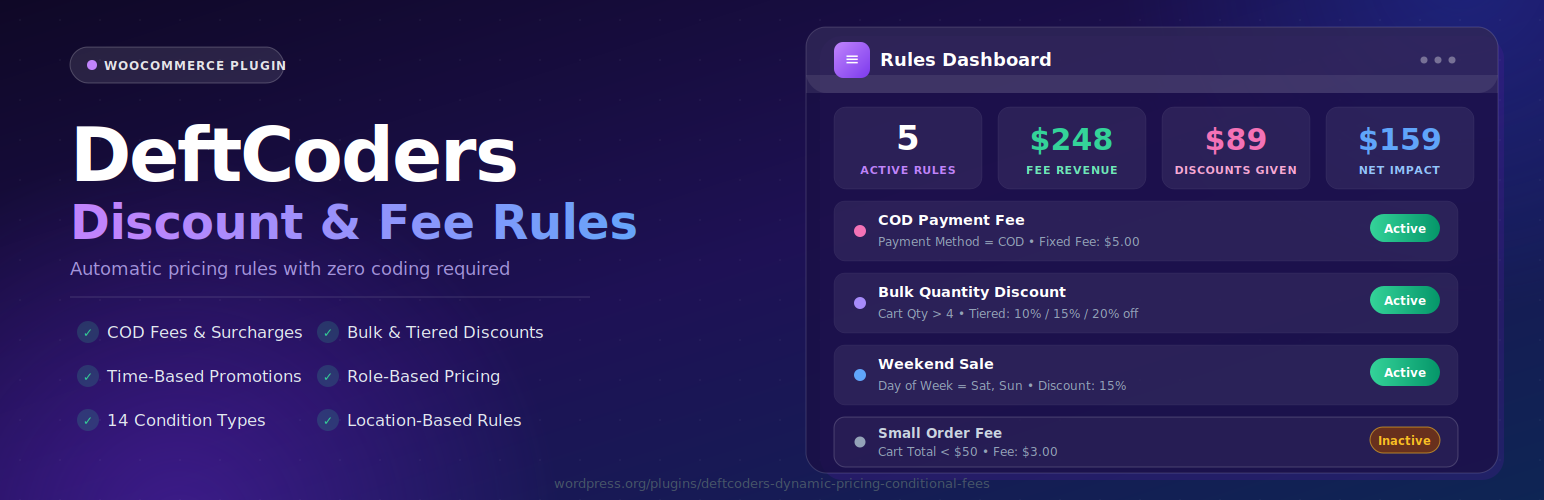
Rules dashboard — 8 live stat cards at the top (Total Rules, Active Rules, Inactive, Discount Rules, Fee Rules, Fee Revenue this month, Discounts Given this month, Net Impact all-time). Paginated rules table below with rule name, type badge, conditions summary, fee/discount amount, priority, live status toggle, and Edit/Delete buttons. Search box, condition-type filter, and rule-type filter in the toolbar.

Rule builder — conditions — the Add/Edit modal with multiple conditions already configured. Shows the condition-type dropdown, operator selector, and value input for each row, plus the Add Condition button. Demonstrates how to combine Cart Total, Day of Week, and User Role conditions on a single rule.

Rule builder — tiered discount action — the action panel with Tiered Discount selected and three quantity brackets fully filled in (5–9 items: 10%, 10–19 items: 15%, 20+ items: 20%). Also shows the Optional Label field, Stop Further Rules checkbox, priority, and status fields.

Rule Simulator — input panel — the left panel of the simulator with a full cart scenario entered: subtotal, item quantity, payment method, shipping method, user role, country, coupon code, simulation date, and simulation time.

Rule Simulator — results panel — the right panel showing two matched rules (green checkmarks, conditions met, calculated discount amounts) and one unmatched rule (grey, condition that failed shown). Cart summary table at the bottom: subtotal, total fees, total discounts, final total.

Cart with discount applied — WooCommerce cart page showing a tiered discount line in the totals ("Bulk Discount (15% Off) −$X"), the savings banner above the totals ("You have saved 15% discount"), and a "You saved X!" message in the applied-rules area.

Cart with fee applied — WooCommerce cart page showing a conditional fee line in the totals ("Small Order Fee +$3.00") and the custom rule message displayed above the checkout form ("Add $50 worth of items to waive the small order fee.").

Settings page — four toggle switches (Preview Mode, Debug Mode, Display Savings, Display Countdown Timer), read-only store timezone field, and a compatibility table at the bottom showing WooCommerce version, WordPress version, PHP version, HPOS status, and WPML detection.

Debug logs page — date-selector dropdown listing available log dates, raw timestamped log content showing rule evaluation entries (rule name, conditions met/not met, amount applied), and a Clear All Logs button.
Faq
Yes. WooCommerce 6.0 or higher must be installed and active. The plugin checks on every load and deactivates itself automatically if WooCommerce is missing.
PHP 7.4 or higher. If the requirement is not met the plugin shows an admin error notice and loads nothing.
The free version supports up to 5 rules (active and inactive combined). The UI shows a warning when you have reached the limit and blocks creating more until you delete an existing rule.
Yes, with full control. Each discount rule has a Stackable setting. Stackable (default) calculates against the full cart subtotal regardless of other discounts. Non-stackable calculates against the subtotal minus discounts already applied in the current cycle. Combine this with Stop Further Rules to prevent any stacking at all.
Yes. It stops all rule evaluation — fee and discount rules alike — for every rule that follows in priority order. Once it fires, the loop breaks completely.
Two ways. The Rule Simulator lets you enter fake cart data and see results instantly — nothing touches any real session. Preview Mode (Settings) runs the full engine on real customer carts but applies nothing; combine it with Debug Mode to log exactly what would have fired.
A countdown timer banner appears on the cart when a discount rule has a time-based condition (Day of Week, Date Range, or Time Range). For Day of Week rules it counts down to midnight. For Date Range rules it counts down to 23:59 on the end date. For Time Range rules it counts down to the end time. The timer updates every second via JavaScript.
In wp-content/uploads/wcdpdr-logs/, one file per day named wcdpdr-debug-YYYY-MM-DD.log. The directory is protected from direct browser access via an auto-created .htaccess file. You can view and clear logs from the Debug Logs tab in the admin.
Yes. The plugin calls FeaturesUtil::declare_compatibility( 'custom_order_tables', ... ) and uses the WooCommerce order object API for all order reads and writes — no direct wp_posts queries.
Everything is removed cleanly: both database tables, all plugin options, all plugin transients, and the log directory. On Multisite this runs for every sub-site automatically.
Yes. Click Export on the rules list page (or use bulk export for specific rules) to download a JSON file. On the destination site use Import to upload it.
The uninstall routine runs per-site on Multisite, cleaning up data for each sub-site. The plugin itself operates per-site (rules are stored per-site in the standard WordPress manner).
Reviews
Changelog
1.0.0
- Initial release.
- 2 rule types: Fee, Discount.
- 5 action types: Fixed Fee, Percentage Fee, Fixed Discount, Percentage Discount, Tiered Discount.
- 14 condition types: Cart Total, Cart Subtotal, Cart Quantity, Payment Method, Shipping Method, User Role, Product, Product Category, Day of Week, Time Range, Date Range, Country, State, Coupon Applied.
- Per-rule settings: priority (1–9999), active/inactive status, stop-further-rules flag, optional cart label.
- Stackable and non-stackable modes for discount rules.
- Apply-to-cart and apply-to-products scope for percentage and tiered discounts.
- Rules list: 8 dashboard stat cards, paginated table (10 per page), real-time name search, filter by condition type or rule type, drag-to-reorder priority, live status toggle, bulk activate/deactivate/delete/export.
- Rule builder modal with dynamic action configuration panel and multi-condition support.
- Rule Simulator: full cart scenario input (subtotal, quantity, payment, shipping, role, country, coupon, date, time) with per-rule match breakdown and cart summary.
- Preview Mode: full rule evaluation on live carts with no fees or discounts applied.
- Debug logging: daily log files in
wp-content/uploads/wcdpdr-logs/, in-admin viewer with date selector, Clear All. Log directory.htaccessprotected. - Import and export rules as JSON with per-rule validation and full field sanitisation.
- Revenue analytics: tracks fee revenue and discount totals when orders reach processing or completed status; daily aggregate table; 8 stat cards on dashboard.
- Frontend cart display: fee/discount lines, applied-rules area, “You saved X!” messages, total savings banner, tiered tier label, countdown timer for time-limited rules.
- Custom fee messages displayed above the checkout form.
- Built-in Documentation page inside the admin.
- 3 pre-installed example rules (Inactive): Bulk Quantity Discount, Small Order Fee, Weekend Sale.
- WooCommerce HPOS compatibility declared.
- Clean uninstall: drops both tables, removes all options, transients, and log files. Multisite-aware.
- Tax-aware subtotal calculation for inclusive and exclusive tax display settings.
- 60-second transient cache for active rules, busted on any rule change.
- i18n-ready with
.potfile included.