WP Comment Cleaner – Delete All Comments, Disable Comments, Bulk Delete & Remove Comments

WP Comment Cleaner – Delete All Comments, Disable Comments, Bulk Delete & Remove Comments
Description
WP Comment Cleaner is the most powerful, lightweight, and user-friendly tool to remove comments and disable comments globally on your WordPress site. If your database is bloated with thousands of spam entries or you simply want to start fresh, our plugin provides a safe and instant way to delete all comments without any technical hassle.
Is your site slow? A cluttered database is often the cause. By using our bulk delete features, you can significantly reduce database size, leading to faster page loads and better SEO rankings for your own website.
🚀 Why Thousands of Users Choose WP Comment Cleaner:
- Total Control: Choose to remove comments by status—Approved, Pending, Spam, or Trash.
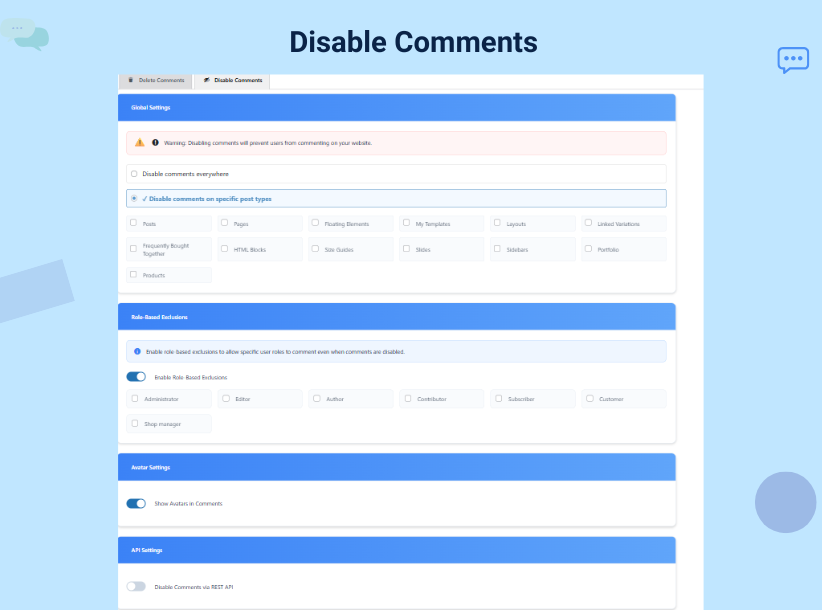
- Stop Spam Forever: Use the disable comments feature to turn off discussions site-wide or on specific post types like Posts, Pages, and Attachments.
- Database Optimization: A single click to bulk delete thousands of entries, cleaning up your
wp_commentsandwp_commentmetatables. - Smart Filtering: Use our date-based filter to delete all comments older than a specific date while keeping your newest interactions alive.
- User-Friendly Interface: No complex settings. We offer a clean, intuitive dashboard designed for both beginners and developers.
Whether you are a store owner dealing with WooCommerce product comment spam or a blogger looking to remove comments from old archived posts, this plugin is built to handle the job with speed and security.
💎 Premium Features for Advanced Users
While the free version is powerful enough to delete all comments, our Premium version offers automation for professionals:
* Export to CSV: The safest way to remove comments—export them first for your records.
* Scheduled Cleanup: Set a schedule (Daily, Weekly, Monthly) to bulk delete spam automatically.
* Role-Based Exclusions: Disable comments for everyone except specific users like Authors or Editors.
* Developer Priority Support: Get expert help whenever you need it.
Installation
- Upload the plugin files to the
/wp-content/plugins/wp-comment-cleanerdirectory. - Activate the plugin through the ‘Plugins’ screen in WordPress.
- In the WordPress admin, click Delete Comments in the main menu (it appears just after Comments) to access the dashboard.
- Select your criteria (status, post type, or date) and click to remove comments.
Screenshots
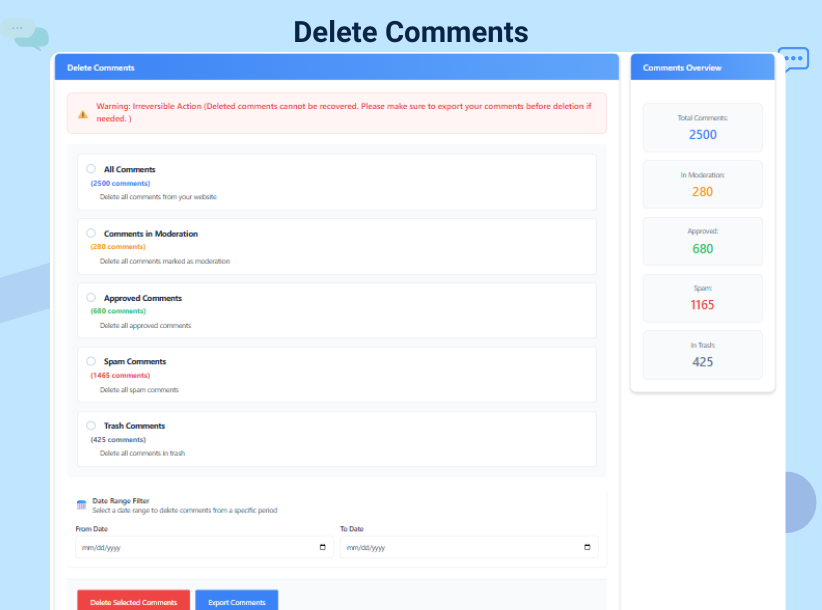
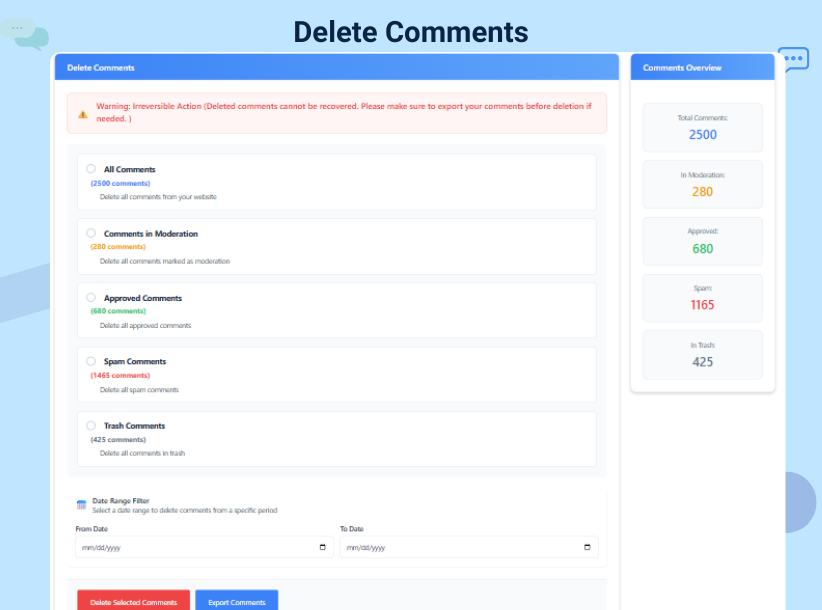
Main dashboard: Easy options to delete all comments.
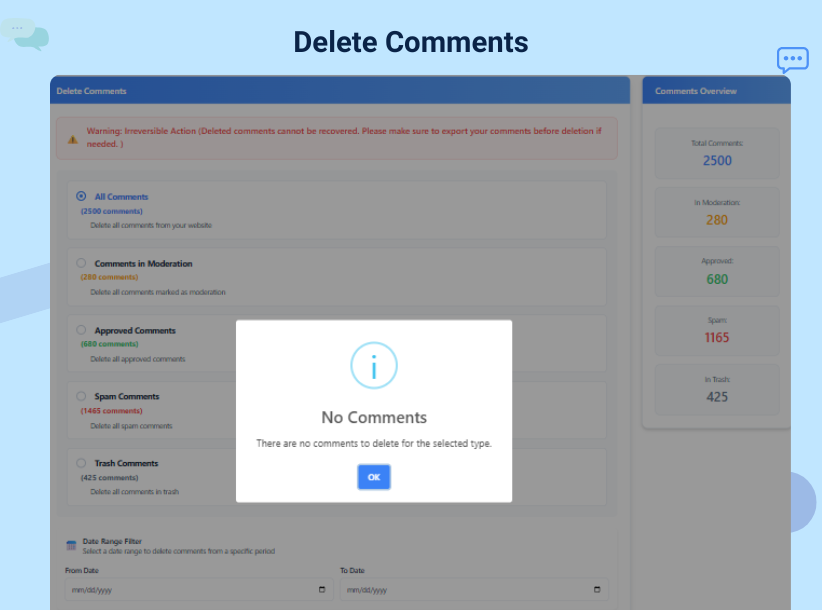
Status filtering: Choose to bulk delete spam or pending items.
Global Settings: How to disable comments on specific post types.
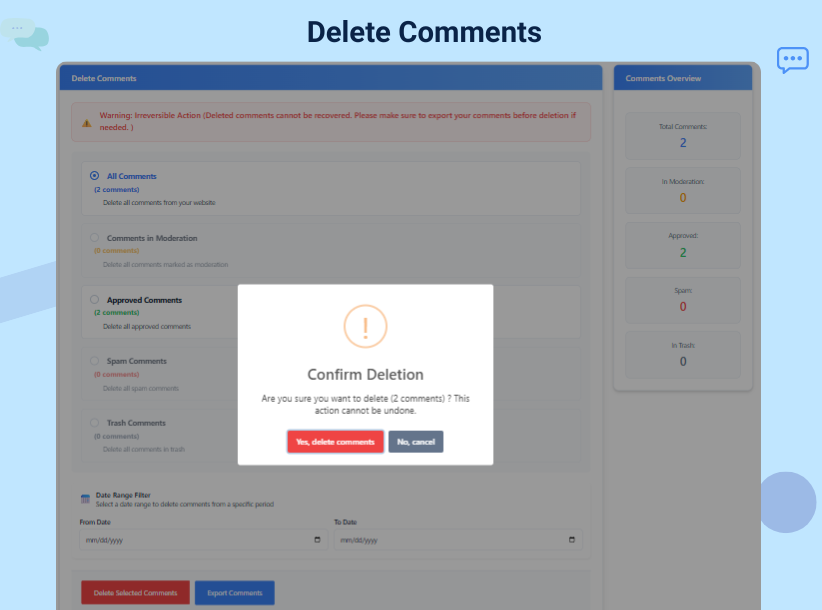
Premium Features: Scheduled cleanup and CSV export options.
Faq
Set your site language in Settings General (Site Language). If you installed the plugin from WordPress.org, translations for this plugin will be installed automatically when they are available for your language. The plugin interface will then appear in your language.
Yes! You can filter by post type or comment status to ensure you only remove comments that are no longer needed while keeping your valuable discussions.
Our plugin is optimized for performance. When you perform a bulk delete, the script processes the request efficiently to ensure your server remains stable, even with thousands of entries.
No. The disable comments feature prevents new comments from being posted on your site. To get rid of existing ones, you should use the delete all comments tool within the plugin.
Once you remove comments, they are permanently deleted from the database. We highly recommend using our Premium Export feature to save a CSV backup before performing a total cleanup.
Yes! Our Smart Date Filtering allows you to select a specific date range. This is perfect for users who want to remove comments from 2025 or older while keeping 2026 discussions active.
Absolutely. By using the disable comments feature or the scheduled spam cleanup, you can significantly reduce the manual work required to moderate your site.
Yes! It can remove comments and reviews from WooCommerce product pages effectively.
Reviews
Requires a license
By 
can't delete comments if you have more than 500 with the free one. You can't even delete the first 500. Thrash. WP Bulk Delete will do it for free, fyi.
Adware
By 
Requires license key for activation, pesters you "Explain why you're leaving" on deactivation. Do not install.
Bad epx
By 
After activation, the plugin ask you add "premium key" or active free version then ask to connect via Freemius. And, after all you only can delete 500 comments.
It's life changing plugin deleted all comments
By 
irs save my tons of hours just 1 click and my website free from all spam comments and also have option for disable all comments
Nice plugin to remove comment. Very helpful.
By 
a very helpful plugin and helped me a lot. Highly recommending.
Nice plugin for bulk delete
By 
this plugin is cool its bulk delete my 4500 comments in single click and also its help me to disable comments on post so its worth it
I have no word for this plugin.For disable comment
By 
this plugin, help me to disable my website.Comment section in single click also this delete all spamy unwanted comments in few seconds
This plugin save my website from spam comment
By 
this small plugin delete my all spam comment and I use there disable comment option for prevent my all spam comment and this plugin help me to delete all comment at one click
It’s save me website life it’s delete almost 8000 spam comments
By 
this plug-in is worth it it’s save my website it’s delete 8000 + spam comments in a single click
Exactly What I Needed!
By 
I had over 10,000 spam comments slowing down my dashboard. This plugin helped me clean them all up in seconds. The global disable feature is a great bonus. Works flawlessly!
Changelog
6.2
- Added official plugin logo for better branding.
- Updated “Tested up to” compatibility for the latest WordPress core.
6.1
- Improved UI for better usability and mobile responsiveness.
- Optimized keyword visibility for “remove comments” and “bulk delete.”
- Minor bug fixes in the filtering logic for spam status.
6.0
- Introduced global comment disable feature.
- Added role-based exclusion system for premium users.
- Integrated SweetAlert confirmation for safer deletions.