WP Comment Cleaner – Delete All Comments, Disable Comments, Bulk Delete & Remove Comments

WP Comment Cleaner – Delete All Comments, Disable Comments, Bulk Delete & Remove Comments
Description
WP Comment Cleaner is a smart and lightweight plugin designed to help you take full control over WordPress comments. Whether you want to delete all comments, disable them site-wide, bulk delete spam, or export comments — this tool does it all in just a few clicks.
Ideal for store owners, bloggers, developers, and agencies, the plugin offers both free and premium features for complete comment management. Clean up unnecessary clutter, stop spam, and improve your site performance with confidence.
🎯 Key Features
- Delete all types of comments: Approved, Pending, Spam, Trash
- Disable comments globally or by post type
- Bulk delete spam comments in one click
- Export comments to CSV before deleting (Premium)
- Smart date filtering for safe deletion
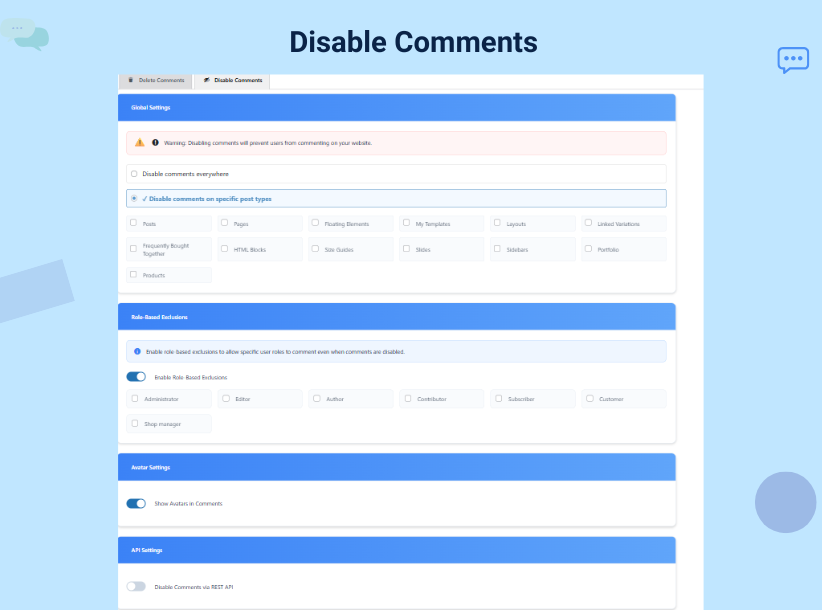
- Role-based exclusions – allow specific user roles to comment even when globally disabled (Premium)
- Scheduled automatic spam cleanup (Premium)
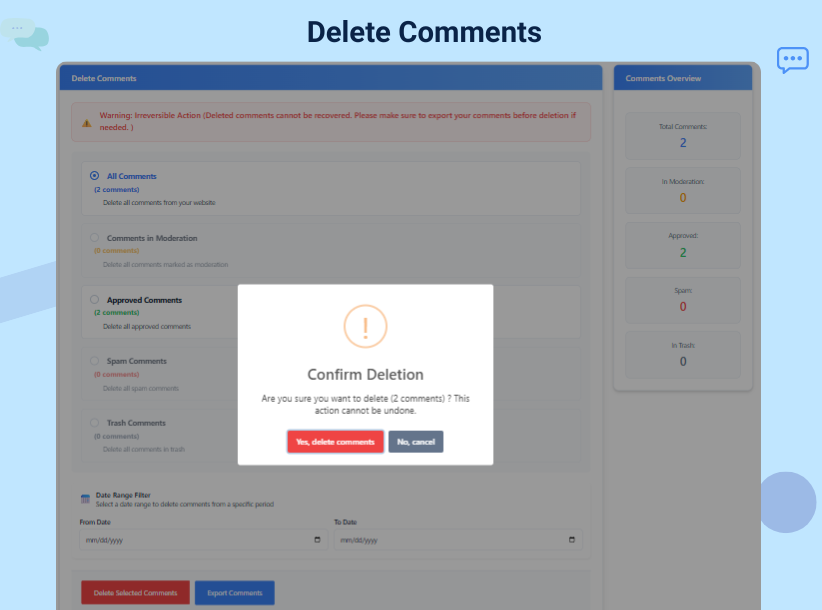
- Clean, user-friendly interface with confirmation alerts
- Unlimited deletion (Premium)
- Priority support
🚀 Free Features
- One-click comment deletion
- Disable comments site-wide
- Filter comments by status
- Automatic spam detection
- Smart date filtering
- Export options
- Friendly admin interface
- No personal data collected
- Safe and secure performance
💎 Premium Features
- Export comments to CSV
- Role-based exclusions for disabling
- Scheduled spam cleanup (daily, weekly, monthly)
- Priority email support
- Lifetime access with one-time payment
Privacy Policy
This plugin does not store or share any user data. All operations are performed locally on your WordPress site.
Development Services
Need custom WordPress development?
As a premium user, you can access our expert development services at just $5/hour. We offer:
- Custom plugin development
- Theme customization
- Site performance optimization
- WooCommerce solutions
📧 Reach us at: info@lytechx.com
Installation
- Upload the plugin files to
/wp-content/plugins/wp-comment-cleaneror install it directly from the WordPress plugin directory. - Activate the plugin from the “Plugins” screen in WordPress.
- Navigate to Tools Delete Comments to start managing comments.
Screenshots
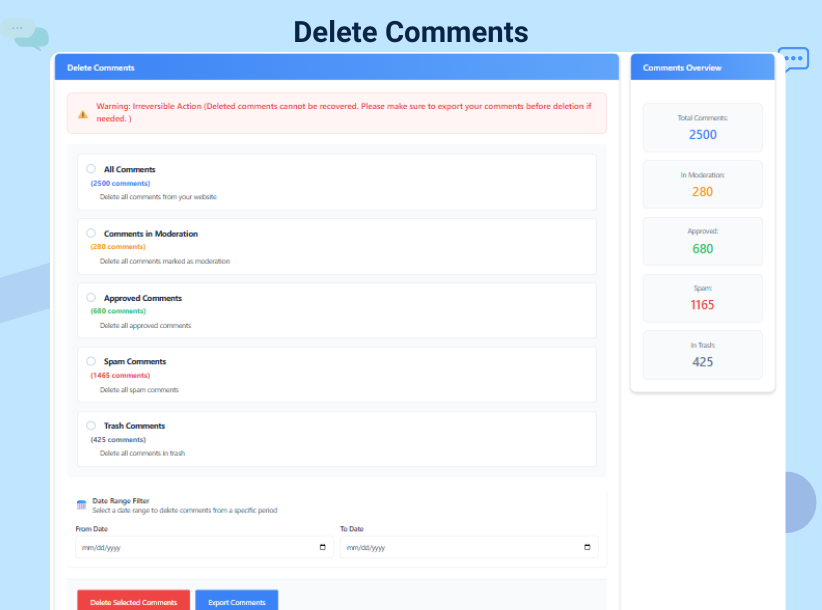
Main plugin dashboard
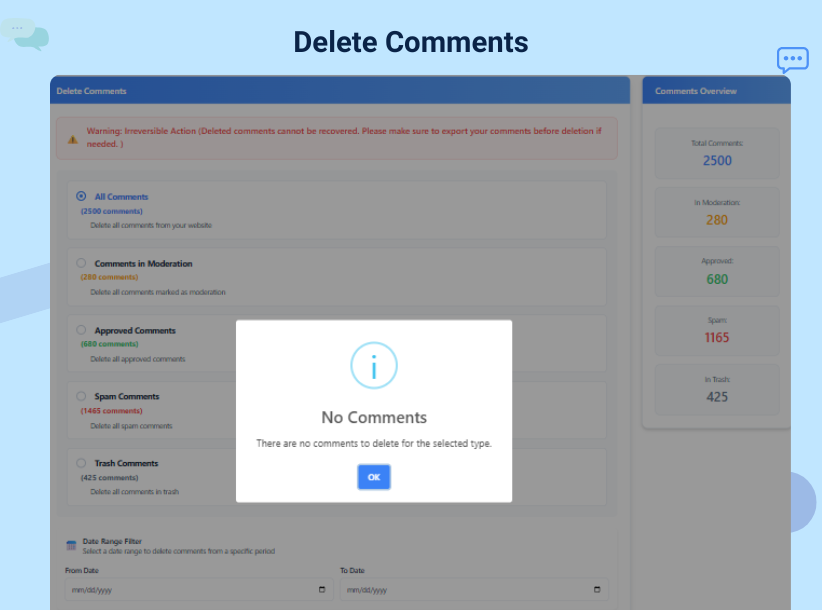
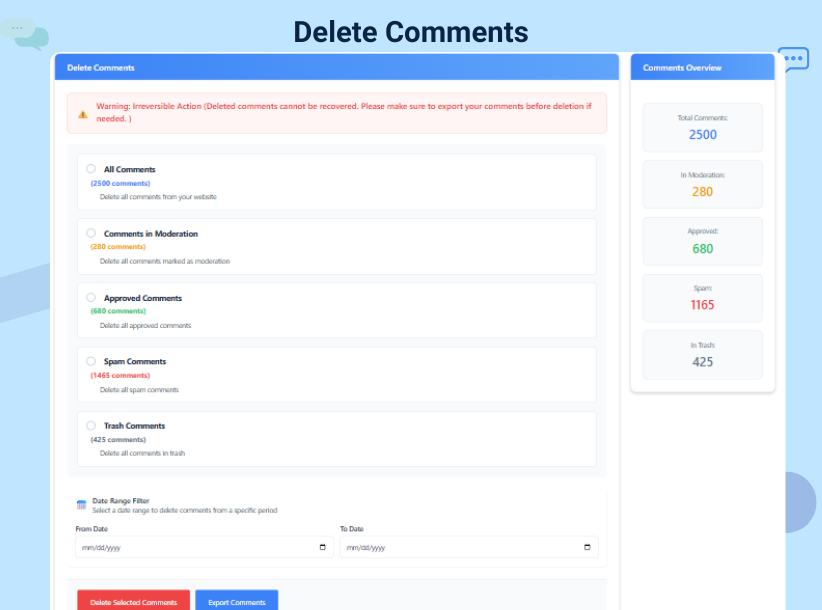
Bulk delete comment options
Export to CSV screen
Spam cleanup scheduling
Disable comment settings
Faq
The free version allows you to delete all comments without restrictions. Some advanced features like export, role exclusions, and scheduled cleanup are premium-only.
Yes. The premium version is available for a one-time fee of $9.99 USD and includes lifetime updates and support.
Yes. The export feature is available in the premium version and allows you to save all comments in CSV format before removal.
The premium version offers scheduled cleanup for spam comments. You can choose daily, weekly, or monthly schedules, and the plugin will remove spam automatically.
Reviews
Easy Bulk Comment Cleanup
By 
This plugin deleted my 1000+ comments very easily within minutes. Super simple to use and saved me a lot of manual work. Highly recommended for quick comment cleanup.
Nice plugin for bulk delete
By 
This plugin helped me delete 1000+ comments very easily in just a few clicks. It saved a lot of time and made comment cleanup simple and fast. Really useful and easy to use plugin
love this
By 
this will help me to delete 5000+ comments from my gaming website and save lot of time
Requires a license
By 
can't delete comments if you have more than 500 with the free one. You can't even delete the first 500. Thrash. WP Bulk Delete will do it for free, fyi.
Adware
By 
Requires license key for activation, pesters you "Explain why you're leaving" on deactivation. Do not install.
Bad epx
By 
After activation, the plugin ask you add "premium key" or active free version then ask to connect via Freemius. And, after all you only can delete 500 comments.
It's life changing plugin deleted all comments
By 
irs save my tons of hours just 1 click and my website free from all spam comments and also have option for disable all comments
Nice plugin to remove comment. Very helpful.
By 
a very helpful plugin and helped me a lot. Highly recommending.
Nice plugin for bulk delete
By 
this plugin is cool its bulk delete my 4500 comments in single click and also its help me to disable comments on post so its worth it
I have no word for this plugin.For disable comment
By 
Very useful plugin for quickly deleting spam and unwanted comments. It helped me clean my WordPress site and disable comments easily without wasting time. Simple, fast, and works perfectly
Changelog
7.3
- SDK update
7.2
- Security: Fixed broken access control that could allow unauthorized comment deletion during admin requests.
- Security: Require administrator capability for comment export and spam cleanup scheduling AJAX handlers.
- Hardened comment deletion with capability checks and validated delete action types.
6.1
- Improved UI for better usability
- Optimized plugin name and tag visibility
- Minor fixes and UI cleanup
6.0
- Introduced global comment disable feature
- Added role-based exclusion system
- Enhanced reset settings and alerts
- SweetAlert confirmation integrated
5.9
- Improved plugin performance and layout
- Refactored backend logic
5.7
- Fixed spam cleanup schedule bug
- Improved caching and reset system
- Optimized error handling and logs
5.6
- Added spam cleanup scheduler
- Improved CSV export
- Minor UI enhancements and bug fixes
5.5
- Introduced date filtering system
- Improved count tracking
- Minor fixes