Delete Posts automatically
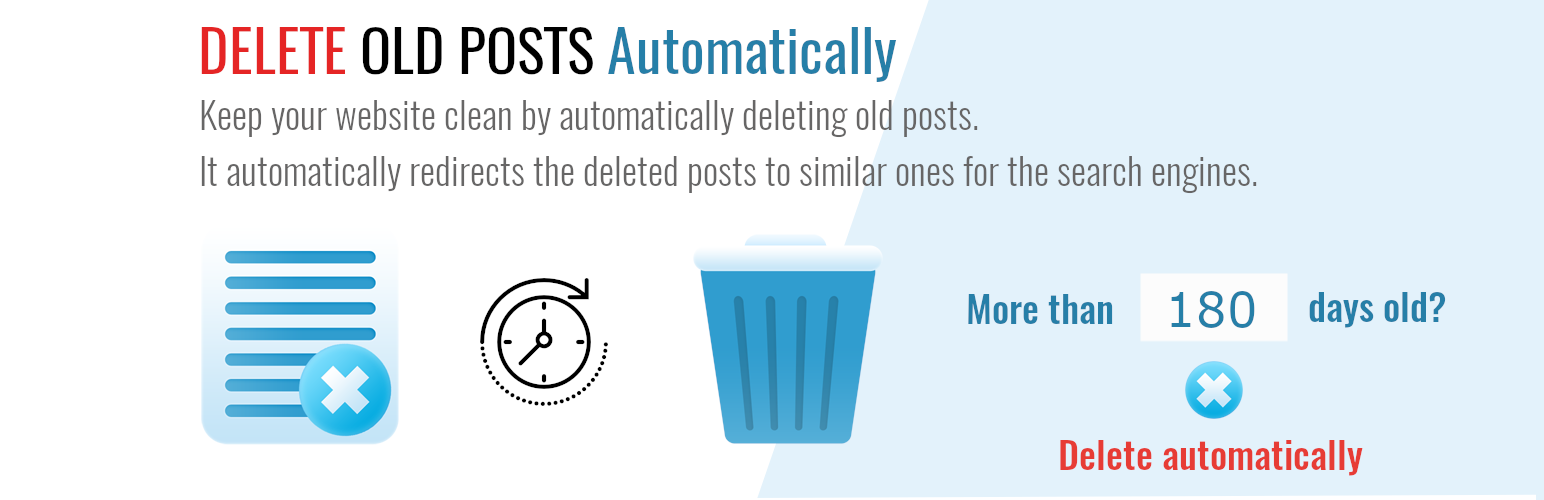
Delete Posts automatically
Description
Automatically delete old or outdated WordPress posts safely — keep your site clean, fast, and relevant.
Delete Old Posts plugin lets you automatically remove outdated content from your WordPress site with ease.
Schedule deletions, filter by category, tag, post type, or status, and optionally redirect deleted posts to relevant pages to preserve SEO.
Perfect for bloggers, news sites, e-commerce stores, and anyone who wants a clean, optimized site without manual cleanup.
Features
- 🕒 Automatic Deletion – Schedule post deletions automatically — no manual work needed.
- 🗂️ Flexible Filtering – Choose which posts to delete based on date, category, tag, post type, authors, or status.
- 🚫 Exclude Important Posts – Protect specific posts from deletion.
- 🔁 SEO-Friendly Redirects – Automatically redirect deleted posts to their closest match or a custom URL (optional).
- 💾 Safe & Controlled – Logs every deletion for easy review, so you always know what happened (coming soon).
- 🧰 Supports Custom Post Types – Works with any posts type.
- 🔄 “Set It and Forget It” Automation – Once configured, it keeps your site clean automatically.
- 💡 Lightweight & Fast – No bloat, minimal database load, and compatible with all major themes and plugins.
- ❌ Delete the post permanently (PRO version).
- ❌ Delete post attachments 📎 🏞️ when the post is deleted (PRO version).
Why You Might Need This Plugin
Keeping your WordPress site clean and relevant is important — but deleting old content manually takes time.
This plugin helps you automatically remove outdated posts, drafts, or custom content types on a schedule, based on your rules.
You might need this plugin if:
- 📰 You run a blog with time-sensitive posts (e.g., events, announcements, deals) that should disappear after a certain date.
- 🏪 You manage a WooCommerce store and want to automatically remove expired or seasonal products.
- 🎓 You run a membership, e-learning, or event site with temporary content that should be cleaned up regularly.
- 🗞️ You operate a news or magazine site and want to auto-delete posts older than 30, 60, or 90 days to keep your archive light.
- ⚙️ You’re a developer or site maintainer managing multiple WordPress installations and need a reliable cleanup automation tool.
- 🧠 You care about SEO and performance, and want to remove outdated or low-value content safely — optionally redirecting deleted posts to newer ones.
- ✅ You simply want a “set it and forget it” way to keep your WordPress dashboard clean and your site running fast.
Supported languages:
- English
- Deutsch
- Nederlands
- Français
- Italiana
- Norwegian
- Hindi
- Bengali
If you want, you can help translate the “Delete old posts automatically” plugin into another language. Many thanks!
Please note that there are no guarantees that translations from the original English are accurate.
Installation
- Upload the plugin files to the
/wp-content/plugins/delete-old-posts-programmaticallydirectory, or install the plugin through the WordPress plugins screen directly. - Activate the plugin through the ‘Plugins’ screen in WordPress.
- Go to Delete Old Posts to configure schedules, filters, and optional redirects.
- Save changes. The plugin will run automatically according to your schedule.
Faq
Yes. Deleted posts are permanently removed from your database. We recommend creating a backup before first use.
Absolutely. You can set filters to protect specific post, or individual posts from deletion.
Yes. You can optionally redirect deleted posts to the closest relevant post or a custom URL to preserve SEO value.
Yes. You can select any custom post type when configuring the plugin.
A Pro version is also available, offering additional features such as advanced deletion, the ability to delete a set number of posts in one go, and advanced filtering.
Install and activate the free version. Then upgrade from the plugin menu.
Reviews
simple and effective
By 
just set the days or a date and move the old articles to the trash
Cannot delete pages (only posts).
By 
Cannot delete pages (only posts).
My favorite plugin
By 
Excellent plugin for managing essential content. An asset for SEO and for a site that is less greedy and therefore greener!
Changelog
3.11.0
- Updated: SDK to the latest version.
3.10.5
- Updated: Author page link.
3.10.3
- Updated: Plugin page link.
3.10.1
- Added: The ability to search for and select items from a list in the filters.
- Updated: SDK to the latest version.
3.9.7
- Updated: SDK to the latest version.
3.9.6
- Updated: FAQs.
3.9.5
- Updated: Plugin name.
3.9.4
- Updated: Short Description.
3.9.3
- Updated: Title and description.
3.9.2
- Updated: Stable Tag.
3.9.1
- Updated SDK to the latest version.
3.9.0
- Added: Filter to delete posts by tags.
3.8.0
- Updated SDK to the latest version.
- Fixed: The categories do not appear in the list for all selected post types.
- Added: Updated the “post status” with values according to the custom posts installed.
3.7.7
- Updated Freemius SDK to the latest version.
- Tested with version 6.5
3.7.6
- Fixed: the plugin’s style is not updating on multisite.
3.7.5
- Fixed: the table position in “Redirects” was moving with the scroll.
- Fixed: the link “Edit” in “Redirects” was redirecting to the start of the table when on another page.
3.7.3
- Fixed: “Blank screen” on the plugin page.
- Changed: Description in “Show hidden Custom Post Types” option in “Filters”.
3.7.2
- Changed: Description in “Show hidden Custom Post Types” option in “Filters”.
3.7.1
- Fixed: “Show hidden Custom Post Types.” option in “Filters.” not saved on change.
3.7.0
- Added: The “Show hidden Custom Post Types.” option in “Filters.”
- Changed: Some texts.
3.6.0
- The “Post Type” section in “Filter” was extended to include non-public custom post types, like, for example, the Open User Map (OUM) locations.
- Now it’s possible to delete even more old posts.
3.5.3
- Updated Freemius SDK to the latest version.
- Tested with version 6.4.2
3.5.2
- Updated Freemius SDK to the latest version.
- Tested with version 6.4.1
3.5.1
- Updated Freemius SDK to the latest version.
- Tested with version 6.3.2
3.5.0
- A new feature was added: it is now possible to delete posts with a specific post status (published, draft, etc.).
3.4.4
- Fixed: Attachments were not deleted when the “Delete the Posts Permanently” option was selected (Premium version). Thanks Rafael for signalling the problem!
3.4.3
- Updated Freemius SDK to the latest version.
3.4.2
- Fixed: Filters layout. When multiple users registered, the page expanded.
3.4.1
- Fixed: It was not possible to delete posts older than a day.
- Improved: Better description of relationships applied to selected categories or taxonomy terms
- SDK updated to version 2.5.9.
3.3.11
- Description changed.
- Tested with version 6.2.
- SDK updated to version 2.5.6.
3.3.10
- The SDK was updated to version 2.5.5.
3.3.9
- Fixed: Attachments were not deleted when the featured image was added at a later time to the post from the media library.
- Fixed: WooCommerce product gallery images were not deleted with the product.
- Added: Force delete images option to force delete the attached image from the post even if it is used by another post.
- Improved: The text used for information and descriptions has been improved.
3.3.8
- Fixed: Categories were not available in the filter before saving the filter form.
3.3.7
- Added: translation for italian.
3.3.6
- Fixed: Some WordPress installations display “Warning: [function.file-get-contents]: failed to open stream: No such file or directory” in the PRO version.
3.3.5
- Added: translation for Norwegian.
3.3.4
- Added: translation for Hindi and Bengali.
3.3.3
- Fixed: When the website’s language was changed, the translation did not load.
- Some translation was edited, and some new texts have been translated.
3.3.2
- Added: translation files for Deutsch, Dutch, and French.
3.3.1
- Fixed: when no post types are selected, there is no indication that at least one post type has to be selected when filters are saved. Now the default post type is automatically selected.
3.3.0
- Fixed: attachments are no longer deleted when the same attachment is used in multiple posts (Pro version).
3.2.6
- Changed FAQs
- The SDK was updated to version 2.5.3.
3.2.5
- The SDK was updated to version 2.5.2.
3.2.4
- Changed: added features and FAQs to the readme file.
3.2.3
- Fixed: some settings from the premium version are propagated to the free version when the license key expires.
3.2.2
- Fixed: some texts could not be translated.
- Improved text descriptions about how to calculate the days in the past automatically.
3.2.1
- Added feature: the ability to delete posts based on a fixed date instead of a number of days in the past.
3.1.1
- Fixed: The deleted posts are redirected (301 Moved Permanently) even if the “Redirect the URL of the deleted post to a similar post when requested” option was not activated.
3.1.0
- This version introduces the option to delete the post attachments when the post is deleted.
3.0.0
- This is a major release of the plugin. It is recommended to make a complete backup of your website before updating.
- This version introduces new features like picking a date for the posts, filters, and the capability to manage the deleted posts redirections.
- Now it’s possible to pause and resume the deletion of posts. It’s also possible to filter the deleted posts by custom post types, category, taxonomy, and author.
- You can also specify a list of post ids to exclude, as well as filter the posts based on the search keyword(s).
2.1.4
- Some code improvements have been made.
2.1.3
- WP6.0 compatibility confirmed.
- Code optimisations.
2.1.2
- SDK update. Security release.
2.0.2
- Description changed.
2.0.1
- Description changed.
2.0.0
- Deleted post redirection was added as an option. Now it is possible to automatically redirect to a similar post when the deleted URL is called.
- The post to redirect to will be automatically chosen by the system as the best matching variant.
1.0.5
- More options added for the premium version.
1.0.3
- Description changed.
1.0.2
- Functionality improved.
1.0.1
- Core functionality improved.
1.0.0
- The first version was released.