Demfilz Booking Calendar Plus

Demfilz Booking Calendar Plus
Description
Demfilz Booking Calendar Plus turns any WordPress site into a booking system for salons, clinics, trades, consultants and studios:
- Services with duration, price, colour and before/after buffers.
- Staff members with their own weekly working hours (split shifts supported), time off, and the services they perform.
- Step-by-step booking form (shortcode
[dbook_bookings]or the Bookings block): service, staff member (or “Any available”), date and time, details. Mobile-friendly and theme-neutral. - “Any staff” auto-assign picks the least-loaded qualified staff member.
- No double bookings: availability is checked server-side again at the moment of booking, with a transactional lock.
- Emails: customer confirmation with a calendar invite (.ics) attached, admin and staff notifications, cancellation notices and an automatic reminder email before the appointment.
- Customer self-service: every email includes a private manage link where the customer can reschedule or cancel (with a configurable cut-off).
- Approval mode: choose instant confirmation or review each request.
- Admin: dashboard, filterable bookings list with CSV export, a monthly booking calendar, and a manual add-booking form.
- Privacy ready: personal data exporter and eraser, plus an optional clean uninstall.
Take deposits with the Pro add-on
Add Demfilz Booking Calendar Plus Pro to collect a deposit or the full price with Stripe at booking time. The slot is held while the customer pays on Stripe’s secure hosted checkout and confirms automatically once payment lands – no card details ever touch your site. Set payment per service (no payment, a percentage or fixed deposit, or full price), issue refunds from the dashboard, and hold-and-release abandoned checkouts automatically.
AIEIO Calendar integration (optional)
Connect a free AIEIO Calendar account and:
- Confirmed bookings are pushed into each staff member’s calendar (and removed when cancelled).
- Events marked busy in a staff calendar automatically block those times on the booking form – so a staff member’s personal appointments prevent double booking.
- Every calendar has a private ICS feed, so bookings appear in Google Calendar, Apple Calendar and Outlook too.
The plugin talks to the calendar with an API key you create in the calendar’s settings. This is an optional external service: when configured, booking details (service, customer name and contact details, times) are sent to the calendar URL you configure (default https://aieio.au/cal, operated by Directory.com.au Pty Ltd – see https://aieio.au/cal/ for its privacy policy). Nothing is sent unless you enter an API key.
Installation
- Upload and activate the plugin.
- Go to Bookings Services and add your services.
- Go to Bookings Staff, add staff, tick the services they perform and set weekly hours.
- Put
[dbook_bookings](or the Bookings block) on a page. - Optional: connect AIEIO Calendar under Bookings Settings Calendar integration.
- Optional: install Demfilz Booking Calendar Plus Pro to take Stripe deposits.
Screenshots
![Step-by-step booking form - choose a service. Drops onto any page with the <code>[dbook_bookings]</code> shortcode or block.](https://ps.w.org/demfilz-booking-calendar-plus/assets/screenshot-1.png?rev=3641671)
Step-by-step booking form - choose a service. Drops onto any page with the
[dbook_bookings]shortcode or block.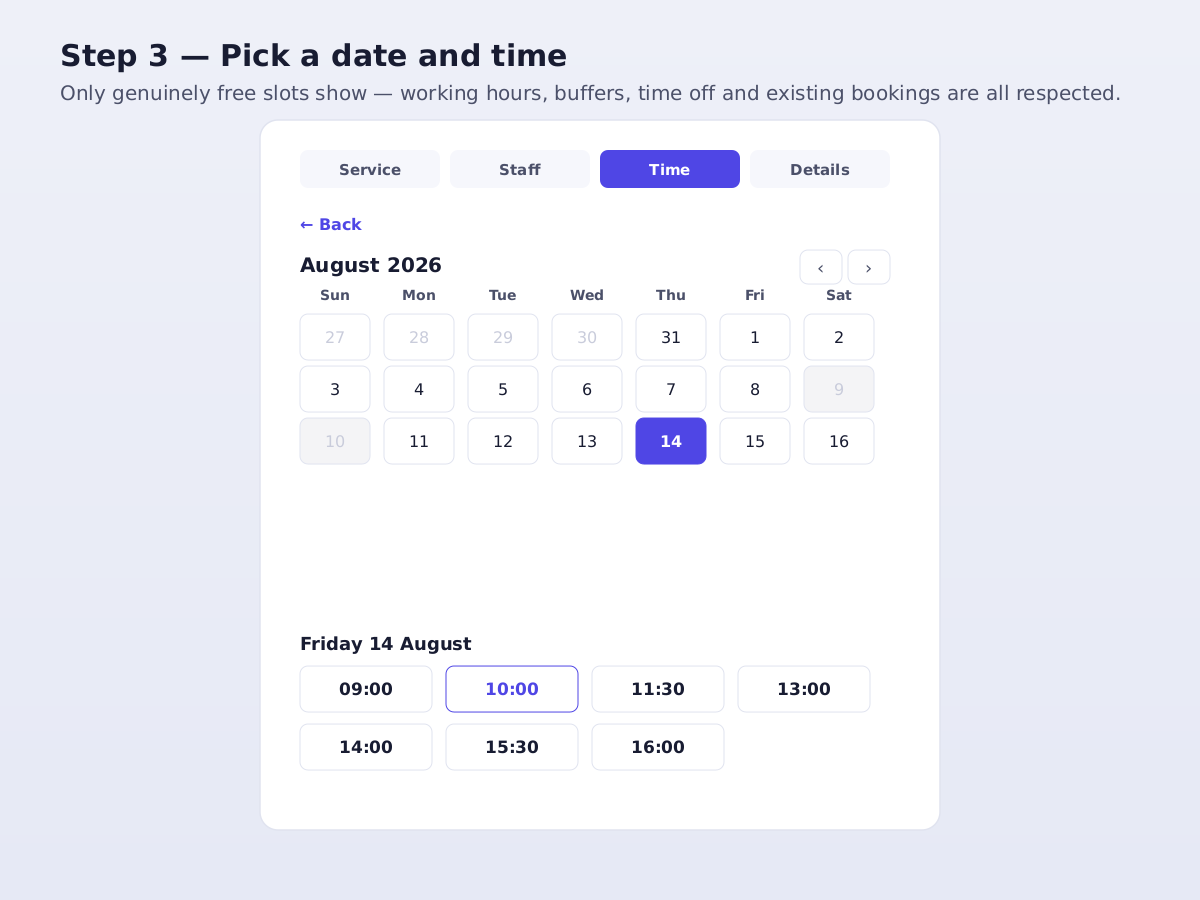
Pick a date and time. Only genuinely free slots appear - working hours, buffers, time off and existing bookings are all respected.
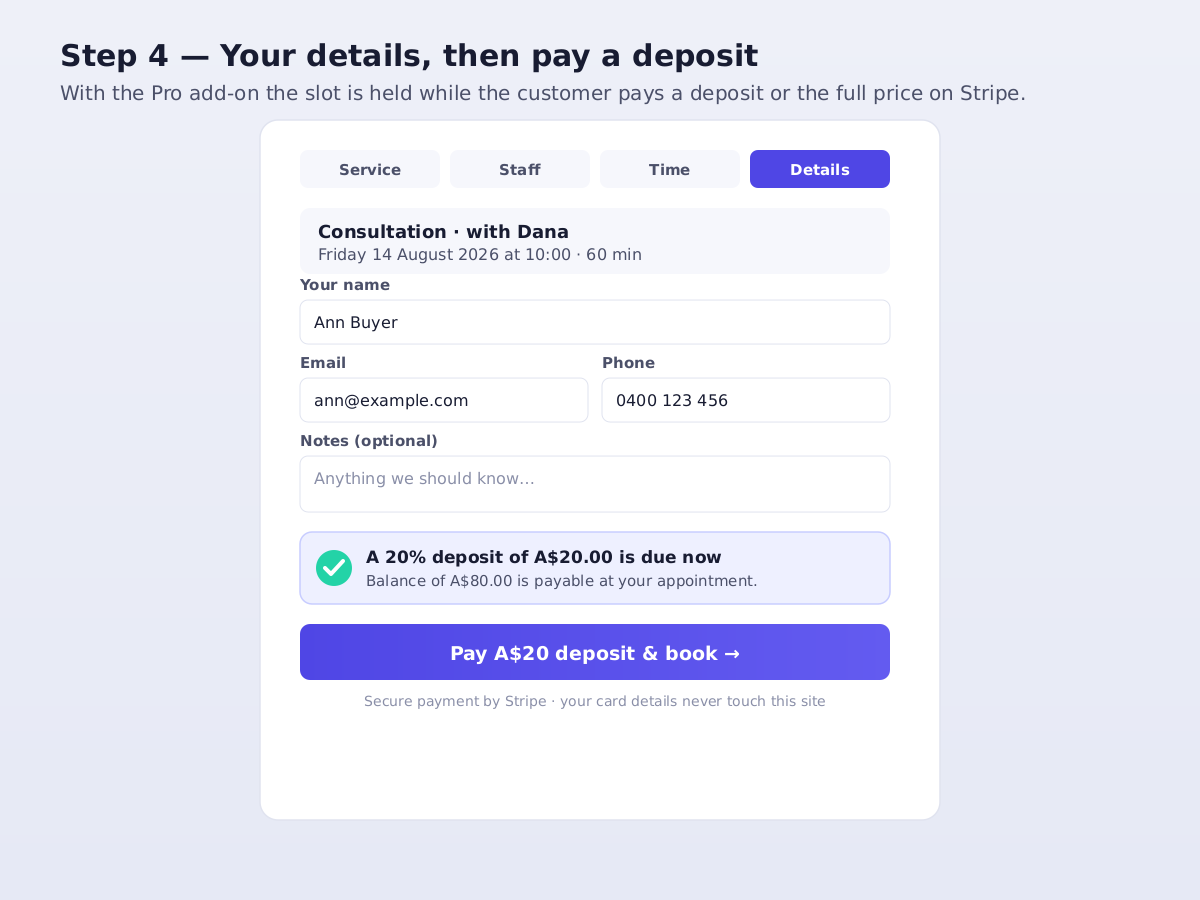
Your details, then pay. With the Pro add-on the slot is held while the customer pays a deposit or the full price on Stripe's secure checkout.
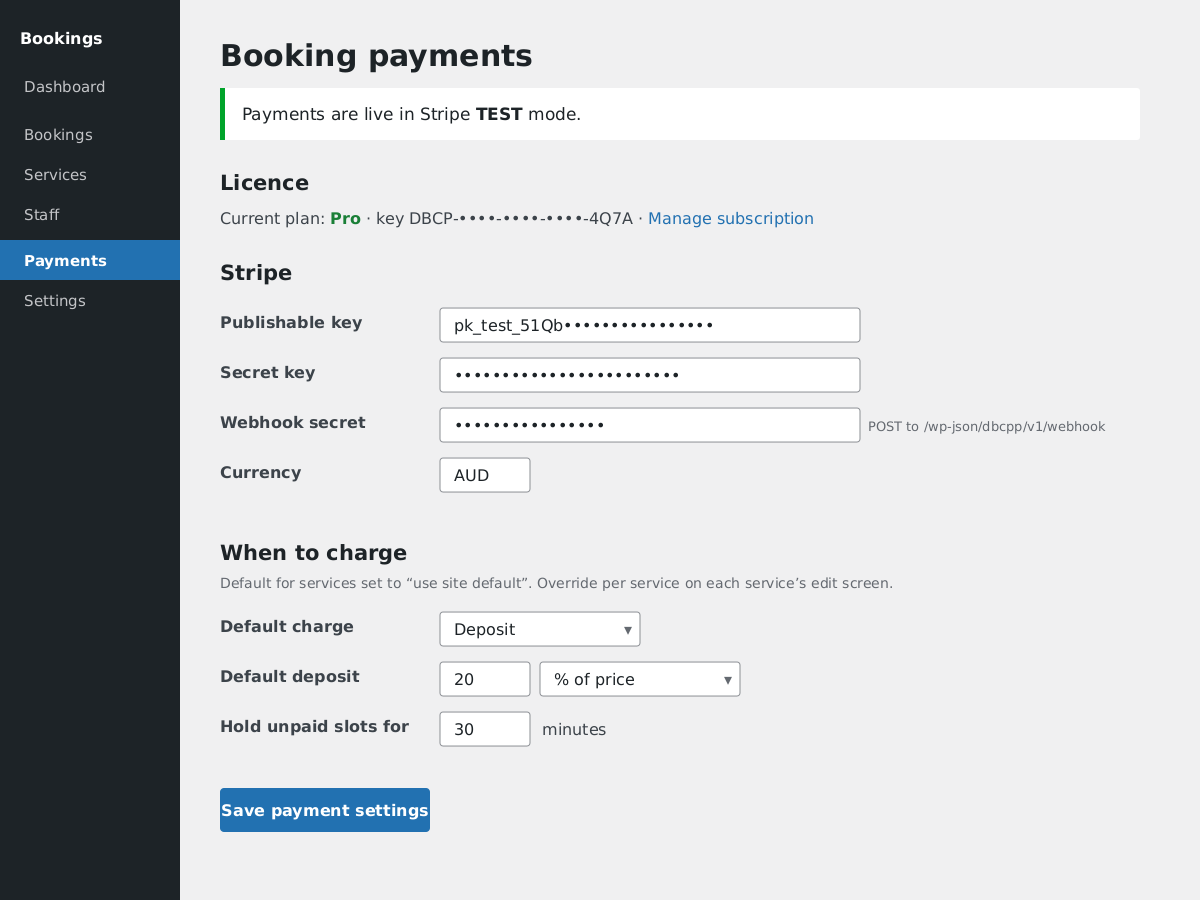
Booking payments settings (Pro add-on): enter your own Stripe keys, choose a deposit or full payment, set the hold window and the receipt email.
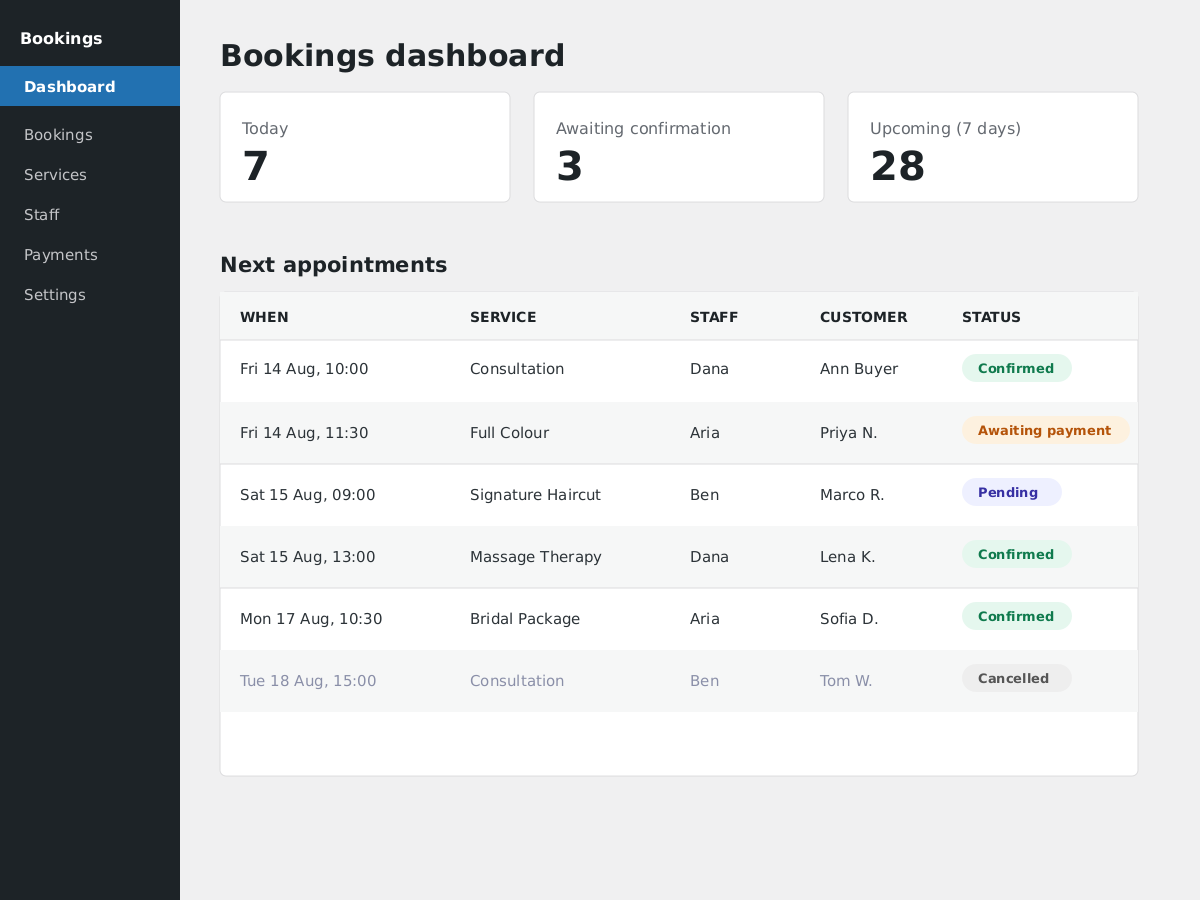
Bookings dashboard: today, awaiting-confirmation and upcoming counts, plus every appointment and its status at a glance.
Faq
The plugin uses your WordPress timezone (Settings General). All slots and emails follow it.
Yes – hours, time off and services are all per staff member.
The free plugin records the price and shows it during booking; payment is taken on arrival. To collect a deposit or full payment online, add the Pro add-on, which uses your own Stripe account and hosted Stripe Checkout (no card data touches your site).
Availability is computed from working hours, existing bookings (with buffers), time off and (optionally) busy times in the connected calendar – and re-checked server-side under a lock when the booking is submitted.
No. Booking is a simple public form; customers manage their booking through a private tokenised link, no login required.
Reviews
Changelog
1.0.0
- Initial release: services, staff, hours, time off, booking wizard, emails with ICS, reminders, reschedule, CSV export, booking calendar, approval mode, AIEIO Calendar integration, privacy tools, and payment extension points for the Pro add-on.