Der Donat Easy SEO

Der Donat Easy SEO
Description
Easy SEO is a simple SEO plugin for WordPress. It helps you edit SEO titles, meta descriptions, Open Graph previews, canonical URLs, noindex settings, XML sitemaps and breadcrumbs without adding a heavy all-in-one SEO suite.
The plugin is built for practical websites, client projects and editorial workflows that need the most important WordPress SEO basics in one calm place: SEO title fields, meta description fields, social preview titles, social preview descriptions, social images, noindex controls and canonical URL fields. WordPress excerpts stay in the normal WordPress excerpt field and are used only as fallbacks. Easy SEO outputs the relevant metadata on the front end, creates a lean XML sitemap, can add a sitemap hint to robots.txt for public sites, and provides breadcrumbs via native WordPress block, shortcode and an optional Elementor widget.
Easy SEO is intentionally lightweight. It focuses on clear defaults, transparent output, local data storage and a small set of SEO features that site owners and editorial teams can actually use. It deliberately avoids external tracking scripts, visitor cookies, browser local storage and automatic content transfer to external services.
The current admin interface is German-first. That makes the plugin especially useful for German-speaking site owners, agencies and editorial teams, while the WordPress.org readme is kept in English for directory compatibility.
What Easy SEO does well
- SEO title and meta description fields for supported content types.
- Social preview title, description and image fields for Open Graph and sharing previews.
- Per-content noindex control.
- Canonical URL field for special cases.
- Front-end output for titles, descriptions, robots, canonicals, Open Graph data and basic JSON-LD.
- Lean XML sitemap at
/derdonat-easy-seo-sitemap.xml. - robots.txt sitemap hint when the website is visible to search engines.
- Website profile for basic structured output.
- Editorial SEO diagnosis for published content.
- Setup assistant for the most important SEO defaults.
- Template-based fallbacks for SEO titles and meta descriptions.
- Native WordPress block: Easy SEO Breadcrumbs.
- Breadcrumb shortcode:
[derdonat_easy_seo_breadcrumbs]. - Optional Elementor breadcrumb widget.
- Stable hooks and shared meta keys for add-ons.
When Easy SEO is a good fit
Easy SEO is a good fit if you want a simple SEO plugin, a lightweight SEO plugin, a German-first SEO workflow, local SEO metadata, XML sitemap output, noindex controls, canonical URLs, Open Graph previews and breadcrumbs without a large SEO dashboard.
Privacy
Easy SEO Free-Core works locally inside WordPress. The plugin does not set visitor cookies, does not use browser local storage, does not load external visitor tracking scripts and does not send content to external services.
Installation
- Upload the plugin ZIP file through the WordPress plugin installer or install it from the WordPress.org plugin directory.
- Activate “Der Donat Easy SEO”.
- Open “Easy SEO” in the WordPress admin menu.
- Run the setup assistant and review the suggested defaults.
- Edit a post or page and add SEO title, meta description, noindex or canonical data where needed.
Screenshots
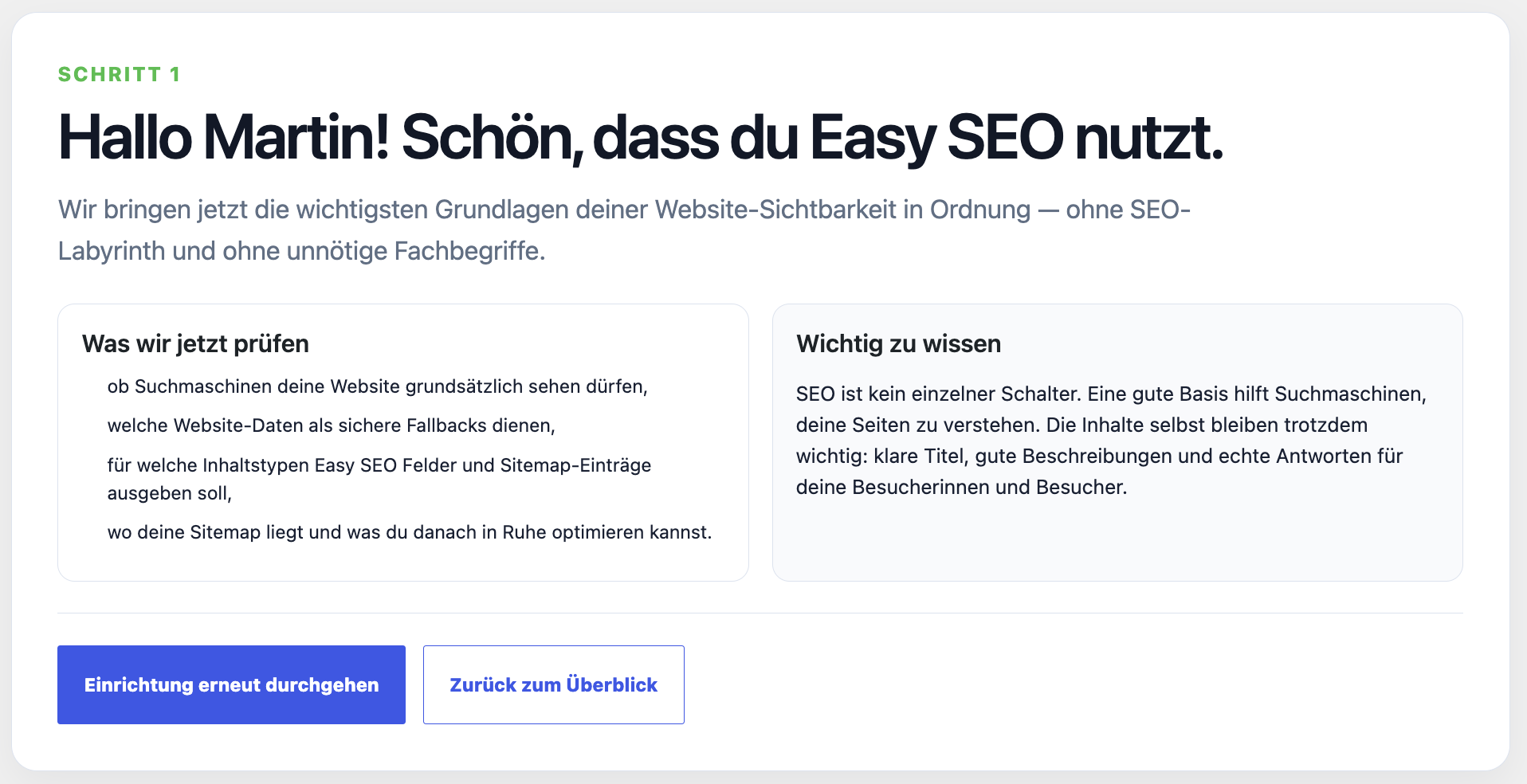
The setup assistant guides site owners through the most important simple SEO settings.
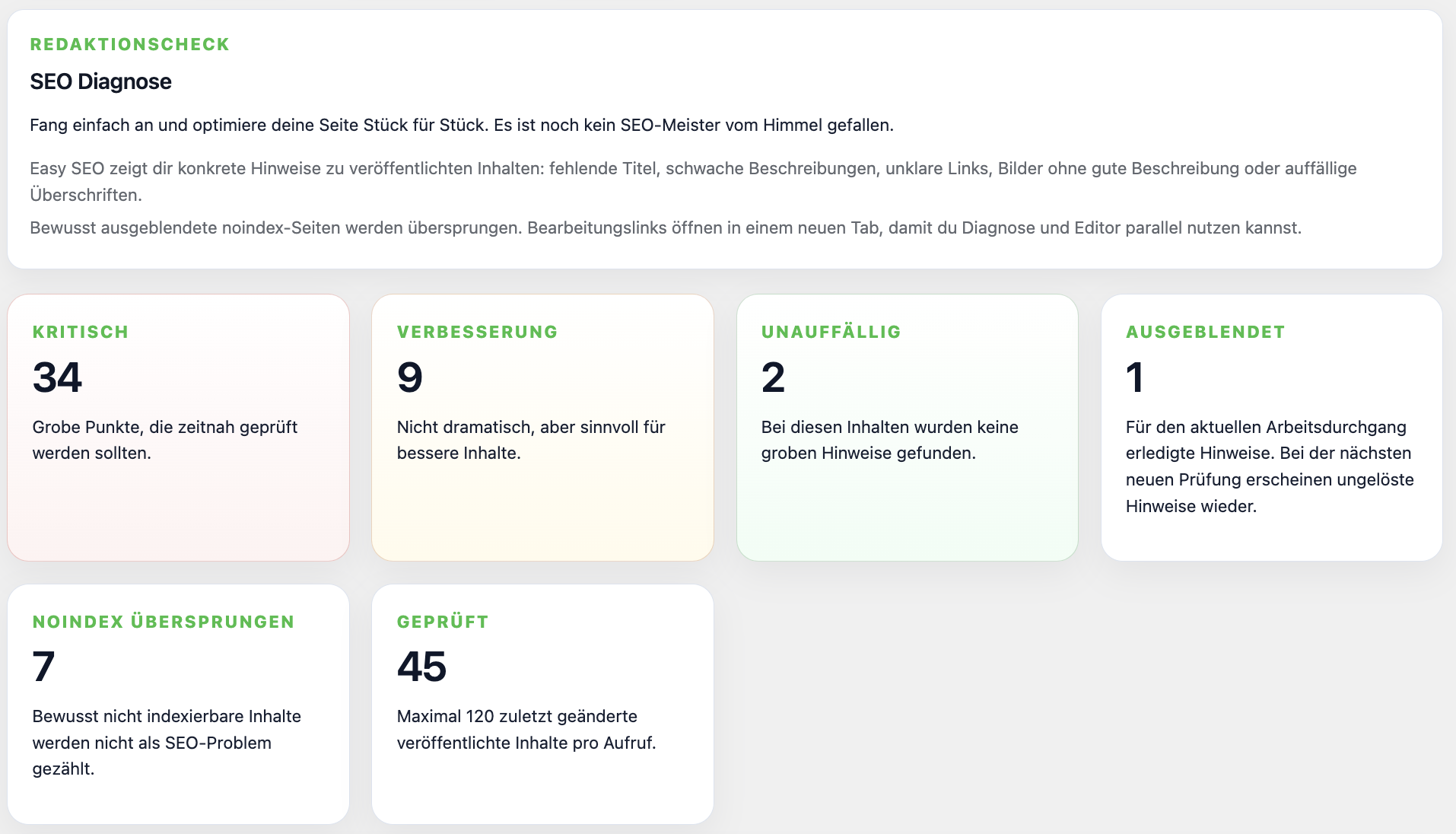
The editorial SEO diagnosis highlights concrete issues instead of abstract score chasing.
SEO title and meta description fields keep important metadata close to the editor workflow.
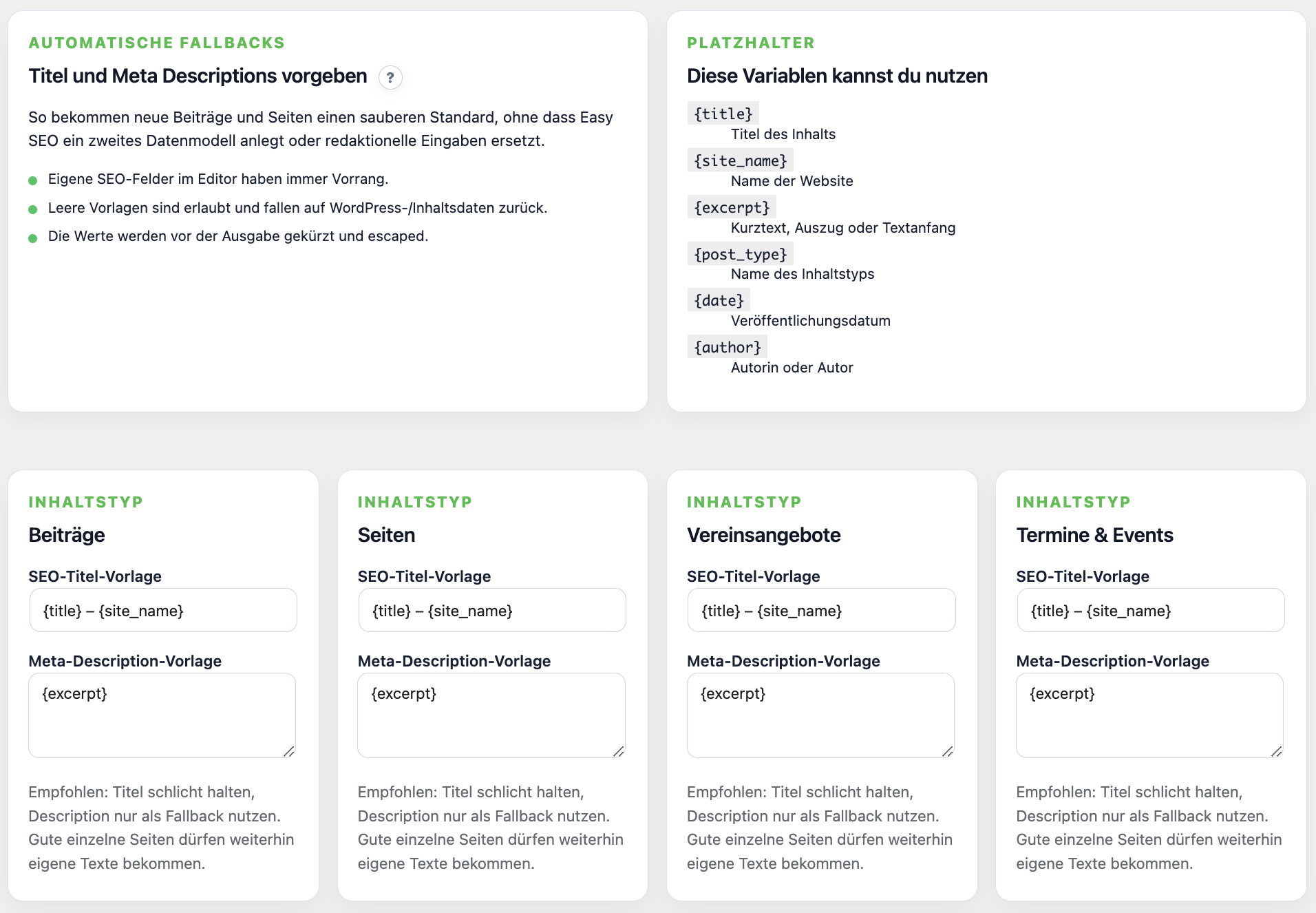
Template fallbacks create clean default titles and meta descriptions.
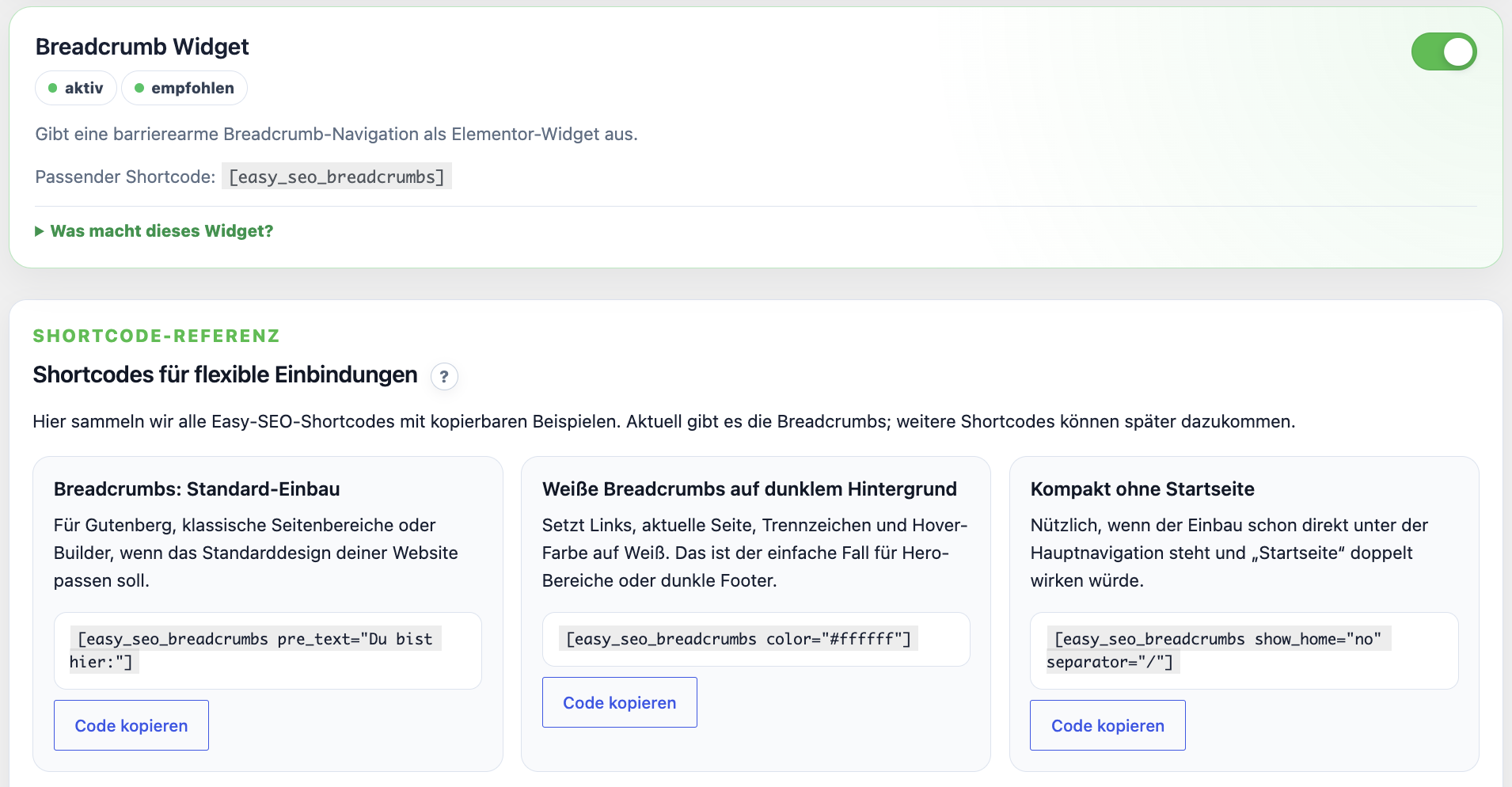
Breadcrumbs, the native block, the Elementor widget and shortcode examples help with flexible integration.
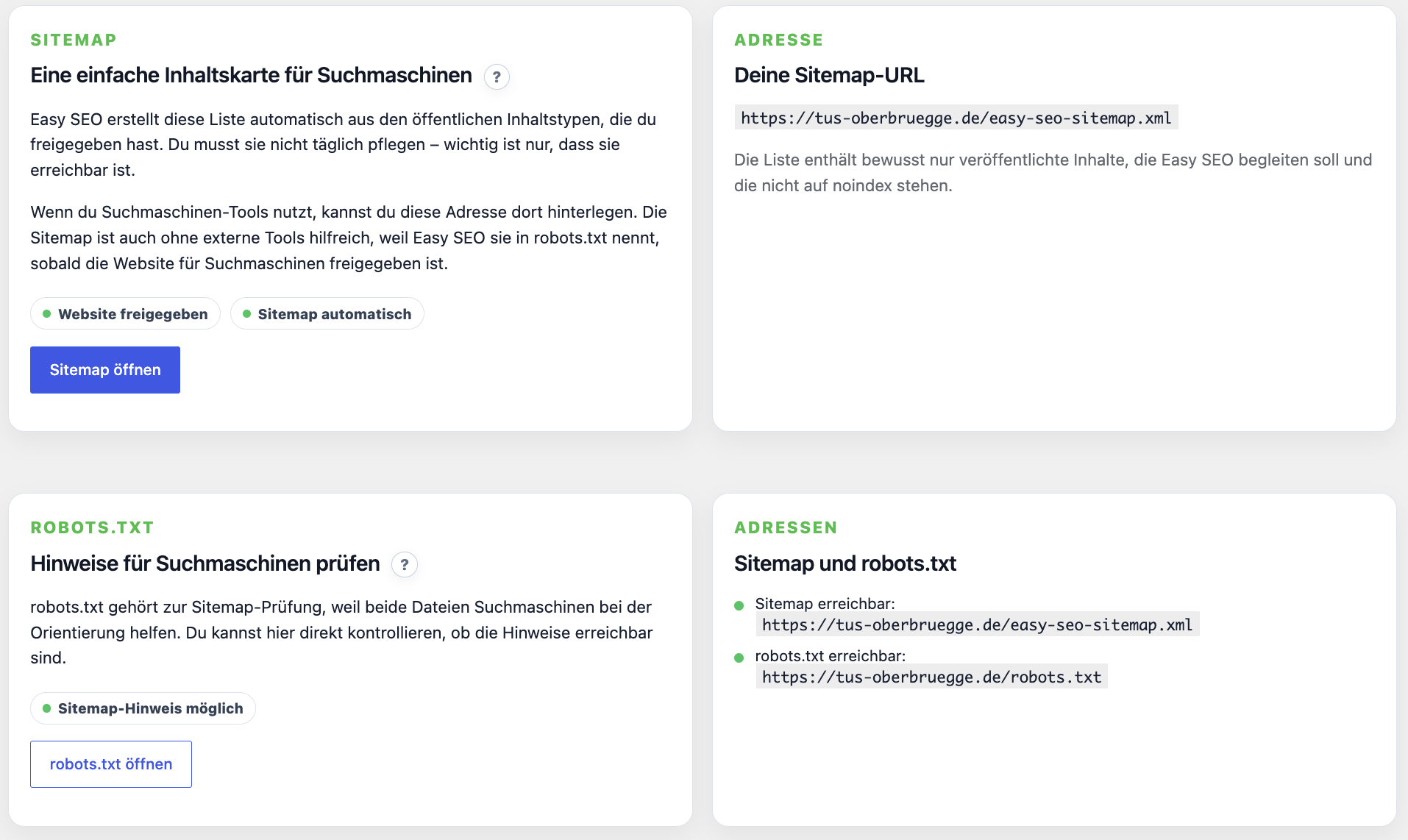
XML sitemap and robots.txt helpers keep technical SEO basics easy to find.
Faq
Yes. Easy SEO focuses on the core SEO basics most WordPress sites need: SEO titles, meta descriptions, Open Graph previews, noindex controls, canonical URLs, XML sitemaps, robots.txt hints, breadcrumbs and editorial checks.
No. Easy SEO is intentionally smaller than large SEO suites. It is built for site owners and editorial teams who want a lightweight SEO workflow without adding features they do not need.
Yes. Easy SEO adds editable SEO title and meta description fields for supported content types and can use template-based fallbacks when no custom value is entered.
Yes. Easy SEO creates a lean XML sitemap at /derdonat-easy-seo-sitemap.xml and can add a sitemap hint to robots.txt when the website is visible to search engines.
Yes. Easy SEO supports social preview titles, social preview descriptions and social images for Open Graph output and sharing previews.
Yes. Easy SEO includes per-content noindex settings and an advanced canonical URL field for special cases.
No. The Free-Core version works locally in WordPress and does not send content to external services.
Yes. Easy SEO provides a native WordPress block named “Easy SEO Breadcrumbs” for the block editor and Site Editor. The shortcode [derdonat_easy_seo_breadcrumbs] can be used in classic content areas, template fields and builder layouts. If Elementor is available, Easy SEO can also provide a breadcrumb widget.
The current admin interface is German-first. Additional translations can be added later.
Reviews
Changelog
0.5.7
- Fixes the editor-side SEO metadata panel in Safari when Gutenberg or theme editor containers clip fixed-position metabox content.
- Opens the desktop editor panel through a temporary body-level portal and restores it before native WordPress saves.
- Keeps the mobile inline editor flow unchanged.
- No data model, migration, capability, privacy or uninstall changes.
0.5.6
- Fixes the editor-side Easy SEO panel opener after the 0.5.x excerpt cleanup.
- Prevents a JavaScript ReferenceError when the separate Easy SEO excerpt field is no longer present.
- Keeps the panel opener robust even if a status refresh fails.
- No data model, migration, capability, privacy or uninstall changes.
0.5.5
- Entfernt verbliebene Teaser-/Auszugs-Hinweise aus sichtbaren Easy-SEO-Backend-Texten.
- SEO-Felder konzentrieren sich klar auf SEO-Titel, Meta Description und Social-/technische SEO-Daten.
- Keine Migration, keine Datenlöschung, keine Uninstall-Änderung.
0.5.4
- Removes the separate Easy SEO Excerpt / Teaser editor field.
- Keeps the normal WordPress excerpt as fallback data source.
- Stops overriding WordPress
get_the_excerpt()output with Easy SEO meta values. - Keeps legacy excerpt meta keys readable without deleting customer data.
- Updates the editor, Elementor panel and status checks so Excerpt / Teaser is no longer a separate Easy SEO task.
0.5.3
- Adds the native dynamic WordPress block “Easy SEO Breadcrumbs” for the block editor and Site Editor.
- Uses the shared breadcrumb renderer for shortcode, Elementor widget and Gutenberg block output.
- Adds block controls for home link, prefix text, separator, JSON-LD, aria label and simple design settings.
- Adds native WordPress typography support for the Easy SEO Breadcrumbs block.
- Makes global theme fonts available through the standard block editor Typography panel.
- Updates the admin reference, readme and manifests for block, shortcode and Elementor entry points.
- Keeps the existing shortcode and Elementor breadcrumb output unchanged.
- No data model, migration, capability, privacy or uninstall changes.
0.5.2
- Improves the WordPress.org readme short description, description, FAQ and screenshot captions for clearer discoverability.
- Adds more natural wording around simple SEO, lightweight SEO, SEO titles, meta descriptions, Open Graph previews, XML sitemaps, noindex, canonical URLs and breadcrumbs.
- Keeps the plugin functionality unchanged.
- No data model, migration, capability, privacy or uninstall changes.
0.5.1
- Reworks the Easy SEO Pro tab around time savings, guided diagnosis, SEO Insights, Search Console, customer reports and AI-assisted workflows.
- Adds a subtle Pro hint near the SEO metadata fields for users who want AI-assisted title, description and teaser suggestions.
- Shows locked Easy SEO Pro module teasers in the module overview while keeping them non-activatable in the Free-Core.
- Updates the Pro sales URL to
https://plugins.derdonat.de/easy-seo-pro/. - No data model, migration, capability or uninstall changes.
0.5.0
- Major usability update for the post and page editor before the next public WordPress.org rollout.
- Keeps the prominent Easy SEO sidebar entry, but moves detailed editing into a clearer desktop panel and an inline mobile flow.
- Improves the editor panel with clearer heading hierarchy, card backgrounds and more structured field groups.
- Reduces text overload: help is shorter by default and examples are available behind consistent expandable “Was ist das?” and “Warum ist das wichtig?” controls.
- Combines search preview and SEO fields into a two-column workspace on wide screens.
- Adds richer search-result previews, including the effective SEO/social image when available.
- Changes the social section to an outcome-first share card with optional fields behind “Darstellung anpassen”.
- Adds a bottom “Speichern und schließen” action in the editor panel.
- Makes the compact Easy SEO sidebar status update in sync with the editor panel after fields are edited or saved.
- Makes the link-text assistant more cautious: Easy SEO no longer suggests numeric URL fragments or IDs as replacement text.
- Detects running-text cases such as a linked “Hier” and recommends linking a clearer phrase instead of blindly replacing the word.
- Adds click-to-zoom image previews inside the editor panel.
- Adds a per-post “Bild ist rein dekorativ” checkbox so decorative images can be marked as handled without forcing an ALT text.
- Keeps decorative-image handling context-specific to the current post and does not change Elementor layout data.
- Moves the Canonical field further down as a true advanced section and explains it in plain language.
- Keeps Elementor layout data protected: Easy SEO shows and edits SEO metadata in Elementor but does not rewrite Elementor button or link content automatically.
- Resolves Plugin Check warnings around Elementor AJAX nonce handling.
- Adds explicit object-cache handling and documentation comments for direct Rank Math migration summary lookups.
- Keeps the migration summary fast on larger sites without returning to slow WP_Query meta-query scans.
0.4.10
- Makes the editor SEO box more prominent and opens the detailed editor in a broader desktop panel.
- Keeps the mobile editor flow inline instead of using a cramped popup.
- Replaces tooltip-style help in the editor fields with clearer inline guidance and practical examples.
- Reworks the link text assistant with concrete link cards, context snippets, editable suggestions and a direct “In den Beitrag übernehmen” action.
- Explains the canonical special-case field as “Hauptadresse dieser Seite” for non-technical users.
0.4.9
- Fixes a migration admin screen regression where Rank Math summary checks could keep the Migration tab loading on larger sites.
- Replaces heavy
WP_Querymeta-query summary checks with cached, direct, prepared database lookups for known Rank Math meta keys. - Keeps the migration additive: Rank Math data is copied only after an explicit user action and existing Easy SEO values are not overwritten unless selected.
- No data model, uninstall or destructive cleanup changes.
0.4.8
- Removes the automatic deactivation path for the former private Easy SEO package; site owners remain in control of plugin activation.
- Emits JSON-LD with the default
wp_json_encode()behavior to avoid unsafe</script>sequences inside structured data. - Prefixes public functions, classes, capabilities, options, post meta, nonces, AJAX actions, admin-post actions and the shortcode with
derdonat_easy_seo. - Updates the Plugin URI to
https://plugins.derdonat.de/plugin-easy-seo/. - Updates the readme contributor list to the WordPress.org username
martindonat. - Keeps the user-facing product interface focused on Easy SEO while aligning the public WordPress.org code with the
derdonat-easy-seoslug.
0.4.6
- Rewrites the WordPress.org short description and description in standard English.
- Removes the public screenshot that contained identifiable people.
- Replaces the screenshot set with public-safe WordPress.org assets.
- No uninstall changes.
0.4.5
- Integrates the final WordPress.org banner and screenshot assets into the release preparation package.
- Fixes Plugin Check findings for dynamic i18n helper calls and malformed escaping calls.
- Documents intentional meta queries used for sitemap exclusions and Rank Math migration checks.
0.4.4
- Restores direct access to the setup assistant tab after the assistant has already been completed.