Desperado Product Inquiry Buttons for WooCommerce
Desperado Product Inquiry Buttons for WooCommerce
Description
Desperado Product Inquiry Buttons for WooCommerce adds customizable contact buttons to your product pages, allowing customers to easily inquire about products via their preferred messaging platform.
Features
- Add WhatsApp, Viber, Telegram, SMS and Email buttons
- Customizable button colors and text
- Custom message templates with product variables
- Enable/disable individual buttons
- Easy setup and configuration
- Mobile-responsive design
Supported Platforms
- Viber
- Telegram
- SMS
Installation
- Upload the plugin files to the
/wp-content/plugins/desperado-product-inquiry-buttonsdirectory, or install the plugin through the WordPress plugins screen directly. - Activate the plugin through the ‘Plugins’ screen in WordPress.
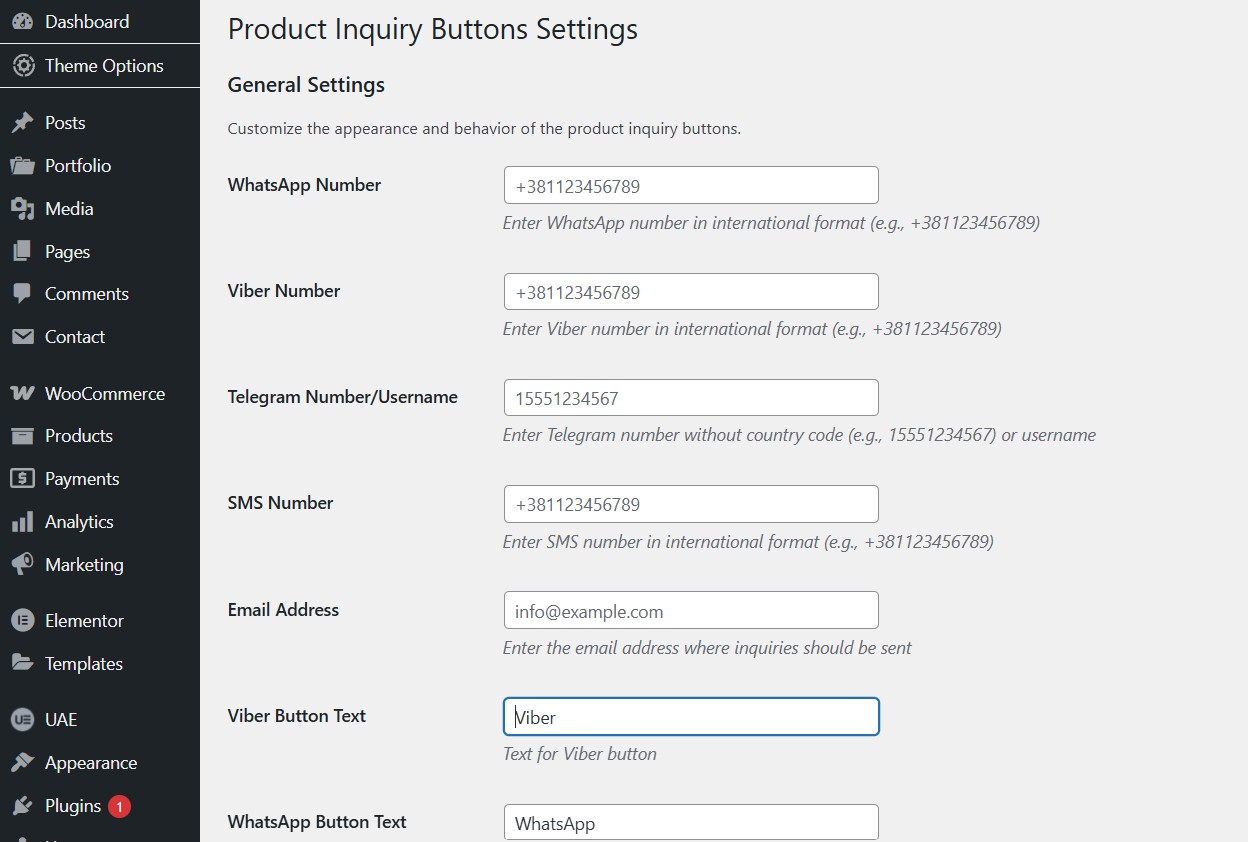
- Configure the plugin settings under WooCommerce > Settings > Product Inquiry Buttons.
- The inquiry buttons will automatically appear on your product pages.
Screenshots

Product inquiry buttons on a product page

Plugin settings page


Faq
Yes, you can customize each button’s color in the plugin settings.
Yes, you can customize the message template using the following variables: {product_name}, {product_sku}, {product_url}
Yes, this plugin requires WooCommerce to be installed and active.
Reviews
Changelog
1.0
- Initial release