Developer Sitemap

Developer Sitemap
Description
Full documentation is available at https://crucibleinsight.com/docs/.
Developer Sitemap provides a lightweight, standards-compliant XML sitemap solution for WordPress. Unlike full SEO suites, this plugin focuses solely on sitemap generation with a clean, intuitive interface.
Features
- Standards-Compliant XML – Generates valid XML sitemaps conforming to the sitemaps.org protocol
- Sitemap Index – Automatically creates a sitemap index linking to content-specific sitemaps
- Content Type Support – Include posts, pages, WooCommerce products, taxonomies, and author archives
- WooCommerce Integration – Automatic product sitemap generation when WooCommerce is active
- Human-Readable Display – Styled XML output for easy viewing in browsers (does not affect SEO)
- Configurable Priority & Change Frequency – Set default values for each content type
- Exclusion Rules – Exclude specific posts, pages, products, or terms using visual selectors
- Caching – Built-in caching for optimal performance
- GZIP Compression – Optional compression for faster delivery
- Modern Admin UI – Clean dashboard with status overview and quick actions
WooCommerce Support
When WooCommerce is installed and activated, Developer Sitemap automatically detects it and provides:
- Products checkbox in Content Types settings
- Product Priority setting to control search engine crawl priority
- Separate product sitemap at
/sitemap-product.xml - Hidden product filtering – Products with “hidden” catalog visibility are automatically excluded
- Product exclusions – Exclude specific products using the visual post selector
Why Developer Sitemap?
- Lightweight – No bloat, just sitemaps
- Privacy-Focused – No external tracking or analytics
- Compatible – Works alongside WordPress core sitemaps
- Developer-Friendly – Extensive hooks for customization
- Hosting-Safe – Designed for shared hosting environments
Sitemap URLs
Once activated, your sitemap is available at:
- Main Index:
yoursite.com/sitemap.xml - Posts:
yoursite.com/sitemap-post.xml - Pages:
yoursite.com/sitemap-page.xml - Products:
yoursite.com/sitemap-product.xml(when WooCommerce is active) - Taxonomies:
yoursite.com/sitemap-taxonomy.xml - Authors:
yoursite.com/sitemap-author.xml
Documentation
For detailed documentation, visit the https://crucibleinsight.com/docs/
Developer Documentation
Filters
developer_sitemap_url_providers
Modify the registered URL providers.
add_filter('developer_sitemap_url_providers', function($providers) {
    // Add custom provider
    $providers['custom'] = new MyCustomProvider();
    return $providers;
});
developer_sitemap_urls
Filter URLs before they are included in a sitemap.
add_filter('developer_sitemap_urls', function($urls, $type) {
    // Filter or modify URLs
    return $urls;
}, 10, 2);
developer_sitemap_entry_attributes
Modify sitemap entry attributes.
add_filter('developer_sitemap_entry_attributes', function($attrs, $url) {
    // Modify priority, changefreq, etc.
    return $attrs;
}, 10, 2);
Actions
developer_sitemap_generated
Fires after a sitemap is generated.
developer_sitemap_cache_invalidated
Fires after the sitemap cache is cleared.
Privacy Policy
Developer Sitemap does not collect, store, or transmit any personal data. The plugin generates XML files containing public URLs from your WordPress site.
Installation
Automatic Installation
- Go to Plugins > Add New in your WordPress admin
- Search for “Developer Sitemap”
- Click “Install Now” and then “Activate”
Manual Installation
- Download the plugin ZIP file
- Go to Plugins > Add New > Upload Plugin
- Upload the ZIP file and click “Install Now”
- Activate the plugin
After Activation
- Go to Settings > Permalinks and click “Save Changes” to refresh rewrite rules
- Navigate to the Sitemap menu to configure settings
- If using WooCommerce, enable “Products” in the Content Types section
- Submit your sitemap URL to Google Search Console and Bing Webmaster Tools
Screenshots
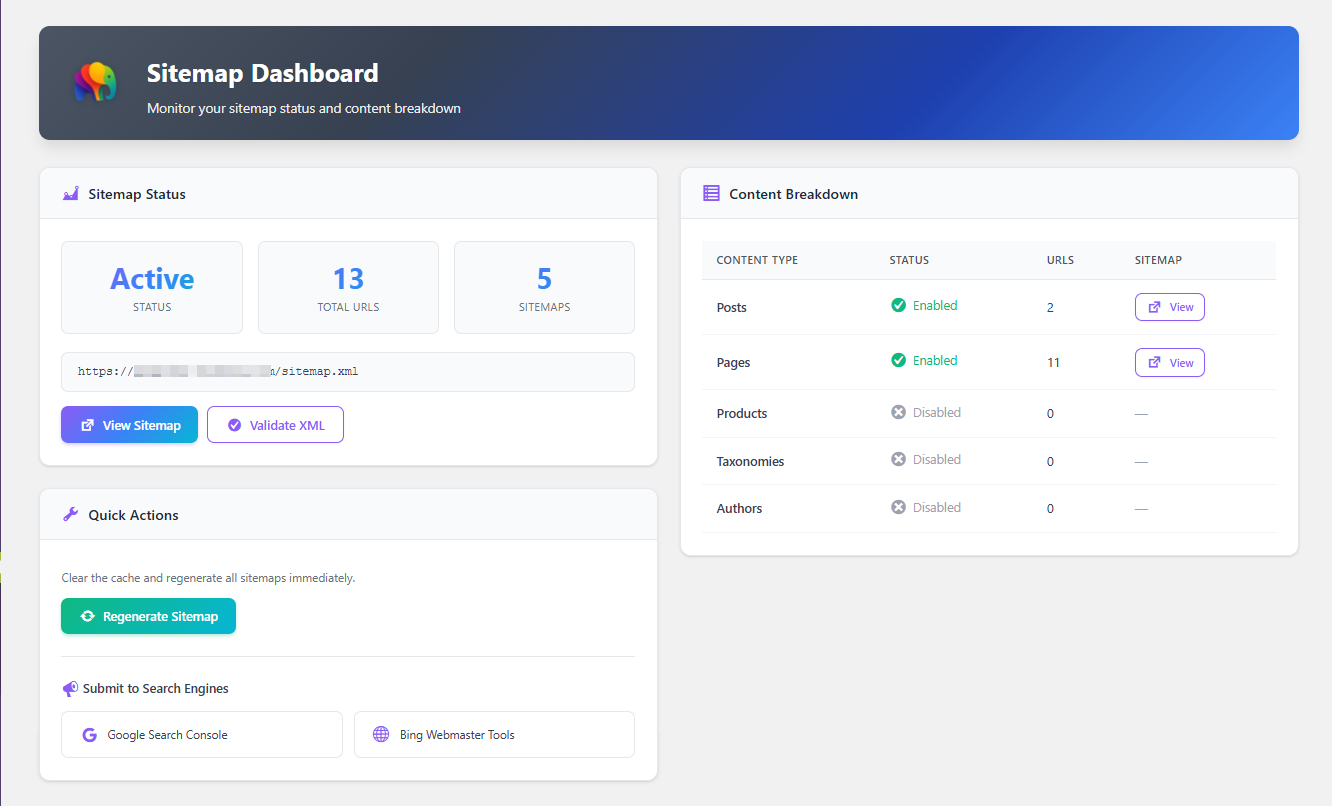
Dashboard
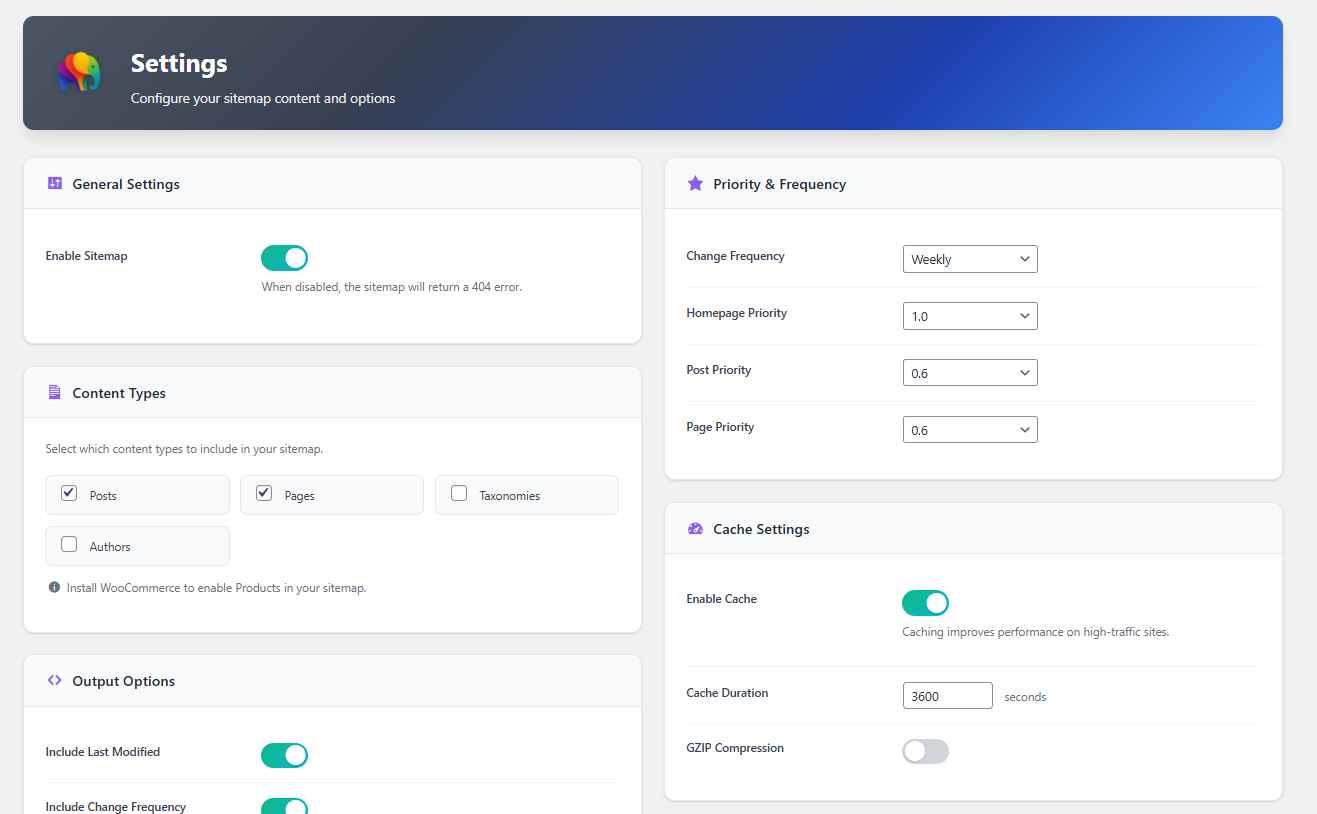
Setting Pages
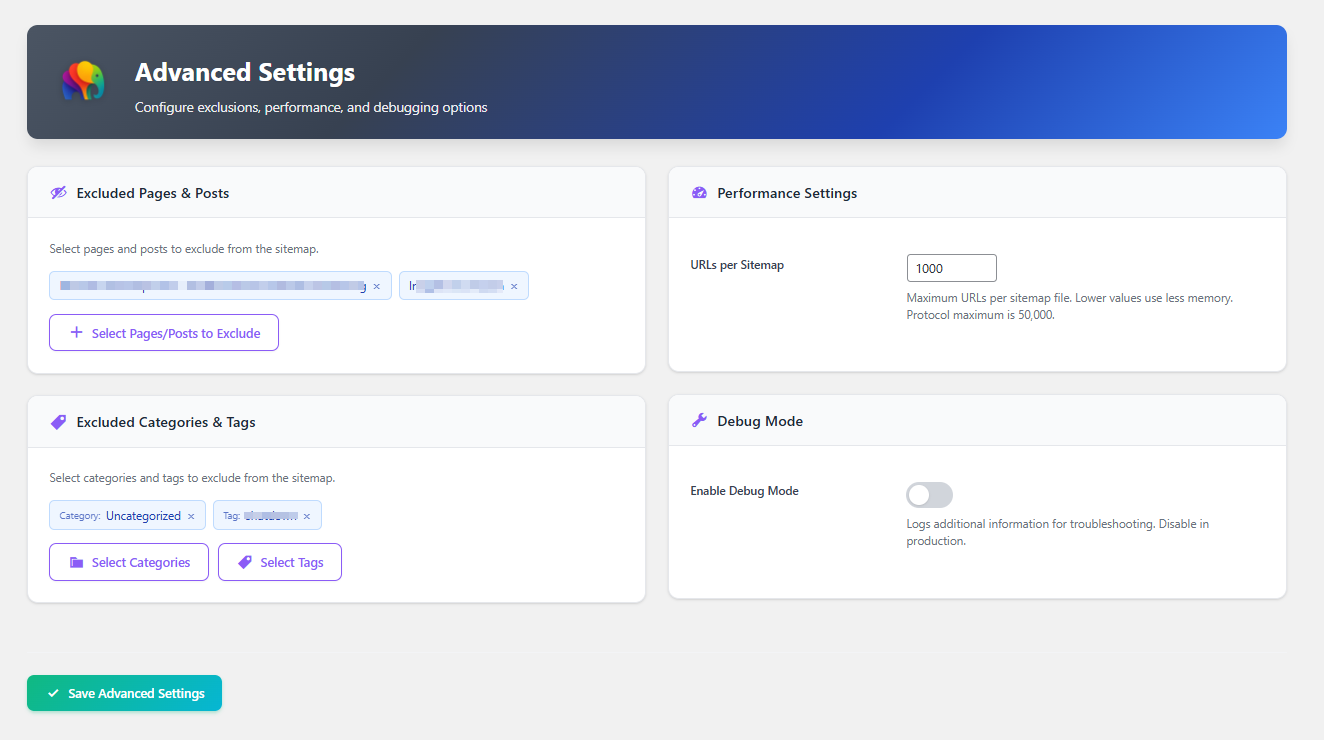
Advanced Settings Pages
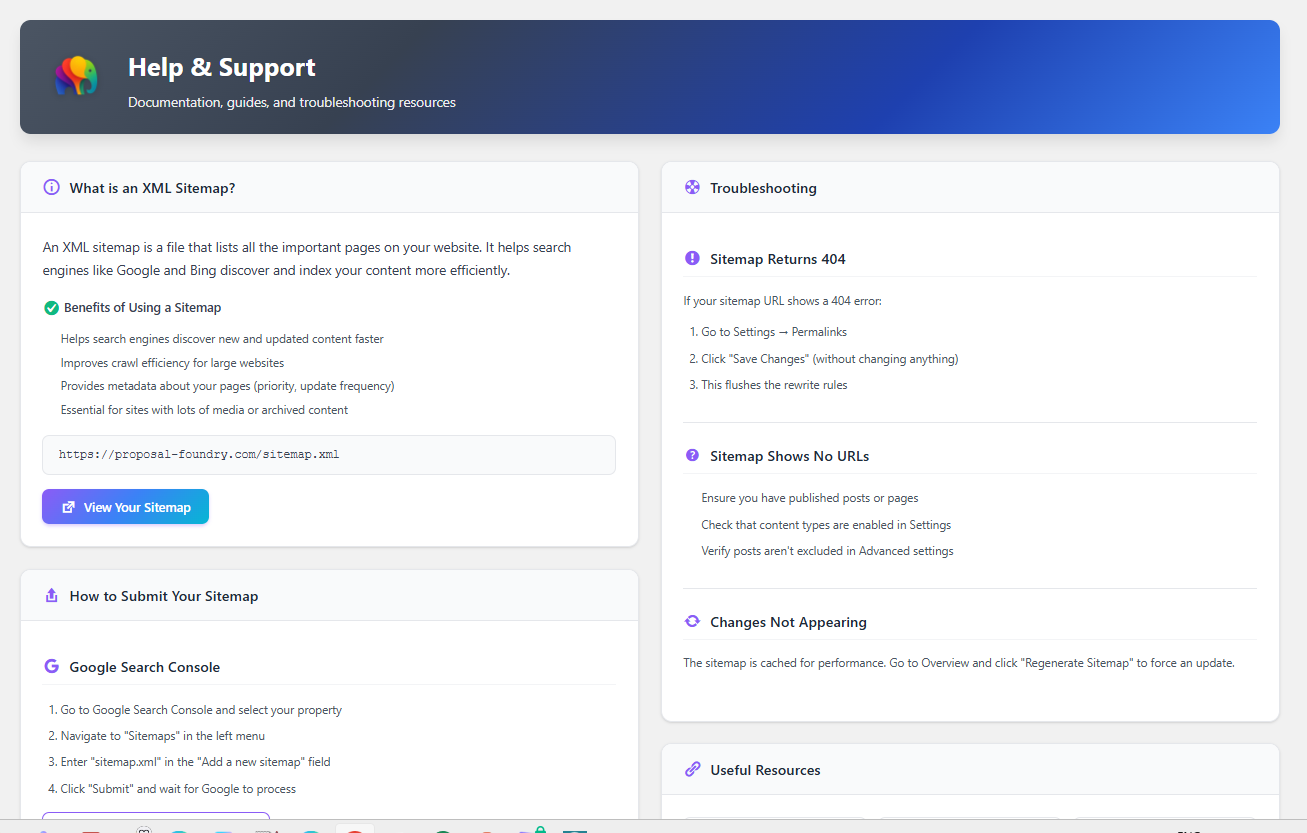
Help and Support1. Dashboard showing sitemap status and statistics
Faq
Yes! Developer Sitemap coexists with WordPress core sitemaps (introduced in WordPress 5.5). Both can run simultaneously. Core sitemaps use /wp-sitemap.xml while this plugin uses /sitemap.xml.
Yes! When WooCommerce is installed and active, the plugin automatically detects it and provides options to include products in your sitemap. Products get their own dedicated sitemap at /sitemap-product.xml.
- Go to Sitemap > Settings
- In the Content Types section, check the “Products” checkbox
- Optionally adjust the Product Priority in the Priority & Frequency section
- Click “Save Settings”
Reviews
Changelog
1.0
- First stable release.
- Includes the 0.2.4 compliance updates (externalized admin CSS/JS and localized script data).
0.2.4
- Moved inline CSS to external stylesheet (assets/css/admin.css)
- Moved inline JavaScript to external script file (assets/js/admin-advanced.js)
- Uses wp_enqueue_script() and wp_localize_script() for proper script loading
- Uses wp_enqueue_style() for CSS loading
- Complies with WordPress.org requirement to use wp_enqueue commands
0.2.3
- Fixed admin menu icon alignment and scaling
- Changed from PNG to base64-encoded SVG icon for proper WordPress admin menu integration
- Icon now displays correctly aligned with other menu items
0.2.2.1
- Fixed PHPCS ignore directives using disable/enable blocks for multi-line exceptions
- Resolved remaining ExceptionNotEscaped errors in Priority, ChangeFrequency, and SitemapUrl
0.2.2
- Fixed all WordPress.org Plugin Check errors and warnings
- Added PHPCS ignore comments for exception messages (developer-facing, not user output)
- Added PHPCS ignore comments for intentional query patterns (post__not_in, exclude, tax_query)
- Removed deprecated load_plugin_textdomain() call
- Updated “Tested up to” to WordPress 6.9
- Shortened short description to meet 150 character limit
0.2.1
- Fixed fatal error from incorrect ABSPATH placement
- ABSPATH check now correctly placed after namespace declaration
0.2.0
- WordPress.org Compliance Release
- Added direct file access protection (ABSPATH checks) to all PHP files
- Fixed CSS class output escaping in Settings page
- Reduced tags to comply with WordPress.org limit of 5
- Security hardening for plugin directory submission
0.1.3
- Force clear ALL sitemap caches on plugin activation
- Added direct database query to clear transients on activation
- Ensures XSL stylesheet is applied to all sitemaps including products
0.1.2
- Fixed product sitemap cache not being cleared on regeneration
- Added product to cache key list in TransientCacheManager
- Added product transient cleanup to deactivation hook
- XSL stylesheet now properly applies to product sitemaps
0.1.1
- Improved plugin description for better clarity on the Plugins page
- Updated short description to highlight tailored sitemap generation
0.1.0
- Added human-readable XSL stylesheets for sitemap display
- Renamed “Overview” menu item to “Dashboard”
- Fixed product settings persistence
- Fixed ProductUrlProvider method signature compatibility
0.0.2
- Added WooCommerce product sitemap support
- Added Products content type option (when WooCommerce is active)
- Added Product Priority setting
- Products with “hidden” catalog visibility are automatically excluded
0.0.1
- Initial development release
- XML sitemap generation conforming to sitemaps.org protocol
- Sitemap index with content-specific sitemaps
- Support for posts, pages, taxonomies, and authors
- Configurable priority and change frequency
- Visual exclusion selectors for posts, categories, and tags
- Transient-based caching
- GZIP compression option
- Modern admin dashboard with colorful UI
- Help & Support documentation