DevInfoTech AI Blog Writer

DevInfoTech AI Blog Writer
Description
DevInfoTech AI Blog Writer helps you generate high-quality blog post drafts in WordPress using your own Groq API key.
Free Features:
- Generate a single blog post from a topic or keyword phrase
- Choose from 3 different writing styles (Professional, Casual, Formal)
- Set word count from 500 to 3000 words
- Generate an SEO-friendly title, excerpt, meta description, and focus keyword suggestion
- Assign WordPress categories and tags before saving
- Save generated content directly as a WordPress draft
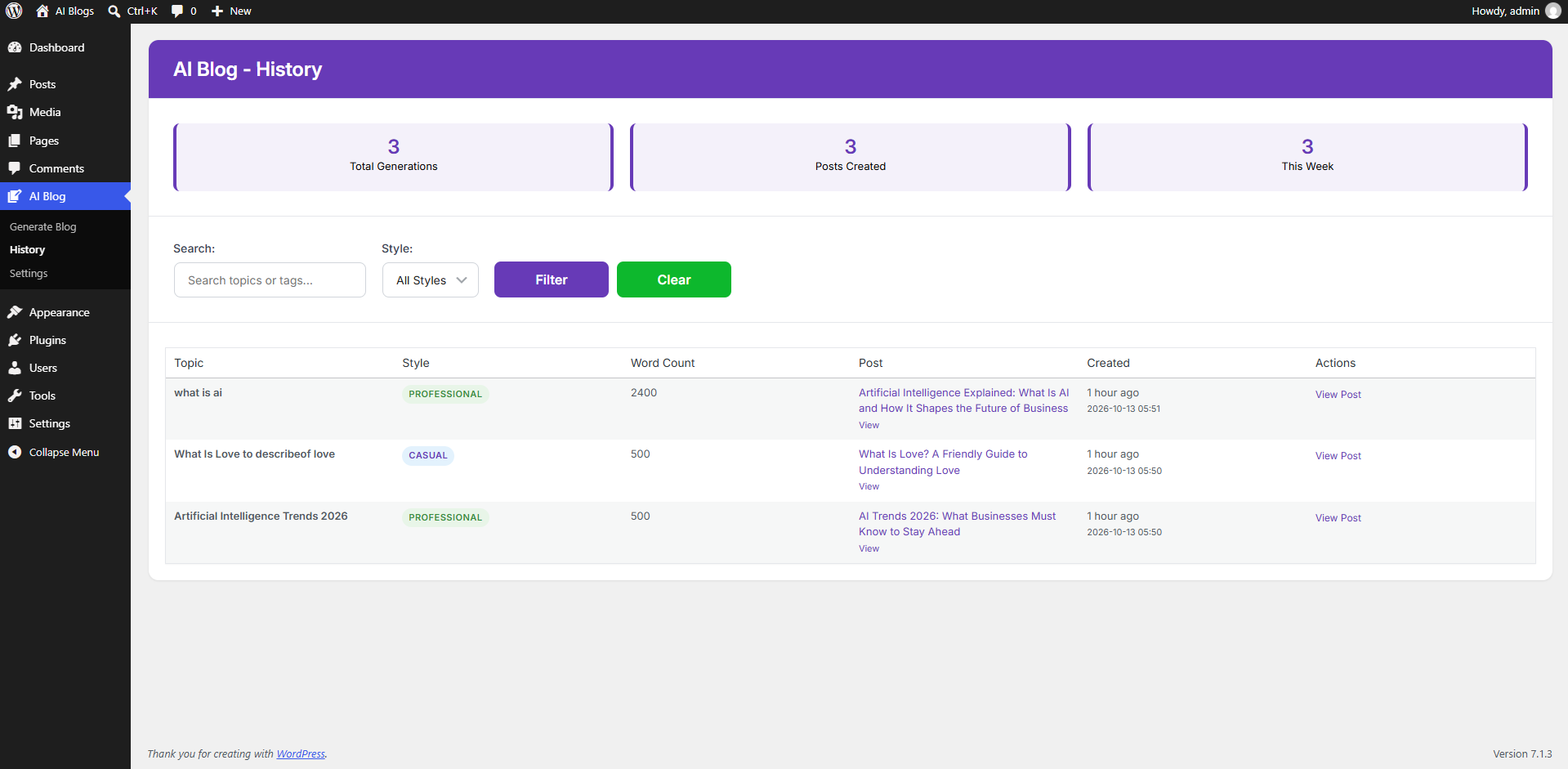
- Review previous generations from the plugin history screen
- Integrates with Yoast SEO and Rank Math to save SEO meta tags
DevInfoTech AI Pro Features
Need advanced automation, multi-model AI, automated images, or hands-free autoblogging? Upgrade to DevInfoTech AI Pro to unlock:
- Multi-Model AI Support: Switch effortlessly between OpenAI (GPT-4 / GPT-4o), Google Gemini, and Groq with your own API keys.
- Extended Long-Form Articles (Up to 5,000 Words): Generate comprehensive in-depth articles with smart multi-part splitting that prevents token-per-minute (TPM) rate limits.
- AI Image Generation: Generate stunning high-definition featured images and section illustrations using DALL-E or Gemini, with smart section-aware embedding and SEO alt text.
- Auto Fetch & AI Rewrite (Autoblogging): Automatically fetch articles from external RSS feeds, XML sitemaps, WordPress REST APIs, or websites and rewrite them into 100% unique posts on a custom recurring schedule.
- Telegram Bot Remote Control & Publishing: Receive real-time generation alerts and publish or schedule drafts directly from Telegram via interactive inline buttons.
- Bulk Content Generator: Generate dozens of complete blog posts in a single batch from a list of topics.
- OpenAI Batch API (50% Cost Savings): Submit asynchronous batch requests to OpenAI at half the API cost with background WP-Cron queue processing.
- Automated Table of Contents (TOC): Automatically injects a clean, SEO-friendly Table of Contents into articles.
- Universal SEO Plugin Integration: In addition to Yoast and Rank Math, Pro fully supports All in One SEO (AIOSEO) and SEOPress with multi-keyword suggestions.
- Role-Based Capability Manager: Control access with an interactive permissions matrix for Administrators, Editors, Authors, and Contributors.
- Advanced History & CSV Export: Search, filter, inspect past generations, and export generation logs to CSV with a 90-day cleanup tool.
- Central License & Subscription Hub: Manage multi-site licenses, plan activations, and upgrades seamlessly.
Explore and upgrade to Pro: DevInfoTech AI Pro
Requirements
To run DevInfoTech AI Blog Writer on your WordPress site, ensure your server meets the following requirements:
- WordPress Version: 6.0 or higher (Tested up to 7.1)
- PHP Version: 8.0 or higher
- PHP Extensions:
curl,json, andopensslenabled - Database: MySQL 5.7+ or MariaDB 10.3+
- API Key: A free or paid Groq API key from Groq Console
- Browser: Modern web browser with JavaScript enabled
Documentation
1. Setting Up Your Groq API Key
- Sign up or log in at the Groq Console.
- Navigate to API Keys and click Create API Key.
- In your WordPress dashboard, go to AI Blog -> Settings.
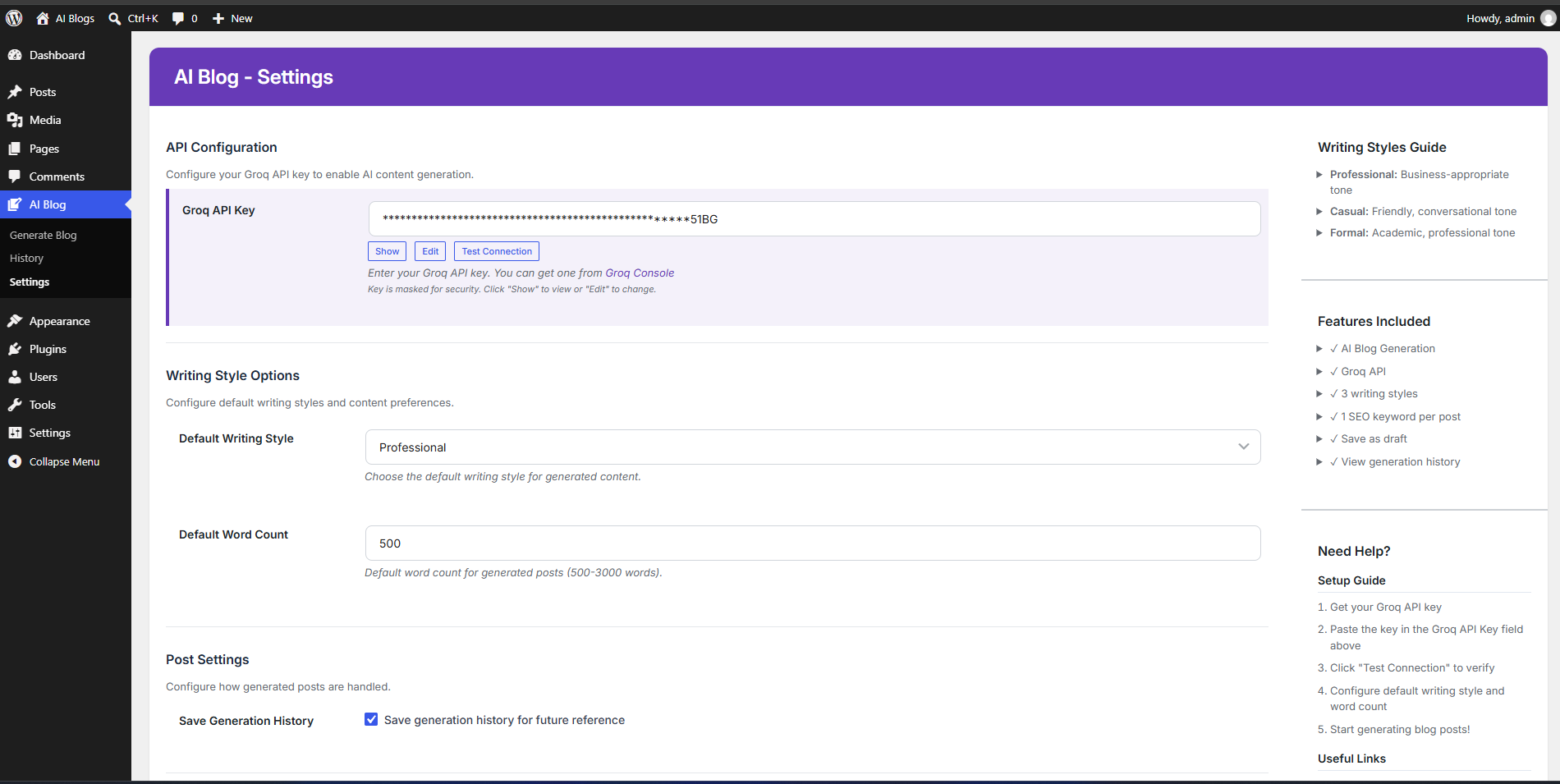
- Paste your key into the Groq API Key field.
- Click Test Connection to confirm connectivity, then click Save Settings.
2. Generating a Blog Post Draft
- Go to AI Blog -> Generate Blog.
- Enter your blog topic or keyword phrase in the Topic or Keywords field.
- Select a Writing Style (Casual, Professional, or Formal).
- Set the desired Word Count (500 to 3000 words).
- Optionally select a Category and add comma-separated Tags.
- Click Generate Blog Post.
- Review the generated title, content, excerpt, and SEO keywords in the live preview.
- Click Save as Draft to create a WordPress post draft, or click Edit Content to modify it before saving.
3. Reviewing Generation History
- Go to AI Blog -> History.
- View a complete log of all generated articles with topic, style, word count, and creation date.
- Click View Details to inspect previous text or Create Post to convert any past generation into a draft.
Privacy Policy
Overview
DevInfoTech AI Blog Writer is built with a privacy-first, Bring-Your-Own-Key (BYOK) approach. We do not run intermediary proxy servers, and we never collect, intercept, sell, or rent your data.
Data Stored Locally
The plugin stores the following data solely within your own WordPress MySQL database:
* Your Groq API key (stored in the WordPress wp_options table).
* Generation history records (including requested topic, word count, style, content, and post ID).
* Plugin user preference settings.
Data Sent to External Services
When you generate a blog post draft, data is transmitted directly from your server to Groq’s official API endpoint:
* Data Transmitted: Blog topic, writing style preference, target word count, category, and tags.
* Data NOT Transmitted: No user passwords, visitor personal data, customer records, payment details, or unrelated database content are ever sent to Groq.
* Direct HTTPS Connection: Communication occurs directly between your WordPress web server and Groq over secure TLS/HTTPS.
Groq Privacy & Terms
For details on how Groq processes API requests, please review:
* Groq Terms of Use: https://groq.com/terms-of-use
* Groq Privacy Policy: https://groq.com/privacy-policy
GDPR & CCPA Compliance
- You have complete ownership of all generated content.
- You can delete generation history from the History screen.
- The plugin sets no tracking cookies and contains no third-party telemetry, ads, or analytics scripts.
External services
This plugin connects to external AI services to generate content. Users must provide their own API keys for these services.
Groq API
* Used for: Generating blog post draft content, titles, excerpts, and SEO keywords.
* Data sent: Blog topic, writing style preferences, word count, category, and tags.
* Service provider: Groq, Inc.
* Terms of Use: https://groq.com/terms-of-use
* Privacy Policy: https://groq.com/privacy-policy
Installation
- Upload the plugin ZIP through Plugins -> Add New -> Upload Plugin, or copy the
devinfo-ai-blogfolder to your/wp-content/plugins/directory. - Activate DevInfoTech AI Blog Writer through the Plugins screen in WordPress.
- Go to AI Blog -> Settings.
- Paste your Groq API key.
- Click Test Connection to verify your key and then click Save Settings.
- Navigate to AI Blog -> Generate Blog to start creating drafts!
Screenshots
Settings: Groq API key configuration and connection testing.
History: Generation log with preview and draft conversion options.
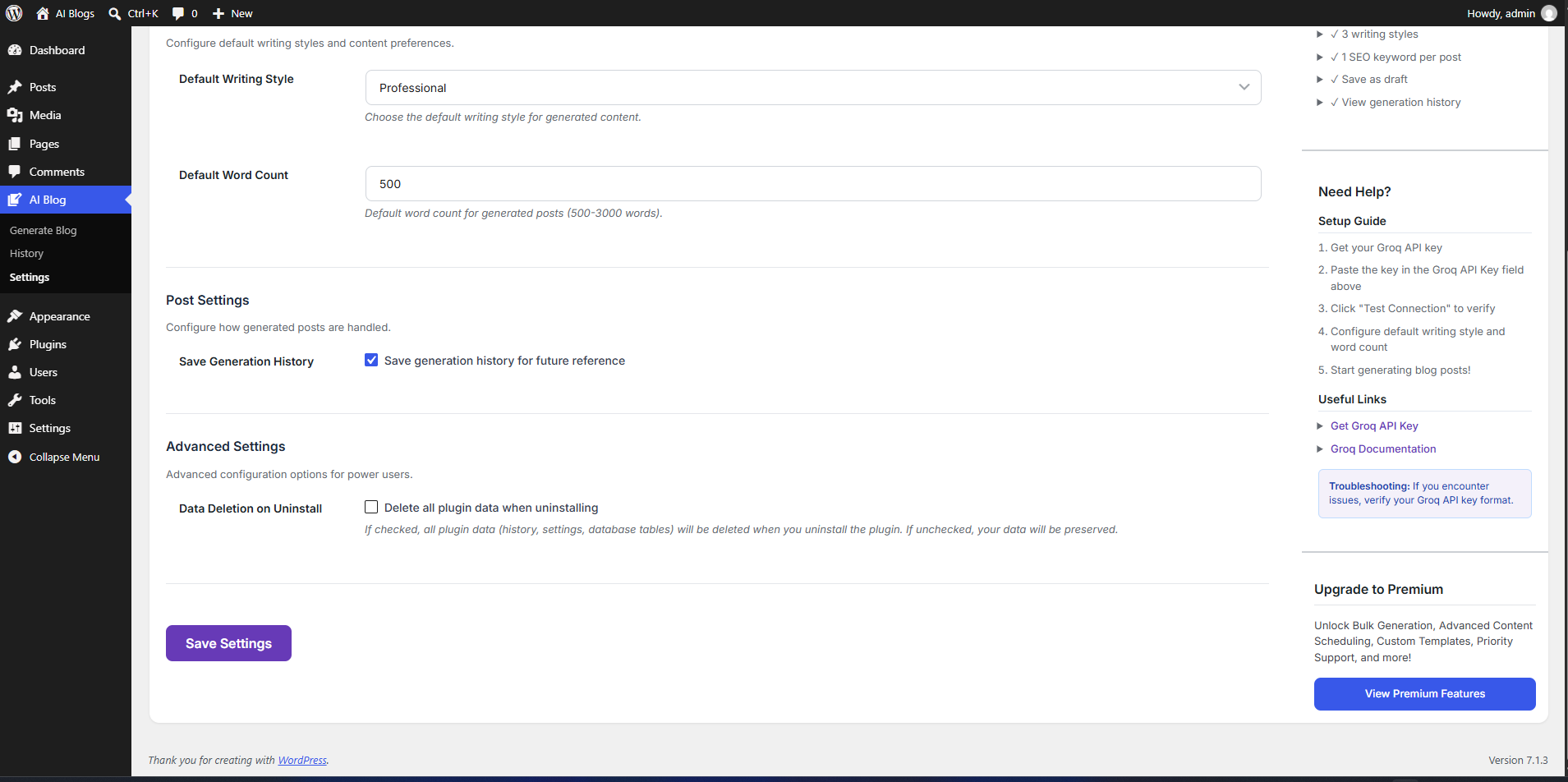
Faq
Yes. The plugin requires your own Groq API key. Groq provides fast AI inference and offers free API tier access. You can get a key at https://console.groq.com/keys.
No. The free plugin saves content as a WordPress draft. This allows you to review, polish, and publish the post whenever you are ready.
The free plugin automatically writes SEO title, meta description, and focus keyword meta fields for Yoast SEO and Rank Math.
No. Image generation (DALL-E / Gemini), external auto-fetching (RSS/Sitemap/REST API autoblogging), Telegram bot publishing, and OpenAI/Gemini multi-model support are exclusive to the Pro version (DevInfoTech AI Pro).
Yes. All generations are stored locally in your WordPress database so you can review, copy, or convert them into drafts later from the History screen.
Yes. You can select between Professional, Casual, and Formal styles, and choose any word count between 500 and 3,000 words.
Your generated draft and published blog posts remain safely in WordPress. Plugin settings and generation history can be cleaned up on uninstall if configured in your settings.
Yes. Your API key is stored securely in your WordPress database options table and is only used for server-side requests directly to Groq’s official API. It is never exposed in frontend code or shared with any third party.
Reviews
Changelog
1.0.0
- Initial release:
- AI-assisted blog post draft generation powered by Groq.
- Writing style options: Professional, Casual, and Formal.
- Configurable word count from 500 to 3000 words.
- SEO title, excerpt, meta description, and focus keyword generation.
- Category and tag assignment before draft saving.
- Integration with Yoast SEO and Rank Math meta fields.
- Generation history logging with preview and post conversion.