Multiple Shipping And Billing Address For Woocommerce
Multiple Shipping And Billing Address For Woocommerce
Description
Multiple Shipping And Billing Address For Woocommerce make address multiple address on checkout page.
Multiple Shipping Addresses for WooCommerce to make it effective if more than one address have to customer for example Office Address and Home Address. Its also Shipping And Billing Address Book with make data to shipping address.
it using to Set a display type(Pop-up/Drop-down) for additional billing or shipping address options.
FEATURES FOR DIFFENRT SHIPPING AND BILLING ADDRESS FOR WOOCOMMERCE:
- Easy to use
- Enable/Disable billing and shipping address
- Billing and Shipping both for add multiple address
- Billing and Shipping both for delete multiple address
- Customized Style
- User Role Wise Add diffrent address
- Select billing and shipping address in admin order edit page
- Select billing and shipping address position on checkout page
- Customize button text, font color and background color
- The delivery status of each item in a single order can be separated to different order statuses.
- Customize button padding
- Select billing and shipping popup button style on checkout page
- Make Default Address
- Checkout page and my account page you can add new address
- WPML Support
🌟 Documentation | 🌟 Get Pro | 🌟 Demo 1 | 🌟 Demo 2 | 🌟 Support
FEATURES FOR DIFFENRT SHIPPING AND BILLING ADDRESS FOR WOOCOMMERCE PREMIUM:
- Customize shipping and billing button font size
- Set Maximum Address limit of both billing and shipping
- Customize button title for shipping and billing
CONTRIBUTE AND TRANSLATE
Different Shipping And Billing Address For Woocommerce is translated into multiple languages Chinese, Dutch, Russian, Spanish, and many more. Help localize different Shipping And Billing Address For Woocommerce even further by adding your locale Language. Click Here
Screenshots
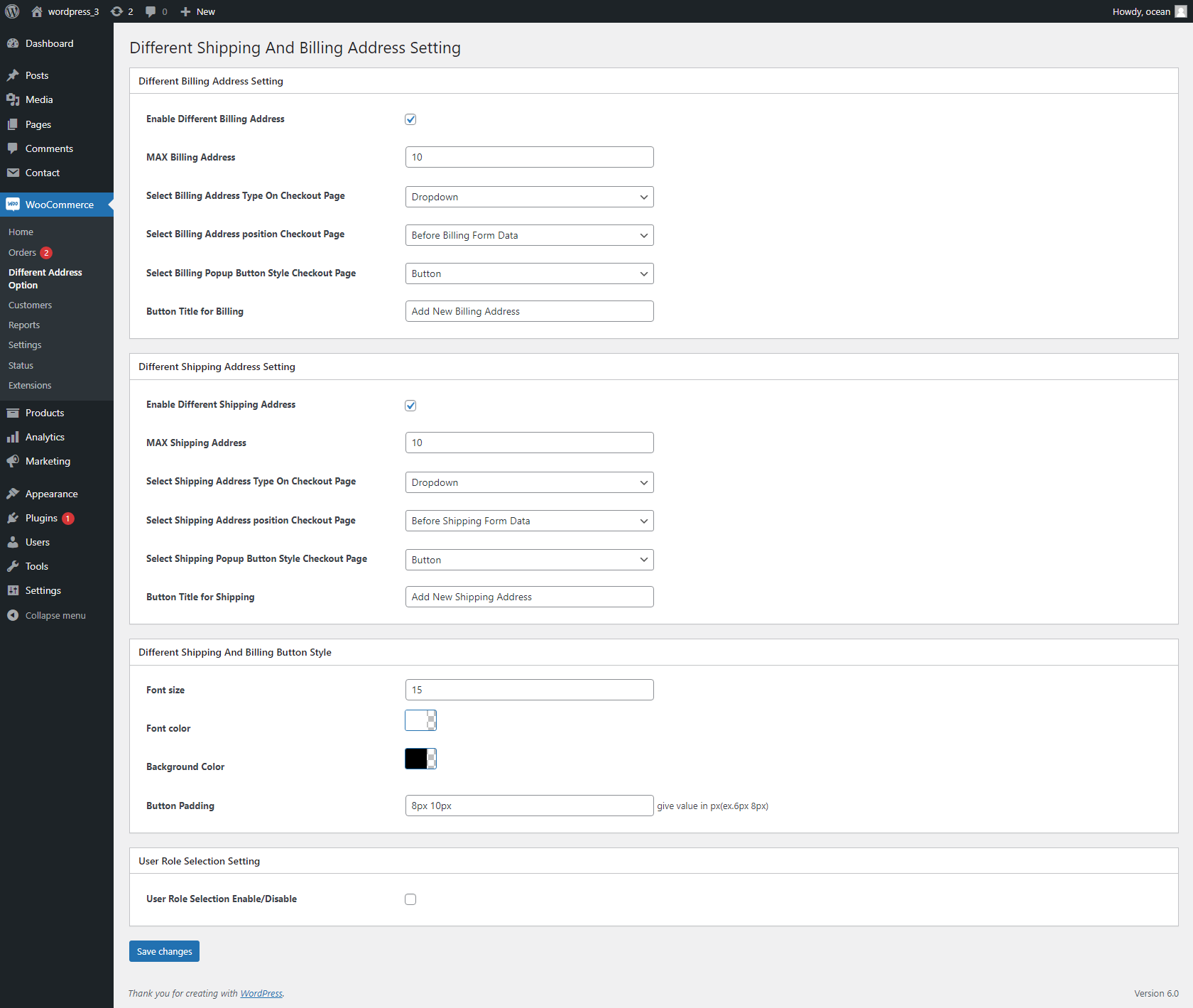
General Setting
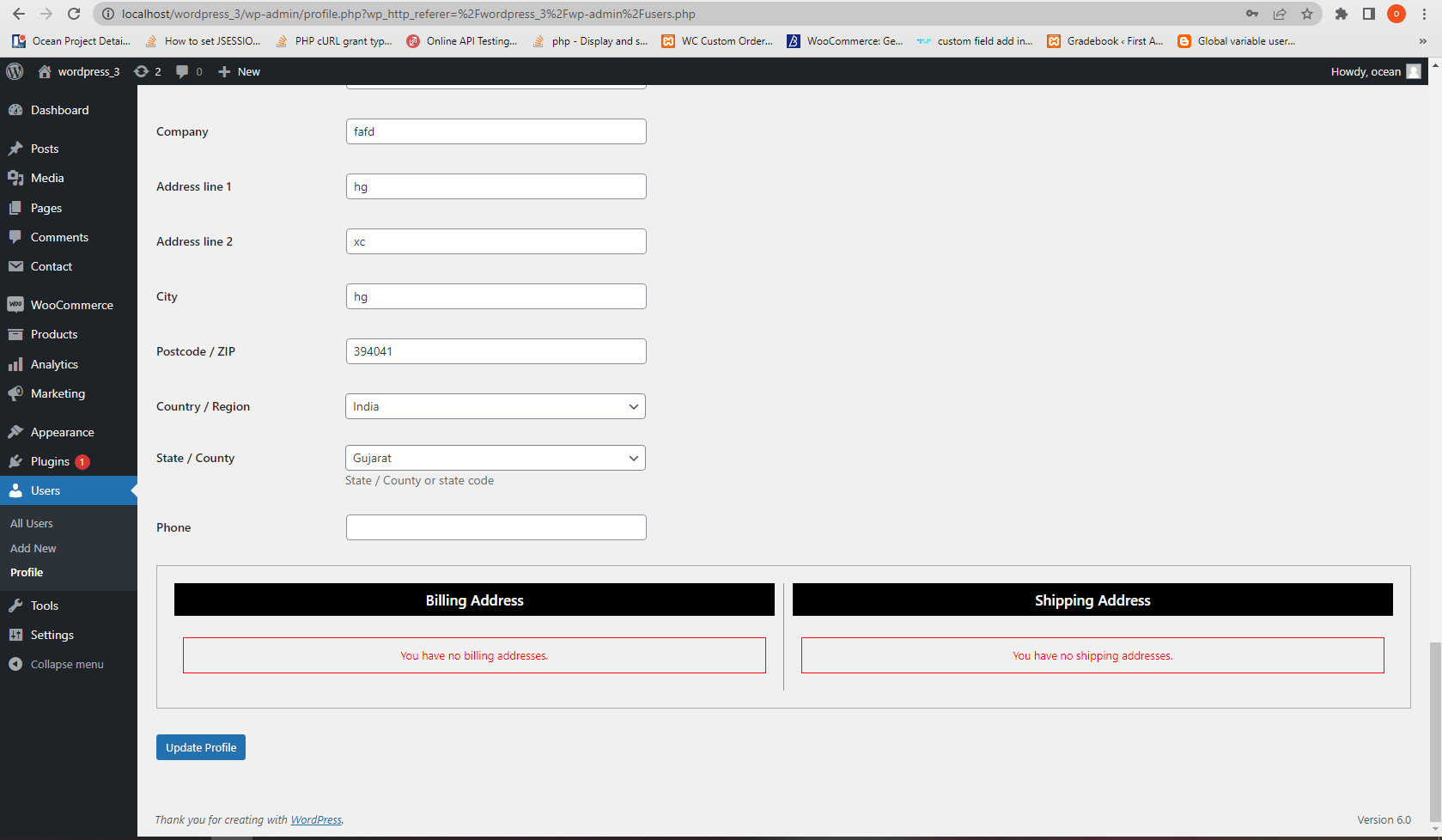
In admin to show address detail and also edit delete
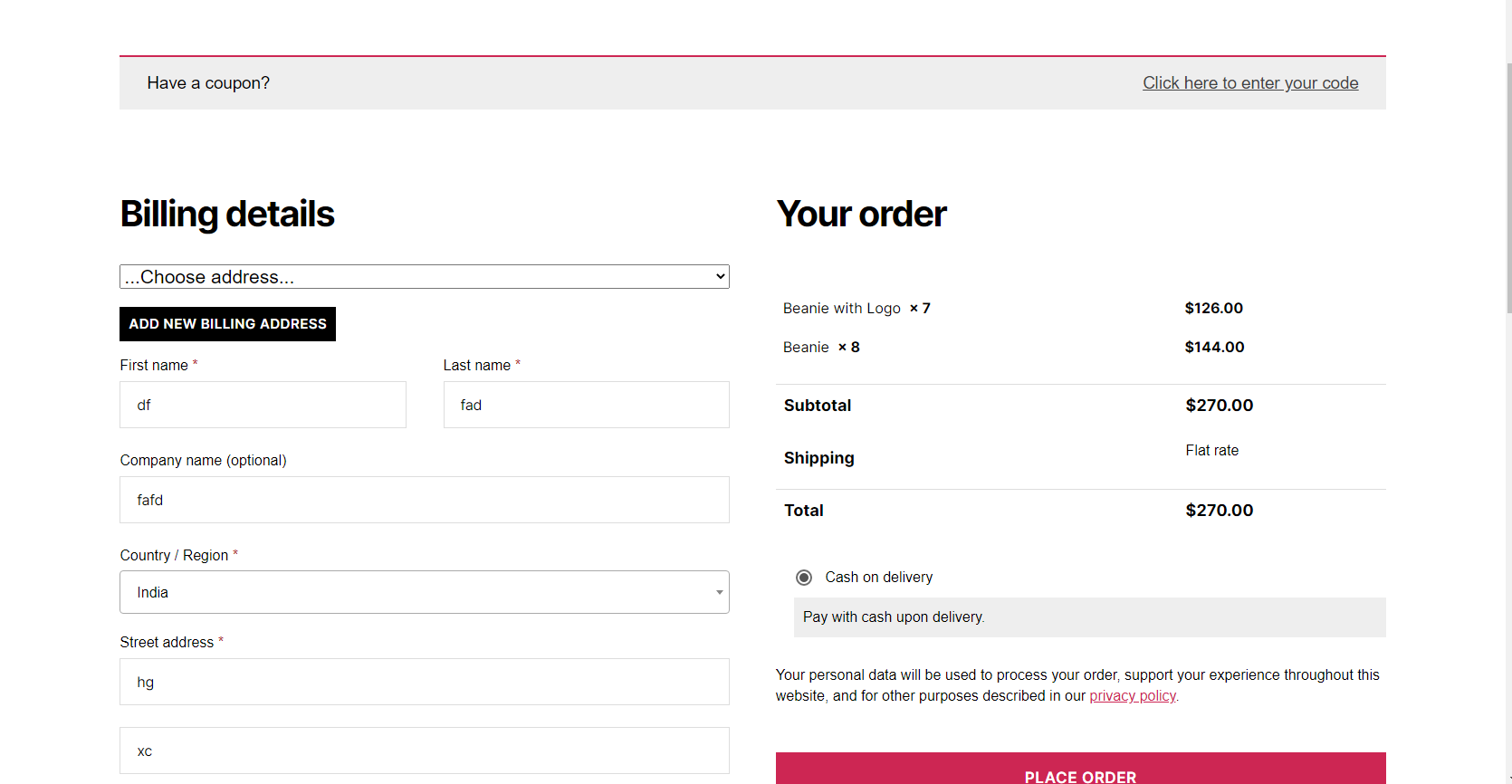
On Checkout page add new address and make defualt

New Address add Popup
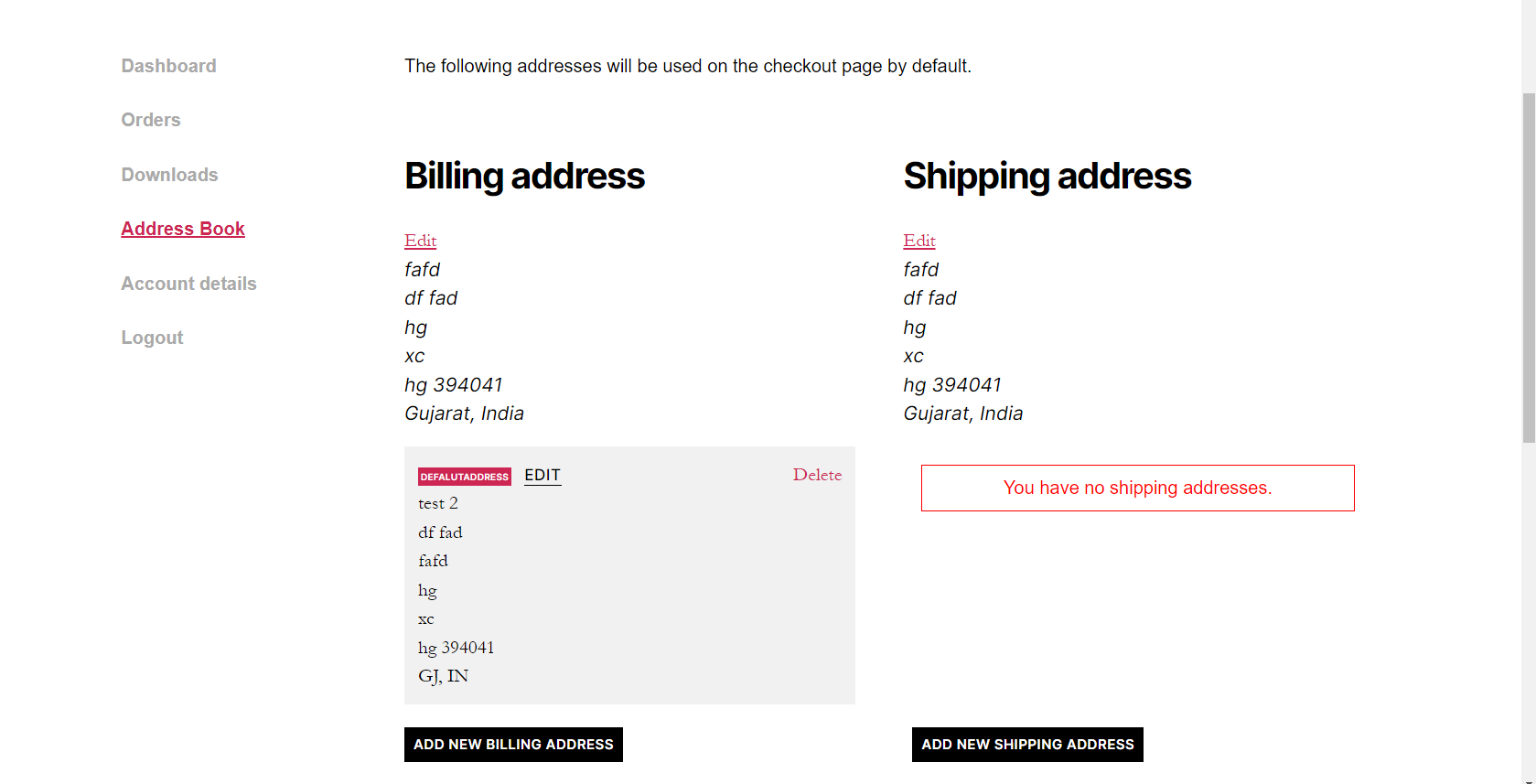
my account page edit delete address
Faq
You can add maximum address with add new address in checkout page
Reviews
Does what it says
By 
Thanks for writing this - it does what it says simply and effectively.
Good support
By 
Plugin does what it is supposed to do. Support is very fast.
Great support
By 
Simple plugin, great support
Very good and simple
By 
Easy to use and very simple implementation in the database making very easy to bulk update via code. Thank you.
Add default billing and shipping
By 
easy to use
By 
Good idea but...
By 