DigitalM Inside SEO Agency
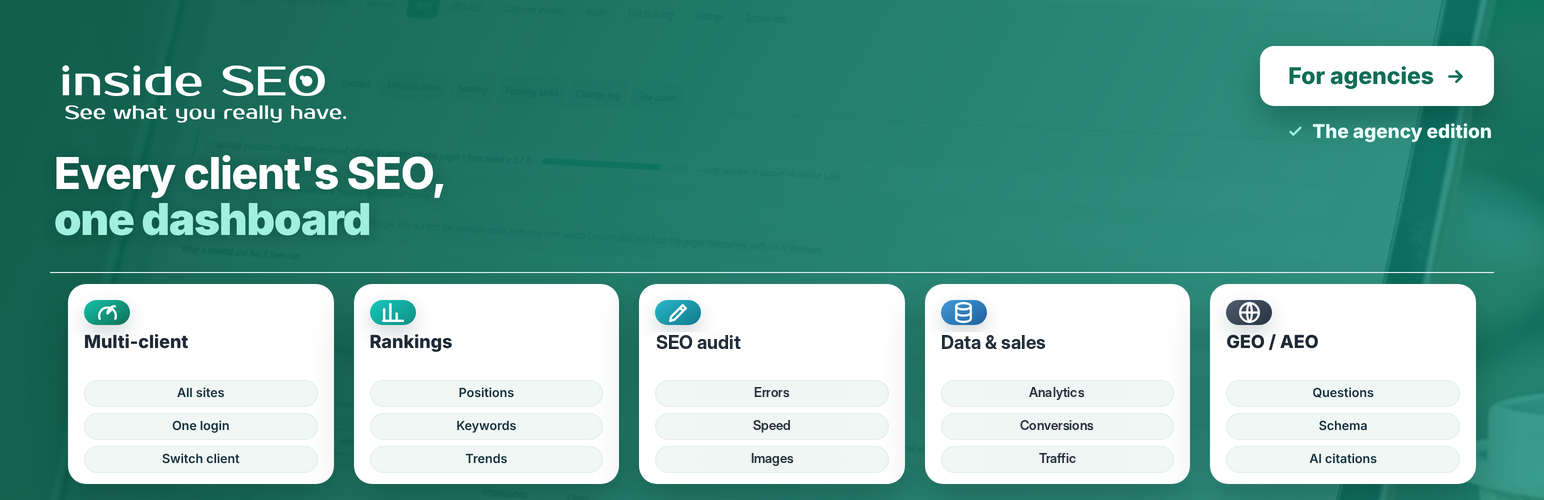
DigitalM Inside SEO Agency
Description
DigitalM Inside SEO Agency lets an SEO agency follow all its client websites from its own WordPress, without logging in to each client’s dashboard.
Each client installs the free DigitalM Inside SEO plugin and accepts your invitation. From then on, their SEO data comes to your site every night, and you work on it here. The client picker sits in the top bar, and every screen shows the selected client’s data.
Who it is for
- SEO agencies and freelancers who look after several WordPress or WooCommerce websites.
- In-house teams that run more than one website.
How the connection works
- You create an invitation for the client in Settings.
- The client installs the free DigitalM Inside SEO plugin and opens the invitation link. A page on their own site shows your agency’s name and exactly what you will see and be able to do.
- The client confirms, and you approve the connection. Their data starts downloading the same night.
The client can end the connection at any time. Every change you make on their site goes through a signed request and is written to a log on their site.
The same screens, for every client
Every screen below shows the data of the client selected in the top bar.
Mirror
- The most important facts about the client’s site on one screen: sales, traffic, rankings and errors, compared with the previous period.
- Fix first: the problems ordered by traffic and revenue, not by technical detail.
Conversions and traffic
- Conversions: orders, revenue and net sales for stores, and calls, emails, forms, bookings and sign-ups for sites without a shop.
- Traffic: visitors, landing pages, devices, countries, cities and languages.
- By channel: Google, direct visits, ads, social networks and AI search engines, with visits and revenue for each.
- Every figure is shown against the previous period of the same length.
Rankings
- Positioning: keyword and page positions, impressions, clicks and CTR, winners and losers.
- Queries close to the top 10, so you can see quick wins.
- Ads: spend and return on ad spend from an imported ad file.
SEO
Errors, 143 checks in 11 groups. Indexing and language versions, content, titles and descriptions, clean URLs, structure, links, technical, speed, structured data and AI search, files, and mixed Cyrillic and Latin letters. The findings are ordered by impact, and each one explains what it is, why it matters, where it is and how to fix it.
Speed. Google PageSpeed data for phone and computer (LCP, INP, CLS), the slowest pages and a month-by-month history.
Images. Missing alt text, poor file names and unused images and files (orphans).
Content. Old articles to update, topics for new articles, what people search for in the site search box, and empty or dead categories and tags.
Uniquification. Series of near-identical products and pages, graded by overlap.
Change log. Every change to titles, descriptions, alt text and file names, with who made it, when and with what effect.
Site crawl. Broken links, orphaned pages, broken canonicals and problematic filter addresses.
GEO / AEO, search engines with AI
- Results: visits from AI bots and sales from AI sources.
- Readiness: whether ChatGPT, Gemini, Perplexity and others can reach and quote the client’s site, and the structured data they understand.
- Schema and FAQ: structured data and a visible question-and-answer block for the client’s pages.
System info and Guide
- System info: the client’s SEO plugin, cache plugin, PHP and WordPress versions.
- Removed pages: addresses the client removed, with their Google clicks and impressions, ready to redirect or mark as gone.
- Guide: answers “where do I do X” and takes you to the right screen.
Built for the agency’s daily work
- All clients in one list – the state of each connection, the plugin version on the client’s site and when the data was last refreshed.
- Nightly refresh, only what changed – one client and one request at a time, with a pause between requests, so client websites are not slowed down. You can also refresh a client by hand.
- Your own website without a slot – with one button, the agency follows its own website too. It does not take a client slot.
- Fixes with one approval – titles, descriptions, images and texts are prepared on your side and written to the client’s site only when you approve them, through a signed request.
Help and support
A built-in Guide answers “where do I do X” and takes you to the right screen. If something does not work, a form on the Guide screen sends us a short description together with the plugin, WordPress and PHP versions, only when you press the button. If you leave the email from your account with us and tick the consent box, the message becomes a support ticket, and you see our reply in your account.
More of our plugins
A quiet page in the menu lists our other free plugins from the WordPress.org directory, with a short description. Nothing is installed unless you press the Install button, which opens the standard WordPress installer.
Interface languages
The interface is available in Bulgarian and English. A BG/EN switch sits in the top right corner of every screen.
Free and paid
The plugin is free and every screen works without a licence. Client connections are managed by our service at seo.digitalmseo.com. The free service plan covers up to 3 client websites at a time. More client websites are available as a paid service plan from our own site. A separate Pro add-on, also offered from our own site, adds AI-prepared fixes and deeper analyses. This plugin works completely on its own without it.
Requirements
- WordPress 6.2 or newer
- PHP 8.1 or newer
- The free DigitalM Inside SEO plugin on each client website
External Services
DigitalM Inside SEO Agency communicates with the following external services.
seo.digitalmseo.com (our service)
- What: creates and checks client invitations, keeps track of connected clients and slots, and verifies that requests between your site and a client’s site are genuine.
- When: when you create an invitation, approve or end a connection, refresh the list of clients, or enter a licence key.
- What is sent: your site URL, plugin version, agency name, licence key if you enter one, a public verification key, and the client site URL you invite.
- Summary numbers: for the clients list, our service may ask connected client sites for a few summary numbers they have already calculated and keep them for up to 15 minutes.
- Privacy Policy: https://seo.digitalmseo.com/en/privacy-policy/
- Terms of Use: https://seo.digitalmseo.com/en/terms/
Your clients’ websites
- What: the free DigitalM Inside SEO plugin on each connected client site.
- When: only after the client has confirmed your invitation and you have approved it; data is downloaded at night or when you refresh by hand, and change requests are sent when you approve a fix.
- What is sent: signed requests for the client’s SEO data (findings, Google Search Console and GA4 history, rankings, the change log and daily visit figures) and signed change requests that you approve.
seo.digitalmseo.com – problem report form (optional)
- What: the “Something not working?” form on the Guide screen.
- When: only when you press the send button.
- What is sent: your message, the plugin, WordPress and PHP versions, the active SEO plugin, your site URL, and your email only if you tick the consent box.
Google PageSpeed Insights API (optional)
- What: the PageSpeed Insights API.
- When: only when you run a speed test.
- What is sent: the public URL of the page being tested.
- Policy: https://policies.google.com/privacy
IndexNow (optional, off by default)
- What: api.indexnow.org, shared by Bing, Yandex and other search engines.
- When: only after you turn it on, each time a page on your own site is published or updated.
- What is sent: the public URL of the changed page and a key file address on your site.
- Policy: https://www.indexnow.org/terms
WordPress.org plugin directory
- What: the “More of our plugins” page reads the list of our plugins from the WordPress.org directory through the standard WordPress function.
- When: when you open that page; the list is kept for 12 hours.
- What is sent: the author name used for the search; nothing about your site.
Credits
Built by Digital M SEO Ltd (digitalmseo.com).
Installation
- Upload the plugin folder to
/wp-content/plugins/, or install it directly from the WordPress admin. - Activate the plugin through the Plugins menu in WordPress.
- Open Inside SEO Agency Settings and enter your agency name.
- Create an invitation for your first client and send them the link.
Screenshots
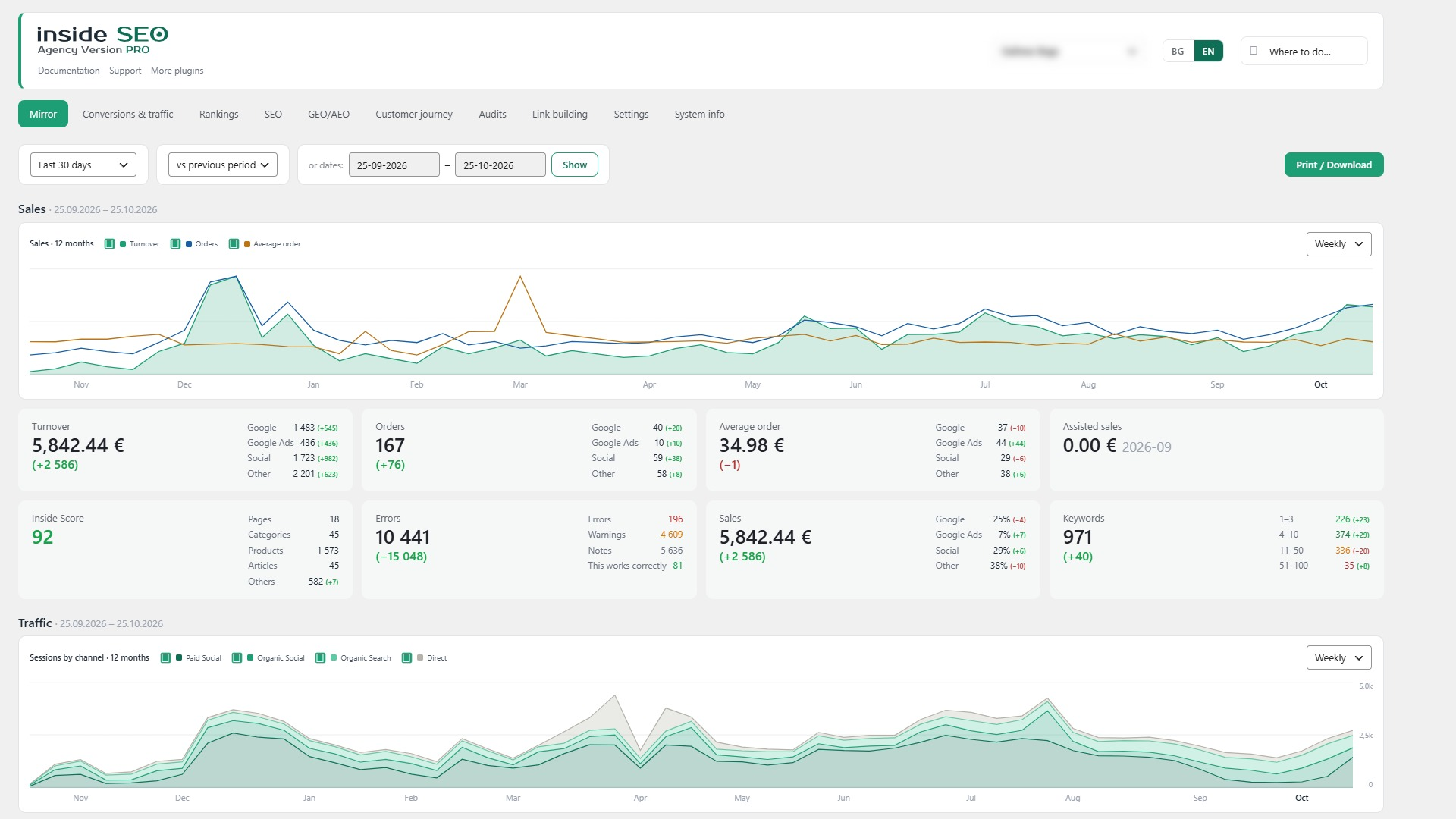
Mirror for the client picked in the top bar
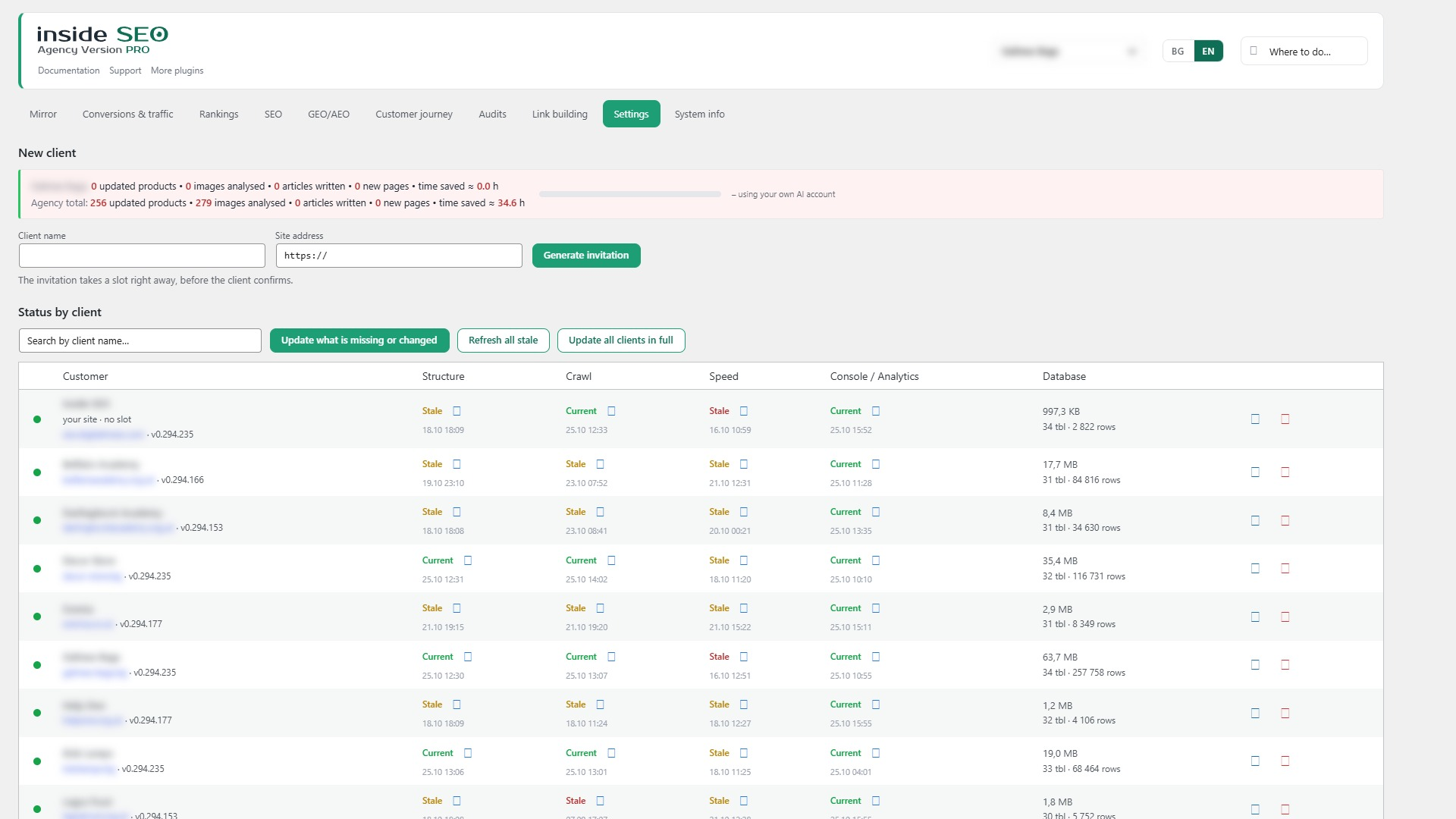
Settings - status of every client site: structure, crawl, speed, Console and Analytics
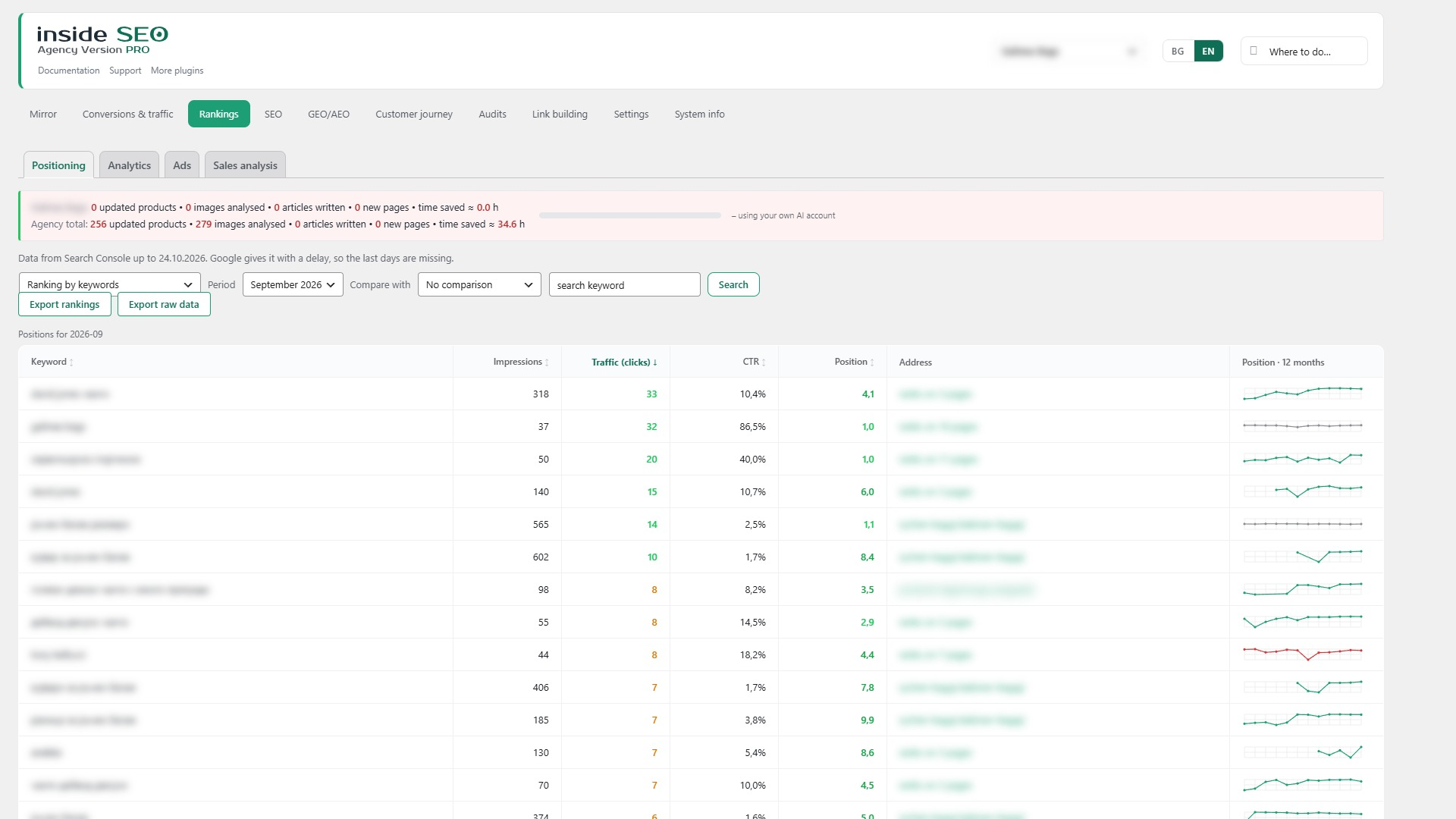
Rankings for a client
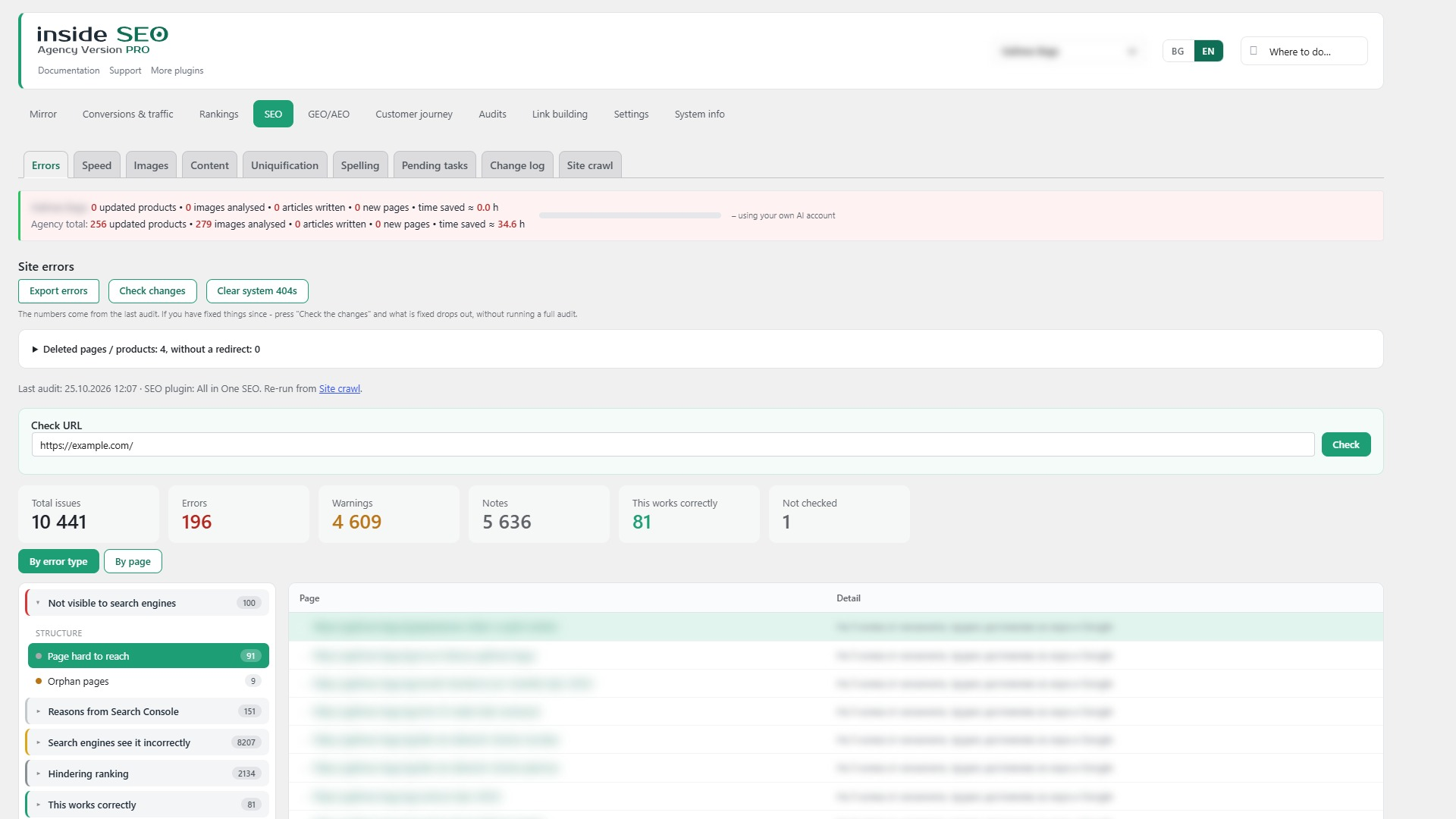
SEO audit for a client
Faq
No. The client installs the free DigitalM Inside SEO plugin and confirms your invitation. You never need their password.
Before confirming, the client sees your agency’s name and the list of data you will receive. After that, every change you make is written to a log on their site, and they can end the connection at any time.
No. Data is downloaded at night, only what changed, one client and one request at a time, with a pause between requests.
On your own WordPress site, in the plugin’s tables. Our service checks invitations and slots. For the clients list it may keep a few summary numbers for up to 15 minutes, so client sites are not asked on every page load. It does not keep the client’s SEO data.
Yes. The agency plugin and the free DigitalM Inside SEO plugin can run on the same site. Use “Your site” in Settings to follow your own website without taking a slot.
Use the form at the bottom of the Guide screen. It is sent only when you press the button. Leave the email from your account with us to get the reply as a support ticket.
Reviews
Changelog
1.35.225
- Changed: the plugin description is now organized by screen, the same way as in the plugin menu.
1.35.224
- Fixed: the “Take me there” links in the guide now keep the sub-tab, so they open the right screen.
- Fixed: a script error on the GEO/AEO page when a list block is not on the screen.
1.35.223
- Changed: the source strings in the code are now in English. Bulgarian comes from a bundled translation file (bg_BG .po/.mo/.l10n.php).
- Added: a translation template (languages/digitalm-insideseo-agency.pot) for translators.
- Changed: the script labels are passed through the same translation, so they follow the plugin language.
1.35.222
- Plugin Check: removed old inline rule exceptions (queue time limit, image language filter, client options list).
1.35.221
- Readme: new English screenshots and captions.
1.35.220
- Added: requests to the hub carry the plugin language (X-SEOH-Lang). With English the hub answers in English – AI errors, limits, agency connection messages and text-check explanations. Agency pro on the same site is covered too.
1.35.219
- Translations: remaining visible Bulgarian texts now go through translation (page type and checkout field labels, short finding details, units); English added.
1.35.218
- Changed: “Pages with this issue” under a finding is a collapsed list – it opens on click instead of filling the screen with hundreds of addresses.
1.35.217
- Faster: the Errors screen is much lighter. Findings shared by the whole site (touch icon, many CSS/JS files, fonts and the like) were sent with one full row per page – thousands of rows; now each page is a short entry and the screen expands them back, so the list of pages is still shown. Cyrillic text is sent as is instead of escaped (about a third of the size).
1.35.216
- Fixed: “Reasons from Search Console” in the view of another language version shows only the addresses of that version (the English view listed the Bulgarian addresses).
1.35.215
- Changed: clearer wording on the crawl screen – “found N issues”, “Indexing” instead of “Indexability (the gate)”, “Not enough text”, language version picker; the label above the deep review groups is removed.
1.35.214
- Changed: the language version menu shows a flag, the language code and where the version lives (domain, subdomain or folder). The main language is always first and is no longer marked separately.
1.35.213
- Changed: the language switch is labelled “Language version” so it is not confused with the plugin interface language.
1.35.212
- Changed: Images and Rewrite series follow the common language switch from the pulled data: posts and categories of the chosen language (or all).
- Changed: the “fixed” tick in Errors counts fixes from the start of the month.
1.35.211
- Added: language version checkboxes in Crawl for a multilingual client site; the choice goes to the client and is kept there.
1.35.210
- Changed: one language switch for all SEO tabs, shown right under the tabs. The choice is remembered for each user and every tab and background request follows it.
1.35.209
- Added: name and help for “Language version without its own sitemap” from the client site.
1.35.208
- Added: names and help for the new language checks from the client site (untranslated content, Cyrillic address in the foreign version, language link to a broken address, missing translation).
1.35.207
- Added: the language switch is now a drop-down with every language of the client site and where it lives (domain, subdomain or folder). The language menu found on the client home page is shown in System information.
1.35.206
- Removed: the “Image name without the colour” check. Not every product has a colour, and the colour is written in many forms and languages, so the check gave too many false alarms. Image names are still written with the colour by the rewrite. Old rows of this check are removed once.