Direct Payments for WooCommerce – Bank Transfer, Mobile Money, Crypto and Peer-to-Peer (P2P) Payments
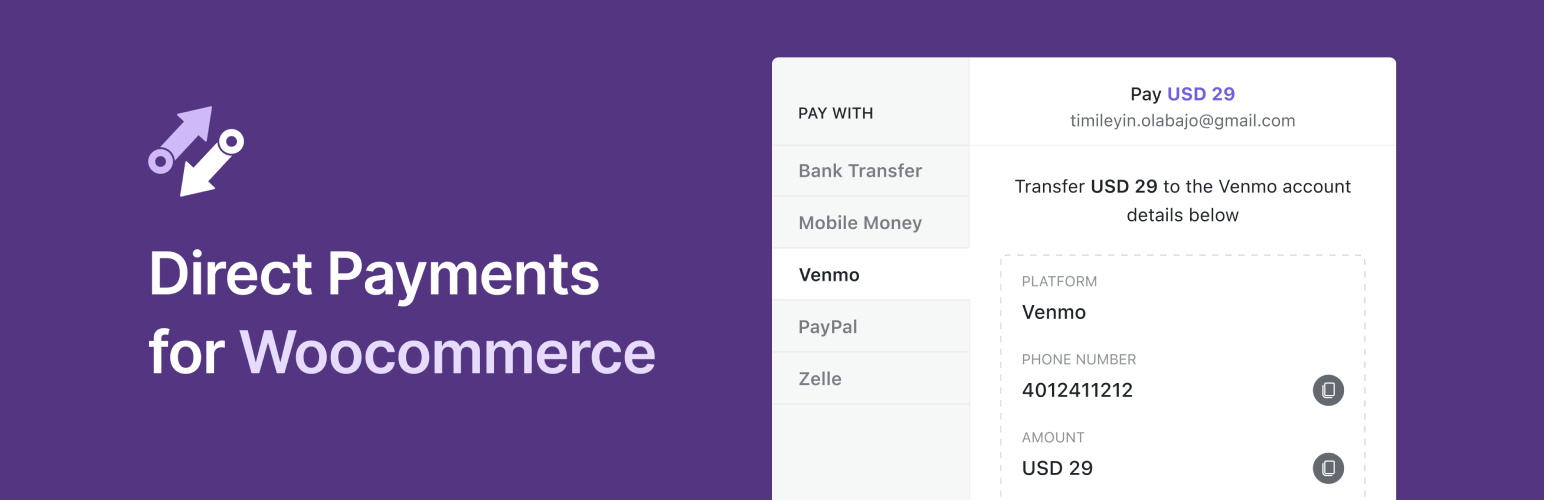
Direct Payments for WooCommerce – Bank Transfer, Mobile Money, Crypto and Peer-to-Peer (P2P) Payments
Description
Say goodbye to traditional payment gateways that require developers, API keys, and complex KYC processes.
Direct Payments for WooCommerce makes it easy for WooCommerce store owners to accept payments directly through local and global methods with zero transaction fees. Set up Direct Payments for WooCommerce within minutes and give your customers the freedom to choose their preferred payment option.
With Direct Payments for WooCommerce, you can accept payments via:
- Bank Transfers – International & Local
- Mobile Money – MTN MoMo, M-Pesa, Airtel, Vodafone, and many more
- Crypto Payments – BTC, ETH, USDT, SOL, BNB, ADA, MATIC, and many more
- Peer-to-Peer (P2P) Platforms – Zelle, Venmo, PayPal, GCash, Cash App, Apple Pay, Monzo, Google Pay, Payoneer, Skrill, Paytm, Monzo, Wise, and many more
- QR Codes
Unlock all features with Pro Version
Demo Direct Payments | Free vs PRO
Why use Direct Payments for WooCommerce?
- Any Payment Method: Let your customers pay with their preferred options — bank transfers, mobile money, crypto or P2P platforms.
- Zero Transaction Fees: Keep 100% of your revenue with no hidden costs or fees.
- Fast Setup: Go from installation to receiving payments in minutes, with no KYC or API keys required.
- Secure & Reliable: Enjoy safe, encrypted transactions with payments processed directly through the preferred payment gateway.
- Unlimited Payment Methods [PRO]: Upgrade from the single payment method in the free version to unlimited payment methods with Pro, allowing you to offer more flexibility to your customers and boost sales.
- Geo-Currency: Improve checkout experience by automatically showing payment methods available in the customer’s location.
- Multiple Currencies [PRO]: Sell globally with multi-currency support, with exchange rates set automatically or updated manually for full control.
- Instant Payment Alert Notifications: Receive alerts to your Telegram and email for every payment, enabling you to manage transactions in real time.
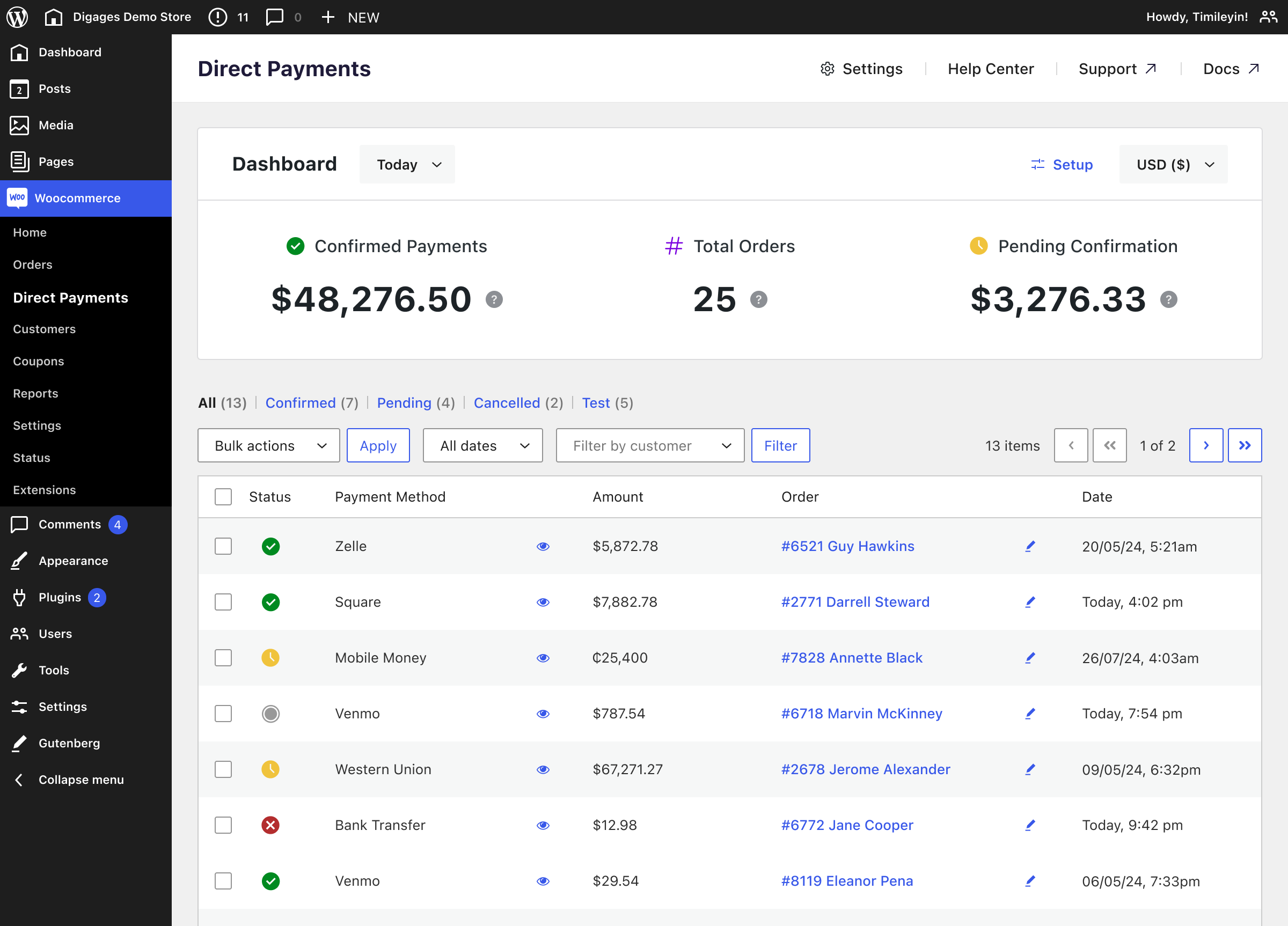
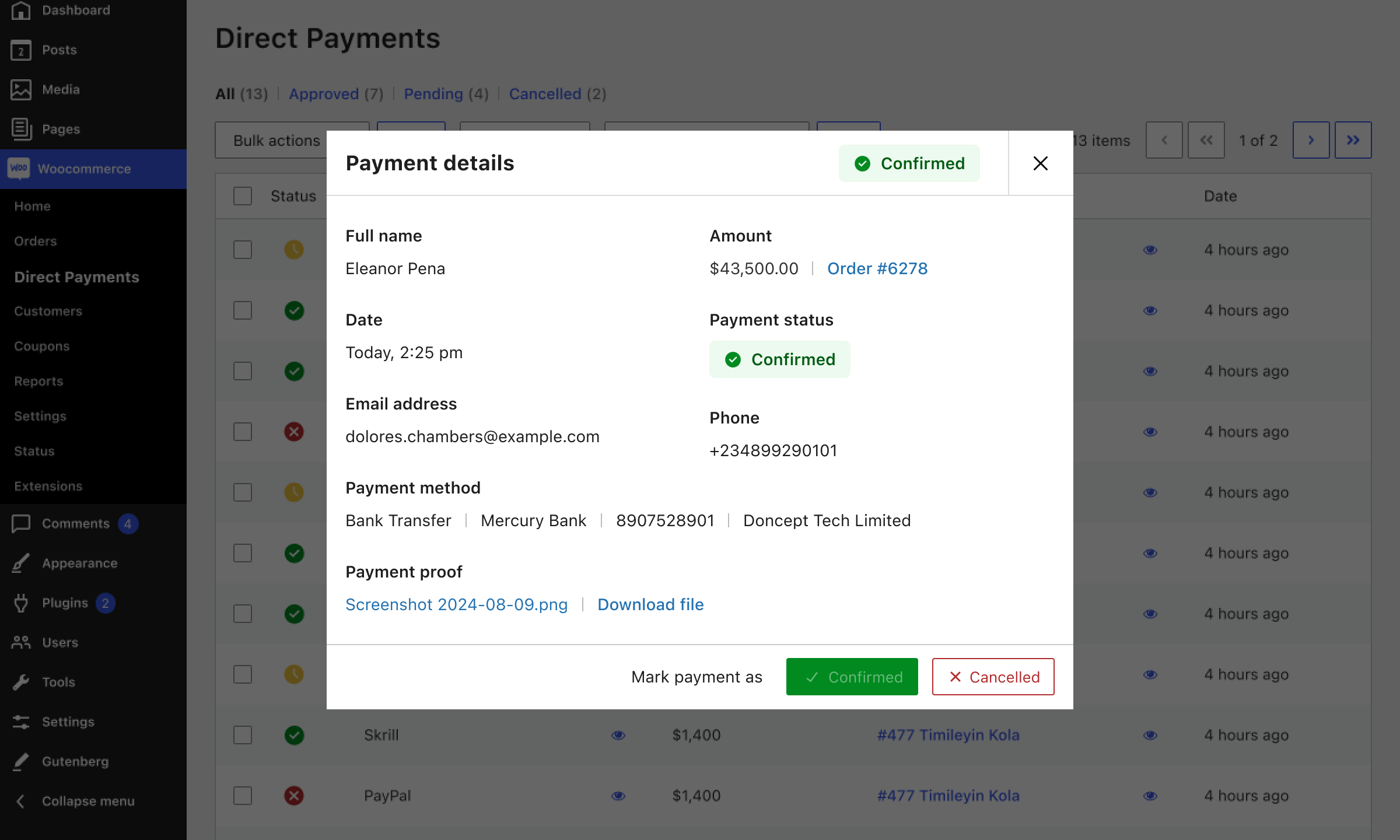
- Simple Dashboard Management: Confirm or cancel payments directly from your WordPress dashboard.
- Customizable Payment Popups [PRO]: Customize the payment process to match your brand’s colors and style.
- Email Payment Confirmation [PRO]: Easily confirm or cancel payments via email without logging in.
- Translation Ready: Fully compatible with translation plugins like Loco Translate, making it easy to use in any language.
- Premium Support [PRO]: Create support tickets and get fast, prioritized assistance to resolve any issues quickly.
📄 Quick Guides
- How to Add Zelle Payment Option to WooCommerce
- How to Accept QR Code Payments on WooCommerce
- How to Accept Crypto Payments on Woocommerce
- How to Accept Peer-to-Peer (P2P) Payments on WooCommerce
- How to Accept Mobile Money Payments on Woocommerce
- How to Accept Bank Transfer Payments on WooCommerce
Read more on our documentation
Other Plugins by Digages:
-
Direct Payments WP: Direct Payments WP is the ultimate plugin for WordPress users who want a simple and flexible way to accept payments. Whether you’re a freelancer, a small business owner, or running a membership site, Direct Payments WP empowers you to accept payments directly using customizable forms, invoices and payment pages.
-
SVG Editor: SVG Editor adds native support for editing SVG (Scalable Vector Graphics) files directly within your WordPress Media Library. With this plugin, you can easily change the colors of your SVG graphics without needing any external design software.
Installation
Using The WordPress Dashboard:
- Go to WordPress Admin > Plugins > Add New Plugin from the left-hand menu.
- In the search box, type Direct Payments for WooCommerce.
- Click on Install Now when you see the Direct Payments for WooCommerce plugin.
- After installation, click Activate.
Manual Installation:
- Go to WordPress Admin > Plugins > Add New Plugin from the left-hand menu.
- Click the Upload Plugin button.
- Choose
direct-payments-for-woocommerce.zipfrom your computer and click Install Now. - After installation, click Activate.
Direct Payments Setup and Configuration:
- Go to WooCommerce > Settings and click on the Payments tab.
- You’ll see Direct Payments for WooCommerce listed. Click Set Up.
- Check the checkbox to enable Direct Payments and configure the options to your preference.
- Click Save Changes to update the settings and start accepting payments.
For documentation and tutorials on how to integrate your favorite payment gateways, bank accounts, and mobile money, visit our Knowledge Base
Screenshots
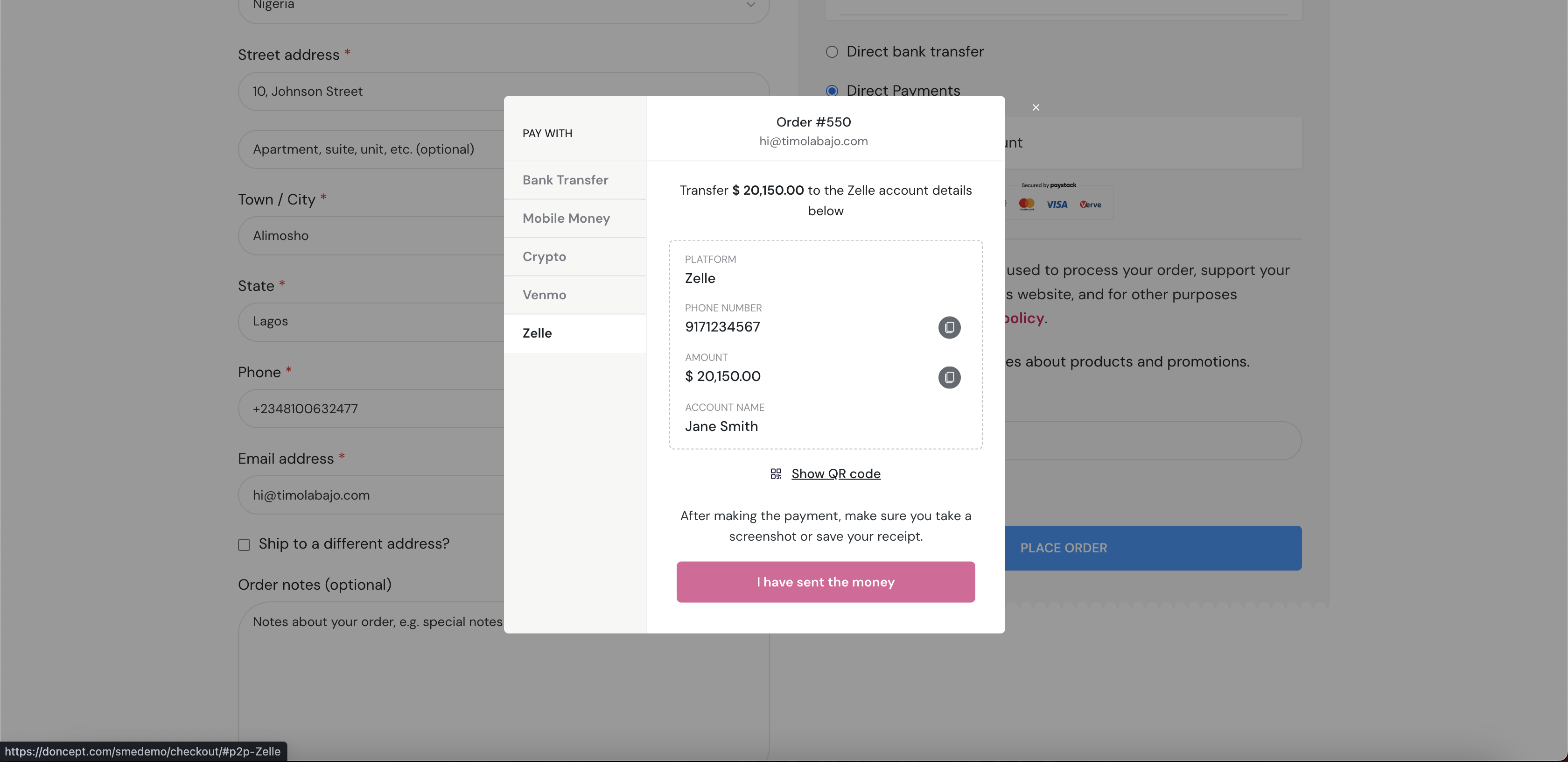
The payment screen for PC & Tablet
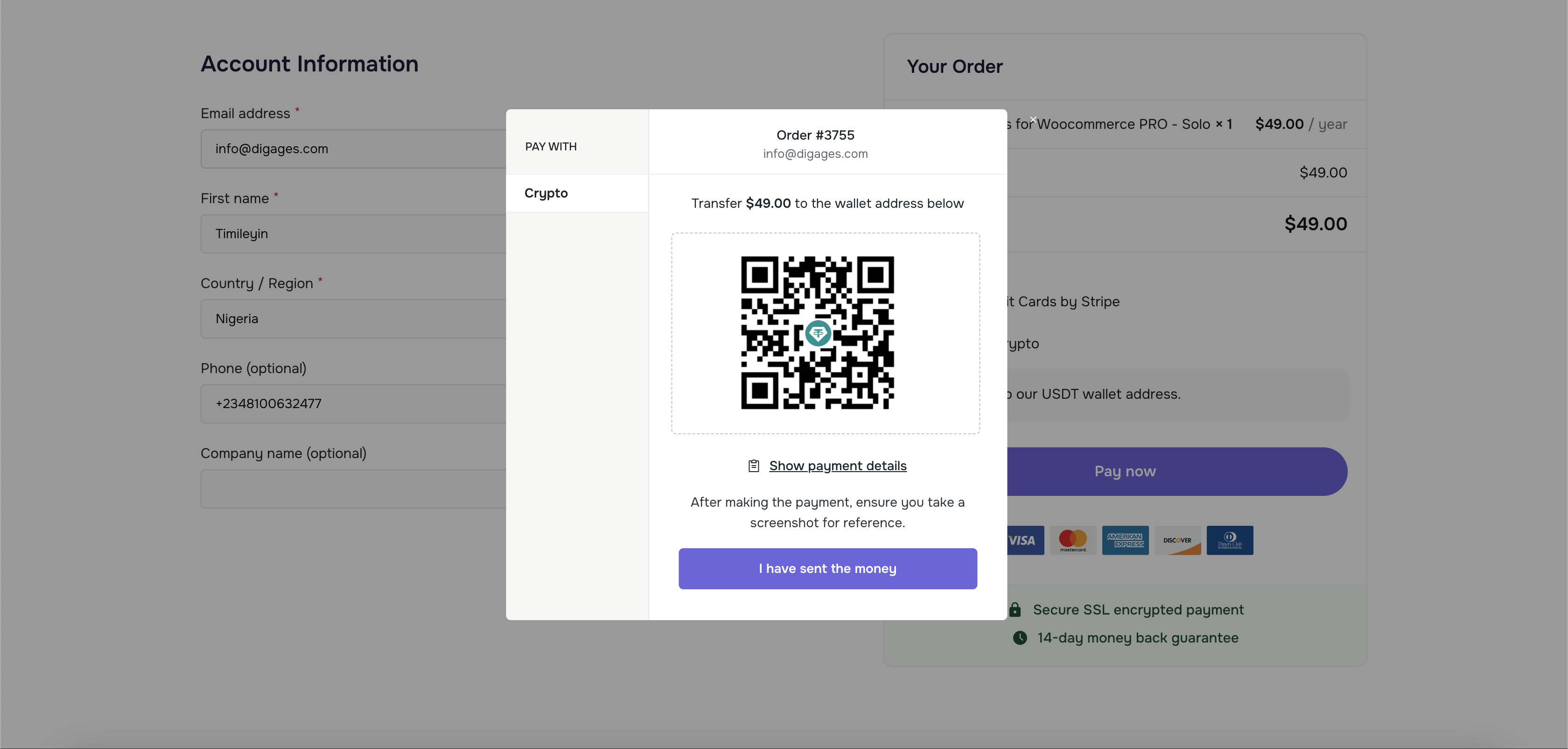
The payment screen for Mobile
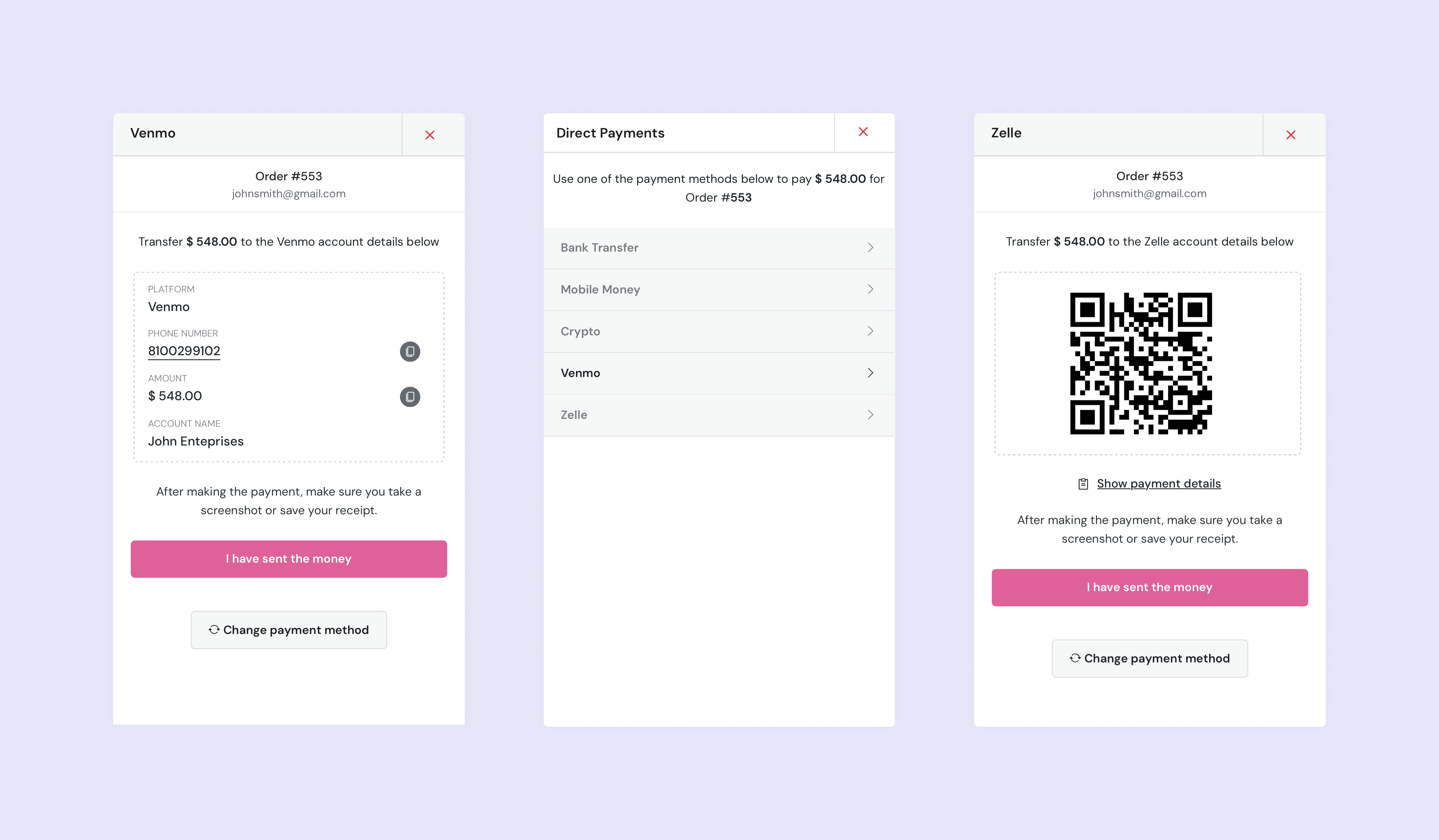
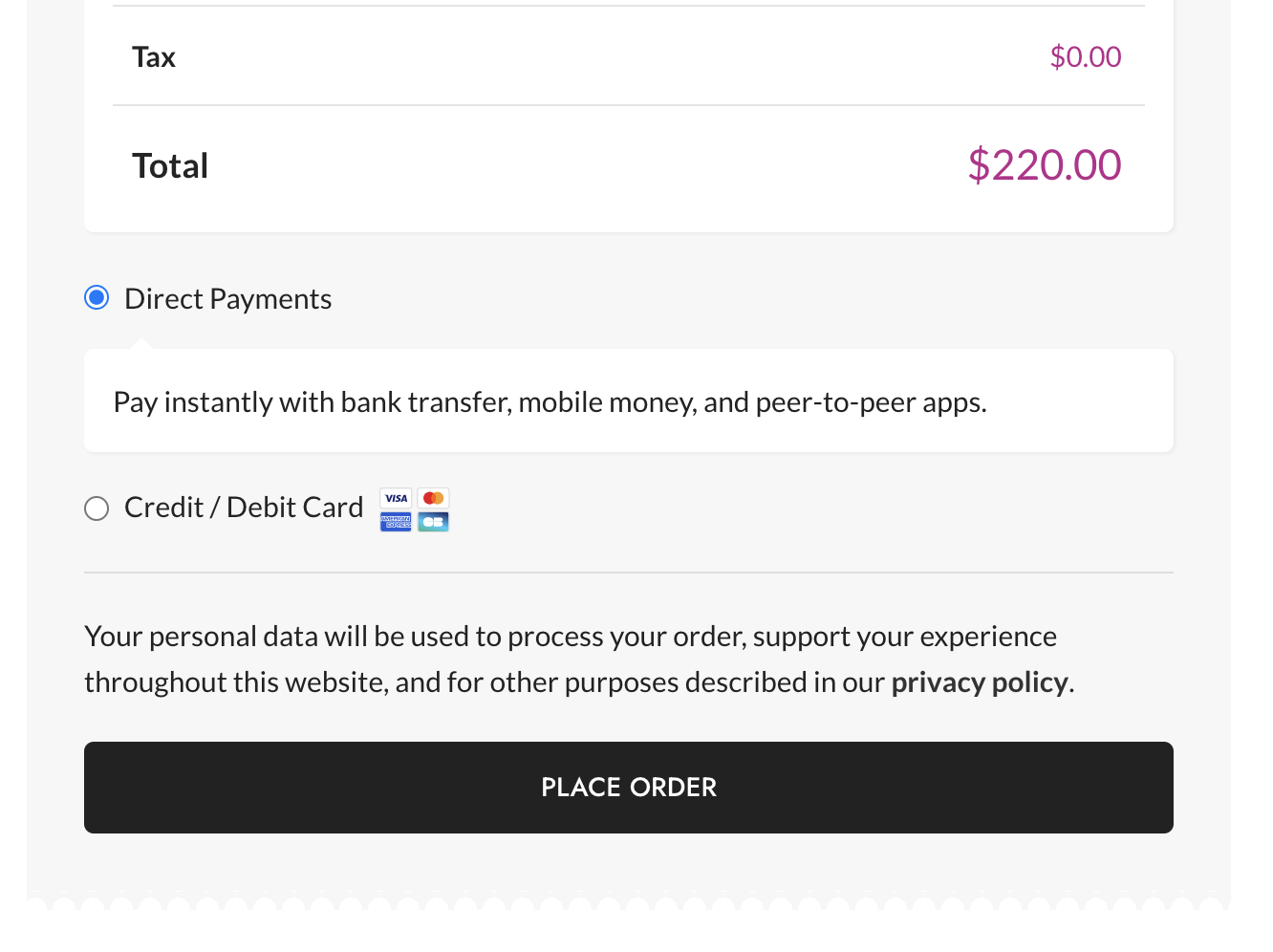
Direct Payments on your website Checkout
Direct Payments dashboard
Direct Payments confirmation page
Faq
To install the free version of Direct Payments for WooCommerce:
1. From your WordPress dashboard, go to Plugins > Add New.
2. In the search field, type Direct Payments for WooCommerce and select our plugin.
3. Click Install and then Activate.
Direct Payments for WooCommerce supports a wide range of payment options, including bank transfers, mobile money (MTN, M-Pesa, Airtel, etc.), peer-to-peer platforms (Venmo, PayPal, Cash App, Zelle, etc.), and more.
Yes, with the PRO version, you can customize the payment popups to match your brand’s color.
The Free version allows you to accept one payment method, while the Pro Version unlocks unlimited payment methods, email payment confirmations, payment popup customization, and premium support.
No, Direct Payments is optimized for performance and will not slow down your website. It integrates seamlessly with WooCommerce.
You can purchase the PRO license from our plugin website and the plugin’s settings page. The Pro Version offers unlimited payment methods, email confirmations, and advanced customization options.
Reviews
Simple and Effective
By 
This plugin is the perfect fit for anyone who wants to receive payments in their online store using MTN MoMo and other Mobile Money transfer gateways. I had to look really hard before stumbling upon this super useful and easy tool and I suggest that the developer should publicize it more. There are a lot of online entrepreneurs in Ghana and elsewhere looking for something exactly like this but are not aware of its existence at all. Thank you for creating this.
Exactly what I was searching for to receive payments
By 
Exactly what I was searching for to receive payments
Perfect
By 
Searched far and wide, this was the only plug-in that was able to solve the issue
Awesome
By 
I'm mind blown with the ease of access and transaction. Great job
Everything works as advertised
By 
This plugin is a life saver for me. Thanks and amazing support as well
Simply brilliant
By 
I’ve finally found a Zelle Woocommerce payment gateway that works. Thanks
Finally mobile money gateway that works!
By 
This payment gateway for Woocommerce is what I’ve been looking for. Everything works great and it’s easy to use
Great and easy to use
By 
i really enjoy using this plugin, it has made collecting payments easier for me and my customers
Amazing payment gateway
By 
Great plugin, setting up payments on Woocommerce has never been easier.
Changelog
2.3.5
- Improved: Minor update.
2.3.4
- Improved: Minor update.
2.3.2
- Added: live with Analytics.
- Added: Test Payments.
2.3.1
- Improved: Minor update.
2.3.0
- Added: QR Code feature to the payment methods.
2.2.4
- Improved: Compatibility with Loco Translate.
2.2.3
- Added: Telegram notifications for payment alerts.
2.2.2
- Improved: Made currency switcher optional.
2.2.1
- Fixed: Minor bug fix.
2.2.0
- Added: Multi-currency support.
- Added: Geo-based currency detection.
- Added: Fiat currency auto conversion.
- Added: Crypto currency auto conversion.
- Improved: Minor performance improvements.
2.1.4
- Improved: Minor performance improvements.
2.1.3
- Added: Messages tab to customize success message heading and description.
- Added: Option to make payment proof upload optional.
- Improved: Compatibility and performance.
2.1.1
- Fixed: Minor bug fix.
2.1.0
- Fixed: Minor bug fix.
2.0.9
- Fixed: Minor bug fix.
2.0.8
- Fixed: Minor bug fix.
2.0.7
- Fixed: Minor CSS bug.
2.0.6
- Fixed: Minor CSS bug.
2.0.5
- Fixed: General bug fixes.
2.0.4
- Fixed: General bug fixes.
2.0.3
- Added: Routing Number field to Bank Transfer payment option.
2.0.2
- Fixed: Payment popup issue.
2.0.1
- Fixed: Payment popup issue.
2.0.0
- Added: Help Center with popular guides and articles.
- Added: Setup Wizard for easier onboarding.
- Added: Widgets to guide admin on next steps after payments.
- Improved: Compatibility with popular WordPress themes.
1.5.6
- Improved: Minor update.
1.5.5
- Improved: Compatibility with other plugins.
1.5.4
- Fixed: Checkout page theme compatibility issues.
1.5.3
- Fixed: Frontend popup issue.
1.5.2
- Improved: Minor changes.
1.5.1
- Fixed: Theme compatibility issues.
1.5.0
- Added: Cryptocurrency payment option.
- Added: Email screenshot attachment.
- Fixed: Popup theme compatibility issues.
1.0.8
- Fixed: Account number overflow in frontend payment popup.
- Fixed: Payment details pagination.
- Fixed: Theme compatibility issues.
1.0.7
- Fixed: PHP error on website accent characters.
1.0.6
- Fixed: Frontend payment popup not responding on mobile on first try.
1.0.5
- Fixed: Nonce verification error in Admin general settings.
1.0.4
- Fixed: Payment options not clickable on mobile version of payment popup.
1.0.3
- Fixed: Redirect issues in frontend popup after screenshot upload on customized checkout pages.
1.0.2
- Improved: Direct Payments page counter and status colors.
- Improved: Empty state text (“No payments found”).
- Changed: Payment method selection logic in free version (only one option allowed).
- Changed: Upgrade box text and moved it under payment methods section in settings.
- Added: Target=”_blank” to all external links.
1.0.1
- Fixed: Nonce verification error in General settings when Pro version installed.
- Fixed: Spelling error in P2P email (Plaftform Platform).
- Fixed: Cancel icon in payment popup.
- Fixed: Order confirm/cancel email issue.
- Added: Currency & comma in email subject.
- Added: Countdown (5–0) in payment popup.
1.0.0
- Initial release of Direct Payments for WooCommerce.