Disable Right Click Images

Disable Right Click Images
Description
This plugin disables right click on images in WordPress. All you need to do is activate the plugin and visitors on your site will not be able to right-click on any image.
This is very useful for websites where you have a lot of images and you don’t want visitors to easily save them by right-clicking on it.
For detailed documentation please visit the Disable Right Click Images plugin page
Installation
- Go to the Add New plugins screen in your WordPress Dashboard
- Click the upload tab
- Browse for the plugin file (disable-right-click-images.zip) on your computer
- Click “Install Now” and then hit the activate button
Screenshots
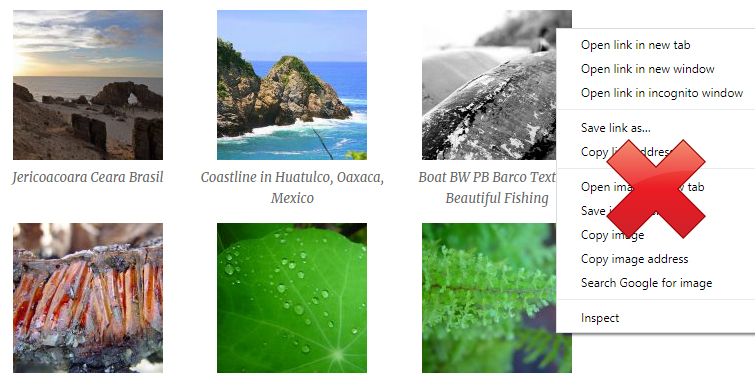
Disable Right Click on Images in WordPress
Faq
Yes.
Reviews
Fa quello che c'è scritto
By 
Testato con la versione WP 6 funziona benissimo
Changelog
1.0.1
- First commit