Disabled Source, Disabled Right Click and Content Protection

Disabled Source, Disabled Right Click and Content Protection
Description
Disabled Source, Disabled Right Click, and Content Protection is a very simple plugin to Protect your Website Content, Disable view page source(Ctrl+U), Disable Right Click, Disable F12 functional key, and Disable save the page(Ctrl+S). The special thing is for you to allow or disallow your post comments/review section.
The plugin is called copy content protection. It is very easy to use and install. This plugin protects content both on PC and mobile devices. Our latest features block IP Addresses.
Activate Disabled Source, Disabled Right Click, and Content Protection plugin and check those features by opening your website on a private/Incognito window/By Logout
🎉 Features
- Content Protection
- Notification text
- Disable Developer Tools
- Right Click Off
- Disable Image Drag/Drop
- Watermark Images (Pro)
- Disable Rest API (Pro)
- Disable CDN (Pro)
- Page Block by Password (Pro)
- Change Login Slug (Pro)
- Magic Login Link (Pro)
- Disable F12
- Disable Ctrl+I
- Disable Ctrl+Shift+I
- Disable Ctrl+J
- Disable Ctrl+Shift+J
- Disable Ctrl+C
- Disable Ctrl+Shift+C
- Disable Ctrl+U
- Disable Ctrl+Shift+U
- Disable Comments
- Disable by IP Address
- Disable by IP Address Page Design
- Disable by Country
- Disable by Country Notification
- Disable by Country Notification Page Design
- Website Maintenance
- Website Maintenance Custom Design
- Disable Print Preview Page
- Disable by Page id
- Disable by Role wise
- Disable by Post Type
Installation & Preview
🎉 Content Copy Protection
- Prevent unauthorized users from copying or reproducing your website content and images. Perfect for bloggers, photographers, and businesses who need to protect their intellectual property.
🎉 Disable Developer Tools
- Blocks users from inspecting your website source code or accessing developer tools, enhancing overall site security.
🎉 Disable Comments
- If you planning to allow or disallow comments on your website you just activate the Disabled Source, Disabled Right Click, and Content Protection plugin.
🎉 Disable by IP Address
- This feature enables users to block unwanted traffic from accessing your website frontend and backend by IP Address. It helps to reduce spam and unwanted sign-ups quickly by preventing unwanted visitors from browsing an entire website.
🎉 Disable by Country
- This feature enables users to block unwanted traffic from accessing your website frontend and backend by Country. It helps to reduce spam and unwanted sign-ups quickly by preventing unwanted visitors from browsing an entire website.
🎉 Website Maintenance Mode
- Activate maintenance mode with a professional custom design, ensuring visitors see a well-crafted page while your site is being developed or updated.
🎉 Protect by Post Type
- Apply protection to entire post types (e.g., Posts, or Custom Post Types), providing comprehensive coverage for your website’s critical assets.
🎉 Protect by User Roles
- You can restrict content and image usage based on user roles (e.g., Editor, Subscriber), allowing you to define who can view or copy sensitive information.
🎉 Watermark Images (Pro)
- You can apply dynamic watermarks to images, helping you secure and protect your visual content from unauthorized reuse.
🎉 Disable Rest API (Pro)
- You can disable the REST API to block external access and enhance your website security.
🎉 Disable CDN (Pro)
- You can restrict CDN usage, helping protect your content from being accessed through external networks.
🎉 Page Block by Password (Pro)
- You can add password protection to specific pages, giving you control over who can view them.
🎉 Change Login Slug (Pro)
- You can change the default login URL, helping protect your site from unauthorized login attempts.
Installation
- Install Disabled Source, Disabled Right Click and Content Protection by uploading the
disabled-source-disabled-right-click-and-content-protectiondirectory to the/wp-content/plugins/directory. - Activate Disabled Source, Disabled Right Click and Content Protection through the
Pluginsmenu in WordPress. - You can change this option any time you want by going to the
Disabled SettingsAdmin Menu. - Activate Disabled Source, Disabled Right Click and Content Protection plugin and check your website on private/Incognito window.
Screenshots
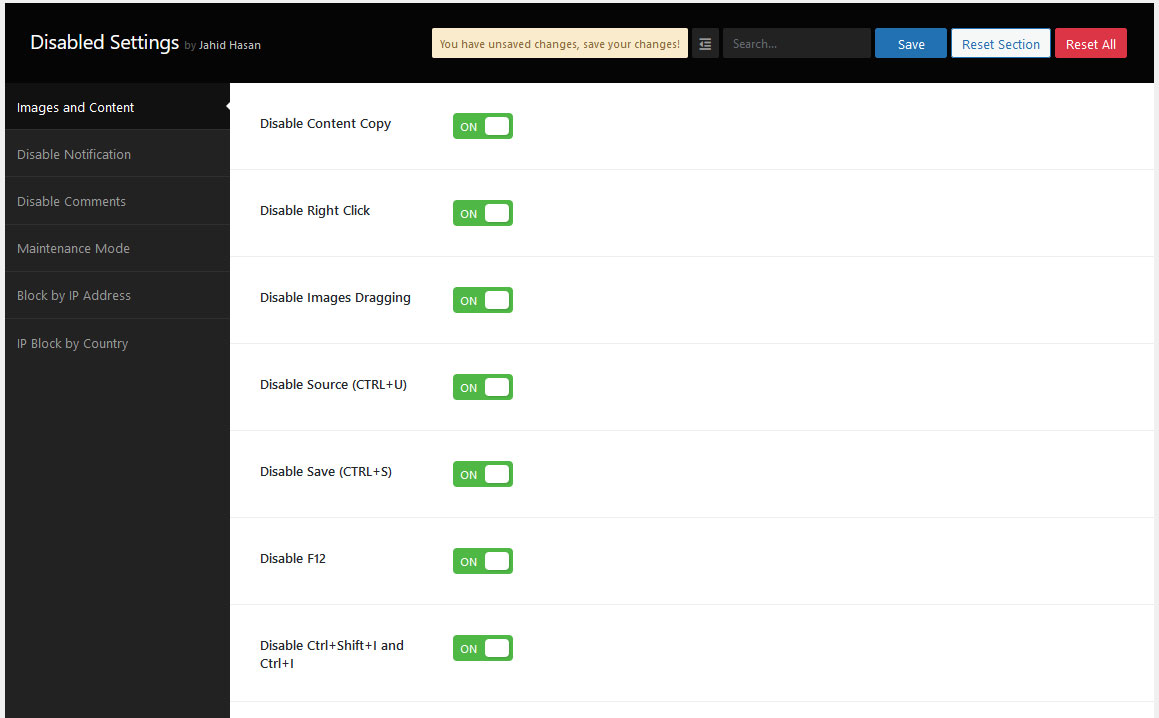
Disable Content and Images Settings
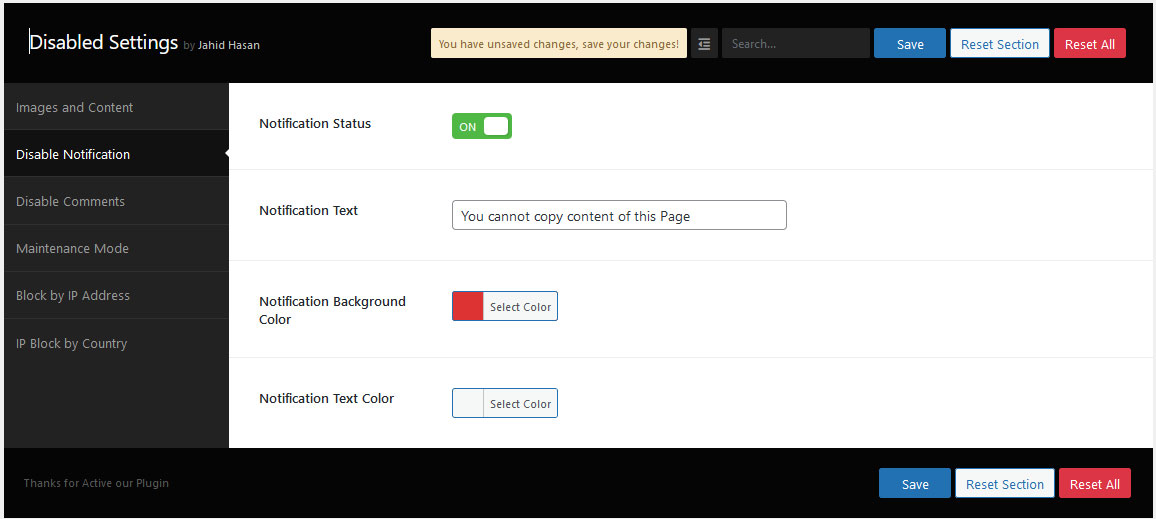
Disable Notification Settings
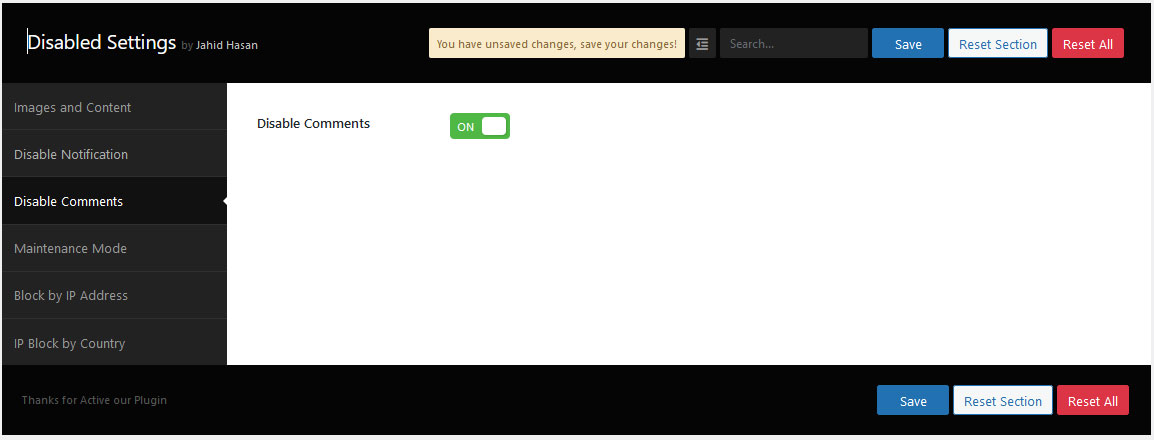
Disable Comments Settings
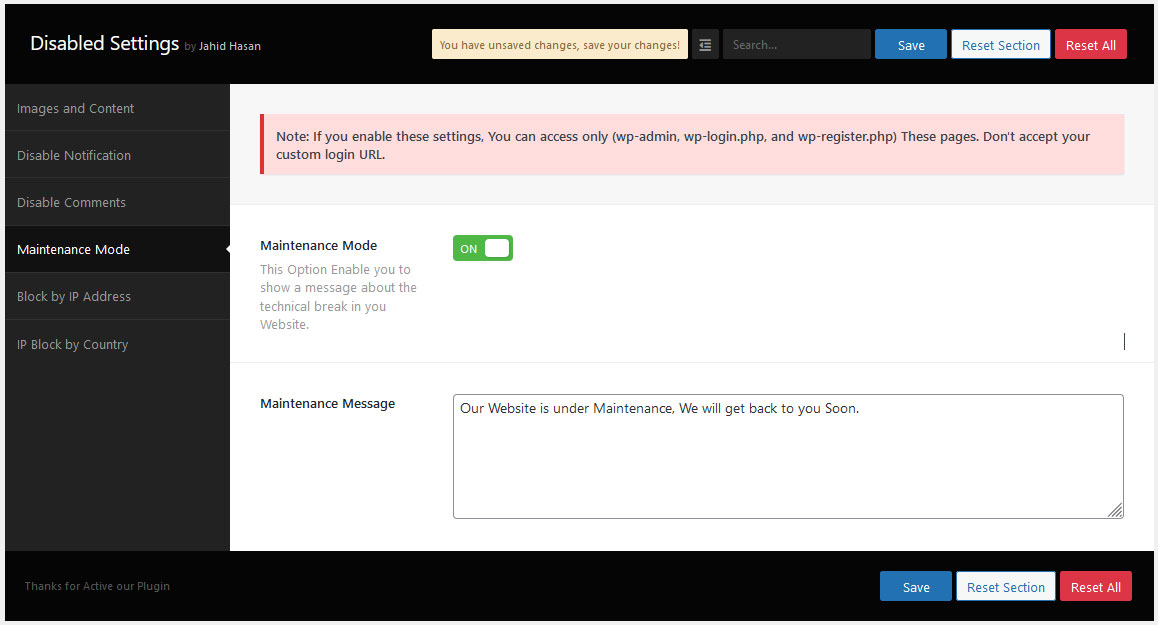
Maintenance Settings
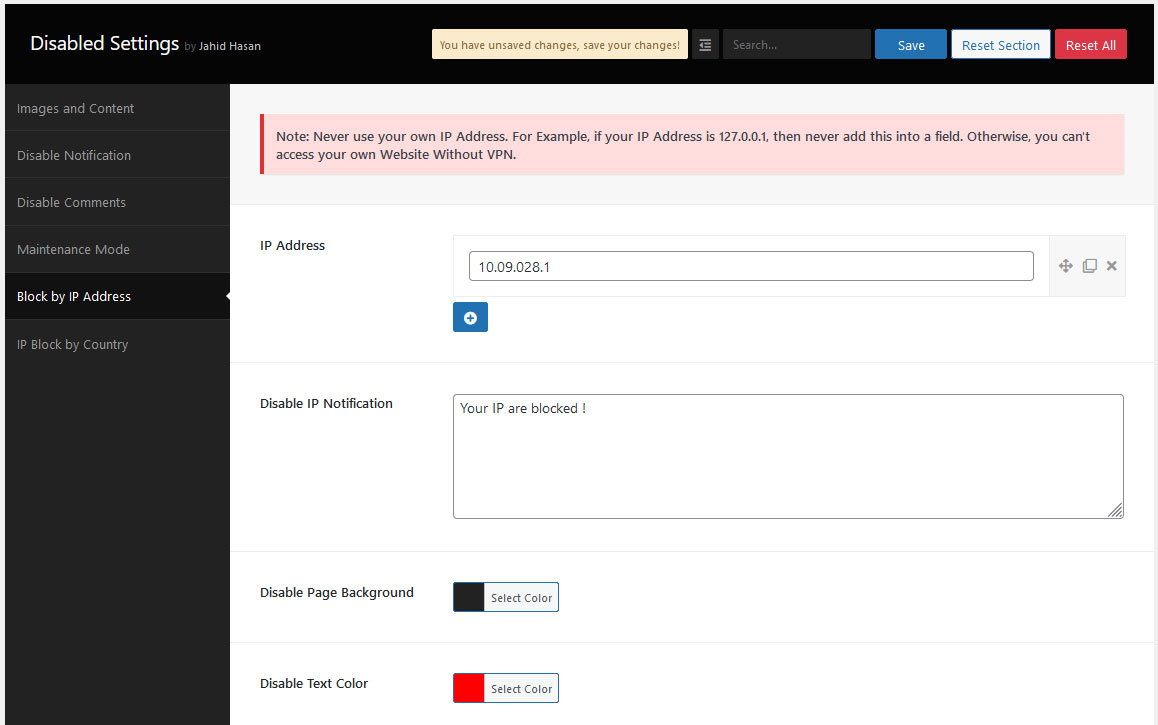
Disable by IP Address Settings
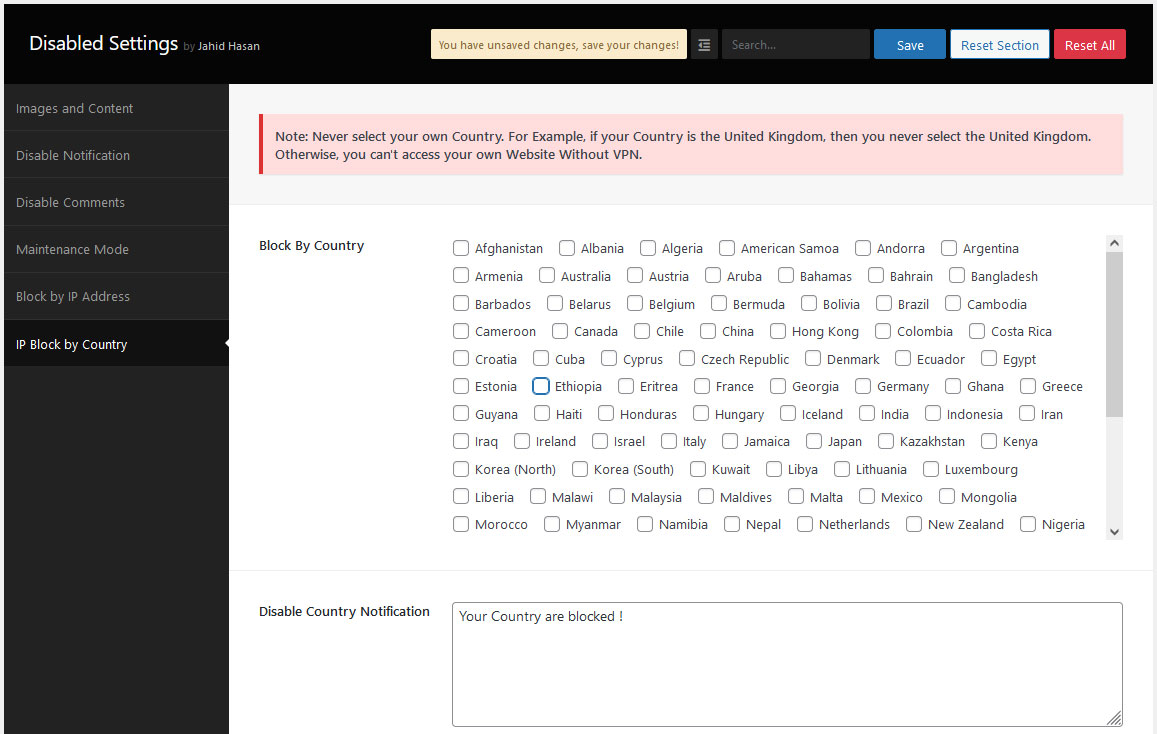
Disable IP by Country Settings
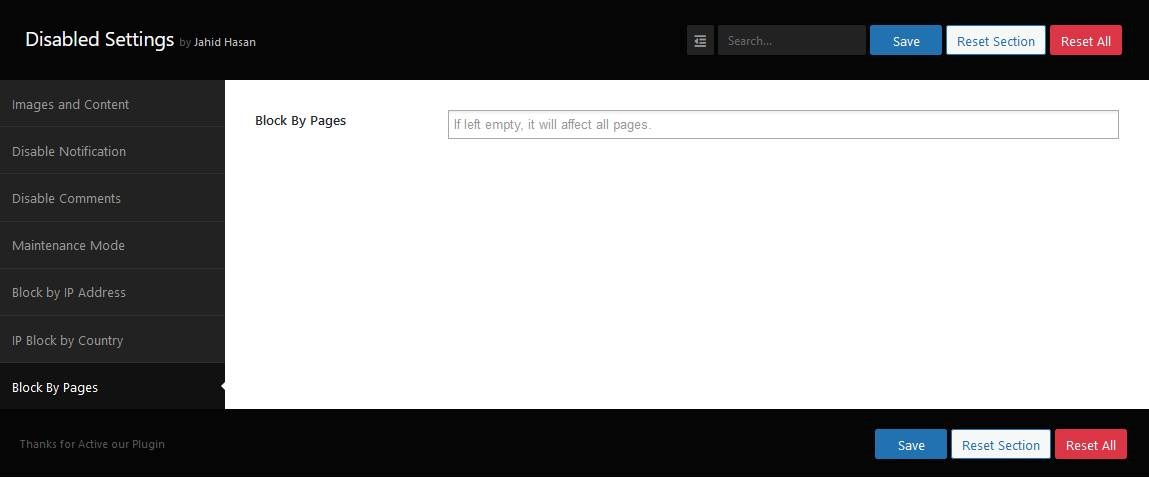
Disable by Page id
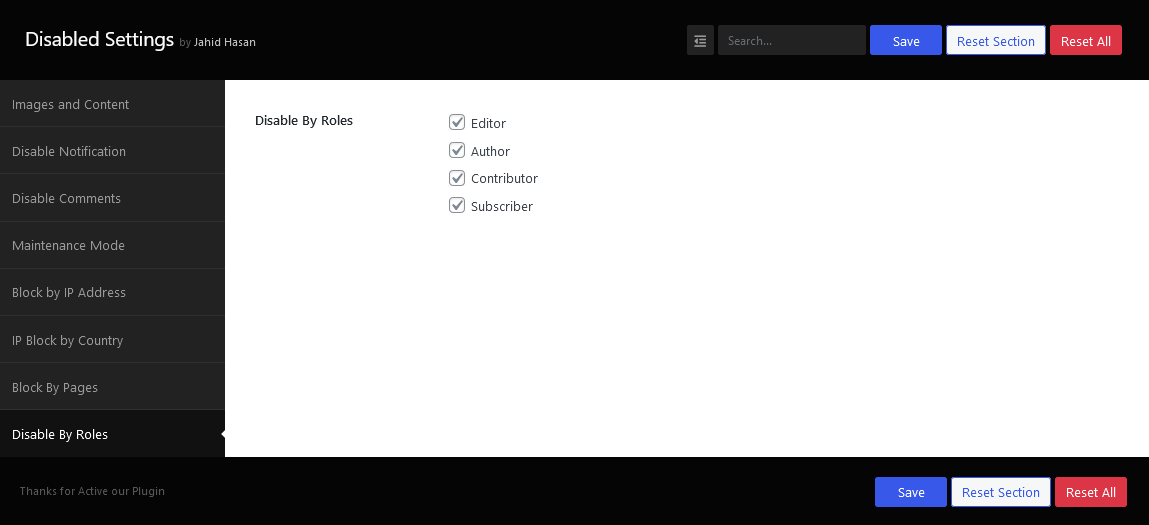
Disable by role wise
Faq
Just install our plugin and disable right click.
Just install our plugin and disable the F12 Button.
Yes.
Yes.
Yes.
No.
Reviews
Pretty Good
By 
No Problems just works
nice and effective
By 
Very useful extension that does the job.
MUST HAVE
By 
This is a must have for artist
Wonderful plugin
By 
Extremely useful plugin to protect my digital products from being copied.
Does the trick
By 
Never cared to review any pluging but im glad how this has worked so far, worked so hard to create my content for people to just steal and reuse.
Wonderful Plugin
By 
An absolute must have plugin. I love it.
Great plugin
By 
Simple and works well.
Good plugin
By 
I am very happy to use this plugin.
Just what I needed
By 
Works right out of the box, no issues so far, good plugin to help keep images safe from right clickers, thanks.
Great plugin
By 
Great plugin, thanks man
Changelog
1.8.4
- Fixed: Debug Log
1.8.3
- Updated: Package Update
- Performance: Fixed excessive transient accumulation in wp_options table.
1.8.2
- Added: Compatibility with WooCommerce 11.1.1
- Added: Compatibility with Elementor 4.2.4
- Added: Magic Login Link feature
1.8.1
- Fixed: Notification Icon Position Issue
- Fixed: Backend Button height Issue
1.8.0
- Added: Compatibility with WordPress 7.1
1.7.9
- Added: More Plugins Page
1.7.8
- Added: Compatibility with WooCommerce 10.9.4
- Added: Compatibility with Elementor 4.1.5
1.7.7
- Updated: Tags
1.7.6
- Added: Compatibility with WooCommerce 10.8.1
- Added: Compatibility with Elementor 4.1.3
1.7.5
- Added: Compatibility with WordPress 7.0
1.7.4
- Added: Compatibility with Elementor 4.0.8
1.7.3
- Added: Added Subtitle
1.7.2
- Added: Removed Own Country from Country List
1.7.1
- Added: Compatibility with WooCommerce 10.7.0
- Added: Compatibility with Elementor 4.0.3
1.7.0
- New Settings Integrate
1.6.5
- Compatibility with Mac Devices
1.6.4
- Compatibility with WordPress 6.9
1.6.3
- Added: Compatibility with WooCommerce 10.3.5
- Added: Compatibility with Elementor 3.33.1
1.6.2
- Added: Compatibility with WooCommerce 10.1.2
- Added: Compatibility with Elementor 3.31.3
1.6.1
- Added: Compatibility with WooCommerce 10.0.2
- Added: Compatibility with Elementor 3.30.2
1.6.0
- Fixed: Escaping issues
1.5.9
- Fixed: CSS issue Fixed
1.5.8
- Added: Support Notice Bar
1.5.7
- Added: Compatibility with Elementor 3.28.4
1.5.6
- Fixed: load_textdomain Issue
1.5.5
- Added: Compatibility with WordPress 6.8
1.5.4
- Added: Compatibility with WooCommerce 9.8.1
1.5.3
- Added: Compatibility with WooCommerce 9.6.0
1.5.2
- Added: Compatibility with Elementor 3.26.5
1.5.1
- Added: Compatibility with WooCommerce 9.5.2
1.5.0
- Added: Compatibility with Elementor 3.26.3
1.4.9
- Added: Compatibility with WooCommerce 9.4.3
1.4.8
- Added: Compatibility with WordPress 6.7
1.4.7
- Added: Block by post type
1.4.6
- Fixed: Block by Roles
1.4.5
- Fixed: Homepage block issue
1.4.4
- Added: Homepage added to the Disable by Pages Section
1.4.3
- Added: 2 Missing Country
1.4.2
- Added: Compatibility with WordPress 6.6
1.4.1
- Updated: Admin Notice
1.4.0
- Added: Block By role wise (Ex: Author, Subscriber, Editor, etc)
1.3.9
- Added: Block By Page id
1.3.8
- Removed: Auto Redirect to the Setting Page
1.3.7
- Added: Compatibility with WordPress 6.5
1.3.6
- Updated: Security and Minor Bugs
- Fixed: Nonce Validation and escaping issues
1.3.5
- Fixed: PHP deprecated issue
1.3.4
- Added: Compatibility with WooCommerce 8.5.2
1.3.3
- Added: Disable Print Preview Page
1.3.2
- Added: Notification Position Settings
1.3.1
- Added: Compatibility with WooCommerce
1.3.0
- Added: Compatibility with WordPress 6.4
1.2.9
- Added: Notification added for Right Click
1.2.8
- Improvements: IP Address Blocker
- Added: IP Address Blocker Page Design
1.2.7
- Update: Notice Design & Text
- Update: Appsero version
1.2.6
- Added: Blocked Customer Roles
1.2.5
- Added: Compatibility with WordPress 6.3
1.2.4
- Added: 2 Missing Country Added (Eritrea,Ethiopia)
1.2.3
- Added: Compatibility with WordPress 6.2.2
- Added: Missing Country Added
1.2.2
- Added: Dependancy Added on Notification Design Option
- Update: Compatibility check for WooCommerce
1.2.1
- Added: Disable Notification Design Option
1.2.0
- Added: Admin Notice Added
- Update: Country Blocked Page Design Panel
1.1.9
- Added: Compatibility with WordPress 6.2
- Update: Appsero Update
1.1.8
- Added: Website Maintenance Settings
- Added: Missing Country on Disable IP by Country Settings
1.1.7
- Added: Disable Country Blocked Message Page Design
- Update: Compatibility check for WooCommerce version 7.4.0
1.1.6
- Added: Disable Country Blocked Message
1.1.5
- Added: Disable by Country
1.1.4
- Update: Compatibility check for WordPress version 6.1
1.1.3
- Added: Notification text
- Update: Compatibility check for WordPress version 6.0.3
1.1.2
- Added: Disable Image Drag/Drop
- Added: Disable Save page (CTRL+S)
1.1.1
- Added: Disable by IP Address
1.1.0
- Added: Setting Page Integrate
- Added: Disable Comments Integrate
1.0.0
- Initial version